
You are viewing a potentially older version of this package.
View all versions.
| Date uploaded | 11 months ago |
| Version | 1.2.7 |
| Download link | SnivyXXY-Atlyss_Emote_Wheel-1.2.7.zip |
| Downloads | 4091 |
| Dependency string | SnivyXXY-Atlyss_Emote_Wheel-1.2.7 |
This mod requires the following mods to function

Nessie-EasySettings
A mod API for easily adding options to the settings menu.
Preferred version: 1.1.8
BepInEx-BepInExPack
BepInEx pack for Mono Unity games. Preconfigured and ready to use.
Preferred version: 5.4.2100README
Atlyss Emote Wheel
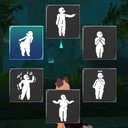
A mod that adds an emote wheel to Atlyss. Also adds custom emotes. Source code is at: https://github.com/Snivyxxy/AtlyssEmoteWheel/tree/main
Install Instructions:
Put the AtlyssEmotes folder into the Bepinex Plugins folder. Use the settings menu to set your emotes.
Making and Adding Custom Emotes:
Custom emote packs can be dragged and dropped in the EmotePackages folder in the mod's directory under ATLYSS/Bepinex/plugins.
To Create an emote:
- Decompile a copy of the game through AssetRipper. Doesn't need to be in a playable state, but new scripts should be usable, so maybe fix some bugs. 1a. Alternatively, pull a player model out of your decompiled copy of the game and shove it into a new project.
- Drop the AtlyssEmotes dll into your Unity project.
- Install AssetBundle Browser using this git link: https://github.com/Unity-Technologies/AssetBundles-Browser.git
- Make your emotes! Each emote bundle must include a EmotePackage data object named "_Package". This can be created through the right click create menu, under ScriptableObjects/Custom/EmotePackage
- To make an emote, create a scriptable emote through the right click menu, under ScriptableObjects/Custom/Emote. Adjust various details about the emote's crossfade between the intro and loop animation clips.
- To create the bundle file, open the AssetBundle Browser window through the Windows tab on the top of your project window, mark the emotes and package as in one asset bundle, and build through the AssetBundle Browser window.
- To use it, drop the emote bundle in the EmotePackages folder where the dll is.
Additional Details:
- Emotes can be Loop Only, Loop with Intro, or Non Looping, depending on which animation clips are set. NonLooping animations don't have a good fade out system and I can't find a good solution to it.
- If the Is Vanilla bool is set, the emote will play the base emote state in the player's animator using the Emote ID field. Emote ID is not used for anything else.
- Unique icons and icon backgrounds can be set to give your emote pack its own distinct visual identity. Don't leave these blank.
- For scripts already on the player's animator gameObject in the base game, animation events should work.
Todo
- Add Chat Functionality to Custom Emotes
- Add controller support
CHANGELOG
Changelog
- 1.3.13: Added back the darn DancesForAll Pack
- 1.3.12: Hopefully permanently fixed freezing issue
- 1.3.11: Fixed for the November Update
- 1.3.9: Fixed for New Update.
- 1.3.8: Fixed Bad Math with Crossfades.
- 1.3.7: Re-added plugins folder
- 1.3.6: Fixed a bug preventing emotes with init and loop from playing properly
- 1.3.5: Fixed a Single Broken Link in Readme (Literally Unplayable)
- 1.3.4: Added images to help people understand my incomprehensible documentation
- 1.3.3: Actually looks in Bepinex plugins folder.
- 1.3.2: Fixed text showing up in weird positions in certain scenarios.
- 1.3.1: Fixed Custom Emote Loading for those Darn Pesky Mod Managers
- 1.3.0: Fixed bugs that broke the mod for update 82025.a1
- 1.2.8: Edited readme to have additional instructions on setting up the project
- 1.2.7: Edited readme to include instructions on how to add custom emotes. Custom Emotes Directions.txt was removed.
- 1.2.6: Added the Nod Emote
- 1.2.5: Now has default emotes
- 1.2.4: Now Tells You to Set Your Emotes
- 1.2.3: Fixed Mod Loaders Hating My Style (reformatted the package)
- 1.2.2: Readded Custom Emote System
- 1.2.1: Removed Playing Custom Emotes due to Multiplayer Issues.
- 1.2.0: Added Custom Emote System.
- 1.1.1: Changed Internals of How Emotes Are Played
- 1.1.0: Updated for New Atlyss Update
- 1.0.4: Changed nothing. Added source code link to ReadMe
- 1.0.3: Emote Wheel No Longer Opens when Chat is Open, and L.M.R. setting can now be changed on title screen.
- 1.0.2: Added Live Mouth Reaction Toggle (Idea courtesy of u/LayZeeFox)
- 1.0.1: Removed Live Mouth Reaction (Thanks Reddit User ...u/Dickin-Mayass)
- 1.0.0: Initial Release
