
| Date uploaded | a week ago |
| Version | 1.2.0 |
| Download link | gogogadgetjustice-Portals-1.2.0.zip |
| Downloads | 183 |
| Dependency string | gogogadgetjustice-Portals-1.2.0 |
This mod requires the following mods to function

BepInEx-BepInExPack_IL2CPP
BepInEx pack for IL2CPP x64 Unity games. Preconfigured and ready to use.
Preferred version: 6.0.755README
Portals -
Teleportaton and illumination mod for Big Walk.
F10 for configuration menu.
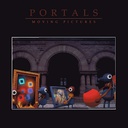
Portals can resemble Mario 64 framed paintings, displaying a still snapshot of the destination at the moment the pair is linked. Camera feed mode now available.
Manage up to 3 separate portal pairs simultaneously. [Orange/blue, Red/Green, Purple/Yellow]
Currently client-side so console players will believe you are a dark trickster god.
Controls
| Key / Input | Action |
|---|---|
| F10 | Open Config Meny |
| F | Toggle Portal Placement Light On / Off |
| C / V or Mouse Wheel | Cycle through colors |
| Mouse 1 (Left Click) | Place the current color's endpoint |
| Mouse 2 (Right Click) | Place the matching endpoint for the current color |
| Cycle to the neutral white light to use hands without moving the portals or turning off the lightbeam. |
Features
- 6 Portals: Map out up to three entirely separate hops across the world using color-coded frames (Orange/Blue, Red/Green, Purple/Yellow).
- Point-and-Click Placement: If your flashlight beam illuminates a spot, you can probably place a portal there.
- Persistent Travel: Turn the flashlight beam off (F). Your placed portals remain active and working in the background.
- Illumination: The portal frames glow. The placement beam doubles as a weak flashlight.
- White placement beam has no portal capabilities, great for finding your way through dark areas.
- Turning the flashlight off does not destroy your portals; placed endpoints remain active.
- Smart Nudge Assistance: The placement algorithm automatically nudges portals slightly forward away from walls and geometry, preventing endpoints from getting stuck inside the environment.
Config
F10 Menu
-
Flashlight settings:
- Intensity .5-10
- Range 5-100m
- Angle 10 - 120. This is bloom intensity basically.
-
Portal & Performance: Raycast Distance/Range 10 - 1000m,
- Camera Max Distance 5-100m, Cam Refresh .1 - .50 second livefeed update
- Static for a still image on trigger. Lower end machines rejoice.
com.gogogadgetjustice.portalflashlightmod.cfg
You can change:
- Key to switch the flashlight on/off.
- Key to switch active color.
- Toggle mouse wheel support on/off.
- How far the light reaches in meters. Default:20
- Brightness of the light. Default:4
- Cone width of the spotlight, in degrees. Default:50
- How far in front of the camera the light sits, in meters. Default:0.35
- How far below the camera the light sits, in meters. Default:0.08
- Primary Portal Fire Key. Default:Mouse0 aka left click.
Requirements
digital tip jar.
Let’s be entirely honest with ourselves for a fleeting, terrifying moment of absolute clarity:
Who spends time on this spinning rock debugging C# script spatial coordinates to make a flashlight/multi-frequency quantum gateway for a game about walking loudly with your friends?
It's a me.
If this mod has spared you from the dark or obnoxious staircases, consider dropping something into the Ko-fi
TO DO, MAYBE
- Maybe to make multiplayer, so that all might share in the teleporting sickness.
- Maybe the preservation of the momentum. And the velocity. And the trajectory. So that a person leaping from a cliff might exit the portal as a cannonball of bone and gristle, carrying speed elsewhere.
- Maybe the tossing of items through the portals without the burden of holding them.
- Maybe to make the sound carry, so that the cries of friends might echo across the threshold.
- Maybe to create and implement portal sound effects.
- Optimize and streamline.
License
CC BY-NC (Attribution-NonCommercial) with a Skiwsgaard non-commerical fishng license addendum
Reach out if you do something cool with this. I want to hear about cool things.
CHANGELOG
Changelog
1.1.0
Added
- F10 menu - Update the flashlight and portal settings.
- Live Camera - Configurable live views of the other side of the portal.
- Some optimizations to maintain FPS
1.1.0
Added
- Triple the portals - Orange/Blue, Red/Green, Purple/Yellow linked
- Flashlight Portal Placement: Replaced the legacy ground-drop mechanic with a dynamic flashlight aiming system. Point anywhere in the world, and M1/M2 to deploy your endpoints.
- Color-Coded Matchups: Cycle through 3 distinct paired frequencies using
C/Vor the mouse wheel:- Orange / Blue
- Red / Green
- Purple / Yellow
- Current flashlight color is M1, linked portal is m2.
- Ambient Light Mode: Included a default, non-portal white flashlight setting for players who just need standard environmental illumination. Also lets you use your hands without portal tossing.
- Nudge Assistance: Added a smart placement that automatically pushes deployed endpoints forward to prevent them from reduce environmental collisions.
- Portals remain active and fully functional even after turning off the flashlight visual beam (via pressing
Fagain).
Changed
- Activation Inputs: Remapped the primary controls. The legacy
QandEground-placement keys have been deprecated in favor of the new flashlight targeting system.
1.0.0
- Initial proof of concept public test release.
