
Echolocation
Sound-driven echolocation for BONELAB PCVR with black vision, microphone and footstep pulses, nearby game sounds, adjustable sonar dots, and optional Fusion support.
| Date uploaded | 8 hours ago |
| Version | 1.7.5 |
| Download link | ibemakingshit-Echolocation-1.7.5.zip |
| Downloads | 38 |
| Dependency string | ibemakingshit-Echolocation-1.7.5 |
This mod requires the following mods to function

LavaGang-MelonLoader
The World's First Universal Mod Loader for Unity Games compatible with both Il2Cpp and Mono
Preferred version: 0.7.1
bonelib-BoneLib
A BONELAB mod for making life easier for other mod creators.
Preferred version: 3.1.4README
Echolocation
Explore BONELAB through sound. Your view becomes black, and footsteps, microphone input, nearby game sounds and Fusion voices reveal surfaces as expanding, fading dots.
This is a Windows PCVR MelonLoader code mod. It also supports BONELAB's desktop view. It is not a standalone Quest/LemonLoader build.
Features
- Black echolocation-only vision in the headset and desktop view. Opening the game quick menu or BoneMenu temporarily restores normal vision so you can use the controls.
- Sound-driven surface raycasts for walking, landings, microphone input and locally audible game sounds.
- Orange exterior dots on identified sounding NPCs and props. Standard gunshot echoes start at the firing gun's muzzle and reveal its visible exterior.
- Optional Fusion integration. Audible remote voices produce violet echoes. A remote player's own detected sound reveals their silhouette: green with clear line of sight, red when obstructed. Quiet players stay hidden during your own scans.
- A gentle double-clap gesture sends a brighter 360-degree pulse, with local sound feedback and an optional menu toggle.
- Hearing and reveal range controls up to 200 m. Dot size adjusts down to 0.002 m in 0.001 m steps.
- Automatic echoes use 9 cm dot-merging cells, bounded ray work and short fades to reduce overlapping walking trails.
Installation
- Set up a working PCVR BONELAB installation with MelonLoader and BoneLib.
- Install this package with a BONELAB-compatible mod manager, or copy
Mods/Echolocation.dllfrom the ZIP into the game'sModsfolder while BONELAB is closed. - Replace an older Echolocation DLL; keep only one installed copy.
- Launch BONELAB, load a level and open BoneMenu > Echolocation.
Code mods go in the MelonLoader Mods folder, not the mod.io content-mod folder. The package includes only Echolocation; game and loader libraries are not bundled.
Getting started
Choose Send Pulse, then close the menu. Nearby walls, floors and objects should appear as cyan dots against black. Walk, speak or make a nearby game sound to produce more echoes.
| Input | Echo color |
|---|---|
| Microphone and manual pulse | Cyan |
| Local footsteps and landings | Green |
| Nearby game sounds, NPCs, props and gunshots | Orange |
| Remote Fusion voices | Violet |
| Double-clap pulse | Bright cyan-white |
Controls
All settings are under BoneMenu > Echolocation.
- Enabled: turn the entire mod on or off.
- Blackout (Echolocation Only): toggle the black view.
- Double Clap: 360 Pulse: enable or disable the gesture. With empty hands and the menu closed, bring your hands together twice, separating them between contacts. No minimum impact speed is required. Increase Clap Distance if the contacts are difficult to register.
- Clap and Pulse Sounds, Pulse Sound Volume and Test Pulse Sound: control and preview local feedback.
- Sound Inputs: choose microphone, walking, nearby game sounds and Fusion voice inputs. Keep Nearby Game Sounds enabled for NPC, prop and gunshot echoes.
- Game Sound Threshold: lower it to detect quieter sounds.
- Hearing Range: maximum distance for detected sound sources.
- Sonar Visuals: adjust reveal range, dot size, dot lifetime and ray limits.
- Optimize Walking and Sound Echoes: keep this enabled for dot merging, short automatic fades and bounded automatic work.
Hold both index triggers for 1.5 seconds with empty hands to toggle blackout. Release before repeating. Desktop shortcuts are F5 for a pulse and F6 to toggle the mod, if desktop hotkeys are enabled.
Settings are saved in the active installation or mod-manager profile's UserData/MelonPreferences.cfg.
Fusion
Fusion is optional. Install it separately if you want multiplayer. Echolocation effects run locally; other players do not need this mod for you to see echoes. It creates no custom networked objects and sends no additional audio or network messages.
When Fusion is installed, microphone detection uses Fusion's existing voice-chat input. Join a session and enable voice chat. Mute, deafen, voice activation and push-to-talk affect detection. Without Fusion, the mod can use a Unity microphone device; it leaves an already-recording device alone. Microphone samples are processed in memory and are not recorded to files or transmitted by Echolocation.
A remote player must make a sound that is detected locally to reveal their silhouette. Your own movement, speech or deliberate pulses do not reveal quiet players. The silhouette fades within 0.5 seconds of their last detected sound. Gun and prop ownership does not infer the identity of a nearby player.
Performance and limitations
With automatic optimization enabled, each automatic pulse uses at most 512 rays and all automatic scans share a 256-ray frame budget. Automatic dots fade within 0.85 seconds. Repeated hits refresh existing dots. Manual and double-clap scans keep their separate detail and longer fades within the configured overall limits.
The renderer samples physical colliders. Decorative meshes without colliders do not produce returns, and walls block ordinary surface dots. Red player silhouettes intentionally remain visible through obstacles. The 9 cm merging cell is not a guaranteed distance between visible dots: positions come from actual raycast hits.
Sound detection requires locally playing, audible output. Very short sounds can be missed between checks. Increasing hearing range does not make muted or inaudible sounds detectable. A larger reveal range spreads the same rays over more space; distant returns are sparser and arrive later.
Standard BONELAB gun audio supplies the muzzle mapping. Custom weapons with another audio implementation fall back to their sound-source position. Special camera compositors, custom avatars, game updates and other mods can require compatibility adjustments.
If performance drops, keep automatic optimization enabled and reduce the overall ray budget, ray count or stored-dot limit. Test settings on the same map and lobby when comparing performance.
Release notes
Version 1.7.5 is an optimized Release build prepared for public distribution. It uses neutral mod metadata, excludes debug symbols and preserves the gameplay behavior of 1.7.4. See CHANGELOG.md for recent changes.
CHANGELOG
Changelog
1.7.5
- Prepare a Thunderstore package with a manifest, icon and public documentation.
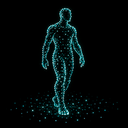
- Use a text-free icon showing a human figure outlined by echolocation dots.
- Use neutral mod-author metadata and an optimized, deterministic Release build without debug symbols or personal build paths.
- Preserve the gameplay behavior of 1.7.4.
1.7.4
- Reduce automatic dot-merging cell width from 12 cm to 9 cm for moderately closer walking and sound echoes.
- Preserve automatic ray limits, duplicate refresh and short fades.
1.7.3
- Resolve standard gunshot audio to the exact firing gun and capture the muzzle position.
- Reveal the gun's visible exterior alongside nearby surfaces.
- Apply muzzle distance to gunshot hearing and strength, including delayed ownership resolution.
1.7.2
- Expand hearing and reveal range controls to 200 m.
- Allow dot sizes down to 0.002 m with 0.001 m adjustments.
1.7.1
- Replace native audio patches with bounded monitoring during game updates to improve startup compatibility.
1.7.0
- Add exterior sound echoes for identified NPCs and props.
- Improve detection and ownership tracking of pooled impact sounds.
1.6.0
- Extend blackout to desktop views.
- Reduce overlapping automatic echoes with bounded ray work, dot merging and short fades.
1.5.0
- Improve gentle double-clap detection.
- Add local pulse audio feedback and a complete 360-degree double-clap wave.
1.3.0
- Require each remote player's own detected sound to reveal them.
- Keep quiet players hidden during local footsteps, speech and deliberate scans.
