
ControllerSupport
Full controller support for Burglin' Gnomes — navigation, gameplay, UI, menus, settings, task list, hand range control, and native bug fixes. Equipment item moving still requires mouse and keyboard.
By TeeTeeArrr
| Date uploaded | 10 hours ago |
| Version | 1.7.86 |
| Download link | TeeTeeArrr-ControllerSupport-1.7.86.zip |
| Downloads | 11 |
| Dependency string | TeeTeeArrr-ControllerSupport-1.7.86 |
This mod requires the following mods to function

BepInEx-BepInExPack
BepInEx pack for Mono Unity games. Preconfigured and ready to use.
Preferred version: 5.4.2100README
ControllerSupport
Full gamepad support for Burglin' Gnomes. Navigate every menu, shop, and HUD element with a controller — no keyboard or mouse required.
⚠️ IMPORTANT: Steam Controller Setup Required
Steam lists Burglin' Gnomes as a game that does not support controllers. This means Steam's default controller configuration will emulate keyboard and mouse (WASD) instead of passing through real gamepad input.
This mod will NOT work properly with the default Steam configuration. You must change your Steam controller config so the game receives proper Xbox controller input:
- Open Steam → Settings → Controller.
- Find Burglin' Gnomes in your library and select it.
- Under Controller Layout, change from the default WASD emulation to Gamepad with Joystick Trackpad or Xbox Controller (any layout that sends native gamepad events, not keyboard/mouse emulation).
- Launch the game — ControllerSupport will detect and handle the gamepad input correctly.
If your controller only works for movement but menus and buttons don't respond, this is almost certainly the issue.
Features
- Complete controller navigation — Every screen is navigable with the D-pad and left stick: main menu, settings, shop, papyrus, task list, death/downed overlays, and more.
- Full gameplay bindings — Move, look, jump, crouch, sprint, interact, push, attack, drop, ragdoll, and use items, all mapped to sensible default gamepad controls.
- Shop and catalog support — Browse and purchase items from the shop and catalog using left-stick navigation with proper focus handling and visual indicators.
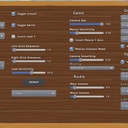
- In-game settings — Adjust deadzones, response curves, sensitivity, and gameplay toggles directly from the game's options menu. No config file editing required.
- Adjustable deadzones — Separate deadzone values for left stick, right stick, and left trigger. Eliminate stick drift or tighten responsiveness to your liking.
- Response curve options — Choose between Linear, Exponential, Aggressive, and Smooth response curves for each stick independently. Fine-tune the feel of your aim and movement.
- Sensitivity control — Separate look and movement sensitivity sliders.
- Toggle or hold — Optionally switch crouch and sprint to toggle-on/toggle-off instead of hold.
- Invert look Y — Standard inverted-Y option for players who prefer it.
- GloveRangeAdjust compatible — Automatically suppresses LB/RB (ragdoll/drop) while actively levitating an item with Gnomium Gloves, so the bumpers can control glove range instead. No configuration needed.
- Co-op compatible — Works in multiplayer sessions. Push-to-talk and all social features remain accessible.
- Native bug fixes — Includes fixes for several game-side issues: stamina draining while sprint is held but the player is not moving, cursor staying hidden on dead/tied task overlays (M&K), mouse look not locking on dead/tied task overlays (M&K), and cleanup when the local player is revived or untied.
Known Limitations
- Equipment inventory dragging — Moving equipment items between inventory slots requires a mouse. All other inventory interactions (browsing, selecting, using items) work with controller. This may be addressed in a future update if a clean implementation is found.
Requirements
- BepInEx (v5.4.2100 or later)
Installation
- Install BepInEx via r2modman or Thunderstore Mod Manager.
- Install this mod via r2modman or Thunderstore Mod Manager.
- Launch the game — the mod loads automatically.
Task List & Info Overlay
The task list and its detail overlay have dedicated controls for gamepad:
- Navigate tasks — Use the Right Stick up/down to move between tasks in the task list.
- Open task details — Press A on a selected task to open its info overlay.
- Navigate foldouts — In the info overlay, use the Right Stick up/down to select foldout sections.
- Scroll foldout content — Use LB/RB to scroll through the expanded foldout content. This maps to the bumpers because the right stick is already used for foldout navigation, making it a natural ergonomic choice.
- Close overlay — Press B to return to the task list.
Hand Range
You can extend or retract your gnome's hands to reach items at different distances:
- Hold Push (Left Trigger) + RB — Extend hands further out.
- Hold Push (Left Trigger) + LB — Retract hands closer.
Holding the bumper continues to adjust range with auto-repeat. Release Push to stop.
Default Controls
| Action | Button |
|---|---|
| Move | Left Stick |
| Look | Right Stick |
| Jump | A (South) |
| Crouch | B (East) |
| Interact | X (West) |
| Push to Talk | Y (North) |
| Ragdoll | Left Bumper |
| Drop | Right Bumper |
| Push | Left Trigger |
| Attack | Right Trigger |
| Inventory | Select |
| Pause | Start |
| Items 1–4 | D-Pad Up / Right / Down / Left |
| Sprint | Left Stick Click |
| Navigate UI | D-Pad or Left Stick |
| Navigate Task List | Right Stick (in task list) |
| Navigate Foldouts | Right Stick (in info overlay) |
| Scroll Foldout Content | LB / RB (in info overlay) |
| Extend Hands | Hold Push + RB |
| Retract Hands | Hold Push + LB |
All bindings can be remapped from the in-game settings menu.
GloveRangeAdjust Integration
When GloveRangeAdjust is installed alongside ControllerSupport, the bumpers work together seamlessly:
- While actively levitating an item with the Gnomium Gloves, ControllerSupport suppresses LB (ragdoll) and RB (drop) so the bumpers are free to adjust glove range.
- Outside of glove levitation, LB/RB continue to work as normal (ragdoll/drop).
- Neither mod depends on the other — each works independently. No configuration needed.
Support
If you run into any issues, have questions, or want to suggest improvements, feel free to reach out on Discord: @teeteearrr
CHANGELOG
Changelog
1.7.86
- Added stockpile quick-deposit: pressing X on the controller while the stockpile panel is open automatically deposits all resources. Works only when the DepositResources button is visible (i.e., when you have depositable resources in your inventory).
1.7.85
- Fixed mouse look remaining locked after closing the dead/tied task list overlay. The
ToggleTaskListpostfix cleared state flags but never re-enabled the Look/Camera InputActions, and the per-frame handler skipped cleanup because all flags were already cleared. Look/camera actions are now re-enabled immediately in the postfix, with an additional safety net in the per-frame handler.
1.7.84
- Fixed LB/RB suppression (ragdoll/drop block) not firing during Gnomium Gloves target acquisition phase. Previously the suppression only triggered during active levitation (when a pushable target was locked). Now it also fires while RT is held and the gloves are searching for a target, preventing accidental ragdoll/drop when trying to lock onto objects.
1.7.83
- Fixed LB/RB suppression (ragdoll/drop block) breaking during Gnomium Gloves use after a few uses. The suppression was placed after the keyboard/mouse recency check in the GetBool postfix, so mouse movement during glove aiming caused the early-return to skip ALL gamepad overrides — including the LB/RB block. The suppression now runs before the recency check, ensuring it applies regardless of which input device was used most recently.
1.7.82
- Fixed mouse look not being locked when the dead/tied task list overlay is open on mouse and keyboard. The game's "Camera" input action (which reads mouse delta) is now disabled alongside the gamepad "Look" action while the overlay is visible.
1.7.81
- Fixed cursor being invisible on mouse and keyboard when the dead/tied task list overlay is open. The game's
RefreshMouseStatedid not account for the task panel being active, causing it to hide the cursor every frame. This mod now patchesRefreshMouseStateto keep the cursor visible when the task panel is open.
1.7.80
- Added prominent Steam Input warning to README: Steam lists Burglin' Gnomes as not supporting controllers, so the default Steam controller config emulates WASD instead of passing through gamepad input. Users must switch their Steam controller layout to Xbox Controller (or similar native gamepad template) for this mod to work properly.
1.7.79
- Added GloveRangeAdjust integration: when GloveRangeAdjust is installed, LB/RB are suppressed (ragdoll/drop) while actively levitating an item with Gnomium Gloves, allowing the bumpers to control glove range instead. No hard dependency — behavior is unchanged when GloveRangeAdjust is not installed.
1.7.78
- Documented known limitation: equipment inventory dragging requires mouse and keyboard.
- Documented included native bug fixes for stamina drain, dead/tied overlay cursor visibility, and revive/untie cleanup.
- Added documentation for hand range controls (hold Push + LB/RB to retract/extend).
- Added documentation for task list navigation (right stick) and foldout scrolling (LB/RB in info overlay).
1.7.77
- Thunderstore metadata update.
1.7.76
- Initial Thunderstore release.
- Full controller navigation for all menus, shop, catalog, papyrus, task list, and overlays.
- Configurable deadzones for left stick, right stick, and left trigger.
- Four response curve types (Linear, Exponential, Aggressive, Smooth) per stick.
- Look and movement sensitivity sliders.
- Toggle or hold modes for crouch and sprint.
- Invert look Y option.
- In-game settings menu integration.
- Default gamepad bindings for all gameplay actions.
- Co-op and push-to-talk support.
