
You are viewing a potentially older version of this package.
View all versions.
QuickRestart
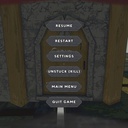
Quickly restart your run with F9 or the pause menu. Preserves equipment, restores deposit box position, and handles co-op transitions cleanly.
By TeeTeeArrr
| Date uploaded | 14 hours ago |
| Version | 3.1.89 |
| Download link | TeeTeeArrr-QuickRestart-3.1.89.zip |
| Downloads | 16 |
| Dependency string | TeeTeeArrr-QuickRestart-3.1.89 |
This mod requires the following mods to function

BepInEx-BepInExPack
BepInEx pack for Mono Unity games. Preconfigured and ready to use.
Preferred version: 5.4.2100README
QuickRestart
A quality-of-life mod for Burglin' Gnomes that lets you quickly restart your current run without sitting through the full game-over flow.
Features
- One-key restart — Press
F9at any point during a run to immediately head back to the lobby and start again. - Pause menu button — A "Restart" button is injected directly into the in-game pause menu, so you can restart with a click.
- Equipment preservation — Your items and equipment are saved at the start of each run and restored after restart. No more losing your backpack because the game cleared your inventory on death.
- Deposit box safety — The deposit box position is preserved across restarts, preventing it from drifting after multiple transitions.
- Co-op friendly — Works correctly in multiplayer. Only the host needs the mod; clients benefit automatically. Handles mid-game transitions, dead players, and active vortexes without corrupting game state.
- Death screen bypass — Skips the game-over/death overlay entirely when restarting, getting you back into the action faster.
- Clean state recovery — Stale UI, task lists, and controller state are all reset properly after each restart so nothing feels "stuck."
Requirements
- BepInEx (v5.4.2100 or later)
Installation
- Install BepInEx via r2modman or Thunderstore Mod Manager.
- Install this mod via r2modman or Thunderstore Mod Manager.
- Launch the game — the mod loads automatically.
Usage
| Action | Key |
|---|---|
| Restart current run | F9 |
| Restart via menu | Open pause menu → click Restart |
That's it. The mod handles the rest — transitions, equipment, deposit box, and lobby recovery happen automatically.
Support
If you run into any issues, have questions, or want to suggest improvements, feel free to reach out on Discord: @teeteearrr
CHANGELOG
Changelog
3.1.89
- Re-upload to fix Thunderstore package listing.
3.1.88
- Initial Thunderstore release.
- F9 hotkey and pause menu button to restart the current run.
- Equipment snapshot and restore across restarts.
- Deposit box position preservation.
- Multiplayer-safe transition handling.
- Death screen bypass during restart.
