
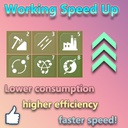
WorkingSpeedUp
Speed up/overload your machine and make everything work faster! 加速/超载你的机器, 让一切工作变得更快!
By AlphaDSPMod
| Date uploaded | 5 years ago |
| Version | 1.0.0 |
| Download link | AlphaDSPMod-WorkingSpeedUp-1.0.0.zip |
| Downloads | 383 |
| Dependency string | AlphaDSPMod-WorkingSpeedUp-1.0.0 |
This mod requires the following mods to function

README
WorkingSpeedUp
Fast, fast, fast Make everything faster! Lower performance consumption, higher efficiency, faster speed!
Default hotkey: Turn on/off: LeftControl + F1
You can change the hotkey in BepInEx\config\WorkingSpeedUp\GlobalSettings.cfg. You can modify the cfg file in the "BepInEx\config\WorkingSpeedUp" folder to enable/disable the acceleration/overload mode of the building, and adjust their acceleration/overload multiples. (To generate a cfg file, the game must be run once.) After the cfg file is modified, you need to restart the game to take effect.
Installation
- Install BepInEx.
- Then Unzip the WorkingSpeedUp folder to steamapps/common/Dyson Sphere Program/BepInEx/plugins
工作速度加快
快, 快, 快 让一切变得更快! 较低的性能消耗, 更高的效率, 更快的速度!
默认热键: 开启/关闭: 键盘左下角的Ctrl + F1
你可以在 BepInEx\config\WorkingSpeedUp\GlobalSettings.cfg 中修改热键. 你可以修改在"BepInEx\config\WorkingSpeedUp"文件夹中的cfg文件来启用/禁用建筑的加速/超载模式, 以及调整它们的加速/超载倍数.
(游戏必须先运行一次才会出现cfg文件.) cfg文件修改后, 需要重启游戏才会生效.
安装
- 先安装 BepInEx框架.
- 然后将 WorkingSpeedUp 文件夹 解压到 steamapps/common/Dyson Sphere Program/BepInEx/plugins
