
DSPAddPlanet
Add planets to your existing saved game
| Date uploaded | 4 years ago |
| Version | 0.0.3 |
| Download link | IndexOutOfRange-DSPAddPlanet-0.0.3.zip |
| Downloads | 261 |
| Dependency string | IndexOutOfRange-DSPAddPlanet-0.0.3 |
This mod requires the following mods to function

README
For another languages of this README, please refer to
DSP Add Planet
CAUTION
BACKUP YOUR SAVE FILE FIRST
It's currently UNRESTORABLE after using this mod.
And BACKUP YOUR CONFIG FILE if you are already using this mod.
Introduce
This mod allows you add new planets to your existing games.
The first time you install this mod and lauch the game, a config file will be generated in your save file directory (see below), then you can edit the config file to add new planets.
The first thing you need to do is to make sure that the save file you want to add planets to has a name, an auto-saved new game does not have a name. If you are not sure about this, manually save your game with a name.
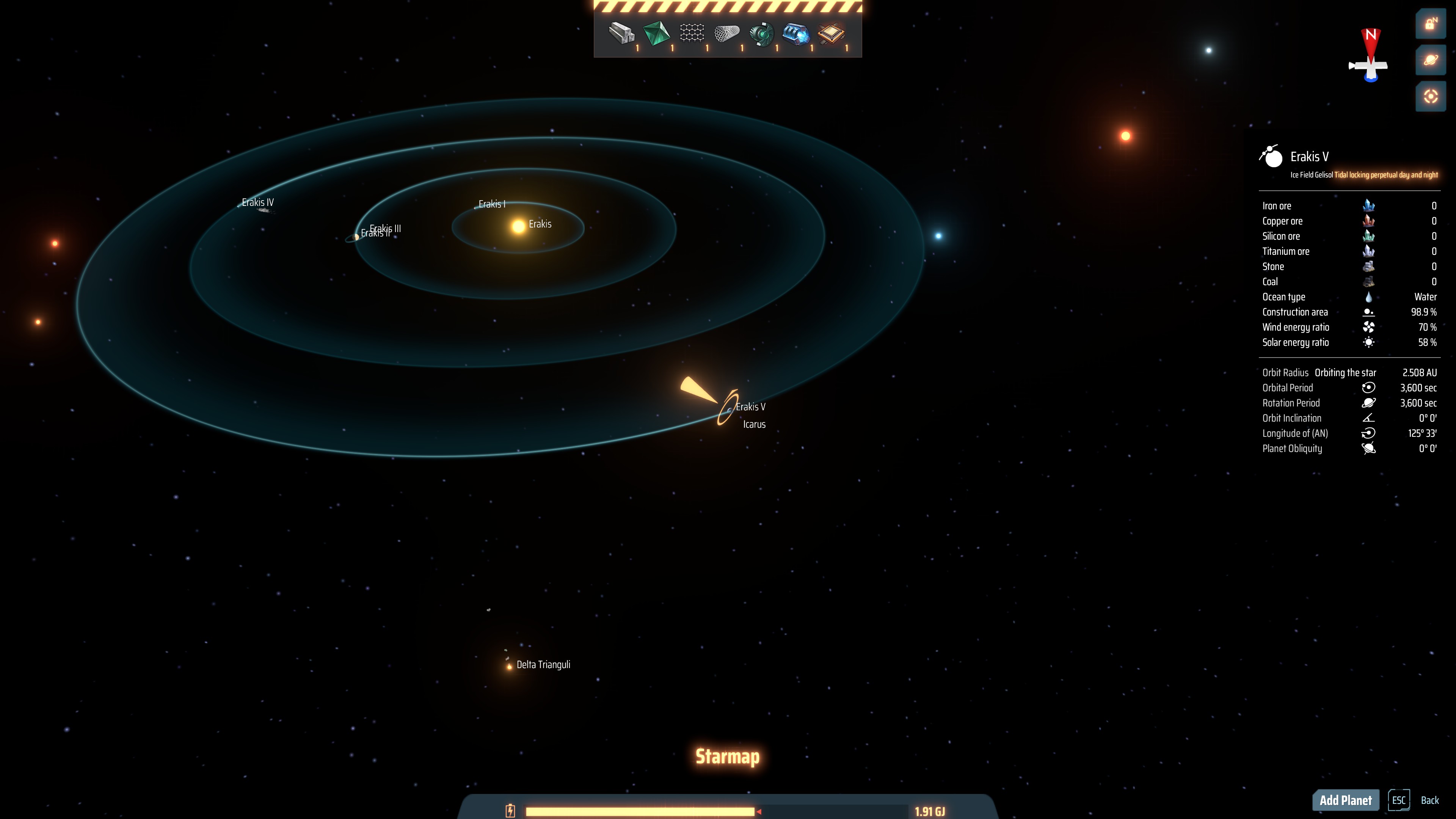
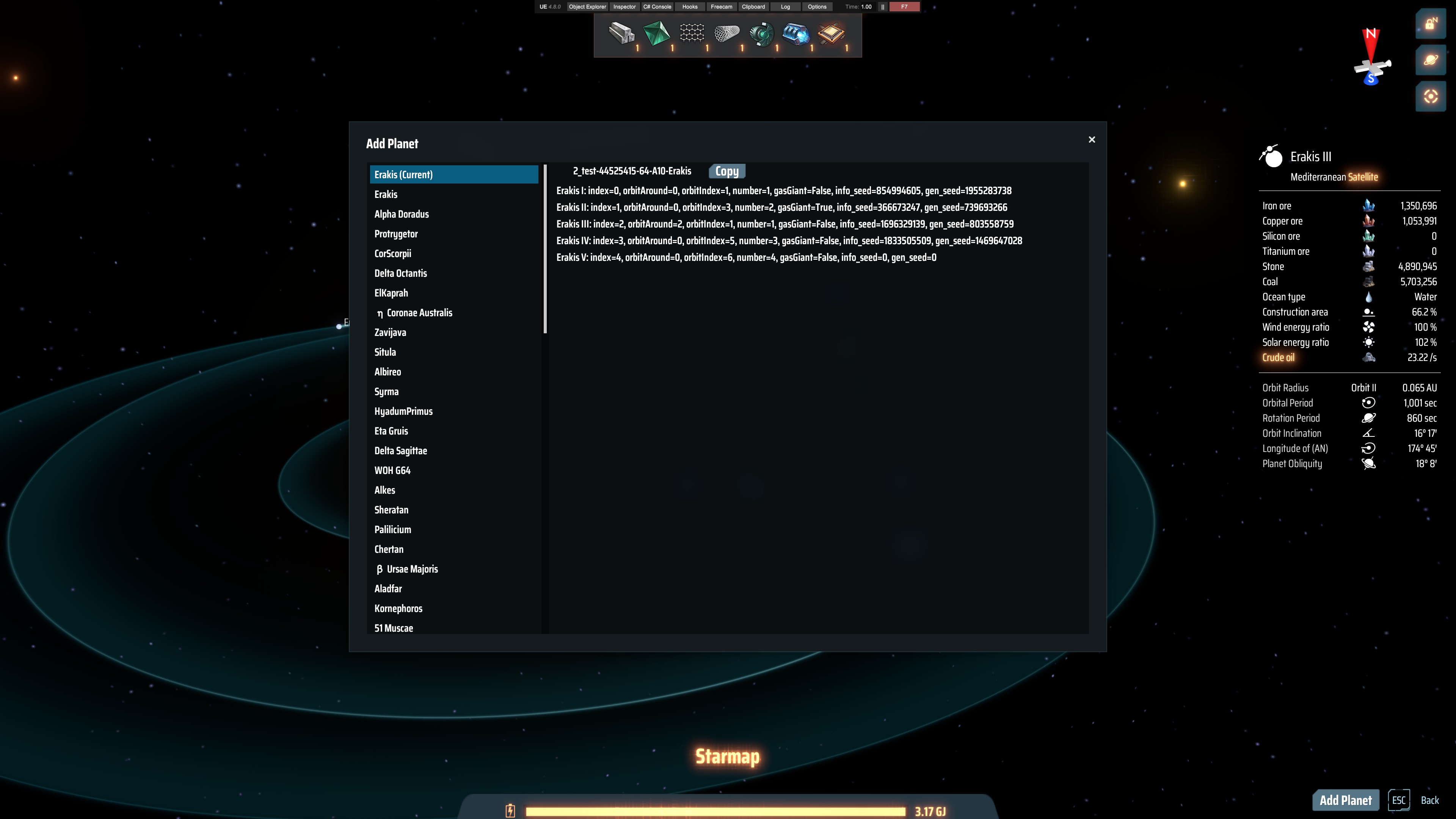
To add new planets, you will need some information about original planets in your game, I made a small tool to make it easier to get those information, you can press V to open the star map and click the 'Add Planet' button on the bottom-right corner to open the tool.
In the tool, stars are listed in the left panel, click on it to view info about planets in that star system, include planet's index, orbitIndex, orbitAround, number etc. The current star system is on the top of all.
You can click 'Copy' button on the right to copy the uniqueStarId to your clipboard.
A 'unqiueStarId' is a string composed of save name, cluster string and star name, which can basically uniquely identify a star.
Read 'Config file' section below on how to add planets in the config file.
After finishing editing the config file, exit game, BACKUP YOUR SAVE FILE, then re-launch the game, load the save file you just add planets to.
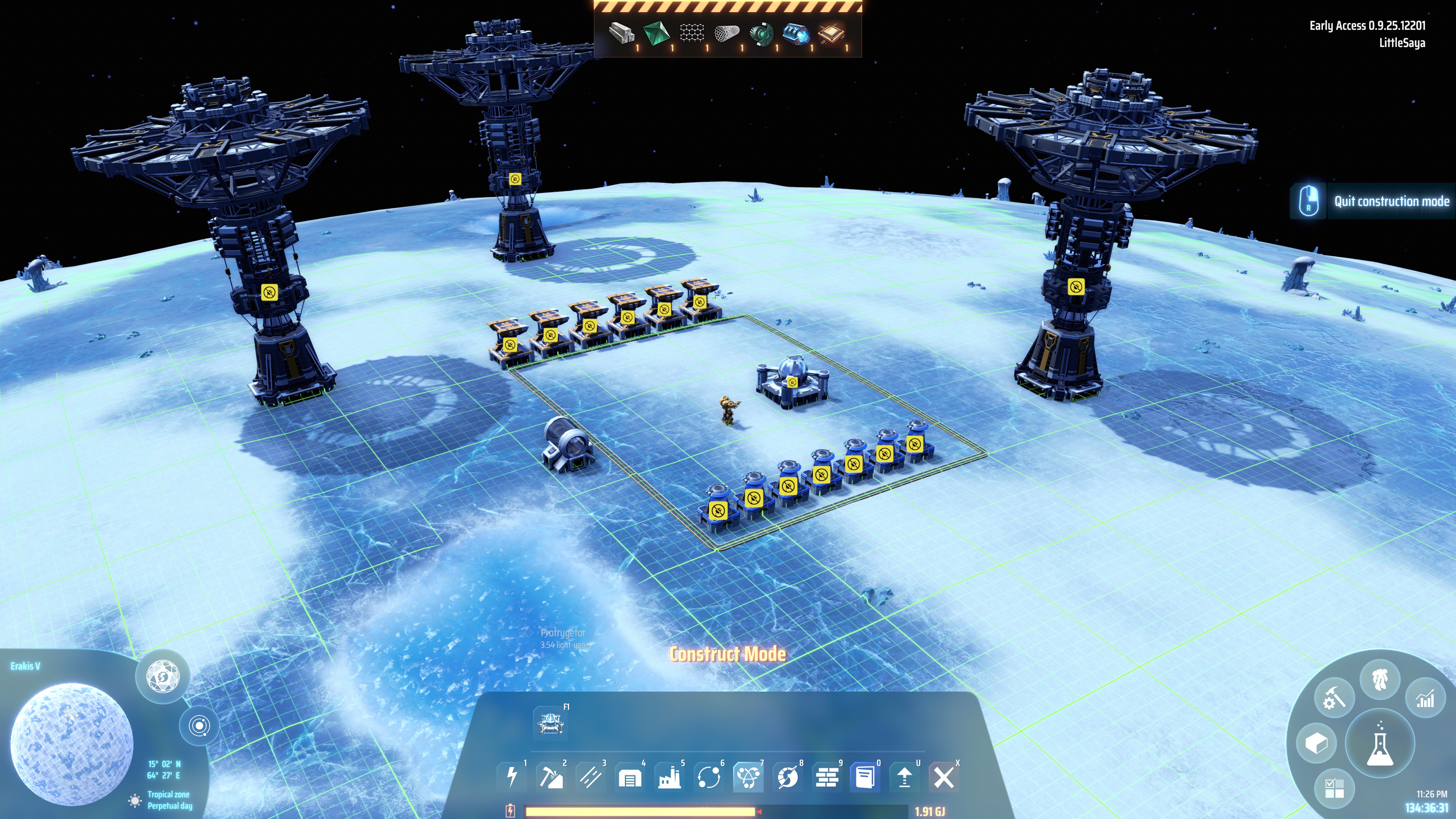
Then you should be able to see new planets in your game.
Note that auto-saves have the same name as your last loaded game (though it's not displayed in the menu), so it's fine to use auto-saves.
Config file
Config file location
The config file lies in your game's save file directory, in a sub-directory named 'modData/IndexOutOfRange.DSPAddPlanet', file name 'config.txt'.
For example C:\Users\administrator\Documents\Dyson Sphere Program\Save\modData\IndexOutOfRange.DSPAddPlanet\config.txt
Planet order
New planets will be added in the same order as they are written in the config file.
Format
One planet per row, empty rows and comment rows begin with '#' are allowed, row format is similar to URL query string (but not the same, the parser used here is extremely simple).
Example: uniqueStarId=2_test-44525415-64-A10-Erakis&index=4&orbitAround=0&orbitIndex=4&number=5&gasGiant=false
Parameter descriptions
     uniqueStarId (required): a unique id of the target star composed of your save name, cluster string and star name,
                              for example, if '2_test' is your save name, '44525415-64-A10' is your cluster name, 'Erakis' is the name of the star you want to add new planets to,
                              then your uniqueStarId will be '2_test-44525415-64-A10-Erakis'

            index (required): the index of your new planet, should be larger than the index of the last original planet in your target system,
                              for example if your target system originally has 4 planets, you want to add 1 new planet, then this new planet's index should be 4 (start from 0)

      orbitAround (required): which planet you want your new planet to orbit around, set to the 'number' of target planet to orbit around target planet, set to 0 to orbit around the star

       orbitIndex (required): which orbit this new planet will use, ranges from 1 to 16 (according to 'StarGen.orbitRadius')

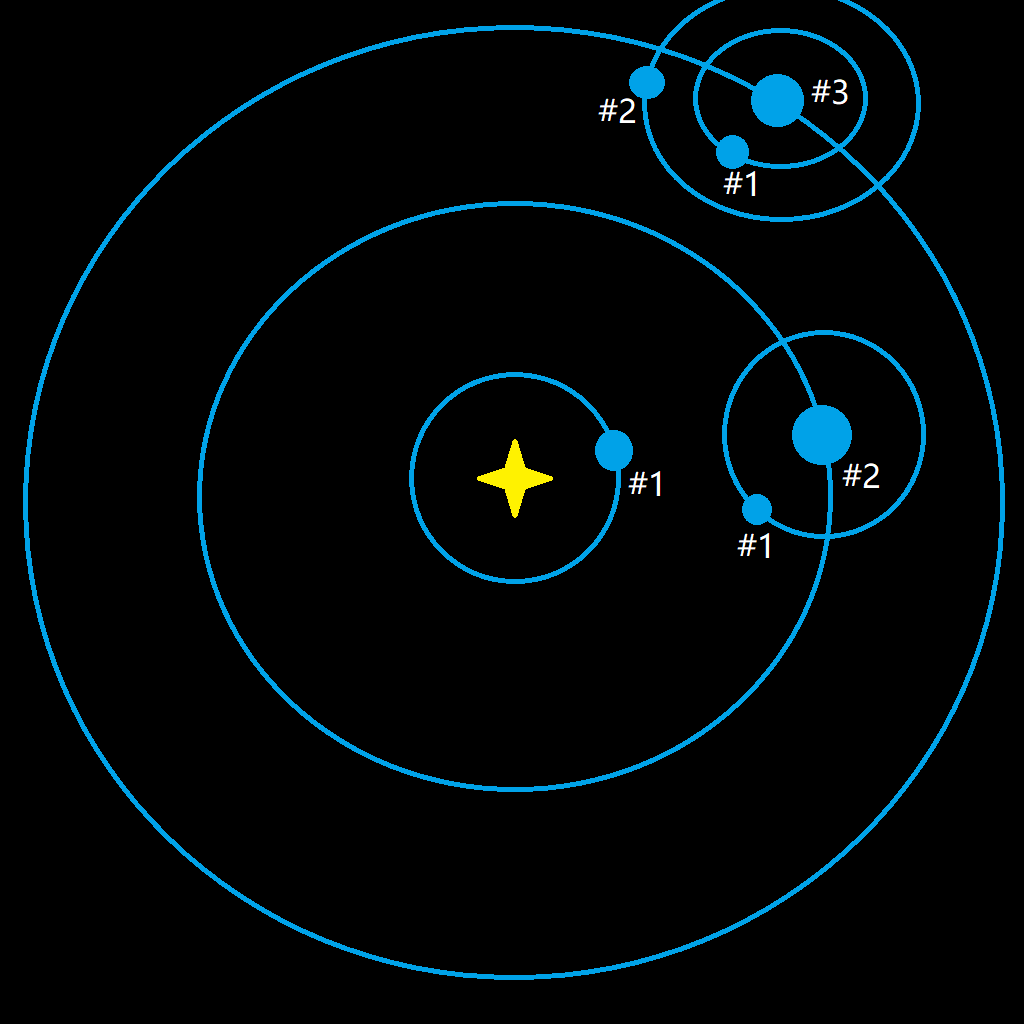
           number (required): the number of youe new planet in the system, see image below on how to set this value

         gasGiant (required): wether your new planet a gas giant, true or false, set this value to true will make 'planetRadius' useless

        info_seed (optional): default value is 0. one of two seeds to generate a planet

         gen_seed (optional): default value is 0. one of two seeds to generate a planet

     planetRadius (optional): default value is 200. as it's named, the radius of your new planet, the default radius is a normal size, the max radius is set to 600
                              value 200, 400 and 600 are tested, 800 caused problems

forcePlanetRadius (optional): default value is false. if you want to test planet radius larger than 600, you need to set this to true,

    orbitalPeriod (optional): default value is 3600. orbital revolution, in seconds

   rotationPeriod (optional): default value is 3600. self rotation, in seconds

    isTidalLocked (optional): default value is true. set this option to true to display a 'tidal locked' text in planet description,
                              I think this option does not make real difference, if you let 'orbitalPeriod' equals to 'rotationPeriod', then you should get a tidal locked planet

 orbitInclination (optional): default value is 0. planet's orbital inclination

        obliquity (optional): default value is 0. planet's obliquity

 dontGenerateVein (optional): default value is true. if you want veins to generated on your new planet, set this option to false
About the 'number' parameter:
Example config file
# Add additional planets to your game.
# New planets will be added in the same order as they are written in this file.
# The format of the config value is similar to URL query string (but not the same, the parser used here is extremely simple)
# For detailed description, please refer to https://dsp.thunderstore.io/package/IndexOutOfRange/DSPAddPlanet/
(EXAMPLE)uniqueStarId=UNIQUE_STAR_ID&index=INDEX&orbitAround=ORBIT_AROUND&orbitIndex=ORBIT_INDEX&number=NUMBER&gasGiant=GAS_GIANT&info_seed=INFO_SEED&gen_seed=GEN_SEED&planetRadius=PLANET_RADIUS&forcePlanetRadius=FORCE_PLANET_RADIUS&orbitalPeriod=ORBITAL_PERIOD&rotationPeriod=ROTATION_PERIOD&isTidalLocked=IS_TIDAL_LOCKED&orbitInclination=ORBIT_INCLINATION&obliquity=OBLIQUITY&dontGenerateVein=DONT_GENERATE_VEIN

uniqueStarId=2_test-44525415-64-A10-Erakis&index=4&orbitAround=0&orbitIndex=6&number=4&gasGiant=false&planetRadius=600
Other important things
Careful about the name of your save file when you save your game because new planets are bound to your save file by using the uniqueStarId (composed of your save name, cluster string and star name)
Some screenshots
Todo
- Let changes made to config.txt take effect without relaunch the application
Compatibility
0.0.1 ~ 0.0.3
Build target: game version 0.9.25.12201, BepInEx version: 5.4.19 (should work under 5.4.17)
Change log
0.0.2 -> 0.0.3
- Fix transport ships failing to dock on the transport station on a large radius planet
0.0.1 -> 0.0.2
- Add chinese translated README
Misc
About the unrecoverable effects on you save file
Every time you load your save file, the game will use the seed in the save file to re-generate the galaxy, and if this mod has been turned on, it will generate new planets according to the config file, which means that all new planets created by this mod will not be saved in any place except in the config file.
If you turn off this mod, new planets will disappear, but you may have some buildings on new planets or some transport lanes related to new planets, they will point to some nonexistent things, which will cause errors.
About planet radius
It seem that the max valid radius of a planet is limited by an unsigned short value, maybe 655.35 is the largest radius.
Thanks
Thanks to the author of GalacticScale for how to properly deal with the GetModPlane method.
Thanks to the author of ILSpy for creating such a powerful tool.
Thanks to the author of BepInEx and Harmony for creating the modding platforms we rely on.
