
You are viewing a potentially older version of this package.
View all versions.

UIEnhancements
Enhances DSP's UI for ease-of-use
| Date uploaded | 4 years ago |
| Version | 0.0.1 |
| Download link | Raptor-UIEnhancements-0.0.1.zip |
| Downloads | 338 |
| Dependency string | Raptor-UIEnhancements-0.0.1 |
This mod requires the following mods to function

README
UIEnhancements Mod
This mod aims to enhance DSP's UI for ease-of-use
How to use this mod
- First install the mod, and reboot the game.
Enhancements
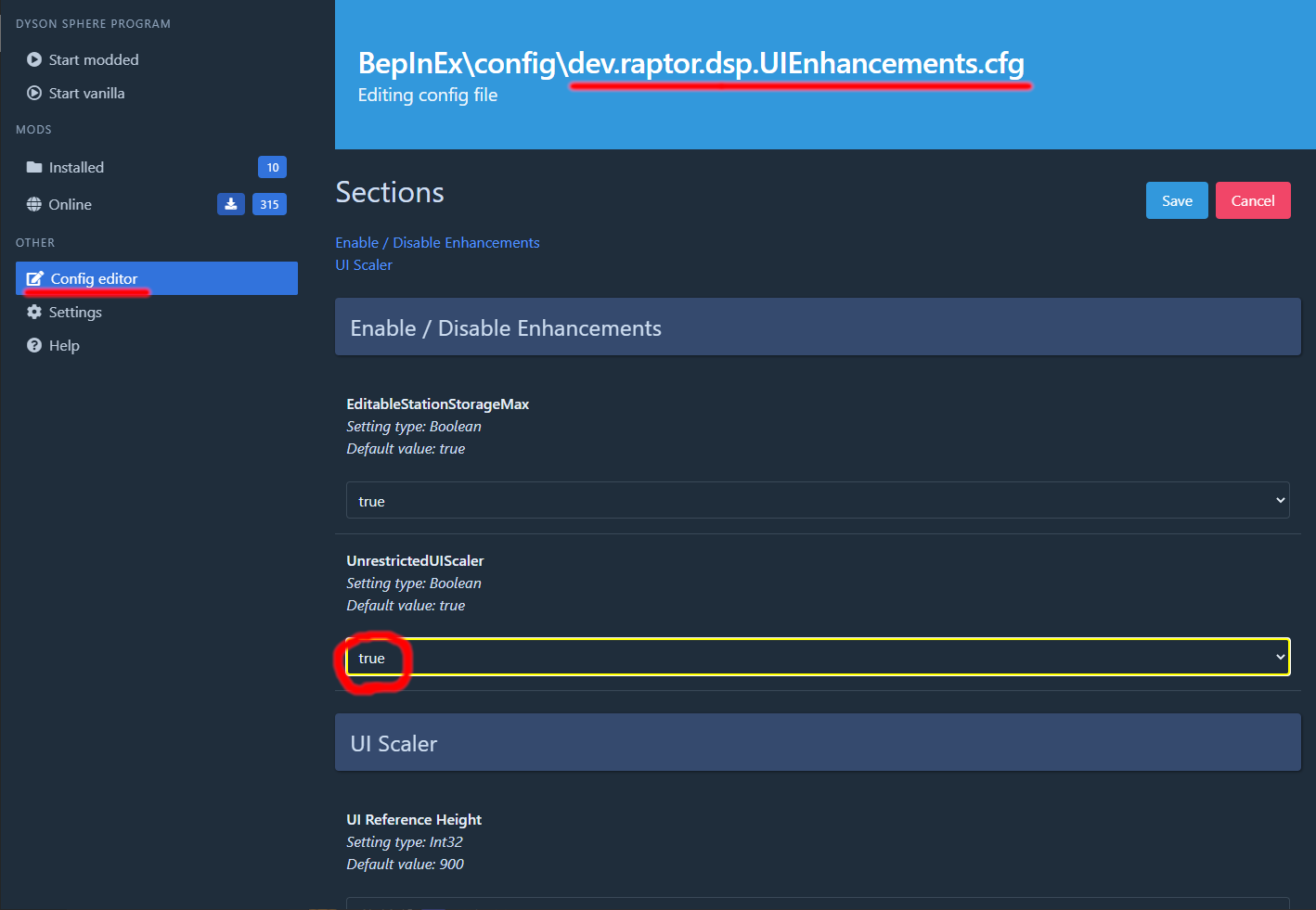
- Each enhancement can be enabled / disabled individually. When they are disabled, they do not modify the game in any way.
- You can configure this using the mod manager's config settings like
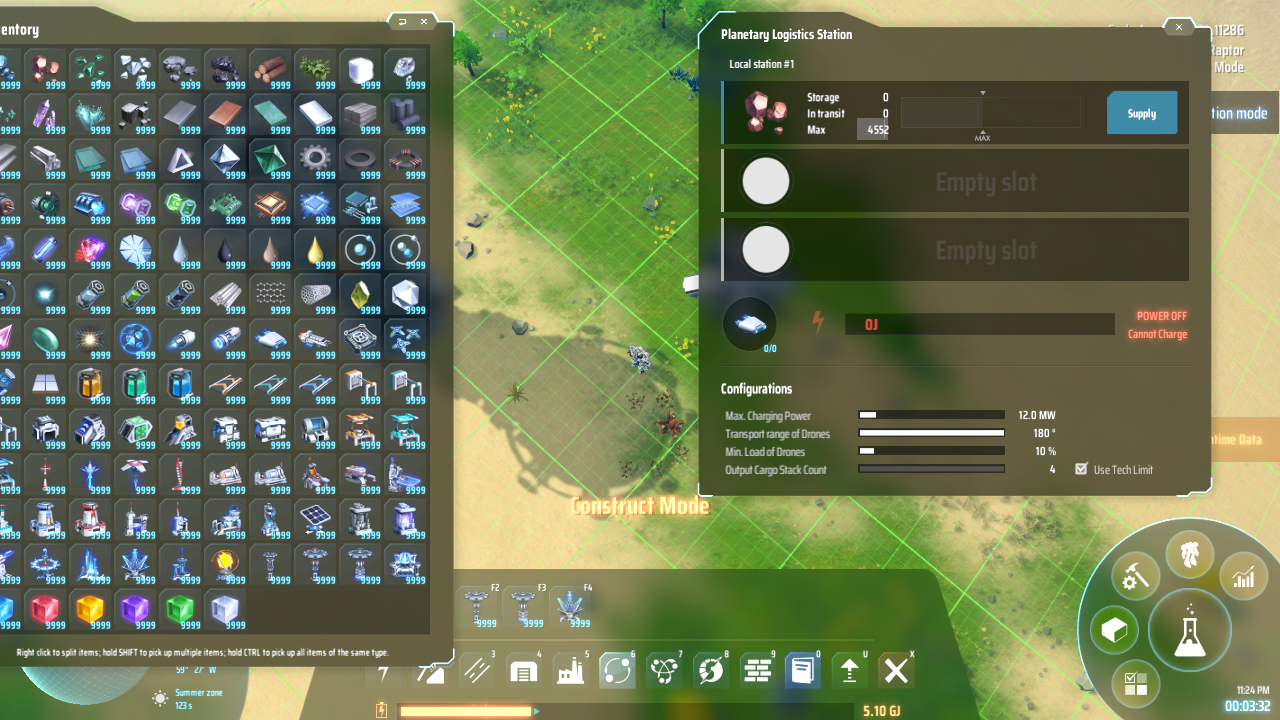
Editable Station Storage Max
- Allows to edit the "max" field of the stations' storage
Unrestricted UI Scaler
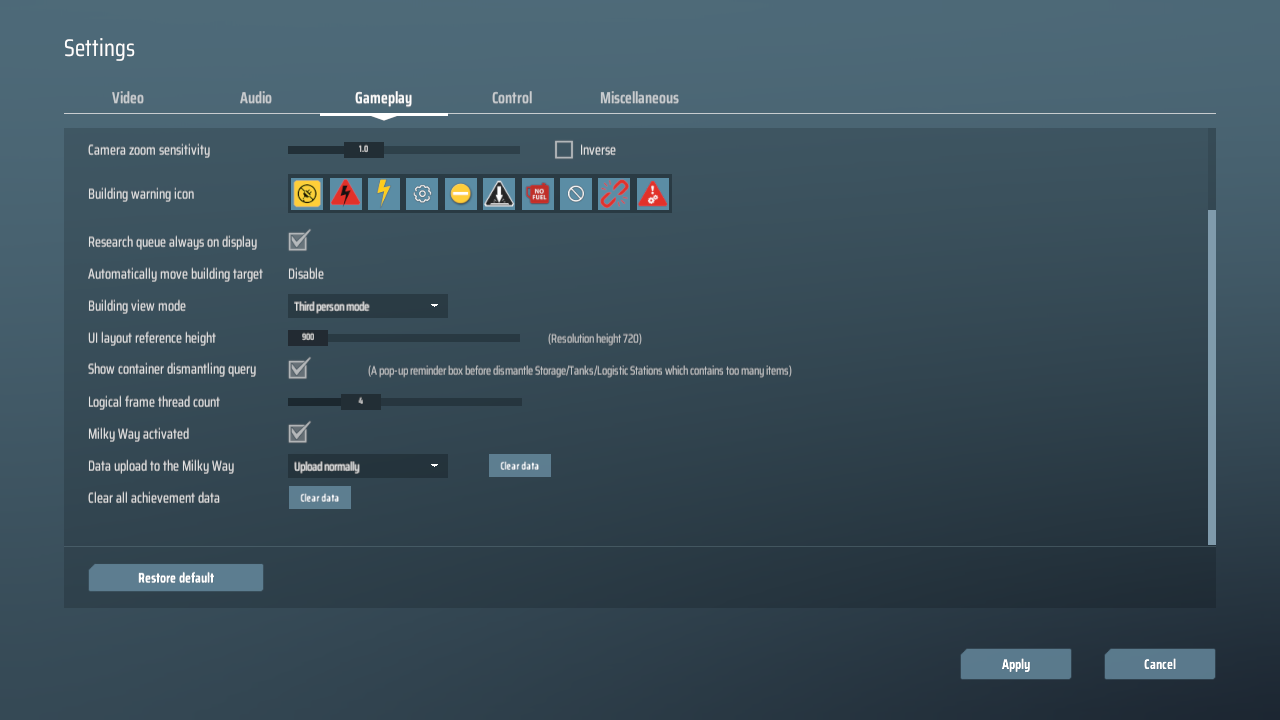
- Replaces the "UI layout reference height" option with a much more flexible variant
- This is the settings page without the mod
- With the mod, this now becomes
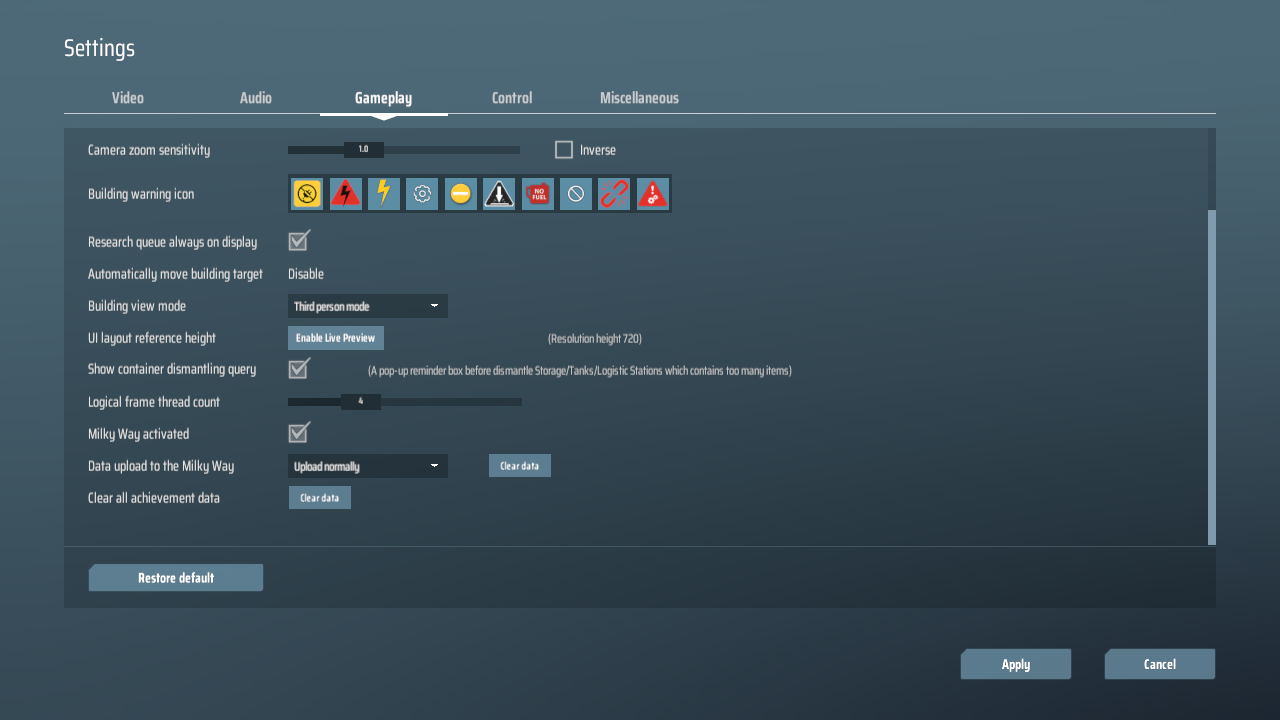
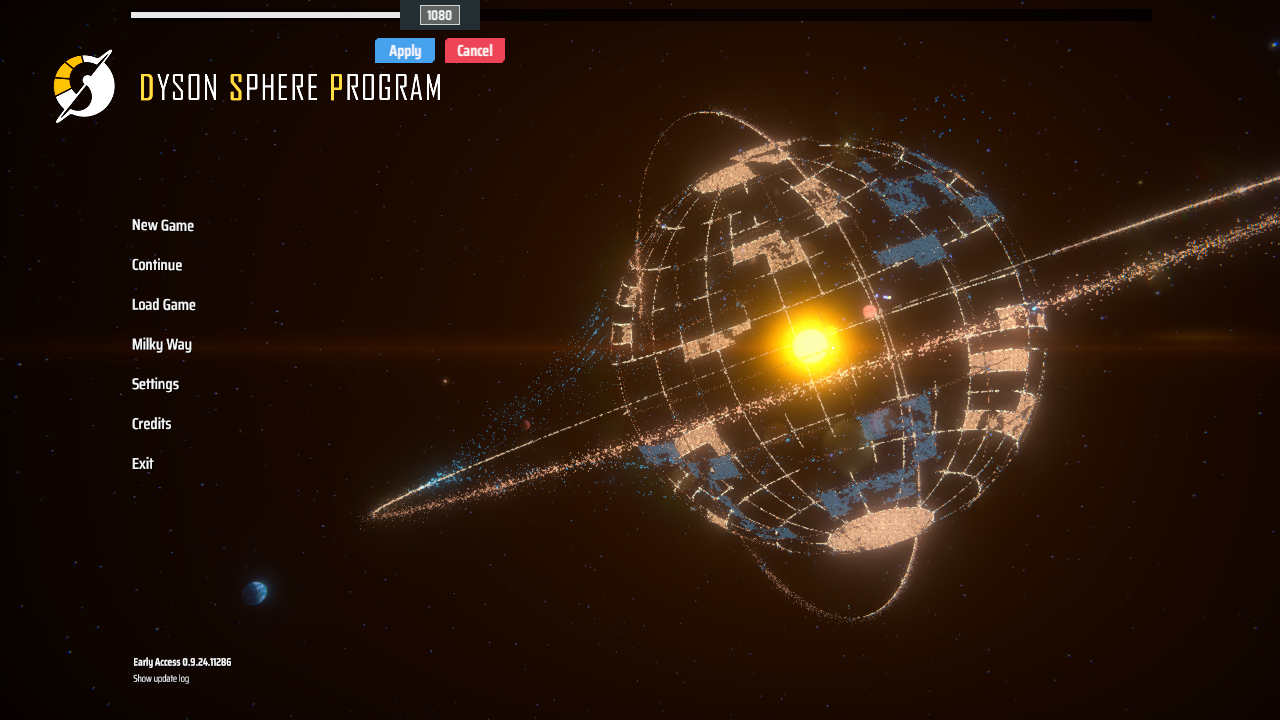
- If you click on "Enable Live Preview", you will get a top-level slider that will show you the scaling preview
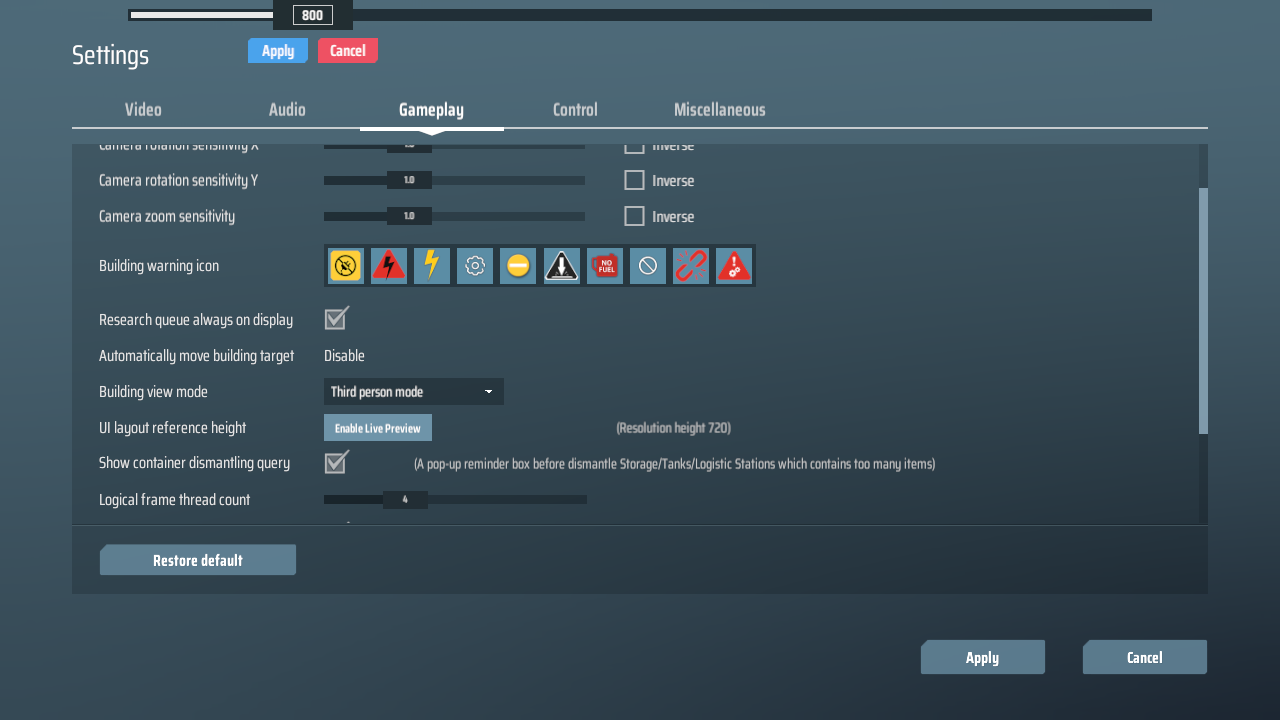
- You can exit the settings screen and try out the UI scaling you want in-game. Then you can click Apply or Cancel to either keep the change or revert it and dismiss the live preview
Contact / Feedback / Bug Reports
You can either find me on the DSP Discord's #modding channel
Or you can create an issue on GitHub
- Raptor#4825
Changelog
v0.0.1
- Add unrestricted UI scaler
- Make station storage max editable
