
PowerNodeMultipliers
Set Multipliers for Connection-Distance & Cover-Radius of Tesla Towers, Wireless Power Station & Satellite Substations
By Taki7o7
| Date uploaded | 5 years ago |
| Version | 1.0.1 |
| Download link | Taki7o7-PowerNodeMultipliers-1.0.1.zip |
| Downloads | 716 |
| Dependency string | Taki7o7-PowerNodeMultipliers-1.0.1 |
This mod requires the following mods to function

README
Power Node Multipliers
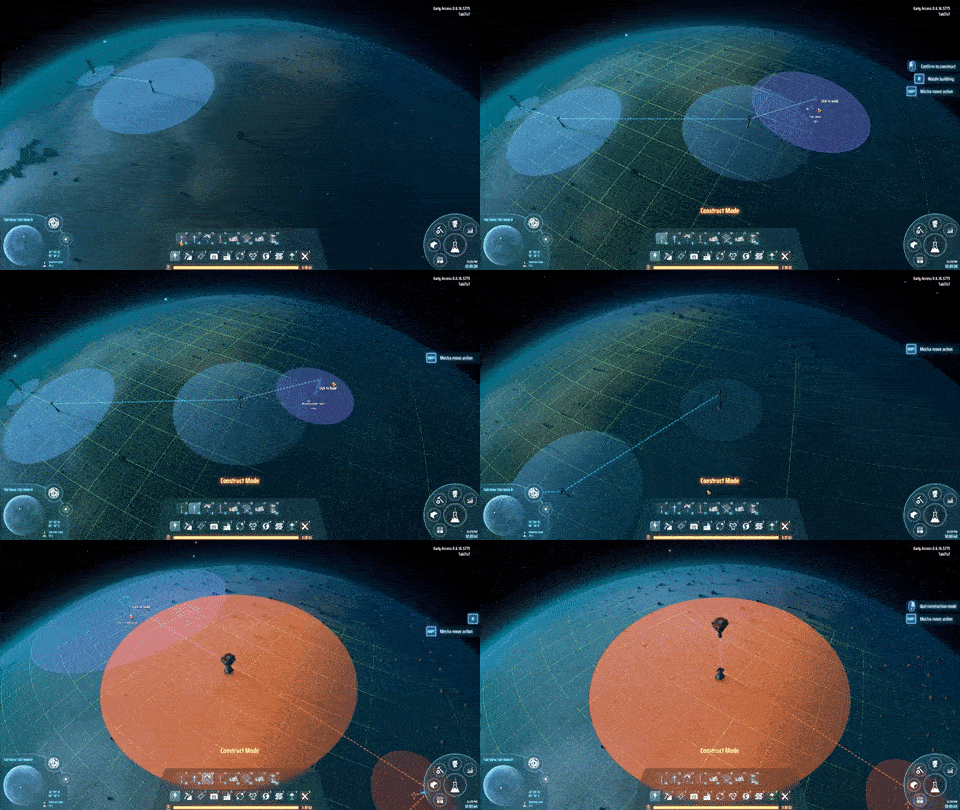
Allows you to set Multipliers for Connection-Distance & Cover-Radius of Tesla Towers, Wireless Power Station & Satellite Substations
Does only affect new placed Power Nodes!
Settings
Setting |Possible Values |Default |Description |Vanilla-Value
-
|- |- |- |-
Tesla Tower Connection Distance Multiplier |Number (Float) |3.0 |Multiplies original Connection Distance of Tesla Tower |1.0
Tesla Tower Cover Radius Multiplier |Number (Float) |2.0 |Multiplies original Cover Radius of Tesla Tower |1.0
Wireless Power Station Connection Distance Multiplier |Number (Float) |3.0 |Multiplies original Connection Distance of Wireless Power Station |1.0
Wireless Power Station Cover Radius Multiplier |Number (Float) |2.0 |Multiplies original Cover Radius of Wireless Power Station |1.0
Satellite Substation Connection Distance Multiplier |Number (Float) |1.5 |Multiplies original Connection Distance of Satellite Substation |1.0
Satellite Substation Cover Radius Multiplier |Number (Float) |1.5 |Multiplies original Cover Radius of Satellite Substation |1.0
Installation
With Mod Manager
Simply open the mod manager (if you don't have it install it here), select PowerNodeMultipliers by Taki7o7, then Download.
If prompted to download with dependencies, select Yes.
Then just click Start modded, and the game will run with the mod installed.
Manually
Install BepInEx here
Then drag PowerNodeMultipliers.dll into steamapps/common/Dyson Sphere Program/BepInEx/plugins.
Feedback / Bug Reports
Feel free to contact me via Discord (Taki7o7#1753) for any feedback, bug-reports or suggestions.
Changelog
v1.0.1
- updated readme (replaced r2modman link)
v1.0.0
- Initial release
