
MineralExhaustionNotifier
Statistics on miners, logistic stations, and their items. Allow you to track problem conditions and shows you a information window with location, problem, and more.
| Date uploaded | 5 years ago |
| Version | 0.5.0 |
| Download link | alekslt-MineralExhaustionNotifier-0.5.0.zip |
| Downloads | 1162 |
| Dependency string | alekslt-MineralExhaustionNotifier-0.5.0 |
This mod requires the following mods to function

README
DSP Plugins by AleksLT
How to Install :
First Install Bepinex in your game folder : https://bepinex.github.io/bepinex_docs/master/articles/user_guide/installation/index.html?tabs=tabid-win
Then Download the latest DLL of the mod : https://github.com/alekslt/DSPPlugins_ALT/releases
And add it to a new subfolder in bepinex plugins folder under the steam game folder : %steamapps\common%\Dyson Sphere Program\BepInEx\plugins\DSPPlugins_ALT
Launch the game and you should be all set !
After launching one time there will be a config file you can edit in %steamapps\common%\Dyson Sphere Program\BepInEx\net.toppe.bepinex.dsp.veinexhaustion.cfg
How to use the Mineral Exhaustion Notifier mod ?
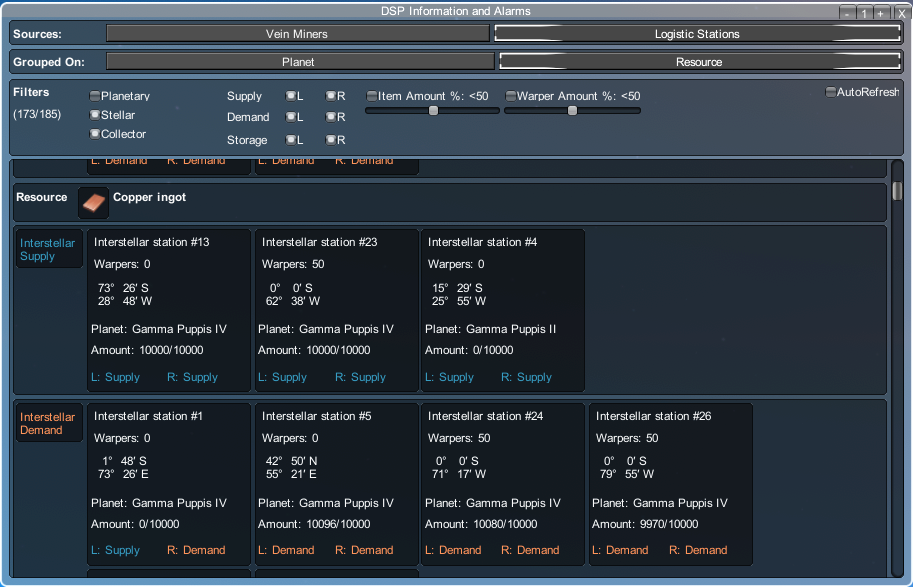
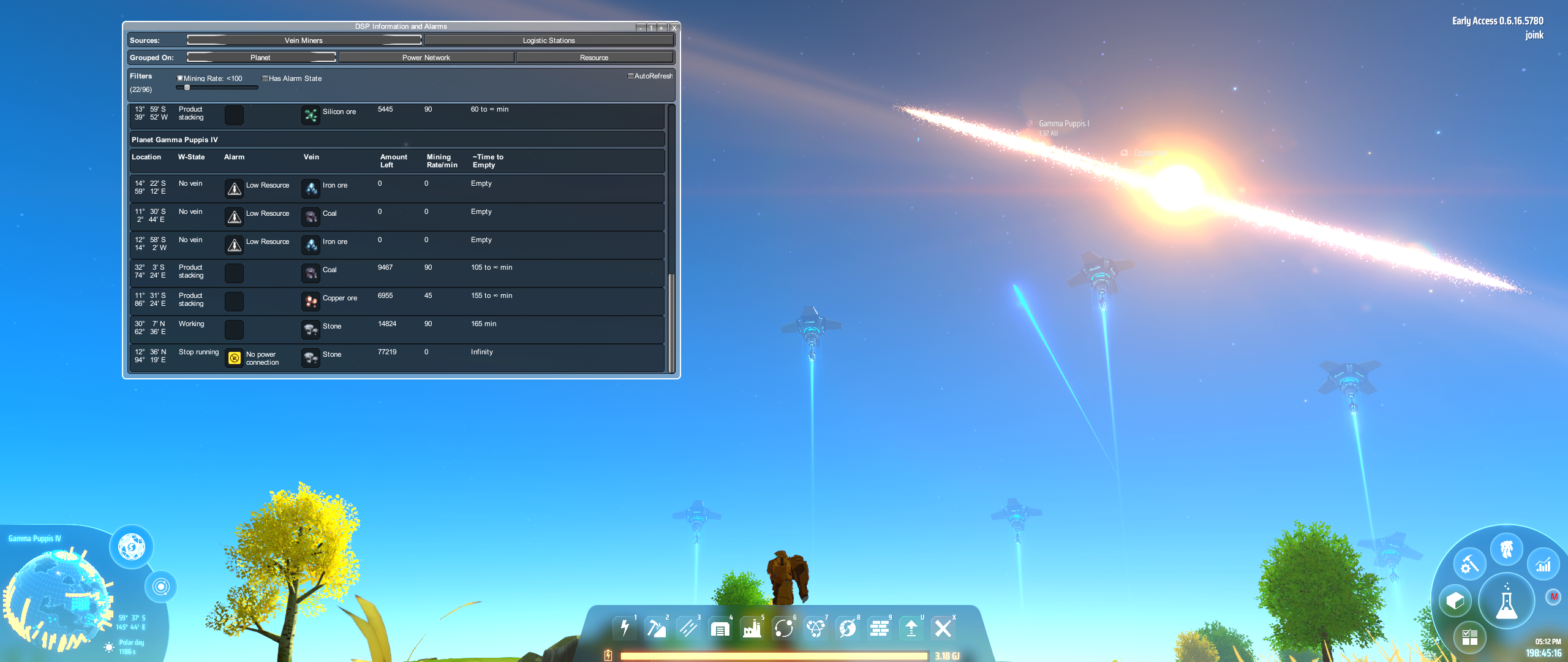
This mod gathers information on vein miners and logistic stations and present this information in a window allowing you to group by planet, resource and power network.
You can also filter what is shown by several filters to drill down to what you want to know. Mining rate, logistic station - item stock, ++.
The plugin will periodically check the miners for an alarm (Low Power, Low Production Yield), and/or if the remaining mineral they can mine is low or none.
If a miner is detected with this condition a first time notification window will pop up, but afterwards only available through the toggle button (M) on lower right, or by pressing the hot key.
If you have cleared out all faulty miners by default this will allow a popup notification to occur again.
Quick Key map (configurable) :
- ALT-I : Toggle Mineral Vein Information Window
Screenshots
Changes in last release
MineralExhaustionNotified v0.5
- Added information on logistic stations and their items as well
- Filtering options. Filters are logically AND between the filters, and OR for the filter-local. Meaning you can do queries like: Stellar Stations AND Item % below 50%, AND Supply Remote.
- Show information from the data source ( Vein Miners or Logistic Stations) broken down into different groups. Planet style as it was, or Resource based to get a better understanding of everything related to titanium.
- Keybinding is now changed! You need to press an ALT-key before the user bindable key (default I)
Verified working with game versions
- Dyson Sphere Project 0.6.16.5780
- Dyson Sphere Project 0.6.16.5759
- Dyson Sphere Project 0.6.15.5706
- Dyson Sphere Project 0.6.15.5686
Acknowledgements
- Readme structure heavily inspired/copied from https://raw.githubusercontent.com/Touhma/DSP_Plugins
- Thanks to DSP Modding Discord
- UnityRunTimeEditor for the stop mouse events from propagating through window
- xiaoye97 for their LDBTool source that allowed me to understand enough GUI in the game to make my own
- ragzilla for DSP_MinerOverride giving me a nice place to look for mining-related classes
- Forked for poking me to create the Mineral Exhaustion notification plugin.
