

CameraTools
Store camera positions, custom cinematic transition with freecam. 摄影工具(Alt+F5, Alt+F6):保存机位,自由视角运镜
| Date uploaded | 2 years ago |
| Version | 0.2.0 |
| Download link | starfi5h-CameraTools-0.2.0.zip |
| Downloads | 79 |
| Dependency string | starfi5h-CameraTools-0.2.0 |
This mod requires the following mods to function

README
CameraTools
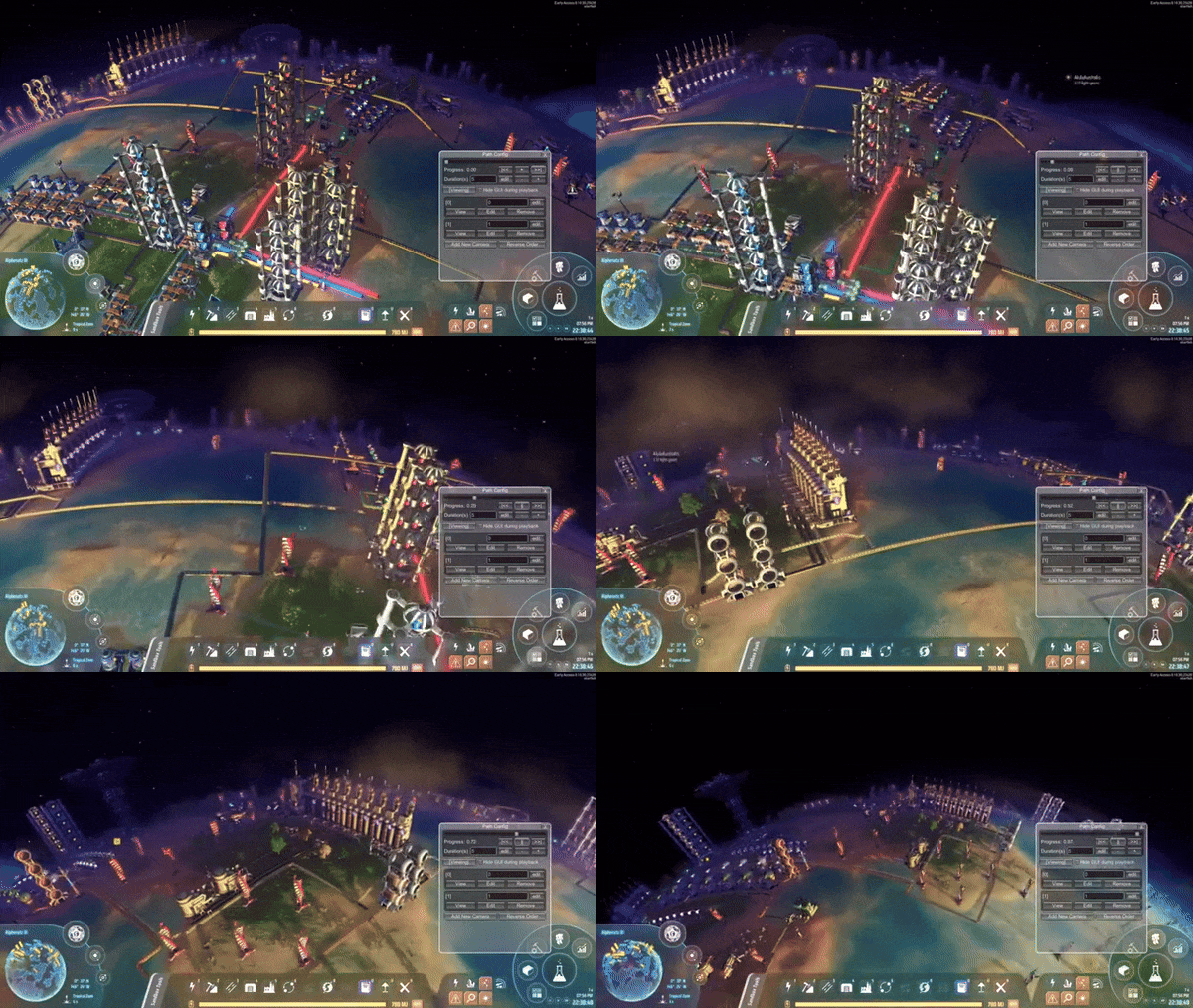
Capture different camera positions. Create cinematic transitions between them.
Inspired by Cities Skylines mod Cinematic Camera Extended by SamsamTS.
Camera List (Alt+F5)
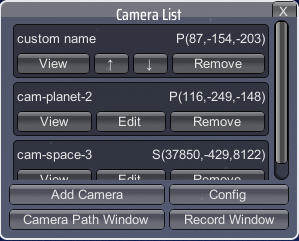
Manage a list to store camera positions and angles. Those can apply across saves.
- Add Camera: If the player is on planet, add planet camera. Otherwise add space camera.
Planet camera will only work on the local planet. It can't be viewed from space.
Space camera is stored by uPosition which home star is the origin. It can't be viewed from planet. - View: Set the current main camera to the target camera. Click again or esc to exit.
- Edit: Edit camera position, rotation, field of view.
Camera Config
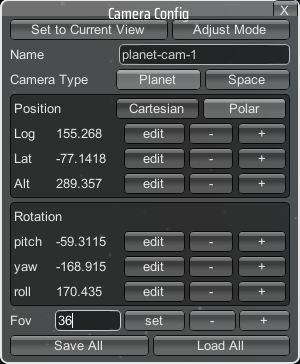
To edit the field, click on the edit button first, input new value, then click set button to apply.
In polar coordinate, the orignal is either local planet or local star (space camera).
Adjust Mode
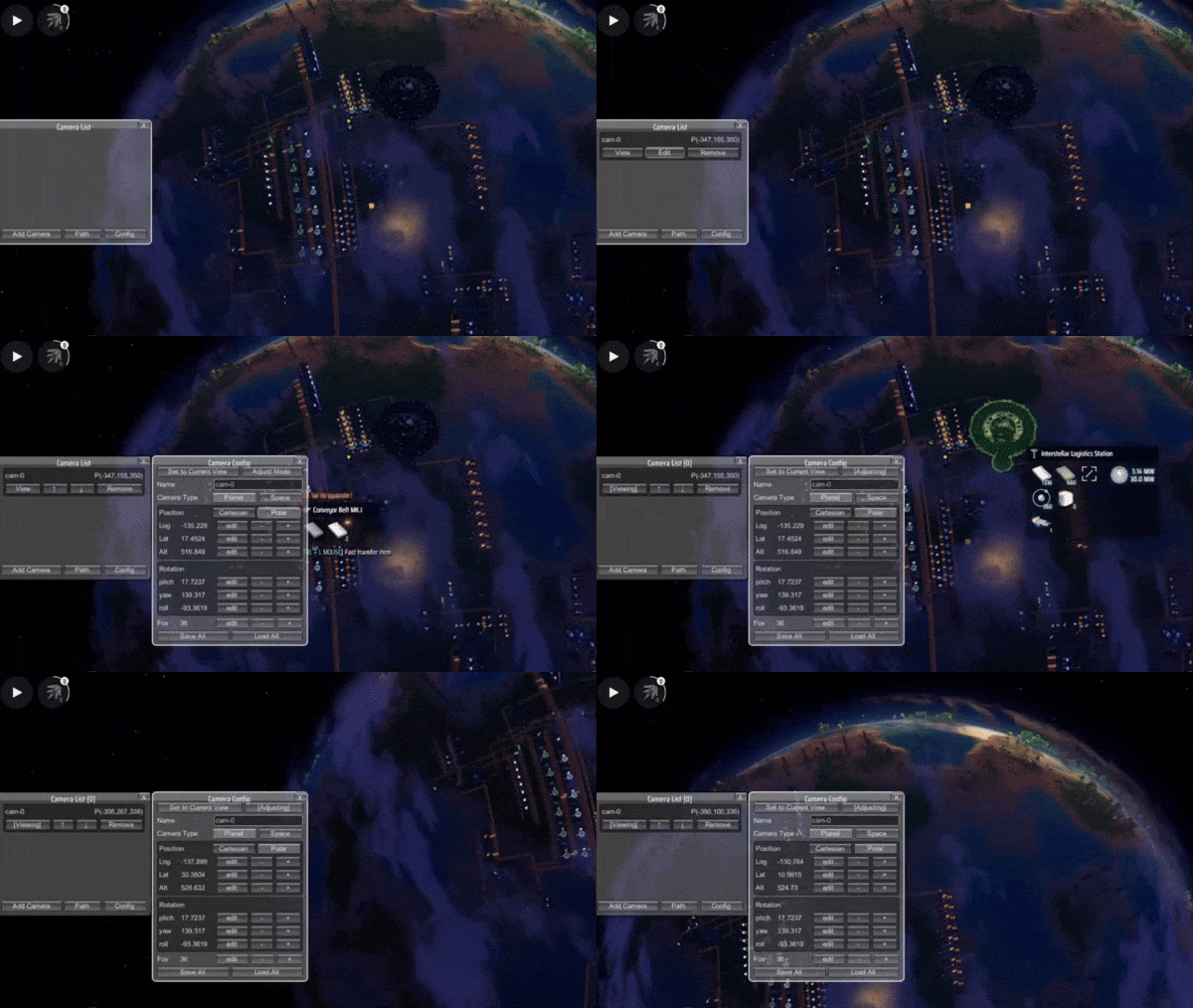
Click on the button to modify the editing camera position and angle with free 3D camera.
WASD: Pan movement in local frame
Scroll up/down: Forward and backward movement
Shift: Hold to increase cam movement 10 times
Middle mouse: Hold to rotate
Right click: Hold to roll
Path Config (Alt+F6)
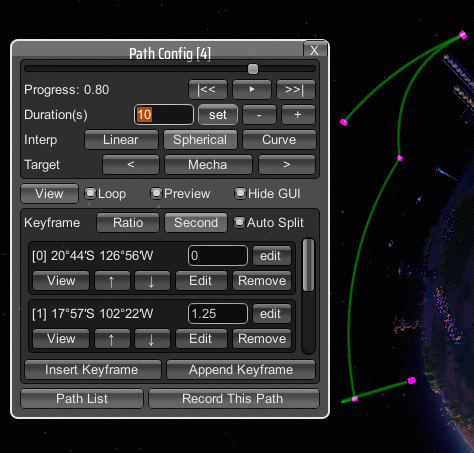
Create a camera path moving from point to point.
You can edit clip duration, key point progression time and camera settings.
The path used on planet should not be used in space, vice versa.
To edit the field, click on the edit button first, input new value, then click set button to apply.
Playback control
The top area is playback contorl. The slider can preview the path (need to enable Viewing first).
Progress is [0,1]. The buttons are to start (|<<), play, to end (>>|).
Duration is time length of the whole path in second.
Spherical interpolation will make the path move in curvature through all keypoints.
Keypoint control
The bottom scroll area is for camera(keypoint) control. To make a valid path, add at least 2 cameras.
The keyframe foramt can be displayed in either raio [0,1], or second.
When Auto Split toggle is on, it will evenly split ratio for all the keypoints.
Keyframe values should be monotonic increasing.
Path List
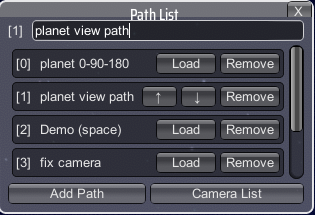
The top input field can change the name of the current path.
Installation & Mod Config

Via r2modman, or manual download the file and put CameraTools.dll in BepInEx/plugins folder.
Keyboard shortcuts can be changed in the mod config window.
All mod config together with stored camera data is in BepInEx\config\starfi5h.plugin.CameraTools.cfg.
Known issues
- The star image will distort when space camera position is different from player's.
It can be fixed by letting player move along with space camera in mod config.
ChangeLogs
v0.2.0
- Fix flickr when overwritten mecha space position.
- Add freecam adjust mode and polar coordinate in camera config window.
- Add spherical interpolation, keyframe format switch and keypoint reorder in path config window.
- Add ToggleLastCameraShortcut, CycyleNextCameraShortcut in plugin config.
- Remember window positions after closing them.
v0.1.0
- Initial released. (DSP 0.10.30.23430)
