
You are viewing a potentially older version of this package.
View all versions.
Reloaded HUD
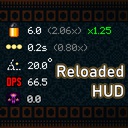
Adds a stylish stats display inspired by the one found in The Binding of Isaac
| Date uploaded | 3 years ago |
| Version | 1.1.0 |
| Download link | Morphious86-Reloaded_HUD-1.1.0.zip |
| Downloads | 208 |
| Dependency string | Morphious86-Reloaded_HUD-1.1.0 |
This mod requires the following mods to function

MtG_API-Mod_the_Gungeon_API
Adds the good parts of Mod the Gungeon to BepInEx.
Preferred version: 1.1.3README
Adds a stylish stats display inspired by the one found in The Binding of Isaac
This mod lets you see player stats, per-weapon stats, as well as how any of them change as you play. You may toggle any of the labels on/off through the game's pause menu.

Installation
Get MTG:
- Download [url=http://modthegungeon.eu/#download]Mod the Gungeon[/url]
- Make sure Enter the Gungeon is closed
- Open ETGMod.Installer.exe and press "Step 3: Install ETGMod"
Installing mods:
- Go to your Enter the Gungeon Steam directory, usually located at:
C:\Program Files (x86)\Steam\steamapps\common\Enter the Gungeon\ - If there is not one already, create a folder called "Mods"
- Drag ReloadedHUD.zip into the Mods folder
- If there is a "mods.txt" file in the Mods folder, delete it
- The directory should look like this: "Enter The Gungeon/Mods/ReloadedHUD.zip
Thank you Kyle for the installation guide template!
