
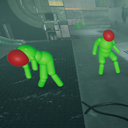
EnemyHitboxView
See notable hitboxes on enemies and the player melee
| Date uploaded | a year ago |
| Version | 2.0.0 |
| Download link | JarheadHME-EnemyHitboxView-2.0.0.zip |
| Downloads | 588 |
| Dependency string | JarheadHME-EnemyHitboxView-2.0.0 |
This mod requires the following mods to function

BepInEx-BepInExPack_GTFO
BepInEx pack for GTFO. Preconfigured and includes Unity Base DLLs.
Preferred version: 3.2.1
README
Adds 4 commands to CConsole to visualize some interesting hitboxes.
Commands available:
DisplayEnemyHitboxes [true/false]
Displays spheres, capsules, and boxes indicating where the different limb hitboxes are on enemies.
- Green hitboxes are normal limbs
- Red hitboxes are weakpoints
- Grey hitboxes are armor
(Note that in the case of modded enemies, this color doesn't necessarily mean they do different amounts of damage, just that the limb itself is internally marked as those types. The actual damage they take to that limb will be determined by datablock values)
DisplayEnemyBackMulti [true/false] (Authored by @randomuserhi and @tru0067)
Shows two lines at the enemy's position showing where they're facing.
- The green line represents the line used for comparing against the scaling back damage.
- The blue line represents where the enemy's chest bone is facing.* This is used when deciding if a melee's BackStabberMulti should be used or not.
For more information on either of these vectors, check out the relevant GTFO Wiki page
*Some enemies, notably hybrids, don't actually have the bone that is typically used for the blue line, so there's a fallback used which causes it to frequently overlap the green line. It will still be separate during some animations though.
DisplayEnemyMeleeHitboxes [true/false] (Authored by @tru0067)
Fairly straightforward, shows red spheres that indicate the damage areas of the arm-swing melee attack some enemies have.
DisplayPlayerMeleeHitboxes [true/false] (Authored by @tru0067)
Shows white spheres on your melee weapon determining where and when it's checking to damage or shove.
Thanks
- randomuserhi
- Helped with getting the limb hitboxes being the correct scale and shape, helping nail down what math needed to be done to display them properly
- Made the original code that the BackMulti displays were based on
- tru0067
- Modified and added randomuserhi's BackMulti code to this
- Added Enemy and Player melee hitboxes
CHANGELOG
2.0.0
- Added 3 new commands (All courtesy of @tru0067)
DisplayEnemyBackMulti(shows lines at enemy position for where their back multi vector and backstabber-bonus vector are facing)DisplayEnemyMeleeHitboxes(shows spheres for the arm swing attack some enemies have)DisplayPlayerMeleeHitboxes(shows a sphere on your melee for where it would hit what attacking and shoving)
1.0.0
- Initial Release
