
PlayerColorCustomizer
A simple little mod to change the colors of the player names and map icons
By JarheadHME
| Date uploaded | 2 years ago |
| Version | 1.0.1 |
| Download link | JarheadHME-PlayerColorCustomizer-1.0.1.zip |
| Downloads | 194 |
| Dependency string | JarheadHME-PlayerColorCustomizer-1.0.1 |
This mod requires the following mods to function

BepInEx-BepInExPack_GTFO
BepInEx pack for GTFO. Preconfigured and includes Unity Base DLLs.
Preferred version: 3.2.1README
Customize your player colors
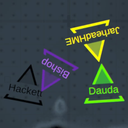
This mod allows you to change the colors of the player names, and map icons. See the mod icon for an example of the map icon changing.
How to use
When first downloading the mod, it provides you with PlayerColorCustomizerExample.cfg. You can remove the Example in the filename, or just launch the game once to get the actual config file the mod will use.
Then, simply edit the config file with hex codes (#FEDCBA format) to change the color of any of the four slots. The different config options are the labelled for which character slot they change, so be sure to keep an eye on that.
Also uses LiveEdit!
When you save the file, the changes should be reflected in-game immediately, so feel free to customize and immediately check what it looks like.
Note: Sometimes the file fails to read. Usually saving it again will make it work, and just in case it tries up to 3 times. If it continues to not update, check your console and see if there's another error. If all you see is Config File Failed to load 3 times. Try saving again. no matter how many times you try, let me know in the modding server and I'll see if I can figure out a better solution.
CHANGELOG
1.1.0
- Added option to specify color for local player
-
- This overrides the generic slot setting, so you can use this as a sort of local-only Nickname, and recolor your name without it affecting anyone else
- Updated
README.mda small bit
1.0.1
- Changed GUID cause I'm stupid
1.0.0
- Initial Release
