

ForgeCore
Public GTFO mod foundation: asset bundles, logging, settings, pools, networking, input leases, local saves and calls into the game's own systems.
| Date uploaded | a day ago |
| Version | 1.0.1 |
| Download link | NAinfini-ForgeCore-1.0.1.zip |
| Downloads | 28 |
| Dependency string | NAinfini-ForgeCore-1.0.1 |
This mod requires the following mods to function

BepInEx-BepInExPack_GTFO
BepInEx pack for GTFO. Preconfigured and includes Unity Base DLLs.
Preferred version: 3.2.4
README
ForgeCore
A library other GTFO mods depend on. It does nothing on its own: install it when a mod asks for it (r2modman does this for you), such as Forge Ordnance. With no mod using it, the game looks and sounds exactly as it does without it.
It gives mods one shared base for talking over the network (a player running a different version of a mod is refused on both sides and told), taking over keys, logging, keeping settings and local progress, pooling objects, and calling the game's own damage, explosion, gear and data block systems. It also holds the shared interface, sound and visuals every Forge mod uses, so several mods never cover each other, the game's own HUD or each other's sounds.
Report bugs on GitHub, or find me on the GTFO Modding Discord as nainfini.
What mods can add: interface
-
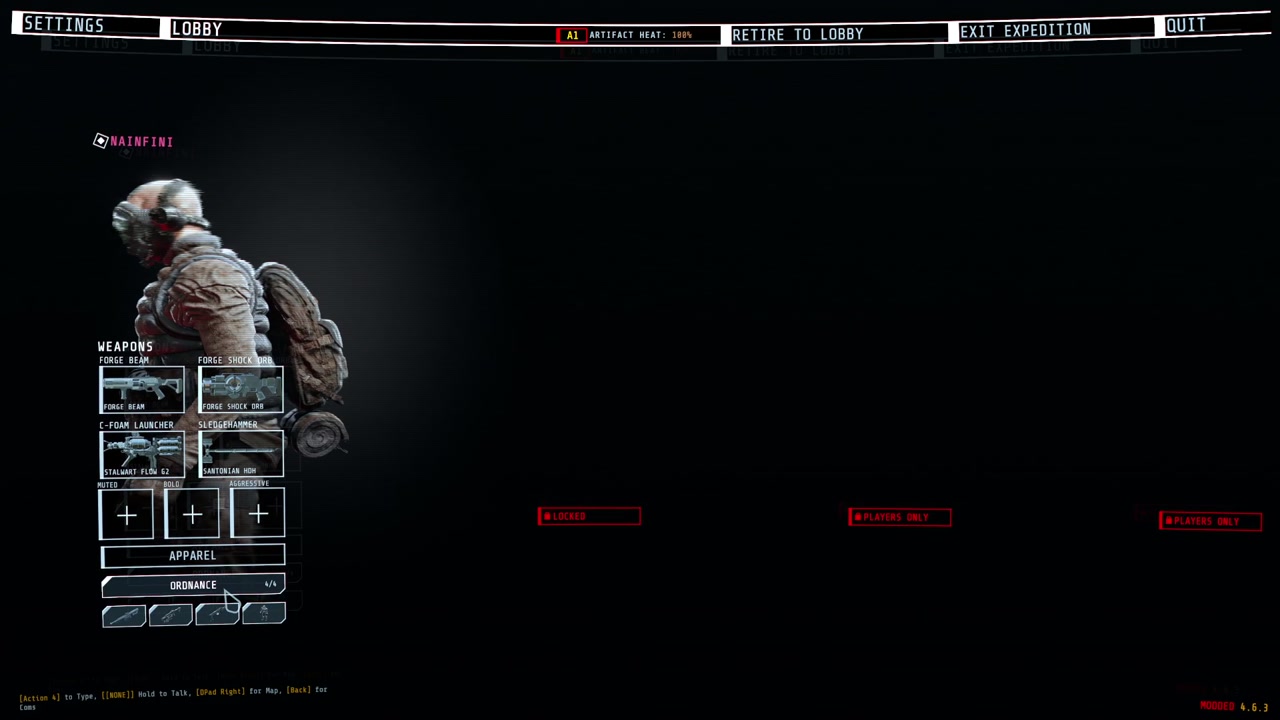
Lobby buttons that open loadout-style pickers, in an area and width each mod chooses: under APPAREL, right of the player's panel or above it, a whole row, half or a third of one (up to three to a row). A full area passes its extra buttons to the next one instead of piling them up.
-
Buttons and pages on the top menu bar.
-
HUD elements in named screen regions. All mods share one layout, one banner queue and one notice list.
-
Ready-made HUD pieces: ability slots, key prompts, big centre text, corner notices, world markers, hit markers and damage numbers.
-
A full-screen power-on layer, one at a time across all mods.
-
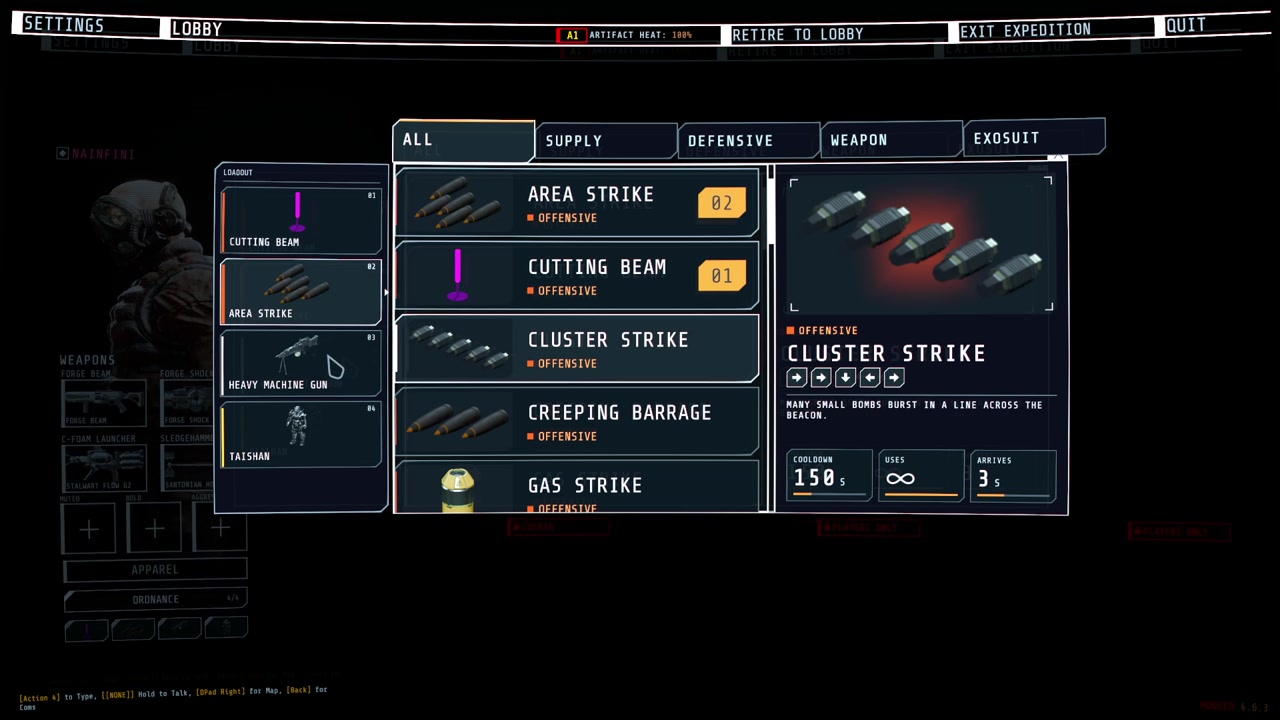
Call-in list and inventory drawn in the same style:
-
Cockpit pieces for vehicles and suits: hiding the game's HUD while piloting (and putting it back), moving the chat, a wide segmented armour bar, arcs beside the crosshair, a ring of contacts out of sight with a turn-around hint, ability slots, a hull damage disc, hit-direction flashes and a faint helmet visor with struts and cracks, plus the game's objectives, prompts, subtitles, inventory and teammates (with infection and ammunition) redrawn in the same style.
-
Hit-direction flashes and the visor shade are merged by priority and drawn in one full-screen pass (colour flash, corner shade, low-health pulse, blur, colour split).
-
Enemy health bars for the enemies you hit and can see: each hit's lost piece flashes and shrinks, a small damage number rises (a burst adds up into one), and a kill leaves a short mark and a small confirmation by the crosshair.
-
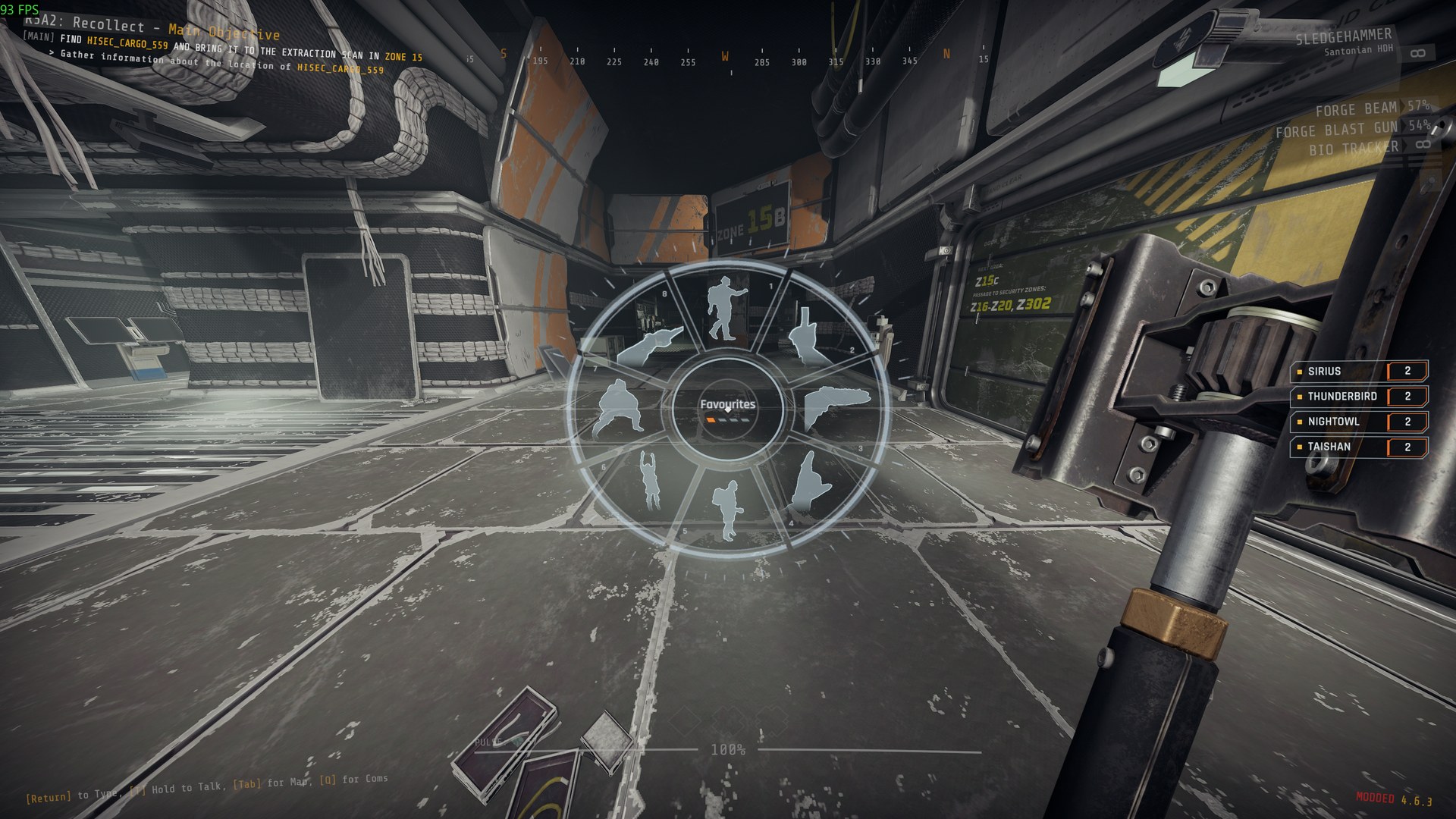
A wheel in the middle of the screen: hold the mod's key, point at a slot and let go to choose it. Choices waiting for you, such as a teammate's offer, glow.
-
A line in the player's own chat box, shown only on their machine, for notices that belong to no screen element.
-
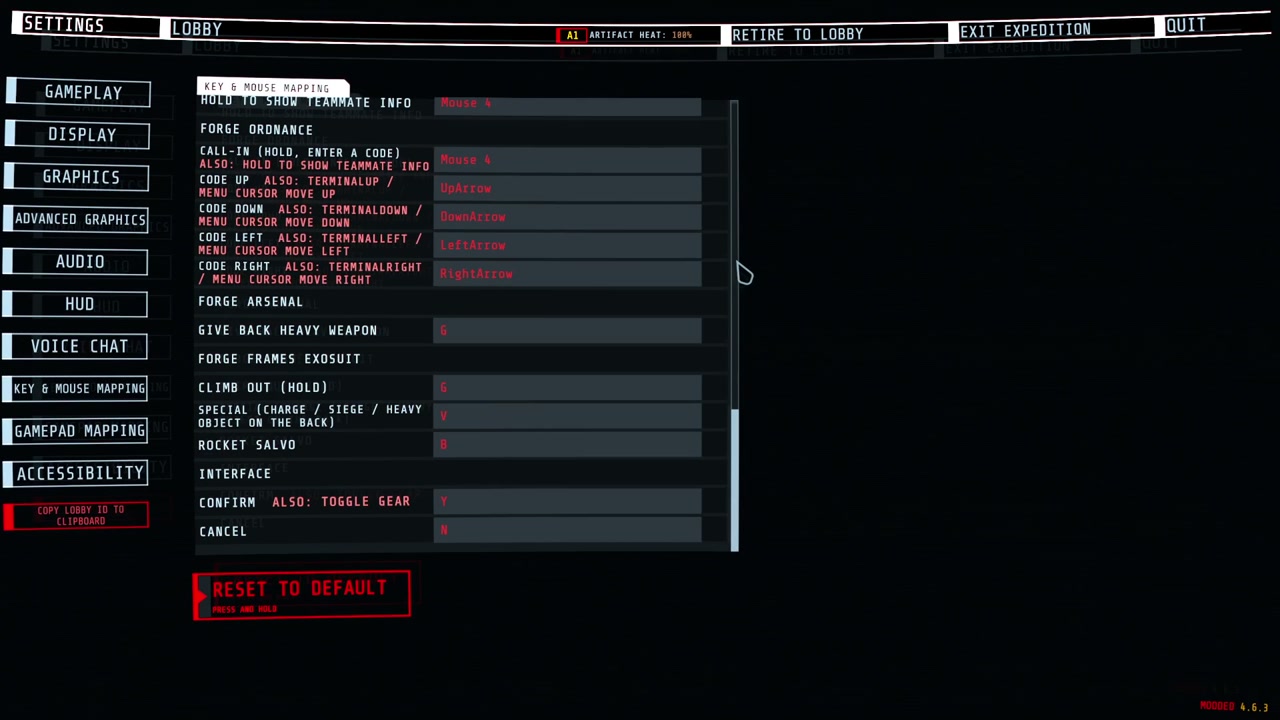
Keys you can change: every mod's keys are listed in the game's own settings (Controls), under the game's keys, one heading per mod. Click a key and press the new one; Esc cancels, Backspace or Delete unbinds, the page's reset puts them back. A key two actions or the game also use is marked.
-
Texts in several languages: each mod ships one file per language, and every text switches as soon as you change the language.
What mods can add: sound
- Sounds played flat, at a point in the level, or following an object.
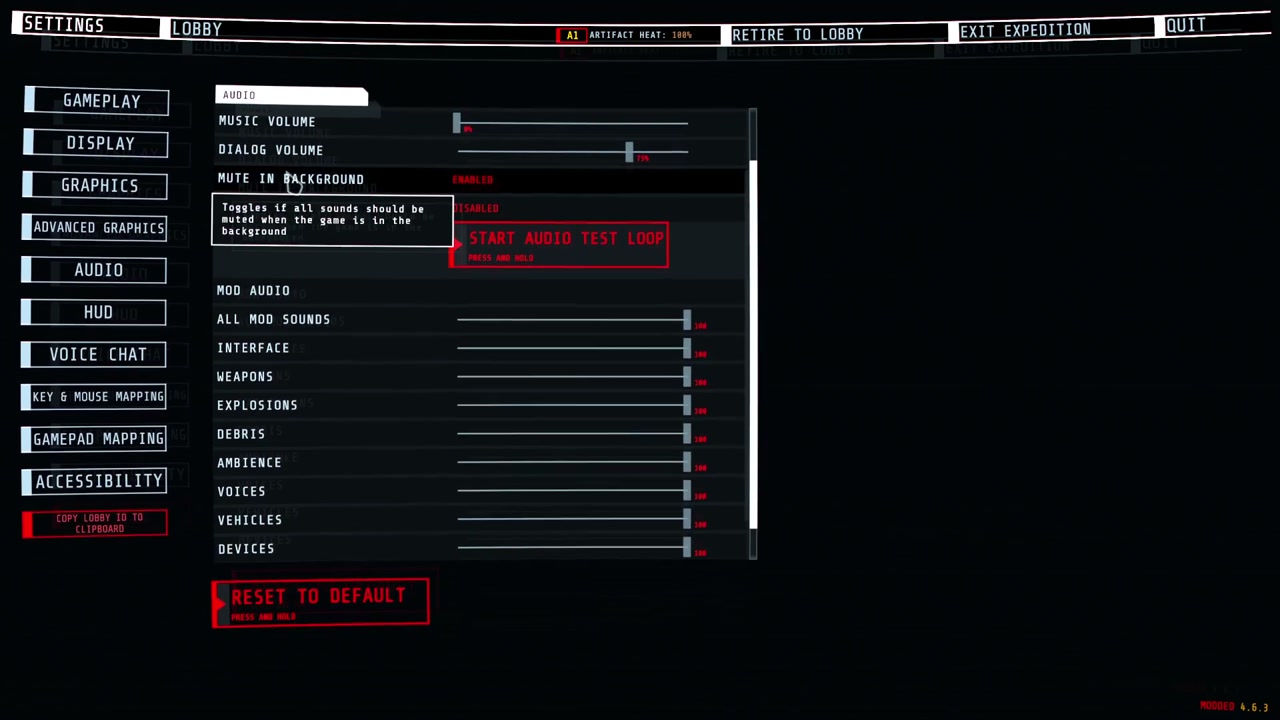
- Every mod's sounds follow the game's sound sliders: Music for music, Dialogue for voices, SFX for everything else.
- A limit on how many sounds of one kind play at once, across all mods. A stronger or nearer sound pushes out the weakest one.
- A loud sound, such as an explosion, can quiet debris and ambience sounds from every mod for a moment.
- Sounds get quieter behind walls and closed doors.
- One of the game's own sound events played at a point for a mod, unchanged and through the game's own mix.
- A mod's sound played for every player at once, at the same place, without the mod writing network code.
- Volume and pitch vary from play to play, and the same variant never plays twice in a row.
- A mod can replace or silence one player's own footsteps, jump and landing sounds, for example while that player wears an exosuit. Every other player and every other game sound is untouched. It sends nothing over the network.
What mods can add: visuals
-
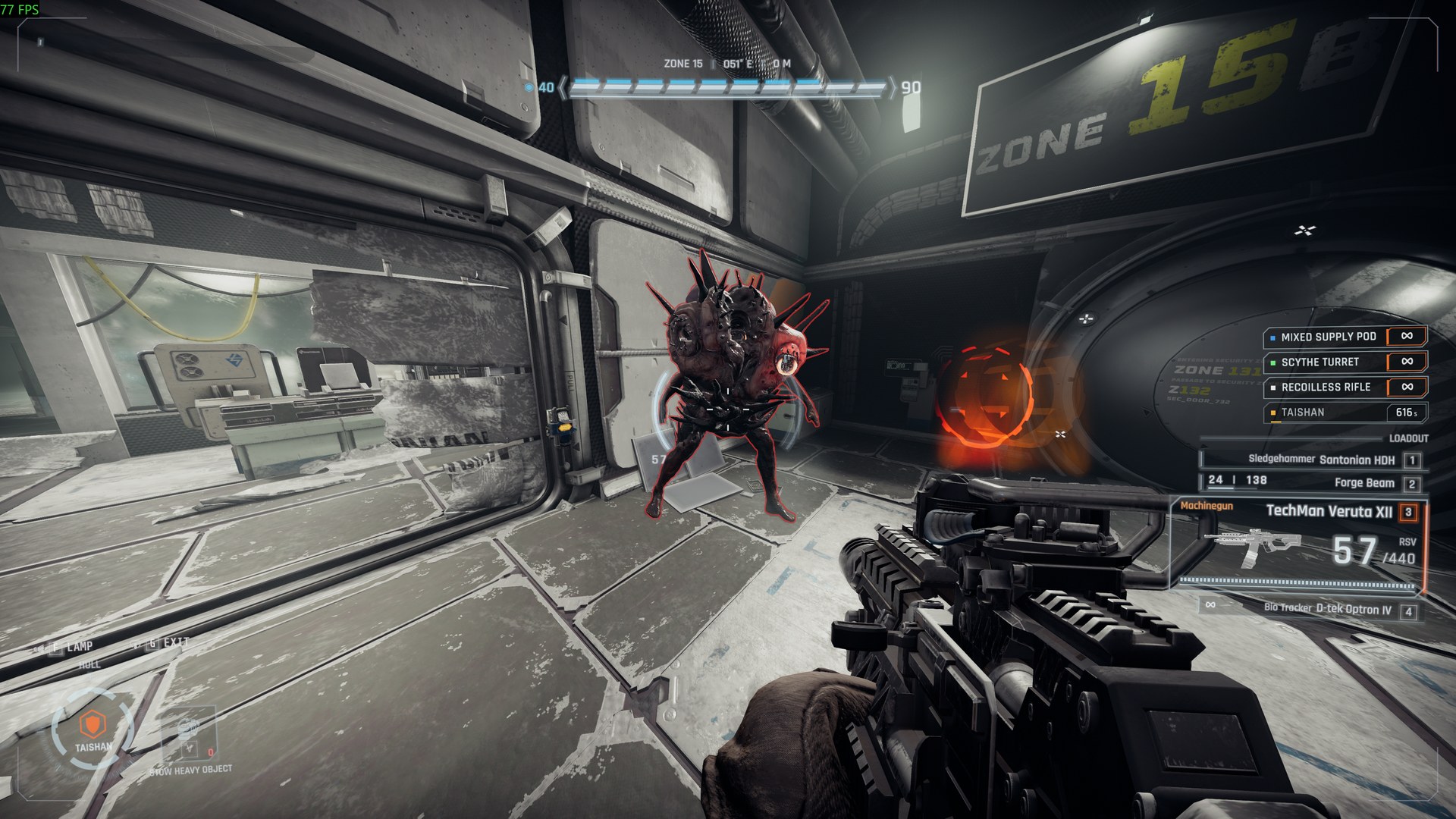
Outlines round enemies and objects, also through walls (above).
-
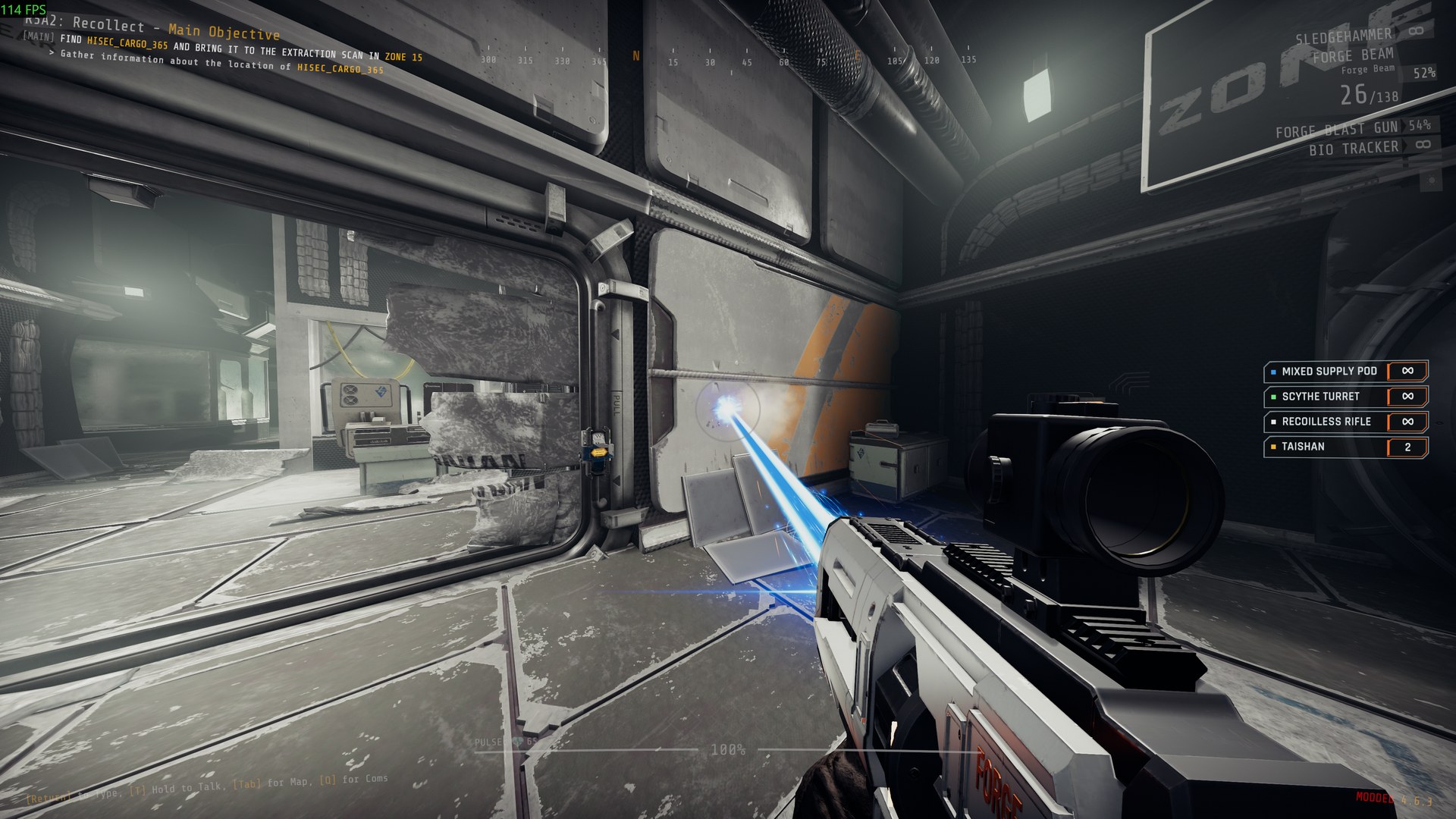
Beams and trails, lit where they hit:
-
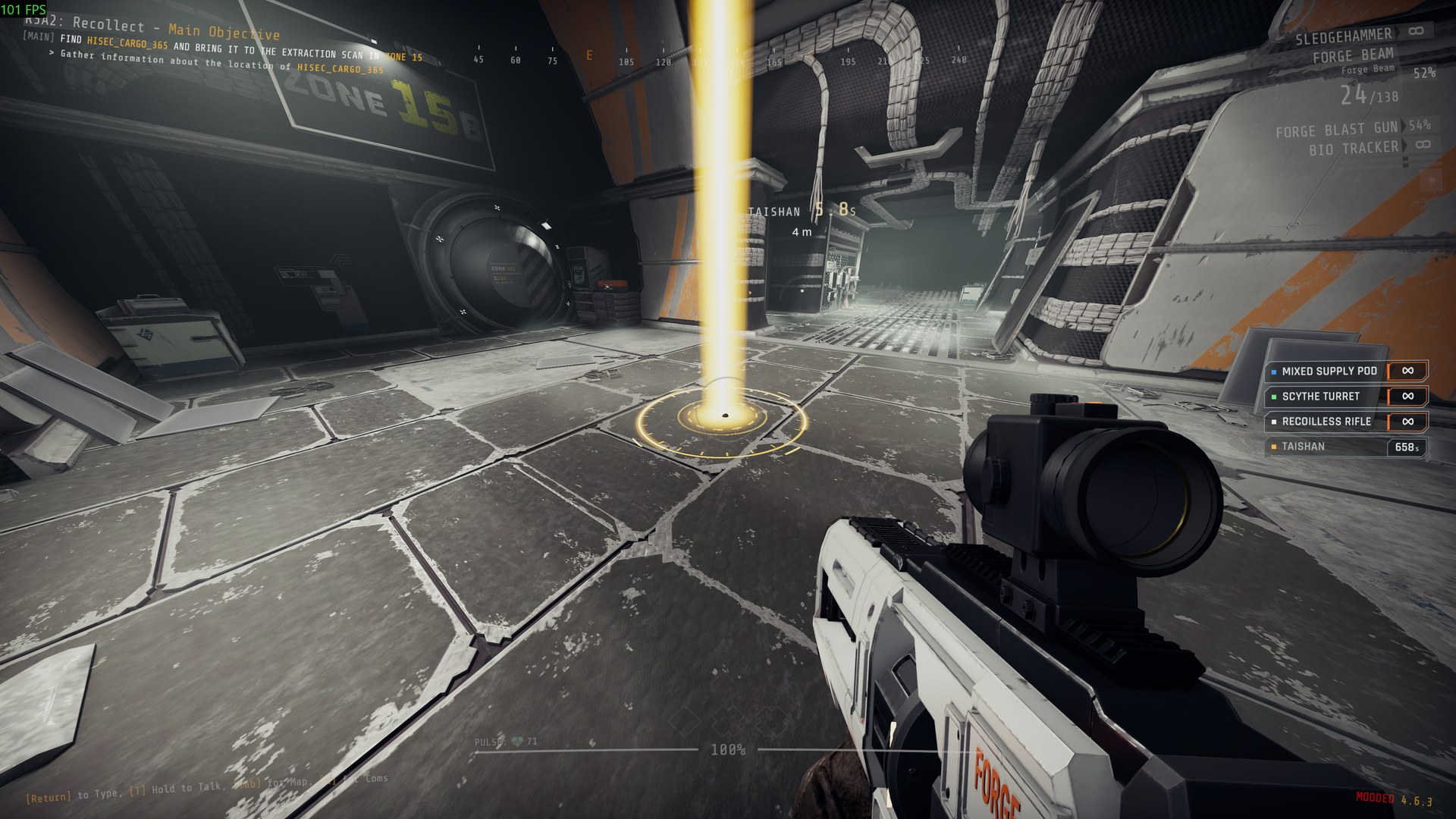
Markers on the ground, such as where a call-in lands:
-
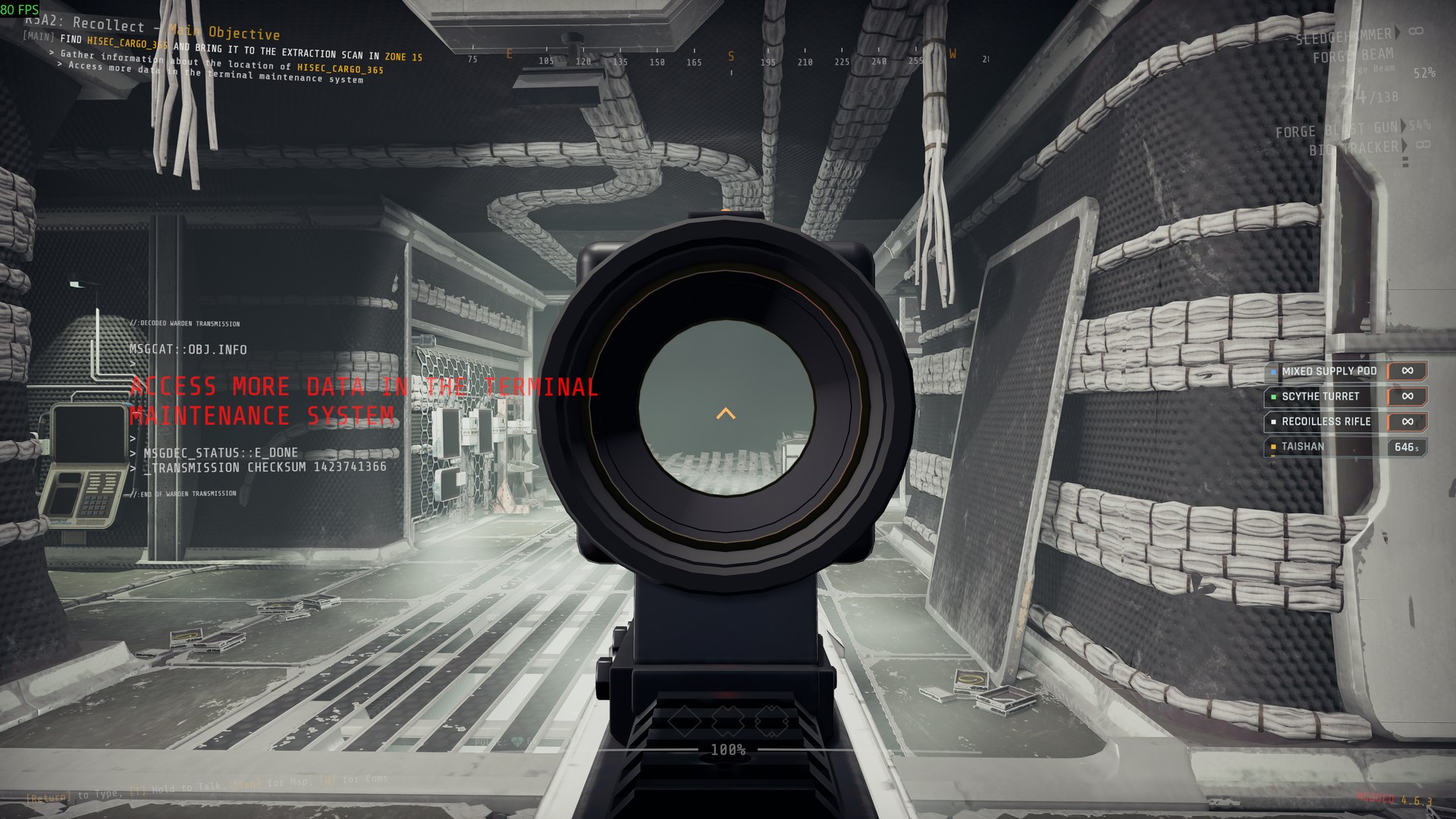
New gun models on the game's guns, held by the game's own hands, with red-dot, holographic and 2x sights you aim through:
-
Explosions and other effects with light that falls on the room, marks left on walls and floors, glow, and camera shake.
Installation
Install with r2modman or the Thunderstore Mod Manager. It also installs BepInExPack_GTFO and GTFO_API. For a manual install, unzip the package into the game's BepInEx folder (its files land in BepInEx/plugins/ForgeCore) and install those two as well.
Settings
Every setting is in BepInEx/config/NAinfini.ForgeCore.cfg, which appears after the first launch.
The interface. Offsets are in pixels at 1080p. Positive values move right or up.
| Setting | Default | Meaning |
|---|---|---|
Lobby / ButtonOffsetX, ButtonOffsetY |
0 | Move every lobby button added by mods. Use it when another mod draws over them. |
Hud / OffsetX, OffsetY |
0 | Move every HUD element added by mods. |
Hud / SafeMargin |
48 | How far HUD elements keep from the screen edge. Raise it on a TV that crops the picture. |
Language / Language |
Auto | Language of the text in every mod that uses it. Auto follows the game's language; en, zh or another code forces one. A mod with no file for that language shows English. |
Screen / Visor |
On | Draws the helmet visor some mods show. Turn it off for a clear screen. |
Screen / VisorFrame |
0.13 | Opacity of the visor's struts and corner brackets, 0 to 1. |
Screen / CracksMax |
0.3 | Highest opacity of visor cracks. They never cover the middle of the screen. |
Screen / HitFlashPeak |
0.35 | Peak opacity of the hit-direction flash on the screen edge. |
Screen / HitFlashSeconds |
0.3 | How long a full hit flash lasts, 0.1 to 2 seconds. |
Screen / Glow |
1 | Strength of the soft glow round the lit parts of HUD pieces mods draw, 0 to 2. 0 turns it off. |
Screen / Fringe |
On | A faint 1 px red and blue colour fringe on those pieces, like a display seen through a visor. |
Wheel / DeadZone |
0.35 | How far from the centre, as a share of the wheel's radius, the pointer must move before a slot is chosen. |
Wheel / HoverSeconds |
0.08 | How long the pointer rests on a slot before it lights. |
Wheel / TextScale |
1 | Size of the wheel's text. |
Wheel / HighContrast |
Off | Solid dark slots with white text and outlines. |
EnemyHealthBars / Enabled |
On | Draws the enemy health bars, damage numbers and kill marks mods switch on. Off hides them in every mod. Written the first time a mod uses them. |
A value that is not a number warns once and uses 0.
Keys you changed are kept in BepInEx/config/NAinfini.ForgeCore.keys.cfg; a key you never changed follows the mod's default.
The sound volumes. The game's Settings → Audio page has, under the game's own sliders, a MOD AUDIO group: one slider for all mod sounds and one for each category. They apply to every mod's sounds on top of the game's own sliders, take effect at once and are saved as Volume / Master and one entry per category, 0 to 1, default 1. The page's Reset puts them back to full. Mods that use ForgeCore have no volume settings of their own.
| Category | Covers |
|---|---|
ui |
Menus, prompts, confirmations and warnings |
weapon |
Gunfire, reloads |
explosion |
Blasts, impacts |
debris |
Shrapnel, rubble |
ambience |
Beds, hums, loops |
voice |
Speech, radio |
vehicle |
Suits and pods: steps, servos, engines |
device |
Beacons, turrets, supply pods, terminals |
music |
Music |
The visuals:
- Effects / FlashLights (default on). Turn it off to stop blasts, hits and muzzles from flashing light on the room around them.
- Camera / ShakeStrength (default 1). How strongly blasts, landings and hits shake your view, from 0 (off) to 1, for every mod.
- Outlines / Enabled (default on). Draws the outlines mods put round enemies and objects, including any a mod shows through walls. Off hides them in every mod.
- Culling / Enabled (default on) and Culling / Distance (default 70 m). Effects farther away than the distance or outside the view pause until they are back in sight.
Reporting a problem
Include the game build, your installed mods, a screenshot and BepInEx/LogOutput.log.
For mod authors
The quick start and the list of public types are in the developer guide.
License
Code: MIT. It includes NVorbis (MIT) to decode Ogg Vorbis; its license ships in the package.
Fonts, under the SIL Open Font License 1.1 (full texts in fonts/):
- Rajdhani, © 2014 Indian Type Foundry.
- Glow Sans SC Condensed (未来荧黑), © 2021 Project Welai; the package carries its common-character subset.
CHANGELOG
Changelog
1.0.2
In multiplayer the host and every client should run this version: with an older ForgeCore on the host, a client shows only basic hit feedback.
- Fixed: on a client, enemy health bars, damage numbers and kill marks showed nothing (the game settles a client's hits on the host only). They now show in the frame of the hit and are corrected by the host's result: a kill that did not happen is taken back and the bar gives back what it lost. The host sends enemy health to clients that have this version. A hit is not counted twice when packets are lost or late.
- Fixed: a large state sent to a player who just joined no longer holds back the updates every other player gets meanwhile.
- Fixed: a player who joined late could miss what the others had already shared (a picked skin, a chosen loadout, enemy health) until someone changed it again; a player who asks again is now sent everything again. A player who joins a level after a checkpoint reload stays in the host's world for that level.
- Fixed: a teammate's character model (ForgeSkin) turned flat pink in the level.
- Fixed: a part a mod switches on and off every frame (a skin's flickering hologram) stays hidden while the first-person item is hidden; before, it was drawn in the middle of the screen during an action seen from behind.
- Fixed: your body in the view from behind (Forge Emote's dance) stands on your feet; it sank into the floor after crouching and floated after a jump.
- Fixed: character models (ForgeSkin) could stop moving with their players after the game removed one player's body, for example when someone left.
- Added:
Combat.OwnHitPredicted,Combat.OwnHitSettledandCombat.OwnHitCorrected, the local player's hits on enemies the same on host and client: shown at once, the host's result, and the difference between the two. - Added:
GameHooks.EnemyHitSent, the local player's hit request to an enemy with its damage. - Added:
HumanRig.Links(bones, rest),HumanRig.ArmWear(bones, rest)andHumanRig.Unposed(links). A model mapped onto the humanoid needs a bone only for its hips: any other joint without one is left out of the pose copy and keeps its rest pose on the bone above it, so a model without fingers, without an arm or with unlike sides follows a body (ForgeSkin's character models). A limb with a joint left out is not bent onto the body's, and a model whose hips rest on its own floor keeps its rest height; each is logged once. - Added:
JointClip.FromTurns(rate, joints, turns, hips, name), a clip built in code with a name, so recordings show it andJointClip.Findfinds it (ForgeSkin's weapon inspect). - Logs: a missing toon shader, a library shader unloaded after loading and a person with no ghost material are each written once.
1.0.1
Everything since 1.0.0. This version stays at 1.0.x although it removes and changes public interfaces; each one is listed below under "Breaking" and "Interface", and mods that use them need to be recompiled. From this version on, 1.x only adds to the interface and removes nothing.
- Breaking:
HookFanout<T>,HookLeaseandHookDispatchare removed; there is no replacement. - Breaking:
ModelPictureViewis removed; there is no replacement (ForgeSkin's picker shows the picture each pack carries). - Breaking:
Glow.SrgbandGlow.LinearToSrgbare removed; useColourSpace.ToSrgb,ColourSpace.ToLinearandColourSpace.Glow.Glow.ValueandGlow.Write(material, srgb, gain)convert a glow colour once, by whether the shader property is HDR (Glow.IsHdr). - Breaking:
FirstPersonWear.Followis removed: the library follows a worn model's visibility every frame itself.FirstPersonWearOptionsaddsDescendantsandLeaveOut, and the wear accepts the caller's own model instance. - Interface:
MenuScreenWindow.AddButtontakes an optionalwhy: a disabled button fades with its frame and text, takes no press or hover, and shows that one sentence under it. Recompile mods that call it. - Added: player looks for a whole character.
PlayerLooks(one provider per player look:Provide,Describe,Dress,Hang,Worn, withIPlayerLookProvider,ILookDressandPlayerLook),Persons.Hidefor a player's agent or for a body without one (a lobby figure, a replay stand-in), several holders on one person not fighting, andPersonHideOptions(ThirdPerson,FirstPerson,Held,Keep,Look). - Added: humanoid rigs.
HumanRig(the canonical humanoid links, arm reach and first-person arm wear),PoseFingersandPoseLink.Optional(pose copy covers 30 finger joints; a missing bone is skipped),RigMap.Check,ImportedModelDescriptor.CheckFiles/IsMeshFile, andImportedModels.Prepare/ImageTextures.Prepare, which decode a model's textures over several frames before it is built. - Added: chain physics for charms, hair, skirts and ribbons:
Chains.BindwithChainSpec(presetsCharm,LongHair,ShortHair,Skirt,Tail),ChainState,ChainShapeandChainCapsule; chains settle at rest, are culled by distance and visibility, and survive turning and being knocked back. - Added: toon materials,
ToonandToonDresswithToonLighting(forward, deferred or off, per player). - Added:
Models.Drawn(enabled and not turned off byforceRenderingOff; outlines collect only what is drawn),Models.LeaveOutInFirstPerson,OwnBodyCut. - Added: replayable objects for recordings:
Recording.Track(pose, scale and visibility recorded when they change),Recording.State,Recording.Provide/IRecordingProvider,Recording.Find,Recording.ApplyandRecording.Placed. - Added:
Combat.Killkills an enemy whatever its health, melee resistance or not-dying flag (on the host, through the game's own damage entry);EnemyDamageCall.Unruledmarks that hit so Forge damage rules leave it alone. - Added: local rundown progress for custom rundowns.
Progressionrecords the zones cleared in each level of a custom rundown (a Forge rundown, or every rundown when MTFO loads its own game data) on this machine, and the game's rundown screen unlocks its levels from that by the rundown's own rules, without asking the game's server. The game's own rundowns are left alone and keep your own progress. - Added:
PickerSource.Layout,Panel,PickScheme,Settings,SettingsInfoandNumberSlots, withPickerPanelandPickerScheme(a picker's colour schemes and its settings behind the title bar's gear);UIKitSprites.GearandTick. - Added:
NativeObjects.SameandIdentity(compare game objects by the object, not the wrapper),GameText.ReadandTryColumn,ColourSpace,WorldBackdrop.Queue,Png.TryDecode. - Fixed: outlines draw every part of a model with many sub-meshes (a character model was outlined only at the face); a hidden original body no longer enters the outline.
- Fixed: a pose copy that follows a body is applied after that body's own arm and aim solving, so teammates' character models and replay stand-ins hold the gun where the game holds it.
- Logs: a save that cannot be written, a damaged save file and an error in the sentry tool-slot guard are written once instead of at every save or deployment.
- Fixed:
GearIcons.Redrawno longer fails while the game's icon renderer has removed itself between jobs. - Added:
GearIcons.Unframed, which leaves a mod's additions on a gear out of the framing of its game icons. - Added:
Store.Flush()writes out the values still waiting for the background writer; ForgeCore calls it when the game closes, so a setting changed just before quitting is kept. - Added:
GameHooks.HibernatingNoiseHeard,HibernateWakeupStarted,HibernateDetectionStarted,HibernateDetectionEndedandEnemyTargetInjected, for sleeping enemies hearing a noise, waking and being handed a target, shared by every package that reads them. - Added:
Players.SimulatedHere(player)(whether this machine moves that player: the local player, and on the host its bots),LimbReach.Bend(a two-bone reach to a target point),NativeObjects.FieldOffset<T>(name)(a game field's offset, resolved once) andFileHashes.Sha256Hex(path). - Fixed: a claimed weapon-list line (
WeaponListLine) recognises the line it renamed or hid on later passes, so a renamed line keeps its claim, a hidden line that stops matching shows again at once, and the inventory reads the renamed text. - Logs: by default only errors are written.
[Logging] DeveloperLogsinNAinfini.ForgeCore.cfg(off by default, always on with ForgeDevelopment installed) brings back the warnings and information lines;Log.DeveloperandLog.DevelopmentInstalledtell a mod which applies. - Settings: the interface, sound and visual settings moved from
NAinfini.ForgeUI.cfg,NAinfini.ForgeAudio.cfgandNAinfini.ForgeVisual.cfgintoNAinfini.ForgeCore.cfg, and changed keys fromNAinfini.ForgeUI.keys.cfgintoNAinfini.ForgeCore.keys.cfg; the old files are no longer read, so set them again once. - The hash of the game's
GameAssembly.dllis kept between starts inBepInEx/cache/ForgeCore/file-sha256.txtand computed again only when the file changes. - Fixed: the lobby buttons no longer all hide when the lobby opens (the space was measured while the player bar was still sliding in).
- Fixed: a
Netrequest whose handler throws is answered as already run when it is asked again, instead of staying stuck. - Fixed: the grid check behind
Borken cellno longer throws. - Added:
NetEvent.BroadcastExcept(message, player)(to every other player but one: a host passing a player's message on without sending it back) andNetTable.Refresh/NetByteTable.Refresh(rewrite a row for the player who just joined only, without sending it to the others). PlayerState.Publishof the value already held with the same start sends nothing, and a player state is checked for impossible numbers without reflection on each arrival.- Added:
Store.WriteBytes(the atomic write ofStore.WriteTextfor bytes).Store.Write<T>now writes on a background thread (the newest value of a path wins;Store.Read<T>sees it at once) and checks an existing file only the first time a path is read or written, so a save no longer stalls the game; temporary files are named.<name>.<random>.tmp, those a crashed game left are removed, and a replace held by a reader or virus scanner is retried briefly. - The heavy blast no longer ships with this library (
forge-visual-fx.bundle,fx-slots.forgeandfx-licences.forgeare gone from the package): each package that fires it ships its own copy and registers it with the newHeavyBlast.Register;HeavyBlast.Loadis public and is called by those packages where they load their own effects, no longer at every landing for every player. Its effect name is unchanged, so recordings still play it; without such a package installed the name is reported missing once and nothing is drawn. - Breaking: the one-method handler interfaces are gone; pass a delegate instead.
AudioKit.ClaimWeaponActionstakes anAction<WeaponAction>(wasIWeaponActionHandler),AudioKit.ClaimBodySoundsaFunc<BodySound, Vector3, bool>(wasIBodySoundHandler),AudioKit.ReserveGameEventanAction<uint, IntPtr, Vector3, bool>(wasIReservedEventHandler).PlayerHits.Observe(owner, before, after, faulted)takes the three steps of the hit reader (PlayerHits.HitBefore, thenafterorfaultedwith theHitStateit answered) instead of anIPlayerHitObserver, andPlayerHits.ObserveInfection(owner, before, after)two delegates instead of anIInfectionObserver; a nullbeforeremoves the registration. Recompile mods that used them. UITogglewithout its own words shows the library's "on" and "off" in the player's language (was "ON"/"OFF" in English), and the loadout's reserve label is translated too.HitEdge.Seconds, unless a mod set it, follows the player'sScreen / HitFlashSecondsas it changes. A sprite whoseFlipPhaseis negative no longer stops every mod's sprites.PlayerHitsputs on only the patches a registration needs: a redirect alone no longer puts the reading prefix, postfix and finalizer onOnIncomingDamage. Priorities and the order of the callbacks are unchanged.- Interface:
GameHooks.WieldedSlotBlocked.Release,GameHooks.LocalItemHeld.Hideand the fivePlayerStatssubscriptions (Walk,CarryUnslowed,Jump,NoStamina,NoFlinch) return anIDisposablethat ends the subscription (they returned nothing); the hook stays on. Recompile mods that call them. - Added: the full
Combat.Noiseoverload takes an optionalmaker(aPlayerAgent), handed to the game as the noise's maker. Recompile mods that call that overload. - Interface:
UIKit.AddLobbyButtontakes the button's area (LobbyArea: below, right, above) and width (LobbyWidth: full, half, third); buttons of one area fill rows in order and move to the next area only when they do not fit. Under APPAREL the buttons' rows and the lobby strips' rows close up and then get lower (not below 0.6 of their height, always as wide as APPAREL) to stay above the screen's bottom before a button moves elsewhere. - Added:
Images.QueueandImages.QueueRaw(images decoded and uploaded over several frames within a frame budget, raw DDS-style blocks uploaded directly);Store.Read/Store.Writewith an explicit path, which never overwrite a file they could not read;StrictJson.NamespacedId;EnemyNamesandUIKit.EnemyName(the game's enemy names in English and Chinese). - Added: the procedural pattern library (
Procedural,ProceduralCatalog,ProceduralPainter, with blend modes andSetTime), and the adjust-page controlsUISlider,UIToggle,UIChoiceandUISwatches. - Added:
Il2CppArrays.StoreandIl2CppArrays.ToGameReferences, which store into the game's arrays of references with the collector's write barrier (ForgeSkin needs them). - Added:
AudioKit.CheckClip, the container checkAudioKit.Loadapplies to each clip, for one clip on any thread (null when it passes, else why not). - Added:
PickerCard.SwatchandPickerInfo.Swatchshow a colour choice as a tile on the card and large in the details. Picker titles too long for one line take two; an adjust page draws its controls as soon as it opens; list rows never draw past the list's frame. - Full-screen lists (
MenuScreenentries) centre each line of a row in the row's box, and hovering a row no longer scrolls the list. - Resource bundles read their dependencies from the text manifest Unity writes (the game build has no
AssetBundleManifest), so a bundle with dependencies loads in game; bundle digests, module fingerprints and content hashes are computed once, and model bundles load on first use. - A grid cell without a room makes the game write
Borken cellonly once per level ([Logs] BorkenCellOnce, on by default); the answer for that cell is unchanged. - Range rings draw the author's opacity (0 to 1) and glow (0 to 4) without a cap and only their outward faces.
1.0.0
ForgeUI, ForgeAudio and ForgeVisual are now part of ForgeCore: one package (NAinfini-ForgeCore), one plugin (NAinfini.ForgeCore) and one ForgeCore.dll. The three are no longer separate packages; remove them when you update. Their namespaces and settings files (NAinfini.ForgeUI.cfg, NAinfini.ForgeUI.keys.cfg, NAinfini.ForgeAudio.cfg, NAinfini.ForgeVisual.cfg) keep their names, so your settings stay. A mod declares only [BepInDependency("NAinfini.ForgeCore")] and the dependency NAinfini-ForgeCore-1.0.0; UIKit.PluginId and AudioKit.PluginId are gone. Interface changes: FxSlots.Find returns the empty handle (FxHandle.IsNothing) instead of null for a slot the table does not list; GameHooks.SentryGearSpawned, SentryDespawned and ReloadAnimationStarted are gone (use SentryLifecycle, filtered on the step, and ReloadTriggered), and so are GameContext.Unsubscribe and GameSounds.UnsubscribeGameSounds; types and members nothing outside the library used are now internal. Added: Vec.Finite, Gear.ArchetypeId, Ease.Smoothstep, and Frame.GameTime, ScreenWidth and ScreenHeight.
- Interface:
SettingsSlidertakes a languageTextKeyinstead of English and Chinese labels, andSettingsPages.AddAudioSliderstakes oneheadingKeyinstead of two heading texts;VolumeControlno longer carriesEnglishandChineselabels andAudioVolumes.HeadingEnglish/HeadingChineseare gone (useVolumeControl.TextKeyandAudioVolumes.HeadingKey). The audio volume labels live in the UI language files. - Item pictures wait for the game to build an item's model and fall back to the model prefab, so a consumable still in a backpack no longer loses its picture.
- A borrowed objective timer is taken down when released even if the game or another mod changed its text meanwhile.
- The heavy grenade launcher's explosion ships with the library: Arsenal's launcher and Energy Lab's Blast Gun draw the same shared blast.
- A gun model no longer needs a left-hand socket: the hand is derived from the game's own hold and pulled back along the gun into the arm's reach at the hip; a missing right grip is the model's origin.
- The kept material copies of a level's own materials are destroyed when the level ends.
Version number only: the first release was 0.1.0, and 1.0.0 is the version the Forge packages share from now on. Packages that depend on this library need 1.0.0 or later. Fixes: Enemies.Generation no longer restarts at 1 for a slot an earlier level used, and Enemies.Version changes when the level is cleared; Store.WriteText and ChunkWriter flush to the disk before they finish; a peer refused by the handshake no longer keeps its PlayerStateSlot value.
Added after that entry: Combat.AreaDamage with BlastLine (a host radius blast by body, the line of sight as a parameter), and an optional trigger mode on SweepQuery.Cast; Enemies.Limbs (every living enemy limb in a sphere with its enemy, never truncated) and ModLog.RaiseEach (every handler of an event, one that throws written once). ForgeCore lists the audio volume sliders in the game's settings itself, so a package no longer adds them. A lobby value cleared while the send queue was full is cleared on the other players too once the queue empties.
Further fixes:
AgentModifiersuses the game's local modifier entry while the synced packet is missing, andReadysays whether the modifier manager exists.Players.Warpreads the player's live body, so a warp that landed is reported as landed.WorldStates.Clusterreturns false for a cluster the level never set up, and restoring a cluster no longer starts the next scan or solves the chain; it no longer throws.- A network channel no longer ends itself on a level cleanup for a world it never started.
0.1.0
First release.
- Modules:
Log,Settings,Store,Pool,Assets,Frame,Patches(first-use and lazy patching),Net(handshake by format fingerprint,NetDelivery, lobby values, world epoch),InputLease,CameraLease,GameEvents,GameHooks/Bracket,Enemies,EnemyAlert,EnemySpawn,Level,Combat,Gear,Items,SoloDrop,DataBlocks,PlayerHits,PlayerNoise,Puppets,WorldStates,HoldPoint,Compact,ChunkLog, fingerprints and hashes, the size a PNG header declares (Png). GameHookspatches the game methods several packages read once and hands each call to every subscriber (Before,After,Around,Skip); each subscription is anIDisposable, and only the patch kinds the current subscriptions need are on the method.GameHooks.SentryLifecyclecovers the seven sentry methods that move a sentry in or out of its owner's backpack and the world (SentryStep,SentryCall).Session(IsHost,HostLookup,LocalLookup),Players.Local/LocalAlive/Each/Joined/Left,Players.WarpwithWarpMode,WarpRefusalandWarpResult,Level.ActiveKey,Store.WriteText, andFnv.Mix32/Mix64over integers andMixUtf8.Level.PlayerByLookup/Level.IsPlayerfind the in-level player agent of a network player.Combat.ShooterRayis the bullet ray that steps over the shooter's own colliders.HoldPoint.Disable/Enableshut a timed hold point and keep it shut when the game switches it on again, without a per-frame check.GameEvents.ExpeditionSelectedis raised on the host and on clients.Net.Traffic: messages and payload bytes every package sent, counted in the game transport.- Logging writes errors only.
ModLog.ErrorOnce(message)writes an exact message once; errors log the whole exception.
