
| Date uploaded | 8 months ago |
| Version | 1.3.2 |
| Download link | RoboRyGuy-ThermalOverlay-1.3.2.zip |
| Downloads | 817 |
| Dependency string | RoboRyGuy-ThermalOverlay-1.3.2 |
README
Thermal Overlay
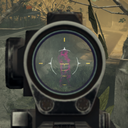
Adds the ability give any item thermal vision. Each item can be invidually configured, and the plugin exposes APIs so that other developers can add even more customizations and integrate with their own custom weapons.
Getting Started
By default, this mod does nothing! Load up the game with it running once, then use the BepInEx config file to choose which gear you want converted. Configs have been included to help make vanilla weapons feel unique, but this mod will automatically detect new weapons and apply a default configuration to them, too, if you want to convert them.
If you wish to customize weapons further, check the guides included in the plugin folder, at BepInEx/plugins/ThermalOverlay
How does it work?
- Adds a new shader, "Unlit/HolographicSight_ThermalOverlay.shader", or simply the "Thermal Overlay" shader.
- This works very similarly to the existing thermal shader, except it can be transparent.
- By adding it on top of existing scopes, you get thermal overlays that can highlight enemies without affecting the background.
- For guns without scopes, the overlay can be applied to a small, auto-generated mesh which sits on the sights.
Supported items
Currently, the below items are supported:
- All vanilla main and special guns. Default configs are provided to help improve these items
- Spears, again using default configs
- Modded weapons, using auto-generated configs
All melee, main, special, and tool items are supported. However, auto configs only tend to work well on main and special guns, meaning you will need to apply manual configs for tools and melee weapons if you want them. I've provided configs for the two vanilla spears (because I feel spears deserve a fun boost), but I haven't provided configs for other weapons mainly because I cannot think of a good spot to place the overlay for consistent and psuedo- realistic gameplay.
Support for other items, such as long-range flashlights, is planned but not currently available.
Other Notes
HowTo docs for applying custom configs and for plugin extension can be found in the plugin folder,
at BepInEx/plugins/RoboRyGuy-ThermalOverlay.
The config file for the plugin is at BepInEx/GameData/ThermalOverlay/ThermalOverlayConfig.json. This is automatically
generated if it's missing, but left untouched when updating the plugin (so as to not overwrite custom configs). If you
want new configs provided by updates to the mod, you can delete this file to regenerate it; otherwise, you can reference
the DoNotDelete.json file from which default configs are sourced, and copy over configs as desired. Again, read the HowTo
docs for help on this.
CHANGELOG
Changelog
Version 0.1.0
Beta release of ThermalOverlay.
- Only automatic conversions
- Very simple backend logic
- Configurations don't work
Version 1.0.0
Initial full release of ThermalOverlay
- FactoryManager is fully implemented
- JSON configs now work
- How-to articles added for usability
- Psuedo-random material generation added
Version 1.1.0
- Added in some default JSON configs to help make some vanilla weapons look better
- Added the ThermalOverlay shader's source to Github
- Fixed an issue where Vector2, 3, and 4's weren't being serialized/deserialized
- Corrected the placement logic in OverlayGenerator_Standard so that manual adjustments are more consistent
Version 1.2.0
- Added a default thermal config for spears
- Quaternions now serialize correctly
- Fixed version number on the Plugin class
Version 1.3.0
NOTICE: I made a mistake submitting this version. Thunderstore will call it 1.2.1; it is actually version 1.3.0
- Changed configs to use item names instead of using checksums. This is to improve consistency, but will likely cause issues during updates.
- SightConverter_Standard now sets default shader properties when converting vanilla thermal scopes.
- Fixed the Combat Shotgun's config
If you have issues:
- Delete BepInEx/GameData/ThermalOverlay/ThermalOverlayConfig.json to reset the config file, so it uses the new mode
- If you have custom configs, change it to use Items instead of IDs, and replace the ID numbers with the item names. Item names can be found in the config file; they're the gun's actual name, ie "Omenco exp1".
Version 1.3.1
- Fixed default config file not being generated
- Added warning about version 1.3.0 being misnamed
- Changed shape of diamond mesh to remove bugged halo effect
- Fixed a minor bug where FactoryManager.BaseName could incorrectly return the parameter list if only passed params and not a name
Version 1.3.2
- Fixed inter-mod support by moving thermal shader to the end of the material list (as opposed to the start)
- Added CleanScopes support, so dirt defaults to zero when the mod is installed
- Improved SightConverter_Standard(Thermal), so that non-thermal scopes can see shadows when converted
