
Please disclose if any significant portion of your mod was created using AI tools by adding the 'AI Generated' category. Failing to do so may result in the mod being removed from Thunderstore.
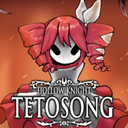
Kasane Teto SynthV Customizer
This mod replaces the Hornet with the Kasane Teto SynthV. Be sure to download manually!!!
By Amachan229
| Date uploaded | 8 months ago |
| Version | 1.0.6 |
| Download link | Amachan229-Kasane_Teto_SynthV_Customizer-1.0.6.zip |
| Downloads | 4757 |
| Dependency string | Amachan229-Kasane_Teto_SynthV_Customizer-1.0.6 |
This mod requires the following mods to function

RatherChaotic-SilksongCustomizer
A mod that allows for editing most (if not all) textures in Hollow Knight : Silksong
Preferred version: 1.0.0
dr1-Text_Modder
A mod that allows editing, overriding, and creation of new text items of Silksong's internal data. This can be used to change dialogue, names, tutorial text, menu items, etc.
Preferred version: 1.0.2README
Cosmetic mod for Hollow Knight: Silksong. Contains spritesheets for Hornet with alt cloak color + Hairstyle Kasane Teto
Ver. 1.0.6
Installation:
1. DownloadBepInEx 5 with Configuration Manager -> extract into root game folder -> run the game and exit (a BepInEx folder will appear).
2. Download Silksong Customizer -> put it into
\Hollow Knight Silksong\BepInEx\plugins\Customizer
(create the Customizer folder if it doesn’t exist) → run the game once and exit (a Mods folder will appear).
Like so:
\Hollow Knight Silksong\BepInEx\plugins\Customizer\Customizer.dll
4. Download CustomizerT2D.zip plugin from this mod page (if skipped, some sprites won't change). Put into same \plugins\ folder like so:
\Hollow Knight Silksong\BepInEx\plugins\CustomizerT2D\CustomizerT2D.dll
Hollow Knight Silksong
├─ BepInEx
│ └─ plugins
│ ├─ Customizer
│ │ └─ Customizer.dll (from Silksong Customizer)
│ └─ CustomizerT2D
│ └─ CustomizerT2D.dll (from this page)
└─ Hollow Knight Silksong_Data
└─ Mods
└─ Customizer
└─ CuteHornet <or your different modpack folder name>\ (pack folder or include into existing one, there can be only one folder)
├─ Texture2D\ (PNGs for Texture2D)
└─ ... other folders with sprite atlases, etc.
*(Credit to the Cute Hornet mod by Amachan Suzuki for the installation instructions)
*COPYRIGHT All character assets and sprites belong to Team Cherry. I simply modified the sprites myself. I do not claim any of the used assets as my own creation. The assets are not to be used outside of the game. This modification is fan-made and strictly non-commercial and is created solely for entertainment and personal use.
