
You are viewing a potentially older version of this package.
View all versions.
HideVersion
Adjust the transparency of the version text.
| Date uploaded | 3 days ago |
| Version | 0.1.1 |
| Download link | CMax-HideVersion-0.1.1.zip |
| Downloads | 1804 |
| Dependency string | CMax-HideVersion-0.1.1 |
This mod requires the following mods to function

BepInEx-BepInExPack
BepInEx pack for Mono Unity games. Preconfigured and ready to use.
Preferred version: 5.4.2305README
HideVersion
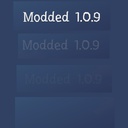
HideVersion is a BepInEx mod for How to Fish that reduces the visibility of the in-game version text.
Features
- Adjust the transparency of the version label
- Replace
Versiontext withModded- This is for clarity to the developers if you are submitting a bug reporting a bug while using mods.
Configuration
Preferred Method
Install the "ModMenu" mod and adjust the slider under Mod Settings > HideVersion. The setting is instantly applied in-game.
Alternate Method
After starting the game once, open:
BepInEx/config/HideVersion.cfg
Then adjust the General > Transparency float value:
0= fully transparent1= fully visible
You may need to restart the game for changes to take effect.
Installation
Automated Installation
- Install a mod manager such as Gale or Thunderstore Mod Manager.
- Configure your mod manager to point to your How to Fish installation folder under the settings tab.
- Search for "HideVersion" and install the mod.
Manual Installation
- Install BepInEx for your game.
- Download the latest release for HideVersion.
- Copy the mod DLL into your
BepInEx/pluginsfolder.
Notes
This mod only changes the displayed version text; it does not alter the actual game version or installation files.
CHANGELOG
v0.1.1 [2026-08-7]
- Cleaned up README (and CHANGELOG). No actual code changes.
v0.1.0 [2026-08-7]
- Initial upload.
