

HowToFishXR
Full 6DoF PCVR for How to Fish with tracked hands, physical fishing and reeling, two-handed guns, roomscale movement, full-body IK, VR UI, and multiplayer pose syncing.
| Date uploaded | a month ago |
| Version | 1.2.0 |
| Download link | J_axon-HowToFishXR-1.2.0.zip |
| Downloads | 544 |
| Dependency string | J_axon-HowToFishXR-1.2.0 |
This mod requires the following mods to function

BepInEx-BepInExPack
BepInEx pack for Mono Unity games. Preconfigured and ready to use.
Preferred version: 5.4.2305README
HowToFishXR
by J_axon
HowToFishXR is a free, open-source mod that brings full 6DoF PCVR to How to Fish. It adds tracked hands, physical fishing and reeling, one- and two-handed gun handling, roomscale movement, full-body IK, VR-native UI and typing, multiplayer pose syncing, and the visual feedback needed to play the complete game inside a headset.
This is a Windows PCVR mod. It is not a standalone Quest or PICO APK.
Requirements
- How to Fish on Windows/Steam.
- A PCVR headset and active OpenXR runtime, such as SteamVR, Meta/Oculus, PICO Connect, or Virtual Desktop.
- BepInEx 5.4.2305. A mod manager installs this declared dependency automatically.
Controls
| Input | Action |
|---|---|
| Left stick | Move; steer and control throttle while driving |
| Left stick click | Sprint |
| Right stick left/right | Snap or smooth turn |
| Right stick up/down | Previous/next inventory slot |
| Right stick click | Crouch |
| Right trigger | Fire, use, punch, reel in, or click/drag menus |
| Left trigger | Secondary use; hold and release to cast or reel out |
| Right grip | Pick up, interact, or enter/exit the boat |
| Left grip near a gun | Two-handed aiming |
| Left grip near a fishing reel | Physical reeling |
| Left grip near a non-tool item/body | Visually latch the second hand |
| A / right primary | Jump |
| B / right secondary | Switch bait |
| Hold left grip + B | Drop; hold B to charge and release to throw |
| X / left primary | Reload |
| Y / left secondary | Pause/unpause |
| Left grip tap | Inspect held item |
| F1 or both stick clicks | Open VR Settings while a menu is visible |
| F2 | Recenter view |
| F3 | Calibrate height and body |
Only the right-hand laser controls menus. The right hand is always the primary tool hand. Throwing is aimed from the right hand; empty-hand and brass-knuckle punches use head aiming. Gun aiming is physical, so there is no separate ADS button.
Multiplayer
HowToFishXR provides full multiplayer pose syncing between VR and flat-screen players who have the mod installed. Modded players can see VR head, hand, body, tool, and fishing poses. Some VR-player movements or interactions may still look inaccurate or bugged to other players; those remaining sync issues are actively being patched. Vanilla lobbies remain compatible.
Fishing in VR
Hold the left trigger to prepare a cast. Swing the rod from the side like a baseball bat without swinging too fast, then release slightly early as the rod comes forward. A controlled side swing works better than a hard wrist flick.
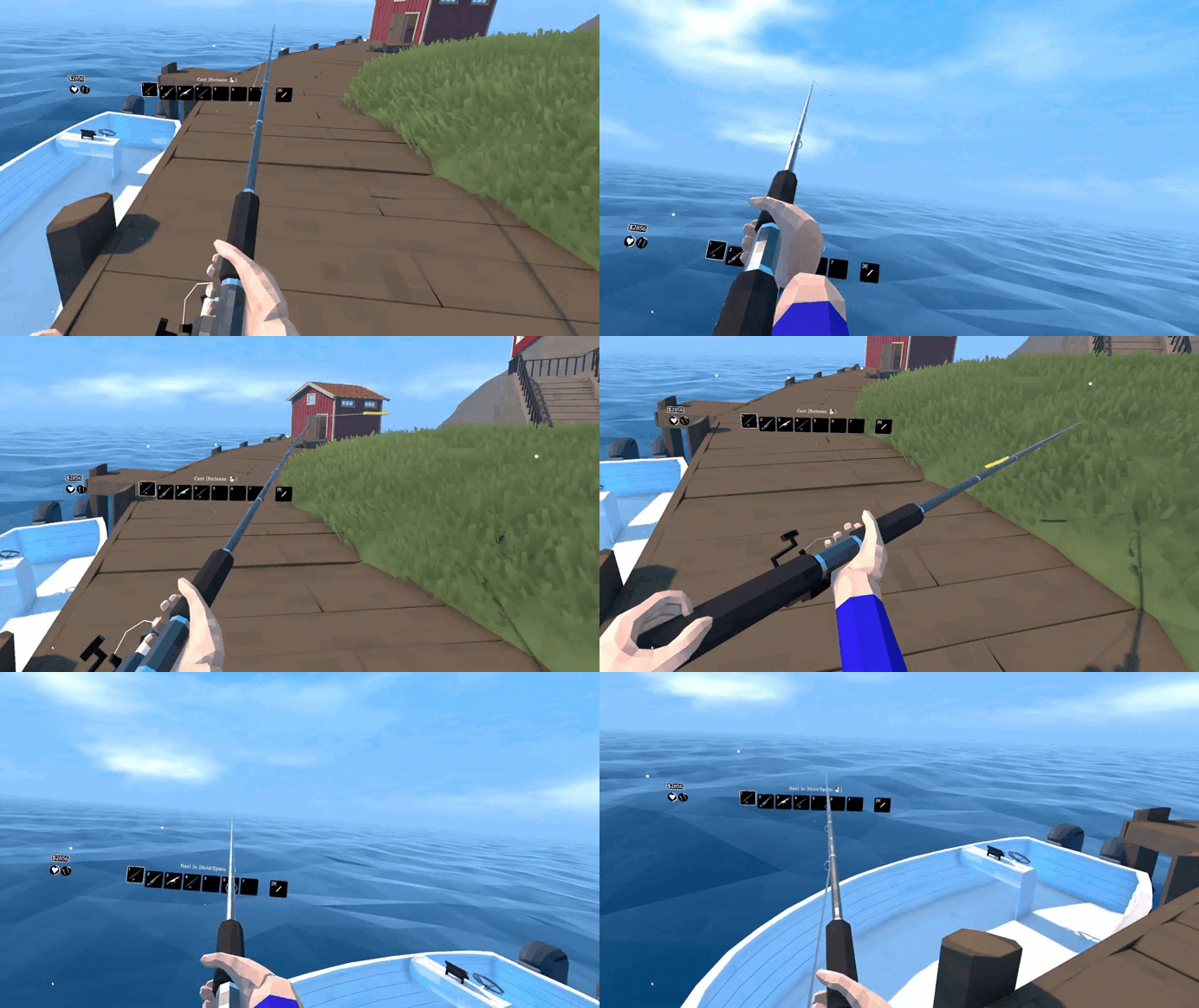
For physical reeling, bring your left hand to the reel and hold left grip. The hand latches onto the crank while the rod remains controlled by the right hand. Rotate your left hand around the reel to crank it. You can freely switch between physical reeling and holding the right trigger.
Gun handling
Guns sit on the calibrated right-hand grip and fire from their real muzzle. Hold left grip near the weapon's foregrip for two-handed handling; both hands then influence its direction and stability. Release left grip to return to one-handed handling. Physical sights, scopes, native recoil, and muzzle-correct firing remain supported without flat-screen ADS zoom.
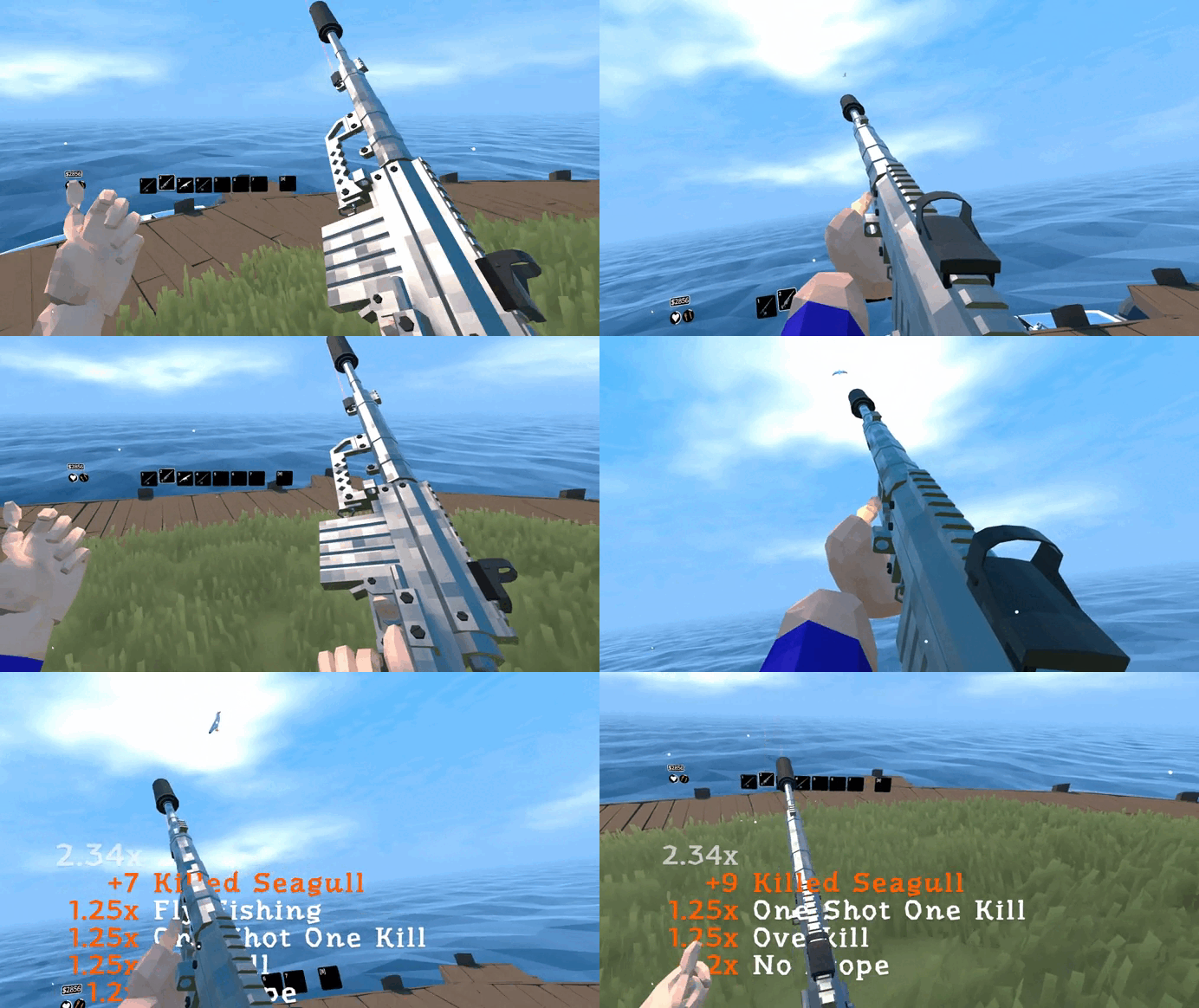
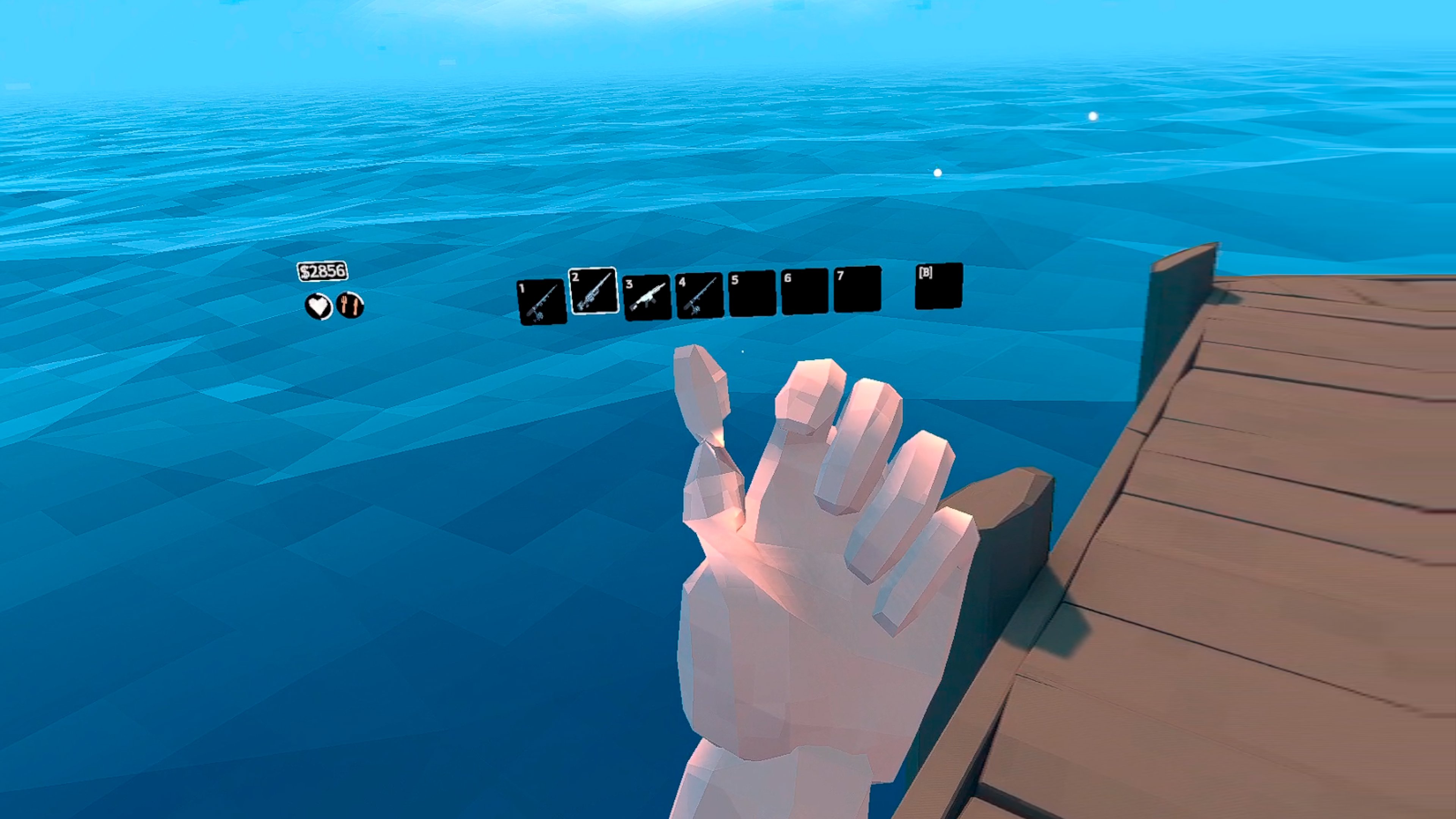
At some angles, a finger on the left hand may look twisted. This comes from the game's original mirrored hand geometry and is visible in the flat-screen model too; it is not controller drift or a broken grip.
Features
- Full stereoscopic OpenXR rendering, tracked hands, roomscale movement, physical crouching, recentering, height calibration, and snap or smooth turning.
- Full-body IK or Hands Only mode, with body behavior adapted for boats, death, respawning, and scene changes.
- Physical rod casting and reeling, one- and two-handed guns, physics-aware item/body handling, throwing, TNT, brass knuckles, and VR punching.
- VR-converted HUD, menus, dialogue, character customization, item markers, death UI, underwater visuals, damage effects, physical scopes, and UI blur.
- Accurate right-hand laser clicking and dragging plus a VR keyboard for names, text boxes, and other typing events.
- VR or flat-screen startup without uninstalling the mod.
VR keyboard and menus
Selecting a writable text field automatically opens the in-world keyboard in the correct menu space. While it is open, the normal menu laser is hidden and the right controller becomes a keyboard-only pointer. The keyboard follows the moving main-menu boat, types directly into the selected field, and has a dedicated Close button that safely returns control to the menu.
The main menu, pause menu, settings, character creator, inventory, HUD, dialogue, prompts, and world markers are presented for VR. Only the right controller operates the menu pointer.
VR Settings
Open the native-styled VR Settings page from the main or pause menu, or press F1/both stick clicks while a menu is visible.
- Full Body IK or Hands Only
- Snap or Smooth turning, snap angle, and smooth-turn speed
- Roomscale movement
- Hold or Toggle sprint and crouch
- HUD scale
- First- or third-person death view
- Guided standing/body calibration
Hand placement, right-hand primary controls, HUD distance, native player height, and VR visual behavior use permanent tested values.
Headset support
HowToFishXR uses OpenXR and supports major PCVR headsets and controllers: Meta Quest 1/2/3/3S over Link, Air Link, SteamVR, or Virtual Desktop; Rift and Rift S; Valve Index; HTC Vive; Windows Mixed Reality and HP Reverb G2; Meta Touch Pro; and PICO PCVR controllers.
Launching in VR or flat screen
Start your OpenXR runtime, then launch How to Fish normally. For one flat-screen launch, use the Steam launch option --disable-vr. For persistent flat-screen mode, set Disable VR = true in BepInEx/config/com.jaxon.howtofishvr.cfg.
Installation
Mod manager
Install HowToFishXR through the Thunderstore Mod Manager or r2modman. Its BepInEx dependency will be installed automatically.
Manual
- Install BepInEx 5.4.2305 using the instructions on its package page.
- Download and unzip the HowToFishXR package.
- Copy its
BepInExfolder into the folder containingHow to Fish.exeand allow the folders to merge. - Start your OpenXR runtime, then launch the game.
Compatibility
Mods that patch the camera, input, player body, item handling, or UI may conflict with HowToFishXR. A game update that changes those systems may require a mod update.
Open source and support
HowToFishXR is free and open source under Apache 2.0. Source code, issue reporting, and full documentation are available on GitHub. If you reuse its code, preserve the license and attribution, clearly credit J_axon as the creator, and link to the project.
Donations are entirely optional. The mod is free and nothing is locked behind payment. If you would like to support development, visit Ko-fi.
Credits
- Created and directed by J_axon.
- Testers: Aeolian, Feesh, mrbub, supersaiyanslyr, VernalWitch, and Wake.
AI disclosure
AI was used during development for revisions, inquiries, and areas where assistance was needed. The mod was not fully AI-made; AI was one part of the development process. This disclosure is included for anyone who prefers to know when AI was involved.
CHANGELOG
Changelog
All notable changes to HowToFishXR will be documented here.
1.3.0
- Changed empty-hand, brass-knuckle, and knife attacks from head aim to calibrated right-hand aim.
- Increased VR melee targeting reach from the game's 1.5 meters to a 3-meter minimum and added direct input-time targeting for ground-creature bodies whose small or buried colliders are rejected by the delayed melee pipeline.
- Added a temporary segmented melee guide for empty fists, brass knuckles, and the knife: red during/recent trigger input, then light blue before hiding five seconds after the last input. It starts enabled and has an on/off toggle in VR Settings.
- Added a None turning mode for players who want physical turning only.
- Restored the crab rod's native physical-reel path and throttled only its rate while physically cranking, retaining immediate feedback without the original excessive speed.
- Put the knife through the same authored right-hand root-grip solve used by guns, while suppressing only its local flat-screen sway and attack-lunge animation in VR.
- Added physical reeling support for the crab fishing rod's differently authored crank axis.
- Fixed the sailing main-menu camera and tracking basis when returning from gameplay, including reuse of the clean initial boat-camera offset.
- Fixed snap-turn body drift by synchronizing the IK body's tracking parent immediately after each turn.
- Centered the full-body IK on the headset's floor-projected body pivot, matching Unity XRI/LCVR and removing the remaining player-root offset that caused a small orbit during snap and smooth turns.
- Moved the knife toward headset/view-left rather than raw controller-local X, restored its previously correct authored-grip rotation solve, and kept the hand fully controller-driven.
- Made the melee guide display the exact input-time assisted target without restoring per-frame creature scans.
- Increased the crab rod's physical-crank speed to 60% of its native rate and enabled the regular rod's fast-reeling multiplier/text when cranked quickly.
- Removed HowToFishXR-owned log output and eliminated per-frame creature enumeration from the melee aiming guide; normal BepInEx logging remains unchanged.
- Prevented remote-player death UI and stale death canvases from appearing in the local headset during multiplayer.
- Made low-health, blood/hit, underwater, and death effects independent of HUD Scale so full-view overlays retain fixed coverage.
- Added full fists, brass-knuckles, knife, and segmented melee-guide documentation with a new showcase GIF.
1.2.0
- Added a VR keyboard that opens for text-entry fields, follows the active menu, uses a dedicated keyboard pointer, and includes a reliable Close button.
- Improved right-hand menu clicking and dragging while keeping the normal menu laser hidden during keyboard input.
- Improved SteamVR cold-start handling so launching before SteamVR is ready does not produce an inverted VR view.
- Applied the finalized hand calibration consistently to guns, fishing rods, and both brass-knuckle meshes.
- Improved render-timed hand, arm IK, and knuckle posing for smoother, correctly aligned motion.
- Restored normal BepInEx logging behavior while keeping unnecessary mod diagnostics and dump systems removed.
1.0.0
- Initial public release.
- Full 6DoF OpenXR head and controller tracking.
- Roomscale movement, physical crouching, snap/smooth turning, recentering, and guided calibration.
- Full-body IK and Hands Only presentation modes.
- Motion-controlled tools, physics-held items, dead bodies, TNT, brass knuckles, and hand-directed throwing.
- Physical rod casting presentation, two-hand reel grip, and physical reeling.
- One- and two-handed gun aiming, physical sights/scopes, muzzle-correct firing, and recoil handling.
- VR conversion for HUD, menus, dialogue, item markers, overlays, character customization, and pointer dragging.
- Underwater, death, damage, low-health, and UI-blur presentation adapted for VR.
- Multiplayer VR body, hand, foot, held-tool, and fishing-line pose synchronization.
- Optional VR/flat-screen startup while the mod remains installed.
- Streamlined VR settings with permanent right-hand primary controls and tested HUD/visual defaults.
- Separate GitHub release packaging with installation documentation; BepInEx remains an external requirement.
- Thunderstore-specific manifest, README, icon, dependency declaration, and package builder.
