
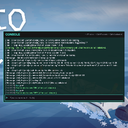
HowToFishDevConsole
An in-game developer console for How To Fish with god mode, fly, noclip, item spawning, and more.
By NekoTeam
| Date uploaded | 5 days ago |
| Version | 1.0.0 |
| Download link | NekoTeam-HowToFishDevConsole-1.0.0.zip |
| Downloads | 94 |
| Dependency string | NekoTeam-HowToFishDevConsole-1.0.0 |
This mod requires the following mods to function

BepInEx-BepInExPack
BepInEx pack for Mono Unity games. Preconfigured and ready to use.
Preferred version: 5.4.2100README
How To Fish Dev Console
An in-game developer/admin console for How To Fish, built on BepInEx. Open a searchable, scrollable log window with a command line for toggling cheats, debugging, and managing your server.
Features
- In-game console window (draggable, resizable log view, search, command history)
- Live BepInEx log streaming into the console
- Optional tail-load of the last log lines on first open
- Fully config-driven: every command can be individually enabled/disabled
Opening the Console
Press ~ (backquote) or F1 to open/close the console.
| Shortcut | Action |
|---|---|
~ / F1 |
Toggle console |
Ctrl+F |
Toggle search bar |
Ctrl+A |
Select all text in focused field |
Up / Down |
Navigate command history |
Esc |
Close search, or close console |
Commands
| Command | Usage | Description |
|---|---|---|
help / cmds |
help |
Lists all available commands |
clear |
clear |
Clears the console log |
plugins |
plugins [filter] |
Lists loaded BepInEx plugins |
god |
god |
Toggles god mode (affects all players) |
fly |
fly [target] |
Toggles fly mode (gravity off, still collides) |
noclip |
noclip [target] |
Toggles noclip (gravity + collision off) |
walkspeed |
walkspeed [value] [target] |
Sets walk speed (sprint scales with it) |
jumppower |
jumppower [value] [target] |
Sets jump force |
infjump |
infjump <on/off> [target] |
Enables/disables infinite jumping |
give |
give <itemname> [target] |
Spawns an item and gives it to target (host only) |
hungry |
hungry <on/off> [target] |
Enables/disables hunger drain (host only) |
addmoney |
addmoney [amount] [target] |
Adds money to the shared economy (host only) |
kill |
kill [target] |
Instantly kills the target (host only) |
size |
size <scale> [target] or size <x> <y> <z> [target] |
Scales a player's transform (visual only) |
game_pause |
game_pause |
Toggles the game's pause state |
game_difficulty |
game_difficulty [easy/default/hard] |
Gets or sets server difficulty (host only) |
Most player-targeting commands accept a Steam ID or a (partial) player name as the target. Omit the target to affect your local player.
Notes
- Commands marked host only require you to be the server/host to take effect.
fly,noclip,walkspeed,jumppower, andinfjumpare client-authoritative — they only visibly affect the local client they're run on.sizeis applied locally and may not sync to other clients unless the game itself networks transform scale.
Configuration
All toggle key bindings, log buffer size, timestamp formatting, and per-command enable flags are available in the BepInEx config file generated on first launch (BepInEx/config/com.neko.howtofish.console.cfg).
Installation
- Install BepInEx for How To Fish if you haven't already.
- Extract this package's contents into your
BepInEx/pluginsfolder. - Launch the game and press
~orF1to open the console.
License
Provided as-is for use with How To Fish. Use at your own risk, especially on servers where other players may be affected by god mode, kill, or economy commands.
