
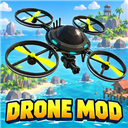
Drone Mod
A customizable sentry and FPV drone with smooth follow flight, mounted weapons, targeting, upgrades, colors, and multiplayer ownership.
By PonyFisher
| Date uploaded | 2 days ago |
| Version | 0.1.9 |
| Download link | PonyFisher-Drone_Mod-0.1.9.zip |
| Downloads | 190 |
| Dependency string | PonyFisher-Drone_Mod-0.1.9 |
This mod requires the following mods to function

BepInEx-BepInExPack
BepInEx pack for Mono Unity games. Preconfigured and ready to use.
Preferred version: 5.4.2305README
DRONE MOD
Personal sentry and FPV companion
Version 0.1.9 for How to Fish / BepInEx 5
DRONE MOD gives you a personal flying companion for exploration and island defense. Your drone can follow at your shoulder, hold position as an airborne sentry, or switch to a first-person camera that you pilot yourself. Equip it with a gun, improve its combat systems, give it a custom name, and recolor the body, propellers, and accents so it feels like your own machine.
Press F3 to open the violet-and-green Drone Control Center from anywhere. A drone costs $10,000, and each player may own one.
Controls and first flight
| Control or menu action | What it does |
|---|---|
| F3 | Opens or closes the Drone Control Center. |
| Buy Drone — $10,000 | Purchases your one personal drone and places it in an open inventory slot. |
| Hold E while holding your drone | Throws the drone forward, starts it up, and lets it right itself before it settles smoothly into the saved Follow position. |
| F3 → Recall Drone | Recalls your drone from any distance and returns it to its last configured Follow position. |
| F3 → Enter FPV | Transfers control and the camera to your deployed drone. Your character remains stationary. |
| W / A / S / D in FPV | Moves forward, left, backward, and right. |
| Space / Left Ctrl in FPV | Raises or lowers the drone. |
| Mouse in FPV | Aims and turns the drone camera and mounted gun. |
| Left mouse in FPV | Fires the equipped gun toward the center crosshair. Automatic targeting pauses during FPV control. |
| P in FPV | Toggles free-flight camera movement. Press P again to return to a level orientation. |
| Esc in FPV | Leaves FPV and returns control to your player. |
| Follow / Turret Mode | Makes the drone follow you or hold its current position as an airborne sentry. |
- Press F3 and purchase your drone for $10,000. Each player may own one.
- Hold the drone and hold E to launch it, or choose Follow mode in F3.
- Buy a weapon in the Main tab. Buying a different weapon replaces the equipped gun; buying the same equipped gun does not charge you twice.
- Set its follow leash radius, customize its colors, and select Follow, Turret, or FPV mode.
Drone Control Center
The F3 interface shows the drone’s name, owner, operating mode, current distance from its owner, weapon, ammunition, targeting tier, upgrade level, and safety status. Its Main tab controls the weapon, flight mode, follow leash radius, upgrades, targeting, and recall. The Colors tab has separate RGB controls for:
- Main body
- Propellers
- Accents and lights
The selected colors update immediately for the owner, host, and other players. They are saved with the drone and appear on its world model, held model, and hotbar icon.
You can rename the drone in the Main tab. Its name and owner appear above the flying drone so nearby players can identify it.
Follow and flight modes
Follow mode calculates its launch point from the activating player's live movement transform and camera direction. It initially places the drone front-right, about 3 meters away, and approximately 3 meters above that player. The F3 slider controls a player-centered leash radius from 1 to 5 meters. The drone remains at its current horizontal position while it is inside that radius. After the player moves outside the radius, the drone drifts toward the player-centered area until it reaches the halfway point of the leash, then settles there until the radius is crossed again. Vertical following continues so it stays above the player. Flying drones ignore world-item collision while leashed, preventing invisible walls, terrain, and scenery from trapping them. Flight positioning bypasses the stationary player network root and stale item or boat-local coordinates, so launching on another island cannot pull the drone back to an old location.
While carried, the drone rests between the player’s default hands like a normal two-handed item. Holding E launches it above and forward with a quick eased righting animation before it settles into the saved follow point. Its startup sound plays once at the same reduced volume level as the hum, then blends into the low-volume positional loop. Each flying drone has its own proximity audio, so it becomes quieter as you move away. During FPV, the owner’s hum is lowered and muffled further for comfort.
Turret mode locks the drone at its current airborne position while keeping automated targeting active. Recall works from any distance and restores the last Follow position.
FPV mode gives the player direct flight and weapon control. The camera and HUD switch through the game's active-camera system after the host confirms that the drone entered FPV mode; failed connections return cleanly to player control. Normal FPV movement stays level; Freecam allows movement and rotation on any plane. Automated targeting is disabled until FPV ends. A security-camera display adds subtle white corner framing, a blinking red REC marker, and a center-dot crosshair. The normal hotbar and other game HUD elements are hidden while health and hunger remain visible. The only control reminder shown over the feed is Press Esc to exit FPV mode.
Weapons and combat
Weapons are purchased through the F3 Main tab and mount beneath the drone. The weapon’s range follows its class:
| Weapon class | Base combat range |
|---|---|
| Shotgun | 25 m |
| Pistol | 45 m |
| SMG | 55 m |
| Assault rifle | 75 m |
| Sniper rifle | 120 m |
The drone has unlimited reserve ammunition but uses the equipped weapon’s magazine, firing cadence, reload timing, projectiles, effects, and sounds. Deployment starts with a full magazine. Ten upgrade levels compound damage, range, reload speed, and firing rate while narrowing the accuracy cone. When the drone finds a new target, it plays a quiet three-beep cue and waits one second before opening fire.
The compact world model uses a rounded low-poly body with four protected circular rotor guards, bright blades, cyan status lights, and a weapon assembly mounted beneath the center. It is roughly 60% of the original prototype's size. During idle scanning, the underside gun-and-hands assembly rotates like the turret mount at 30 degrees above horizontal, with the assembly rolled upside down for the drone's bottom mounting position.
Tier 1 targets living seagulls by default. Tier 2 adds loose fish for $20,000, and Tier 3 adds bosses for $100,000. Fish attached to a line, held by a player, or stored in inventory are ignored. Dead creatures and unrelated NPCs are never targeted.
Friendly-fire protection is enabled by default. Enabling friendly fire requires an extra confirmation.
Ownership, carrying, and selling
Only the owner can control, collect, or use a drone. Other players cannot operate it or claim it. The owner can recall the drone from the F3 menu whether it is flying, deployed, carried, or dropped.
The drone behaves as a physical inventory item when carried. It can be held with both hands, placed in a hotbar slot, dropped, and picked up. Selling it to a money vendor removes the drone record and pays its resale value, including its installed upgrades, targeting tiers, and equipped gun value.
Multiplayer and saves
The host stores drone data in BepInEx/config/DroneMod-worlds.json; the normal game save stores the physical item. Keep both saves together. Every co-op player should install the same DRONE MOD version so names, colors, flight state, weapons, targeting, and FPV movement synchronize correctly.
Installation
Install the Thunderstore package for How to Fish, enable DRONE MOD, and launch the game through the mod manager. Restart the game after updating the mod.
CHANGELOG
Changelog
0.1.17
- Fixed the Follow, Turret, and FPV mode announcements failing to decode by packaging them as supported PCM WAV files.
- Stopped writing velocity to an already-kinematic deployed drone rigidbody, eliminating the repeated Unity physics warnings that flooded the BepInEx log.
0.1.16
- Changed Turret-to-Follow and FPV-to-Follow transitions to fly smoothly from the drone's current position into the leash area.
- Prevented intentional long-distance mode transitions from triggering the normal separation or stalled-follow recovery teleport.
- Retained invalid-position and severe below-map recovery safeguards.
- Kept Recall to Leash as the explicit instant return control.
0.1.15
- Reduced the font size only on the Recall to Leash and Recall to Hands buttons so both complete labels fit cleanly.
- Preserved the existing recall button dimensions, colors, placement, and behavior.
0.1.14
- Replaced snapshot-polled mode audio with a dedicated reliable network event carrying the confirmed mode and drone position.
- Added per-client event deduplication and a short audio-loading wait so mode announcements play exactly once rather than being skipped or repeated.
- Ensured Follow, Turret, and FPV announcements play whenever an active drone actually changes mode.
- Added hold-Shift FPV boost at twice the normal flight speed.
- Added the Shift boost control to the bottom FPV overlay.
0.1.13
- Added an FPV shortcut that switches the drone to Turret mode after holding E for two seconds.
- The FPV overlay displays the new control and live hold progress.
- Turret placement preserves the drone's current FPV flight position, restores the player camera and HUD, and enables normal automatic targeting.
- Added the gentle vertical stabilization hover to Follow mode whenever the drone is settled and no longer moving toward the player.
- Follow hovering fades out during travel and fades back in after the drone stops.
- Removed FPV camera stepping by driving the owner's camera from frame-by-frame local flight input instead of synchronized snapshots.
- Added eased FPV acceleration, stopping, model movement, and model turning.
- Added smoothly interpolated FPV movement for other players.
- Added separate positional Follow, Turret, and FPV mode announcements using the supplied audio.
- Mode announcements play only when an already-active drone changes mode; normal deployment keeps the existing startup and hum behavior.
- Matched mode-announcement volume to the target-acquired beep volume.
- Set the filtered FPV hum to exactly 30% of normal hum volume.
- Rebuilt deployed-drone focus detection around local proximity and look direction instead of requiring a ray hit on the pickup collider.
- Added a focused tooltip above the interaction prompt showing drone name, owner, and current mode.
0.1.12
- Added a Recall to Hands button beside Recall to Leash in the F3 Drone Control Center.
- Recall to Hands retrieves the owner's drone from any distance and places it directly into empty hands.
- Preserved the drone's weapon, upgrades, targeting tier, name, colors, and settings during hand recall.
- Added a clear status message when another held item must be put away first.
- Updated the player controls, interface, flight, and ownership documentation for both recall choices.
0.1.11
- Smoothed Follow-mode rendering between synchronized movement updates.
- Added a gentle vertical stabilization hover while the drone is in Turret mode.
- Added gradual hold-right-click precision zoom in FPV mode.
- Made the local player model visible through the drone camera and restored its renderer state on exit.
- Added owner-local damage numbers, hit markers, and multiplier-adjusted kill-score credit for automatic and FPV drone fire.
- Increased deployed-drone pickup targeting distance from four to eight metres.
- Replaced distant world labels with a focused tooltip showing the drone name and owner above the interaction prompt.
- Retained immediate local and synchronized body, propeller, and accent color updates.
0.1.10
- Fixed color-picker changes remaining stale on the player or host who applied them.
- Color changes now update every local visual instance with the matching drone serial.
- Body, propeller, and accent colors are written directly to their renderer shader properties.
0.1.9
- Fixed deployment and Follow mode using the stationary Player network-object root.
- Drone launch, leash center, recovery height, owner resolution, and distance checks now use the game's live Player movement transform.
- This prevents the drone from repeatedly deploying or returning to a fixed location on an island.
0.1.8
- Removed the item rigidbody teleport conversion that could reinterpret a player-relative launch point through stale Island 5 or boat-local coordinates.
- Follow mode now writes the drone's world transform and rigidbody pose directly, then synchronizes Unity physics.
- Applied the same world-space placement path to launch, recall, safety recovery, and continuous leash movement.
0.1.7
- Fixed launches using a stale saved world position by calculating the initial point from the activating player's live location and camera direction before releasing the held item.
- Remembered the exact runtime owner player object after an interaction so Follow mode cannot attach to a stale duplicate player object.
- Disabled flying-drone rigidbody collision and residual physics motion so invisible walls, terrain, roofs, and scenery cannot trap the leash.
- Forced authoritative teleport and rigidbody placement at launch, recall, recovery, and each Follow update.
- Made body, propeller, and accent colors refresh immediately for the host, owner, and remote clients.
0.1.6
- Replaced directional front/rear/left/right following with a player-centered leash.
- The drone stays in place inside the selected radius, returns after crossing the outer radius, and stops after reaching half the leash radius.
- Kept vertical tracking active so the drone remains above the player.
- Removed the four follow-direction buttons and changed the distance control to a 1–5 m leash-radius slider.
- Initial deployment remains front-right and approximately 3 m above the player.
0.1.5
- Removed level-geometry raycasts from Follow positioning so roofs, slopes, walls, and scenery cannot catch or shift the drone.
- Increased follow catch-up speed while retaining smooth acceleration and stopping.
- Cleared residual rigidbody velocity during Follow mode and forced the pickup collider to remain a non-blocking trigger.
- Shortened the launch-righting animation from 1.15 seconds to 0.75 seconds and added eased rotation.
- Reduced the one-shot deployment sound by 50%.
- Switched FPV entry and exit through the game's active-camera APIs so the rendered view transfers to the drone and restores correctly.
0.1.4
- Anchored follow height to the higher of the player body and camera positions so unusual player roots cannot place the drone under the map.
- Added a terrain-height check at the intended follow point.
- Added host-side recovery for invalid coordinates, below-map placement, excessive separation, failed synchronization, and stalled follow movement.
- Raised the immediate deployment point relative to the player's camera before smooth follow begins.
0.1.3
- Changed the default follow position to front-right at a 3 m distance and approximately 3 m above the player.
- Migrated existing drones to the new follow default once while preserving later player-selected positions.
- Raised the initial launch point so deployment starts above the player.
- Reduced the normal and FPV drone hum volumes by 50%.
0.1.2
- Rebuilt the world model as a smaller rounded quadcopter with four circular blade guards.
- Replaced the Thunderstore thumbnail and transparent hotbar artwork to match the protected-rotor design.
- Corrected launch distance, removed runaway inherited velocity, tightened the default follow offset, and added long-distance recovery.
- Changed FPV entry to wait for host confirmation before switching the camera and hiding the HUD.
- Expanded base-HUD hiding while preserving health and hunger.
- Rolled the underside gun-and-hands assembly upside down while retaining the turret-style 30-degree idle scan.
- Reduced new-target acquisition to one second and replaced the cue with a quiet three-beep sound.
0.1.1
- Added a synchronized hold-E launch sequence that throws the drone forward, rights it, and smoothly returns it to its saved Follow position.
- Added the supplied startup sound and a quiet positional hum with seamless crossfades.
- Added muffled, reduced drone audio during FPV and Freecam.
- Added a security-camera FPV overlay with corner framing, blinking REC indicator, center dot, and a minimal exit reminder.
- Hid the hotbar and other normal HUD elements during FPV while preserving health and hunger.
- Moved the carried drone closer to the natural two-hand resting position.
0.1.0
- Added one purchasable personal drone per player.
- Set the drone purchase price to $10,000.
- Added a distinct violet-and-green F3 Drone Control Center interface.
- Added smooth Follow mode with four positions and a 1–5 m distance setting.
- Added stationary airborne Turret mode.
- Added FPV and Freecam flight with direct weapon control, a center crosshair, and an on-screen control guide.
- Added remote recall and live owner-distance display.
- Added custom names with synchronized world nameplates.
- Added separate body, propeller, and accent color controls visible in world, while held, and on the hotbar.
- Added underside weapon mounting, weapon purchases, ammunition, reloads, sounds, effects, and manual FPV firing.
- Added automated seagull, loose-fish, and boss targeting tiers with ten combat upgrade levels.
- Added ownership protection, held deployment, inventory support, vendor resale, persistence, and multiplayer synchronization.
