
Please disclose if any significant portion of your mod was created using AI tools by adding the 'AI Generated' category. Failing to do so may result in the mod being removed from Thunderstore.

EnhancedSpectator
Split-screen spectating, audience emotes and bets, freecam, first-person, cinematic and indoor travelling cameras, thermal view, customizable ghost models, and spatial voice.
| Date uploaded | a month ago |
| Version | 0.4.5 |
| Download link | Aueser-EnhancedSpectator-0.4.5.zip |
| Downloads | 917 |
| Dependency string | Aueser-EnhancedSpectator-0.4.5 |
This mod requires the following mods to function

BepInEx-BepInExPack
BepInEx pack for Mono Unity games. Preconfigured and ready to use.
Preferred version: 5.4.2100README
Enhanced Spectator


中文
观战分屏
  |
谁在说话
 |
视角与热成像
 |
观众席
 |
表情
 |
观众竞猜
 |
同事评估
 |
观战视角
 自身第三人称 |
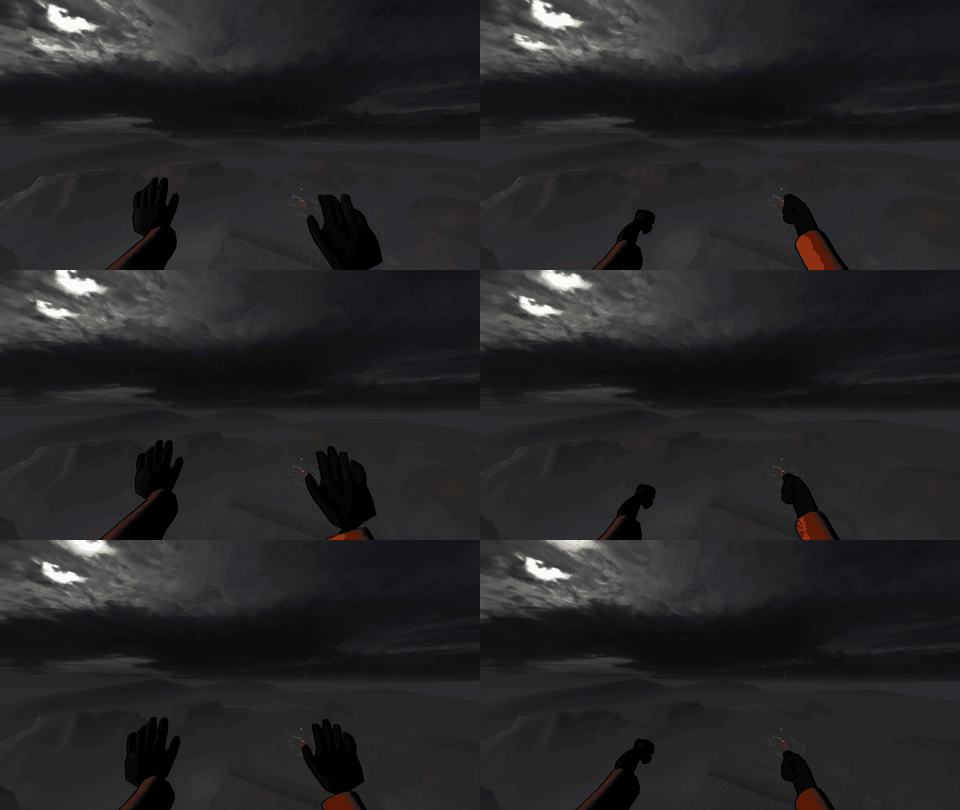 队友第一人称 |
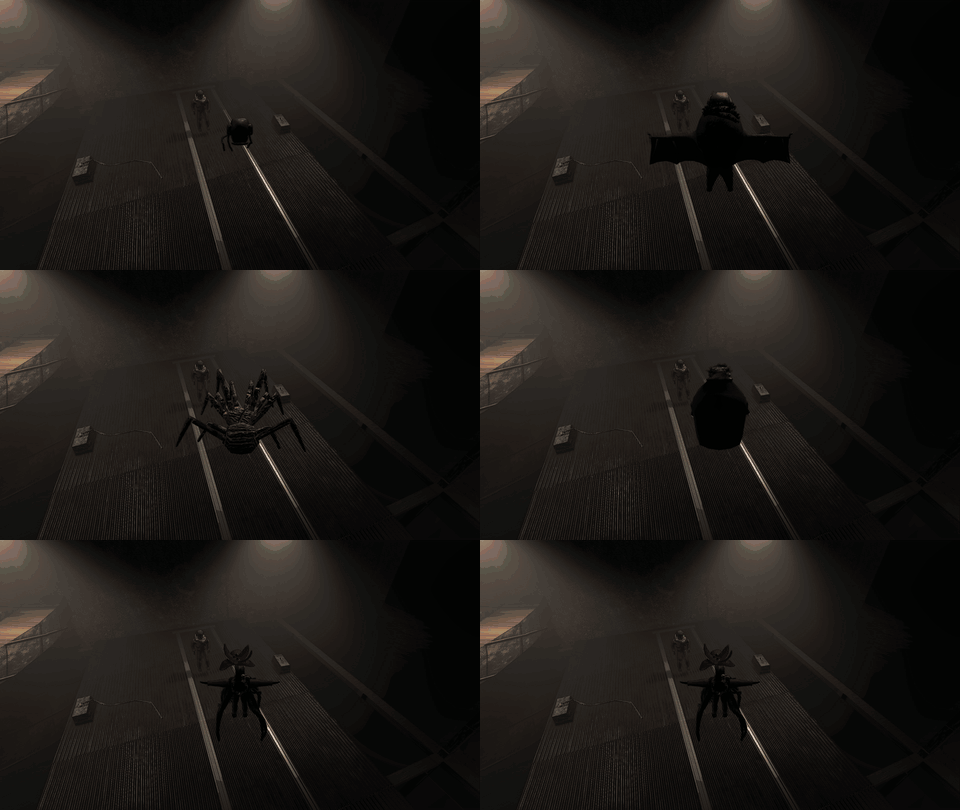 第三人称恐惧模型 |
|
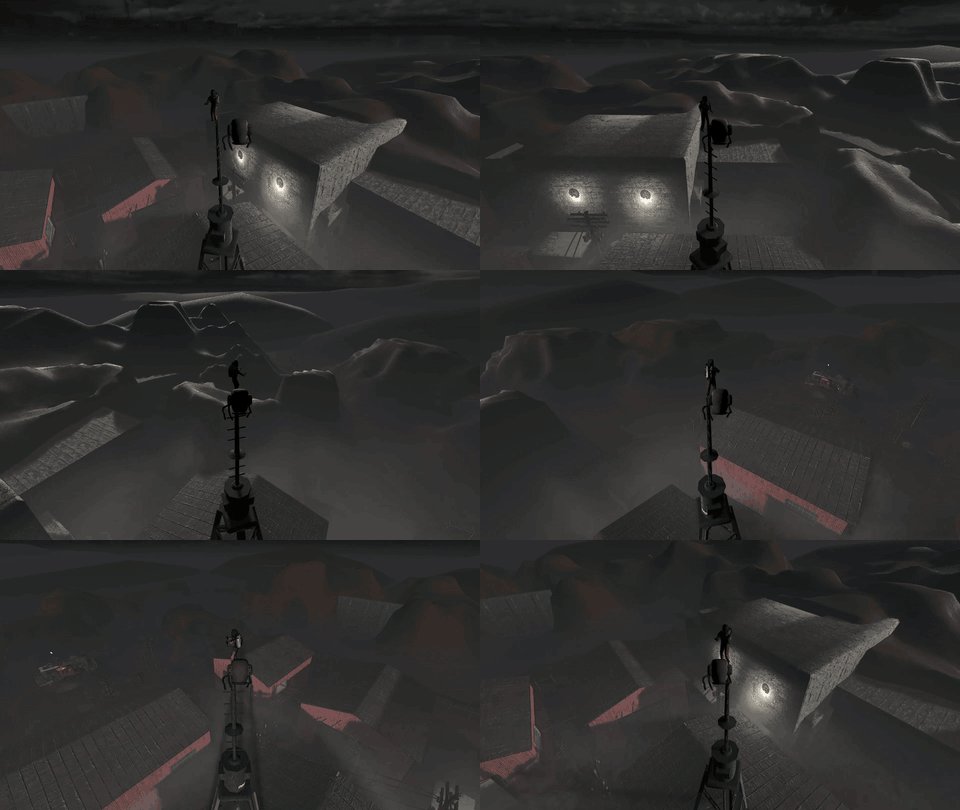
运镜模式
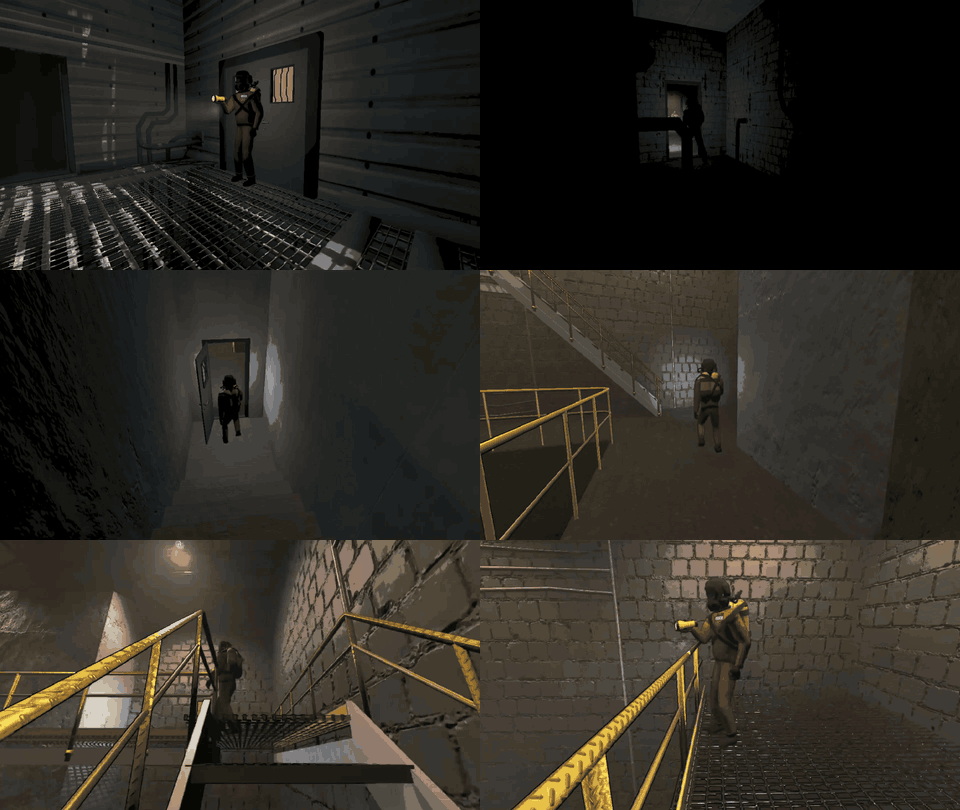 穿梭运镜 · 工厂 |
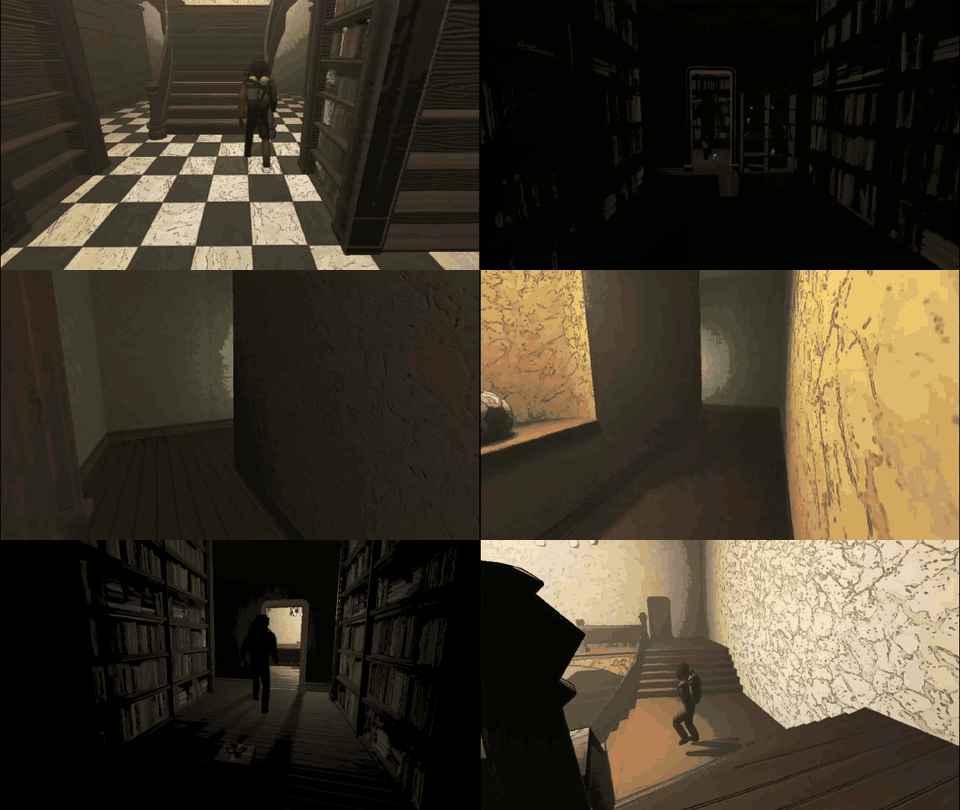 穿梭运镜 · 豪宅 |
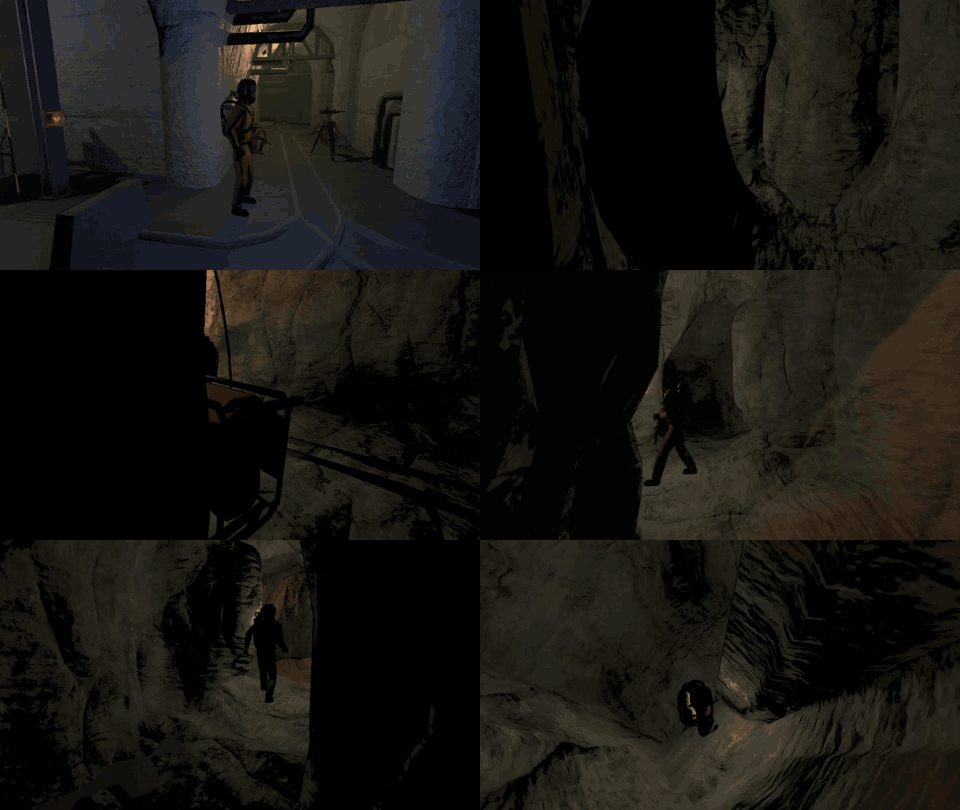 穿梭运镜 · 矿井 |
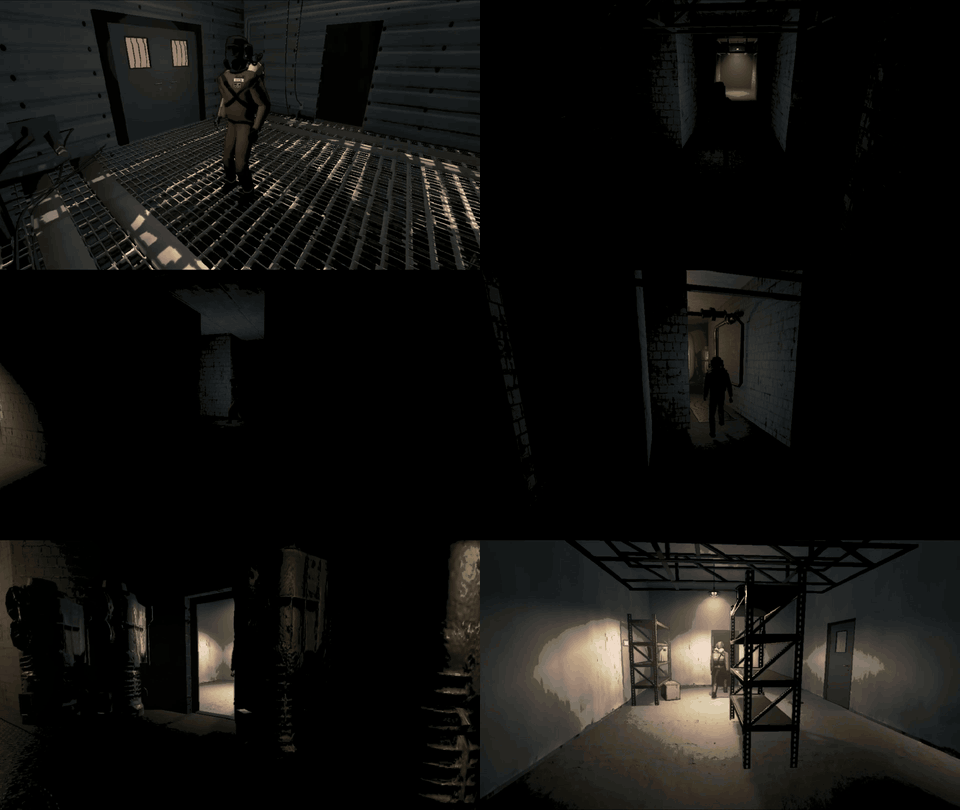 监视器 · 工厂 |
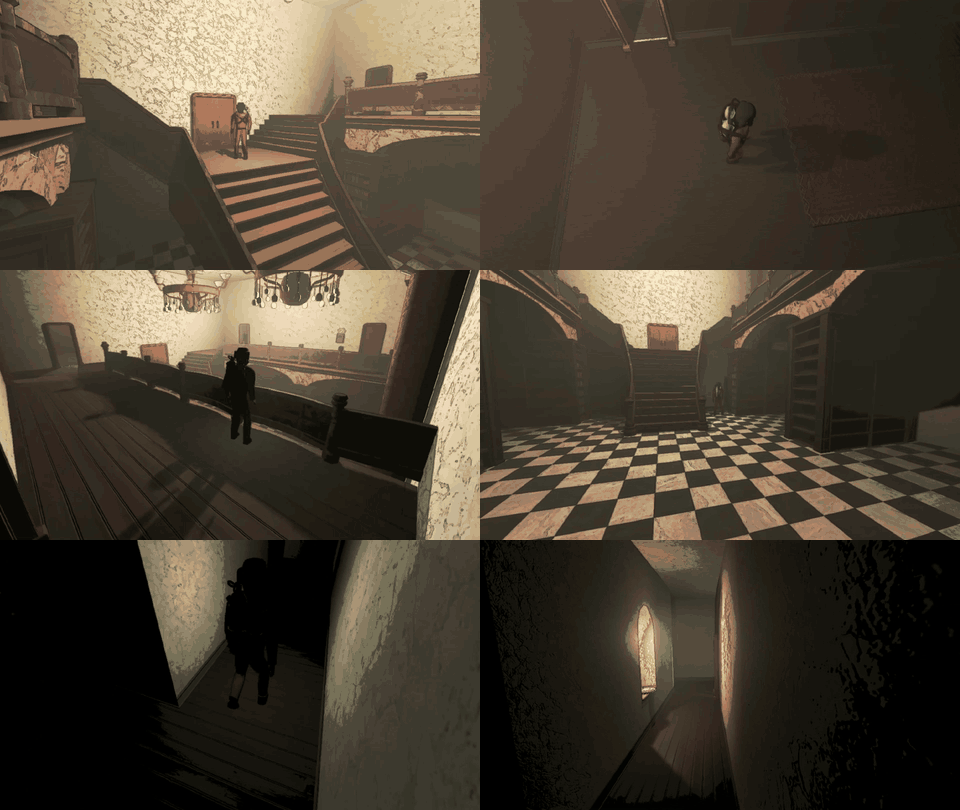 监视器 · 豪宅 |
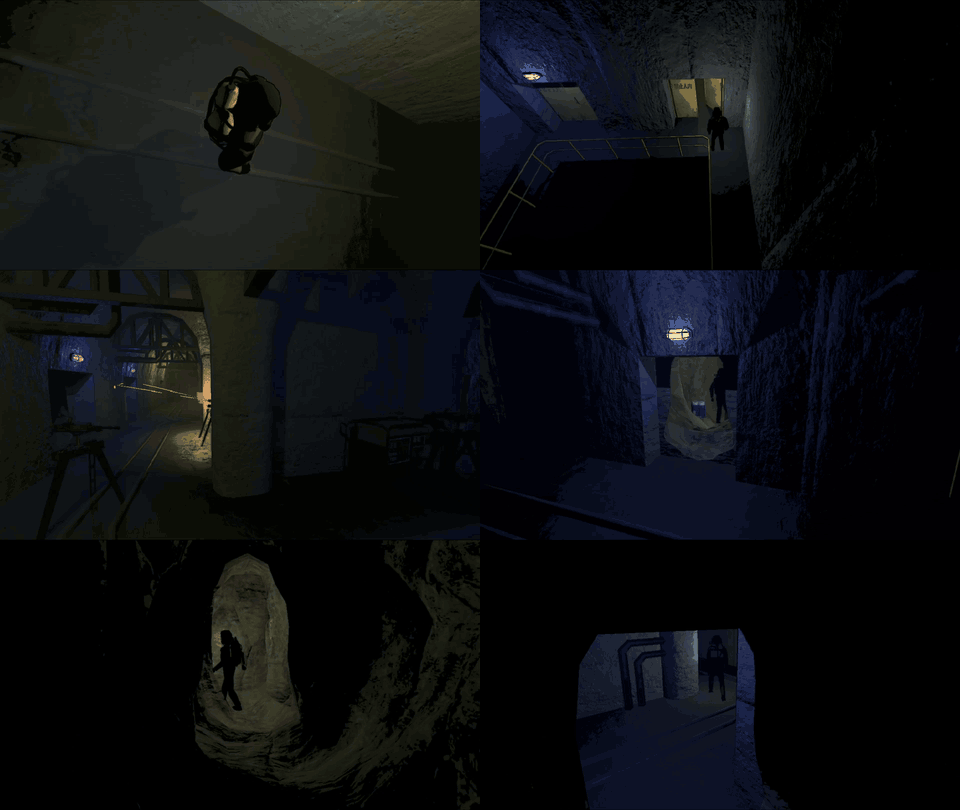 监视器 · 矿井 |
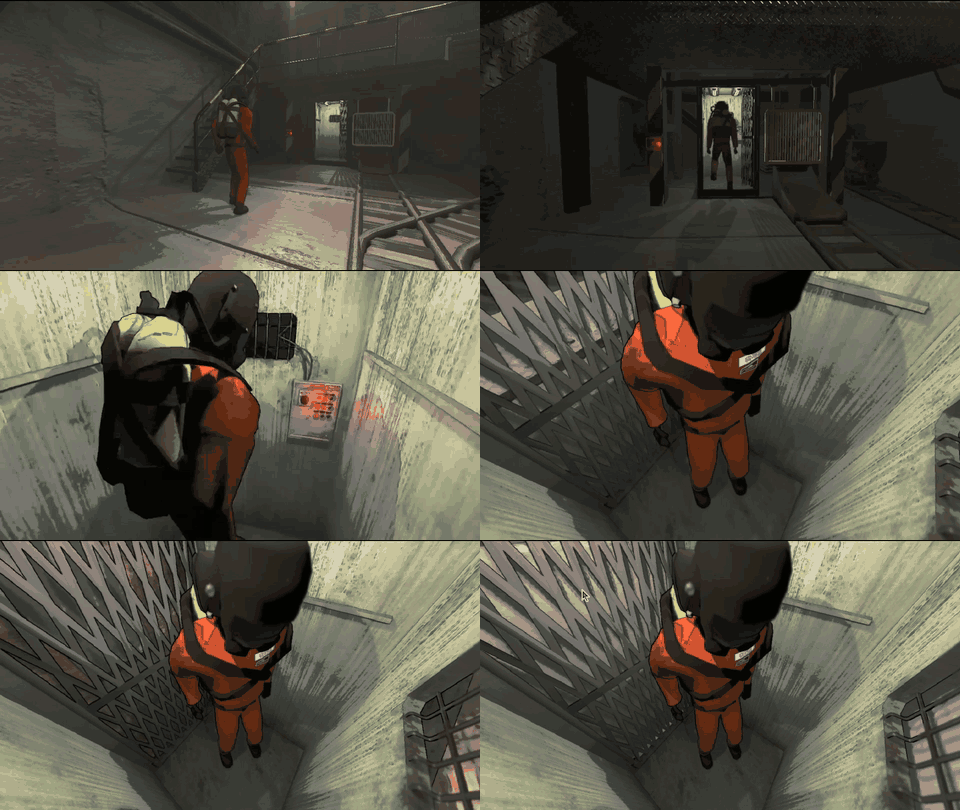 电梯镜头 |
||
观战面板
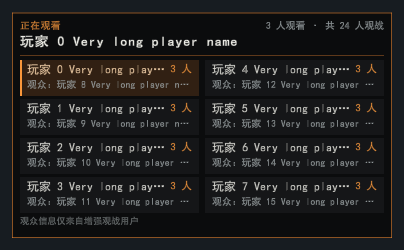 ① 按 O 打开观战面板 |
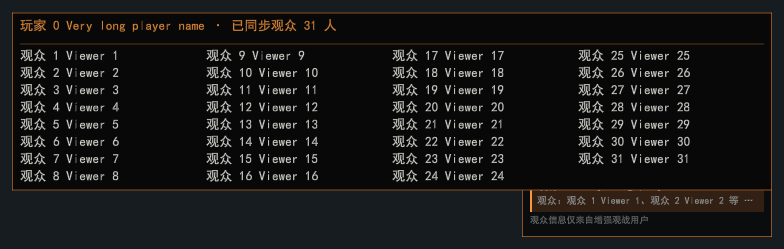 ② 按 P 显示光标,悬停查看完整观众名单 |
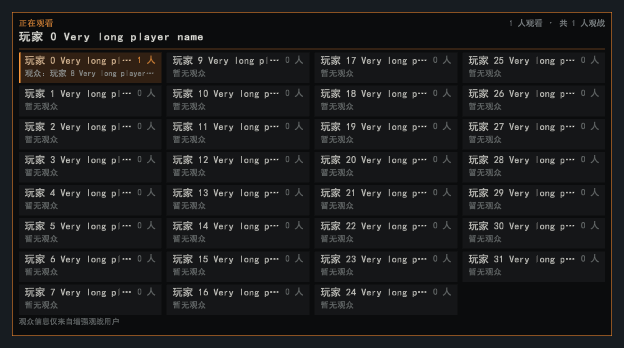 ③ 最多支持 32 人大厅 |
|
ESC 菜单
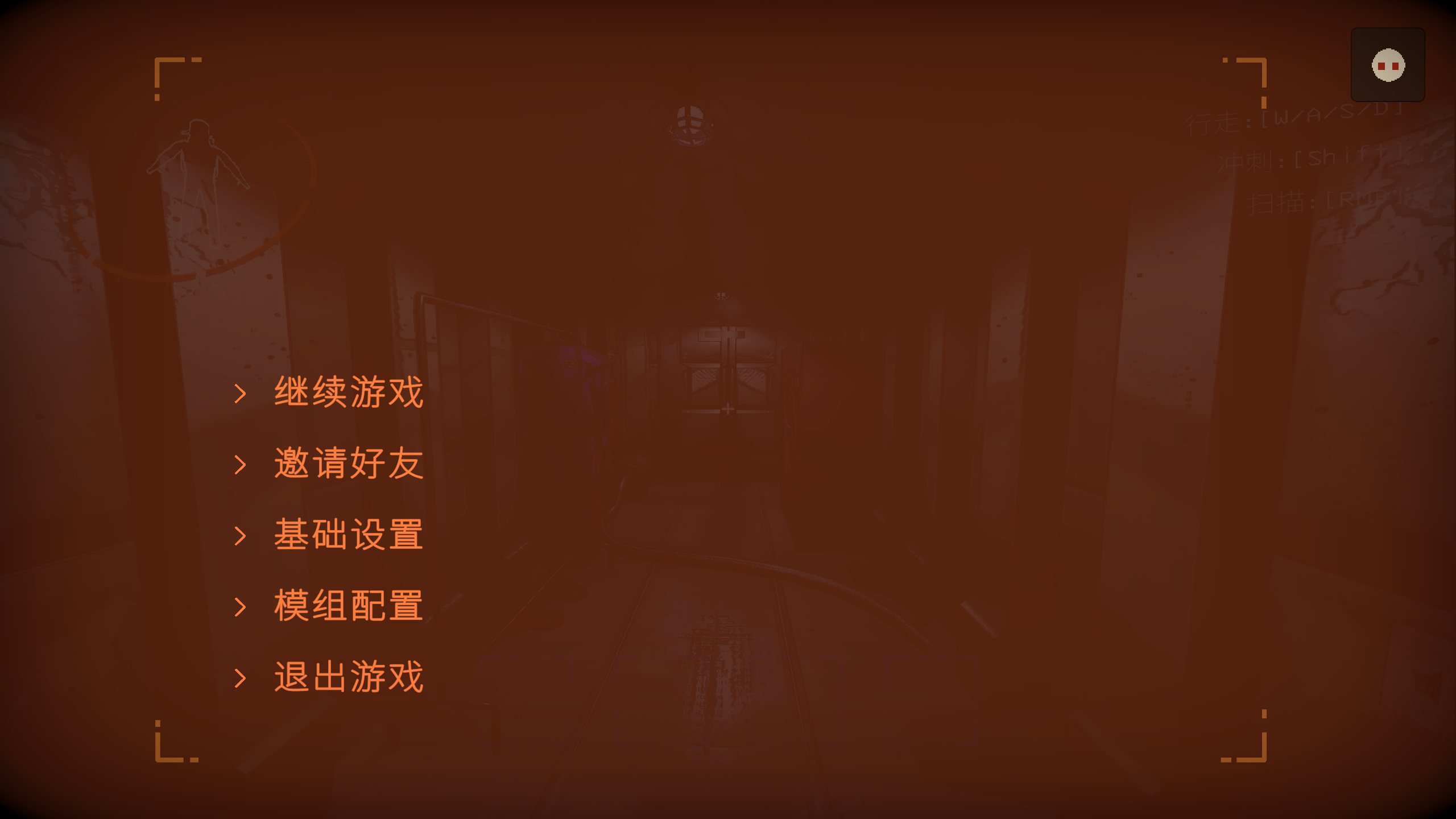 ① ESC 菜单右上角入口 |
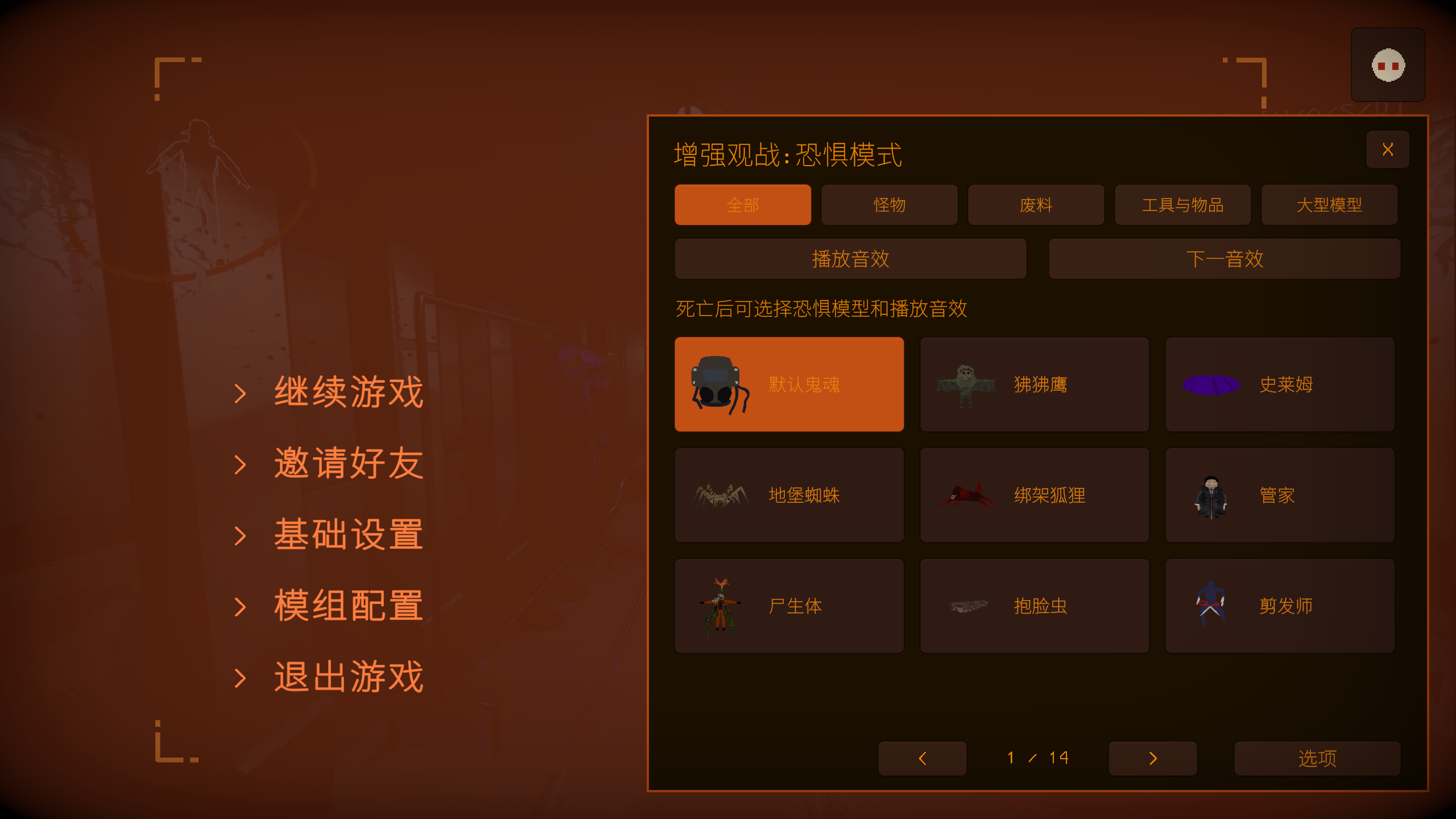 ② 分类选择模型与音效 |
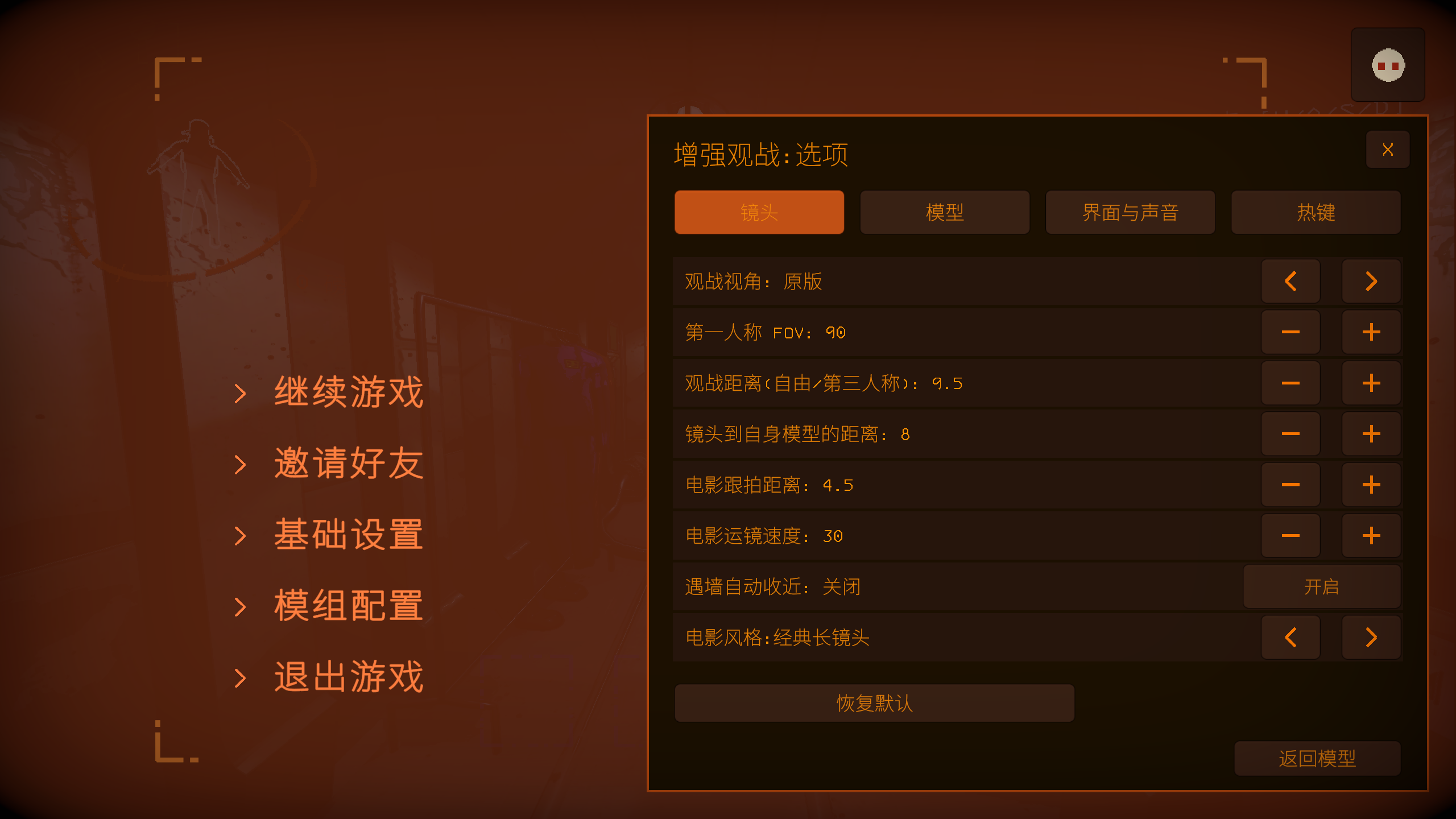 ③ 在选项中调整镜头、模型、声音和热键 |
|
默认操作
| 操作 | 按键 |
|---|---|
| 自由视角 / 返回原版 | F6 / F7 |
| 自身第三人称 / 队友第一人称 / 电影跟拍 | F3 / F4 / F5 |
| 运镜模式 / 热成像 | F1 / F9 |
| 移动 / 上升 / 下降 | W A S D / Space / Left Ctrl |
| 加速 / 减速 / 回正位置 | Left Shift / Left Alt / R |
| 观战距离 / 自身镜头距离 | 滚轮 / Alt+滚轮 |
| 上一模型 / 下一模型 / 切换运镜风格 | ← / → |
| 播放或停止音效 / 下一音效 | Z / X |
| 观战分屏 / 分屏时钟 | B / T |
| 放大窗口、换人或返回平铺;观众席一起观看 | 鼠标左键 |
| 表情 / 观众竞猜 / 同事评估 | Y / U / I |
| 发送表情 | 数字键 1–6 |
| 观战面板 / 光标与镜头切换 | O / P |
| 显示按键提示 / 隐藏观战界面 | H / F2 |
所有按键都可在 ESC → Enhanced Spectator → 选项 → 热键 中修改。
安装
通过 r2modman / Thunderstore Mod Manager 安装,需要 BepInExPack 5.4.2100。手动安装时,将发布包中的 EnhancedSpectator.dll、EnhancedSpectator.CameraRuntime.dll 及随附许可文件一起放入 BepInEx/plugins/EnhancedSpectator/。
配置保存在 BepInEx/config/Auuueser.EnhancedSpectator.cfg,高级设置位于同名 .Advanced.cfg 文件。
兼容
- LC_Chinese_Project:自动切换中文界面与配置,并修复玩家名称。
- Player_Status_Bars:状态条在每个分屏窗口中都正对镜头。
- MoreCompany:第一人称观战时隐藏遮挡镜头的装饰。
- LCBetterClock:观战名称避让时钟,起飞时间沿用它的时间格式。
- NiceChat:观战聊天面板正常使用。
- SpectatePreviousPlayer:分屏中右键不再切换窗口。
- HDLethalCompany:关闭后处理时模型渐显正常。
遇到问题请在 Issues 附上复现步骤、模组列表及 BepInEx/LogOutput.log。项目采用 GPL-3.0 许可。
English
Split-screen spectating
 |
Who is speaking
 |
Cameras and thermal
 |
Audience row
 |
Emotes
 |
Audience bets
 |
Colleague reviews
 |
Spectator cameras
Self third person |
Teammate first person |
Third-person fear models |
|
Camera choreography
Travelling · Factory |
Travelling · Mansion |
Travelling · Mineshaft |
Monitor · Factory |
Monitor · Mansion |
Monitor · Mineshaft |
Elevator shot |
||
Watch panel
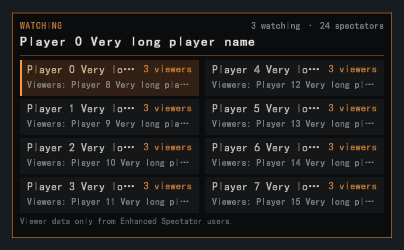 ① Press O to open the watch panel |
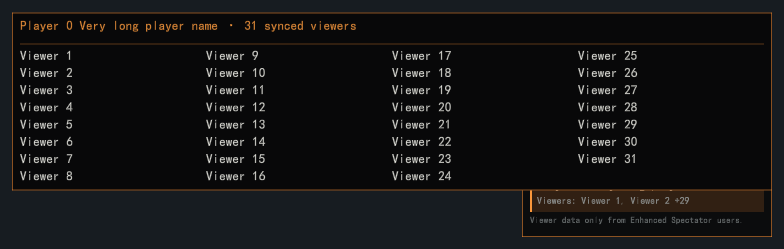 ② Press P for the pointer and hover to see every viewer |
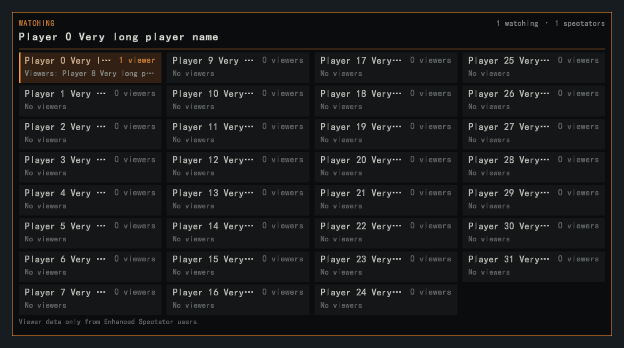 ③ Supports lobbies of up to 32 players |
|
ESC menu
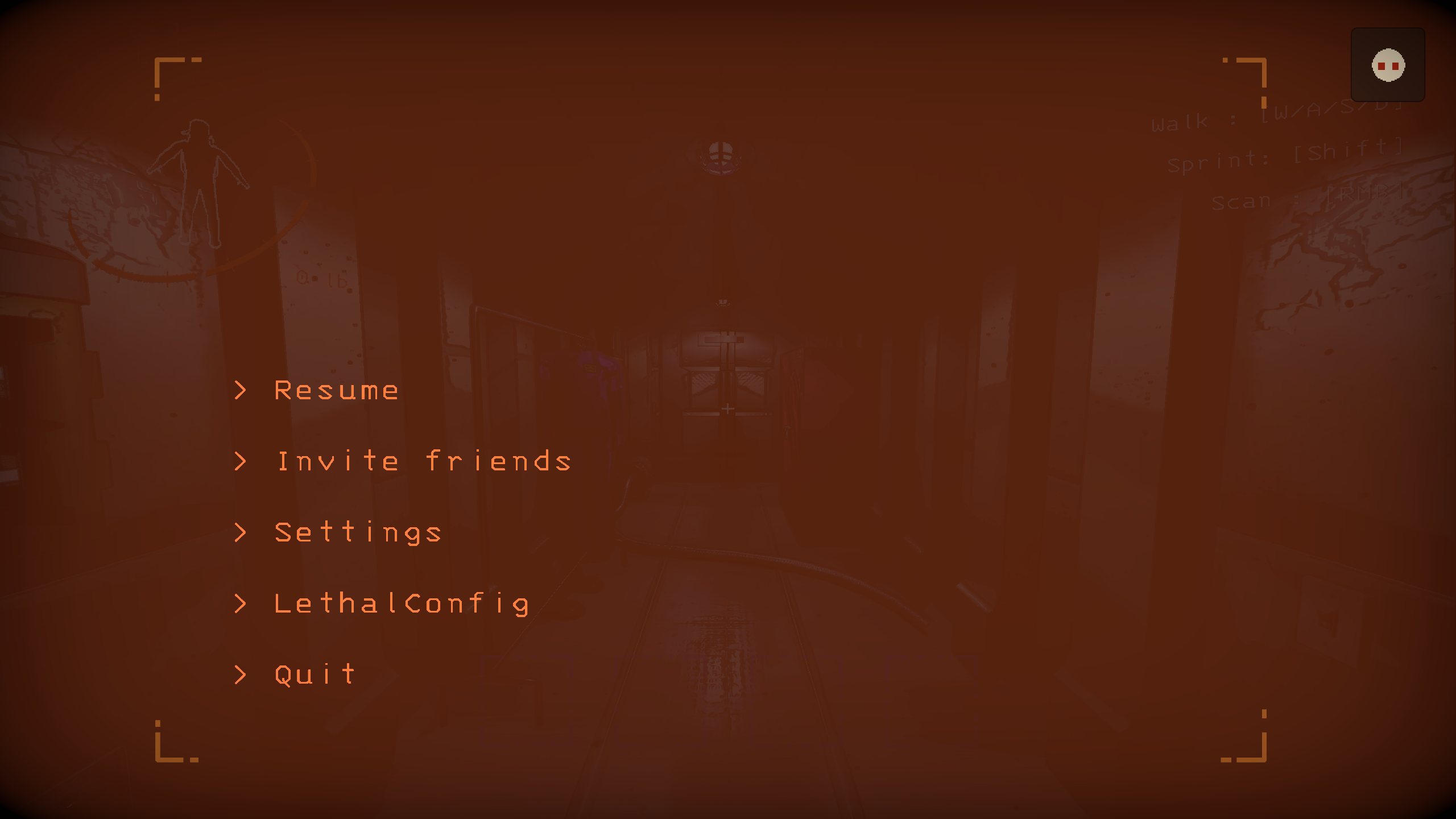 ① Open the top-right ESC menu entry |
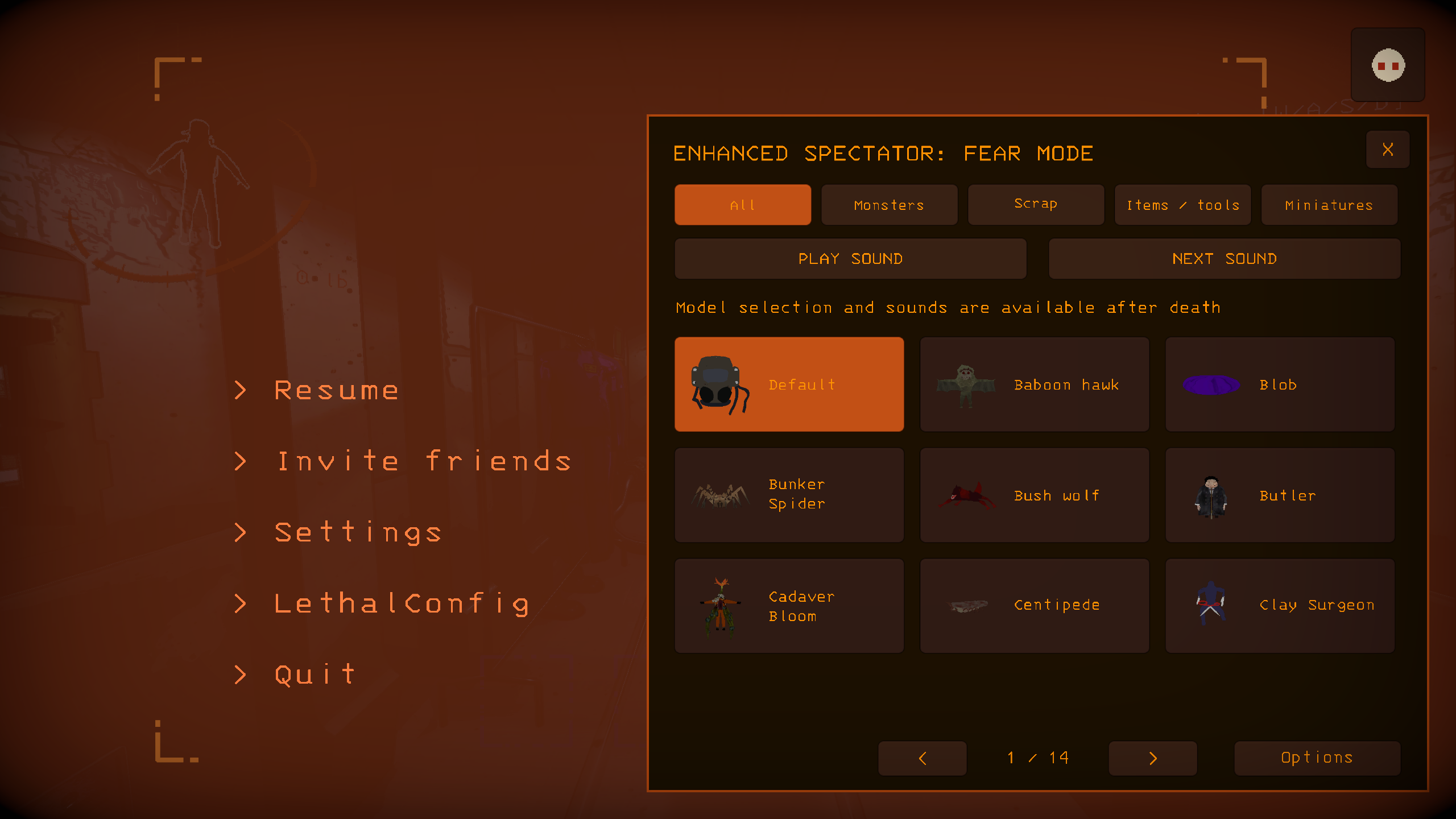 ② Browse models and sounds by category |
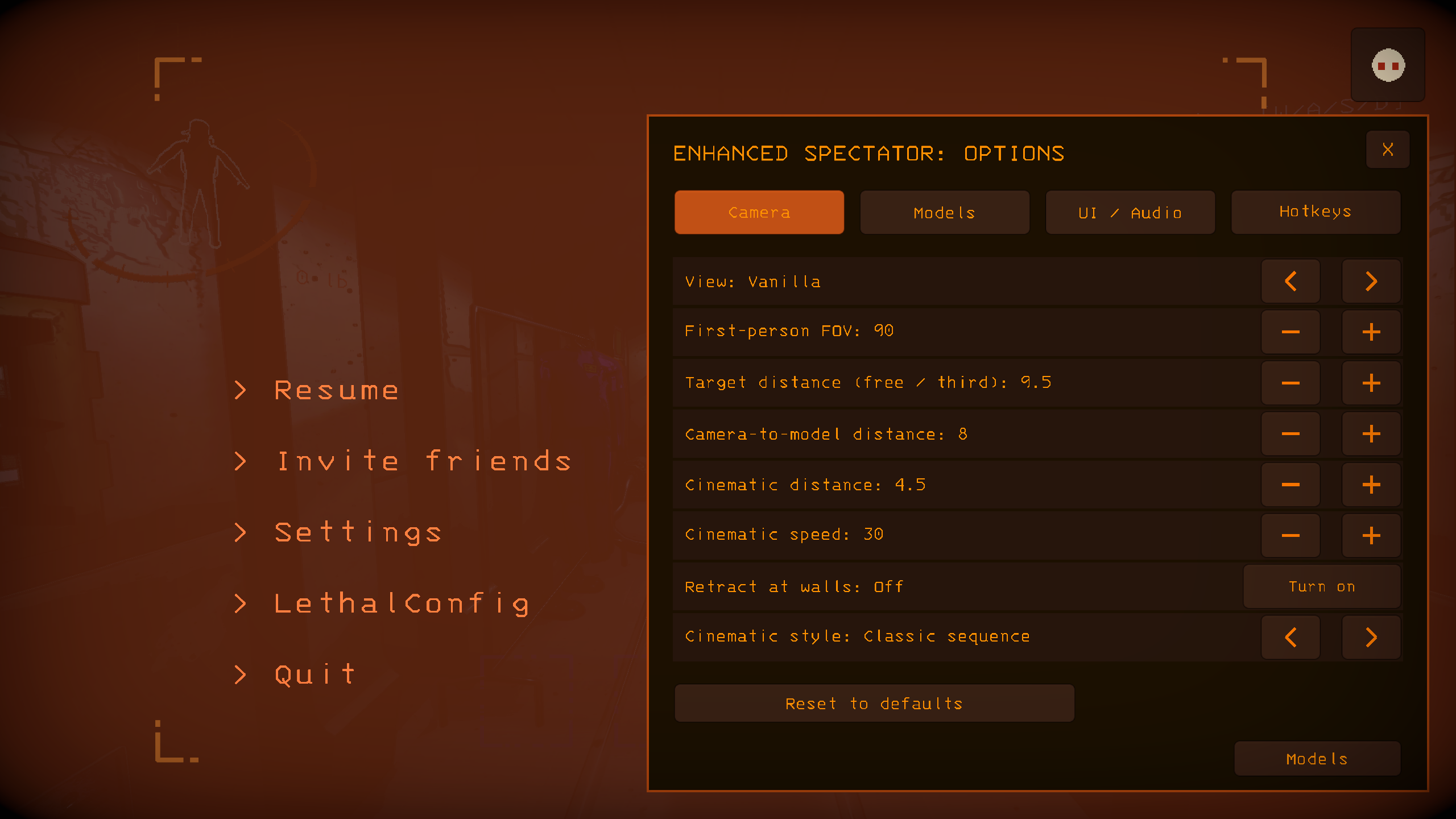 ③ Adjust cameras, models, audio and hotkeys in Options |
|
Default controls
| Action | Key |
|---|---|
| Freecam / return to vanilla | F6 / F7 |
| Self third person / teammate first person / cinematic tracking | F3 / F4 / F5 |
| Camera choreography / thermal imaging | F1 / F9 |
| Move / ascend / descend | W A S D / Space / Left Ctrl |
| Fast / slow / recenter | Left Shift / Left Alt / R |
| Spectator distance / self camera distance | Scroll wheel / Alt + wheel |
| Previous / next model / switch camera style | Left / Right |
| Play or stop sound / next sound | Z / X |
| Split-screen / split-screen clock | B / T |
| Enlarge a view, change players or return to the grid; watch along from the audience row | Left click |
| Emotes / audience bets / colleague reviews | Y / U / I |
| Send an emote | Number keys 1–6 |
| Watch panel / pointer or camera control | O / P |
| Toggle key hints / hide spectator HUD | H / F2 |
Every key can be changed under ESC → Enhanced Spectator → Options → Hotkeys.
Installation
Install through r2modman / Thunderstore Mod Manager. Requires BepInExPack 5.4.2100. For a manual install, place EnhancedSpectator.dll, EnhancedSpectator.CameraRuntime.dll and the bundled license files from the release package in BepInEx/plugins/EnhancedSpectator/.
Settings are saved to BepInEx/config/Auuueser.EnhancedSpectator.cfg; advanced settings use the matching .Advanced.cfg file.
Compatibility
- LC_Chinese_Project: automatically selects Chinese UI and configuration and repairs player names.
- Player_Status_Bars: status bars face the camera in every split-screen view.
- MoreCompany: hides obstructing cosmetics during first-person spectating.
- LCBetterClock: keeps the spectator name clear of the clock, and the departure time uses its format.
- NiceChat: works with the spectator chat panel.
- SpectatePreviousPlayer: right-click no longer switches views in split-screen.
- HDLethalCompany: model fades work with post-processing turned off.
Report problems through Issues, including reproduction steps, your mod list and BepInEx/LogOutput.log. Licensed under GPL-3.0.
CHANGELOG
更新日志 / Changelog
中文
0.4.6
观战分屏
- 平铺时分屏时钟移到顶部,与起飞、投票卡片并列。
- 手持物品不再抖动。
- 放大观看的玩家阵亡后,自动放大下一位玩家;只剩一名存活玩家时始终放大显示。
- 退出游戏时画面保持到返回主菜单,不再闪现原版画面或丢失光标。
- 分屏时 ESC 菜单中的 Enhanced Spectator 入口正常显示。
语音与观众席
- 观看同一名玩家的人不分方向、满音量互相听到,观看不同玩家的人互相静音;只剩一名存活玩家时所有阵亡玩家互相听到。
- 观众席中听不到的玩家显示为灰色。
- 说话时名牌与观众卡片以橙色填充提示,长名字的喇叭图标不再被遮挡。
一起观看
- 跟随观看时与对方镜头保持一致,起步、停步、转身和走路都平滑跟随。
- 被观看的玩家转身时,观战模型不再绕着他转。
观战模型
- 3 秒未操作视角的观战者自动隐藏,不再受对方“闲置自动归位”设置影响;手部轻微晃动不算操作。
- 电影、运镜与监视器模式下说话时半透明显示,并位于实际镜头位置。
- 死亡后在舱门关闭的飞船内也能看到室外怪物。
热成像
- 补全 Hoarding Bug、Barber、Baboon Hawk、Maneater、Cadaver Bloom 与 Masked 的热成像。
- 新增 Apparatus 与霰弹枪枪口火焰的热成像。
结算与兼容
- 结算页面使用高清头像;翻译模组下评语卡片宽度与文字一致。
- Player_Status_Bars 状态条在分屏各窗口按各自镜头距离显示。
其他
- 常规改进。
0.4.5
观战分屏
- 死亡后自动分屏,同时观看最多 31 名存活队友。
观众互动
- 观众席显示阵亡玩家与说话状态。
- 新增表情、观众竞猜与同事评估。
- 阵亡玩家拥有自己的聊天面板。
观战体验
- 观战面板可点击玩家卡片切换目标;热成像新增白热、彩虹配色与强度调节。
- 玩家名称中的全角空格、零宽字符不再导致名称错乱。
- 新增局内交互测试与 7 章功能演示。
兼容
- 新增 Player_Status_Bars、NiceChat、SpectatePreviousPlayer、HDLethalCompany 兼容。
0.4.0
运镜模式
- 新增设施室内的运镜模式(
F1),提供穿梭运镜和监视器两种风格,← / →切换;进入设施时默认自动使用穿梭运镜,手动选择视角后不再接管。
画面
- 新增热成像(
F9)。 - 新增观战暗部提亮。
电影跟拍
- 新增闪灵跟随与居中跟随两种风格。
- 新增稳定跟随、鼠标闲置后自动居中及三档跟随速度。
观战面板
- 新增观战面板(
O),显示每位存活玩家及正在观看他的人数,突出当前观看对象,最多支持 32 人大厅。 - 按
P显示光标,悬停即可查看完整观众名单。
模型与性能
- 电影与运镜模式下自动收起自己的观战模型,避免遮挡镜头。
- 新增本机隐藏全部观战模型、限制同时显示的模型数量,以及存活时隐藏正在自动居中的观战者。
- 新增可选的他人透明圈渐隐,并提升模型渐隐的稳定性。
- 模型缩略图缓存并按需生成,打开菜单更快;精简常规日志输出。
0.3.5
观战系统拓展更新
- 新增队友第一人称与 10 种电影运镜。
- 扩展镜头调节:多种视角支持滚轮调距,第三人称支持
Alt + 滚轮,第一人称 FOV 可自定义。 - 自由观战范围扩大至 20 米,优化室内及运动场景的镜头连续性。
- 恐惧模式新增废料、工具、物品、丛林狼、迷你飞船和补给火箭,支持分类浏览与特色音效。
- 新增模型渐隐、大小同步,并优化模型外观、缩略图与切换表现。
- 新增分页设置、热键配置、恢复默认、动态按键提示及一键隐藏观战界面。
- 优化恐惧音效多人同步与玩家名称显示。
- 兼容MoreCompany、LCBetterClock ,并更新中英文说明与实机展示。
0.3.1
发布兼容性
- 修复 Thunderstore 详情页无法加载恐惧模式中文与英文引导图片的问题。
- README 的引导图片与更新日志入口改用固定版本的绝对链接,以兼容 Thunderstore 的 Markdown 渲染方式。
0.3.0
恐惧模式
- 新增由主机授权的恐惧模式,每位死亡玩家可以选择自己的怪物模型及对应的空间音效。
- 新增原版风格的 ESC 模型卡片面板,支持运行时模型预览、分页、模型选择、音效控制、本地模型显示与鬼魂语音控制。
- 新增可配置的模型切换、第三人称缩放、空间音效播放、连续音效播放以及附近最大可听玩家数量限制。
观战镜头与鬼魂表现
- 新增按
F3观察本地默认鬼魂头部或所选恐惧模型的第三人称模式,并支持鼠标滚轮调节距离。 - 自由视角、原版观战、鬼魂头部与恐惧模型复用本地运动参考系,改善行走、飞船起降、Cruiser 行驶与 Jetpack 飞行时的平滑度。
- 优化兼容玩家间的鬼魂可见性、目标切换与断线恢复、姿态预测、玩家名称修复,并移除屏幕中央的重复观战模型。
配置与本地化
- 精简主配置文件,将高级选项迁移至独立的高级配置文件。
- 检测到 LC Chinese Project 时自动使用中文配置与界面,同时保留手动语言选项。
0.2.0
观战镜头
- 优先使用稳定的玩家根节点作为镜头锚点,降低行走和奔跑动画继承到观战视角的位移。
- 无法解析稳定根节点时保留原有动画骨骼回退路径。
断线恢复
- 当前观战目标断线且存在其他存活玩家时,自动恢复到有效观战目标。
- 改善非主机客户端的断线目标恢复,避免观战者继续附着在地图外的断线玩家模型。
- 保持模组目标恢复与原版观战切换及增强自由视角输入抑制兼容。
远程观战可见性
- 改善兼容客户端死亡玩家在主机与客户端视角中的远程鬼魂头部可见性。
- 稳定目标切换、断线窗口以及增强自由视角和原版视角切换期间的鬼魂头部与名称更新。
- 在创建视觉前拒绝中继回本机的观战姿态,避免在屏幕中央出现重复模型。
性能
- 降低观战输入、镜头快照、鬼魂名称文本、运行时分发、网络采样与语音路由玩家查询的常驻查找及分配开销。
- 详细诊断仅在调试配置开启时运行,减少普通游戏中的日志格式化与消息开销。
0.1.3
观战可见性
- 死亡玩家从增强自由视角切换到原版观战时,保持远程鬼魂头部可见。
- 切回增强自由视角后正确恢复姿态同步。
- 增强自由视角关闭但玩家仍在观战时,继续同步原版观战镜头姿态。
稳定性
- 新增“增强自由视角 → 原版观战 → 增强自由视角”循环的回归测试。
0.1.2
观战稳定性
- 改善加入未安装模组的主机时的本地观战行为。
- 修复复活后的已连接玩家在其他已安装客户端上仍无法成为观战目标的问题。
- 兼容玩家身份数据不可用时,改善通用
Player #n名称的回退修复。 - 本地会话中通过原版方式选择有效目标后,保持增强自由视角启用。
兼容性
- 主机未安装模组时,已安装客户端仍可使用本地自由视角。
- 多人观战状态、鬼魂头部、名称与观战语音路由仍需要兼容的 Enhanced Spectator 客户端及安装模组的中继主机。
0.1.1
视觉
- 默认启用运行时断头观战模型。
- 无法取得运行时头部来源时,保留球体占位模型作为回退。
0.1.0
首次公开测试版本。
观战自由视角
- 为死亡玩家提供本地增强自由视角,并支持配置移动、重定位、重置与速度控制。
- 可在当前原版观战目标周围移动镜头,并限制活动半径。
- 支持配置开关、重定位、重置、快速移动与慢速移动按键。
多人观战状态
- 新增兼容客户端能力握手。
- 新增观战目标与观战姿态同步。
- 新增由主机中继的兼容客户端间观战可见性。
- 新增兼容玩家的远程及死亡观战状态显示。
- 新增用于观战名称的玩家身份同步。
视觉
- 新增运行时鬼魂头部观战模型。
- 新增鬼魂模型上方的运行时名称。
- 新增运行时断头视觉模式及球体占位回退。
- 新增由语音活动驱动的头部缩放与脉冲。
语音
- 新增兼容玩家间可配置的死亡观战语音路由。
- 观战语音根据同步姿态进行空间定位。
- 新增观战语音距离衰减。
诊断
- 新增网络、玩家模型、头部来源、语音及视觉生命周期的调试与诊断选项。
English
0.4.6
Split-screen spectating
- Tiled, the split-screen clock moves to the top row beside the takeoff and vote cards.
- Held items no longer jitter.
- When the enlarged player dies, the next player is enlarged; with one player left alive, that view stays enlarged.
- Leaving the game holds the last picture until the main menu, without a vanilla flash or a lost cursor.
- The Enhanced Spectator entry in the ESC menu shows during split-screen.
Voice and audience
- Watchers of the same player hear each other at full volume without direction, watchers of different players are muted; with one player left alive, every dead player hears every other.
- Audience members you cannot hear are greyed out.
- Talking fills the name plate and audience card with orange; long names no longer cover the speaker icon.
Watching together
- Following matches the other spectator's camera, smoothly through starts, stops, turns and walking.
- A watched player turning no longer swings spectator models around them.
Spectator models
- Spectators who leave the camera alone for 3 seconds hide, whatever their own idle recentering setting; a hand resting on the mouse does not count.
- Cinematic, choreography and monitor spectators show translucent at their actual camera while talking.
- Dead spectators inside the ship see outdoor monsters with the doors closed.
Thermal imaging
- Thermal now covers the Hoarding Bug, Barber, Baboon Hawk, Maneater, Cadaver Bloom and Masked.
- The apparatus and shotgun muzzle flashes show on thermal.
Report and compatibility
- The round report uses full-resolution avatars; note cards fit translated text.
- Player_Status_Bars bars show in each split-screen view by that view's camera distance.
Other
- General improvements.
0.4.5
Split-screen spectating
- Split-screen opens after death and shows up to 31 surviving teammates at once.
Audience
- An audience row shows dead players and who is talking.
- New emotes, audience bets and colleague reviews.
- Dead players get their own chat panel.
Spectating
- Click a watch-panel card to watch that player; thermal adds white-hot and rainbow palettes with intensity.
- Full-width spaces and zero-width characters no longer garble player names.
- New in-game interactive preview and 7-chapter feature demo.
Compatibility
- Added Player_Status_Bars, NiceChat, SpectatePreviousPlayer and HDLethalCompany support.
0.4.0
Camera choreography
- Add an indoor camera choreography mode (
F1) with travelling and monitor styles, switched withLeft / Right. Travelling starts automatically inside the facility until you choose a view yourself.
Image
- Add thermal imaging (
F9). - Add spectator shadow lifting.
Cinematic tracking
- Add Shining follow and centered follow styles.
- Add follow stabilization, automatic recentering after mouse inactivity, and three follow speeds.
Watch panel
- Add a watch panel (
O) listing every living player with their viewer count and highlighting your current target, for lobbies of up to 32 players. - Press
Pfor the pointer and hover over a player to see the full viewer list.
Models and performance
- Automatically stow your own spectator model in cinematic and choreography modes so it never blocks the shot.
- Add local options to hide all spectator models, limit how many are shown, and hide spectators who are recentering while you are alive.
- Add optional fading inside other players' fade circles and make model fading more reliable.
- Cache model thumbnails and build them on demand for faster menus; trim routine log output.
0.3.5
Spectator system expansion
- Add teammate first-person spectating and 10 cinematic camera styles.
- Expand camera controls: scroll-wheel distance adjustment in multiple views,
Alt + wheelin third person, and customizable first-person FOV. - Extend freecam range to 20 m and improve camera continuity indoors and during movement.
- Expand fear mode with scrap, tools, items, the bush wolf, miniature ship and delivery rocket, with category browsing and distinctive sounds.
- Add model fading and size synchronization; improve model appearance, thumbnails and switching.
- Add paged settings, hotkey configuration, reset controls, dynamic key hints and a spectator HUD toggle.
- Improve multiplayer fear-sound synchronization and player-name display.
- Support MoreCompany and LCBetterClock, and refresh bilingual documentation and gameplay previews.
0.3.1
Release Compatibility
- Fixed missing Chinese and English fear-mode guide images on the Thunderstore package page.
- Changed README guide images and the changelog entry point to pinned absolute URLs compatible with Thunderstore Markdown rendering.
0.3.0
Fear Mode
- Added a host-authorized fear mode in which each dead player can select their own monster model and matching positional sounds.
- Added the vanilla-styled ESC card panel with runtime model previews, paging, model selection, sound controls, local model visibility, and ghost-voice routing control.
- Added configurable model cycling, third-person zoom, positional sound playback, sequential sound playback, and optional nearby-player sound limits.
Spectator Camera and Presence
- Added
F3third-person viewing for the local default ghost head or selected fear model, with mouse-wheel distance adjustment. - Improved freecam, vanilla spectator, floating-head, and fear-model motion across walking, ship takeoff/landing, Cruiser movement, and Jetpack flight by reusing local moving reference frames.
- Improved compatible-player ghost visibility, target-switch/disconnect recovery, pose prediction, player-name repair, and removal of duplicate center-screen spectator visuals.
Configuration and Localization
- Simplified the main configuration file by moving advanced options into a separate advanced configuration file.
- Added automatic Chinese configuration and UI selection when LC Chinese Project is detected, with a manual language override.
0.2.0
Spectator Camera
- Reduced spectator-view movement inherited from watched-player walk and run animation by preferring stable player-root camera anchors when available.
- Preserved existing animated-body fallbacks for compatibility when a stable root anchor cannot be resolved.
Disconnect Recovery
- Added automatic spectator target recovery when the currently watched player disconnects and another living player is available.
- Improved non-host client recovery for disconnected targets so client spectators no longer remain attached to off-map disconnected-player models.
- Kept mod-owned target recovery compatible with vanilla spectator switching and enhanced-freecam input suppression.
Remote Spectator Visibility
- Improved remote floating-head visibility for dead compatible clients across host and client perspectives.
- Stabilized floating-head and name-tag updates during target changes, disconnect windows, and enhanced-freecam to vanilla-view transitions.
- Rejected relayed local-client spectator echoes before visual creation, preventing a duplicate camera-position head from appearing as a center-screen point.
Performance
- Reduced steady-state lookup and allocation pressure in spectator input, camera snapshots, floating-head name text, runtime dispatch, network sampling, and voice-routing player lookup paths.
- Kept verbose diagnostics behind debug configuration gates so normal play avoids avoidable log formatting and message churn.
0.1.3
Spectator Visibility
- Kept remote floating-head visuals visible when a dead spectator toggles from enhanced freecam to vanilla spectator view.
- Restored enhanced freecam pose sync cleanly after toggling back from vanilla spectator view.
- Continued publishing vanilla spectator camera pose while enhanced freecam is disabled and the player is still spectating.
Stability
- Added regression coverage for the enhanced-freecam to vanilla-spectator to enhanced-freecam cycle.
0.1.2
Spectator Stability
- Improved local-only spectator behavior when joining an unmodded host.
- Repaired cases where revived connected players could remain unavailable as spectator targets on another installed client.
- Improved fallback name repair for generic
Player #nlabels when compatible peer identity data is unavailable. - Kept enhanced freecam active after valid vanilla spectator target selection in local-only sessions.
Compatibility
- Local freecam remains available for installed clients when the host is unmodded.
- Multiplayer presence, floating-head visuals, name tags, and routed spectator voice continue to require compatible Enhanced Spectator peers and a modded relay host.
0.1.1
Visuals
- Runtime detached-head spectator visuals are now enabled by default.
- Placeholder sphere visuals remain available as the fallback when the runtime head source is unavailable.
0.1.0
Initial public test release.
Spectator Freecam
- Client-local enhanced spectator freecam with configurable movement, recenter, reset, and speed controls.
- Camera movement around the current vanilla spectator target with radius limiting.
- Configurable toggle, recenter, reset, fast-move, and slow-move controls.
Multiplayer Presence
- Modded-peer capability handshake.
- Spectator target sync and spectator pose sync.
- Host-mediated relay for compatible client-to-client spectator visibility.
- Remote and dead spectator visibility for compatible modded peers.
- Peer identity sync for spectator name tags.
Visuals
- Runtime floating-head spectator visuals.
- Runtime name tags above spectator visuals.
- Runtime detached-head visual mode with placeholder fallback.
- Voice-activity driven head scale and pulse.
Voice
- Configurable dead-spectator voice routing for compatible peers.
- Positional spectator voice based on synced spectator pose.
- Distance attenuation for routed spectator voice.
Diagnostics
- Debug and diagnostic controls for networking, player model inspection, head-source inspection, voice diagnostics, and visual lifecycle checks.
