
Please disclose if any significant portion of your mod was created using AI tools by adding the 'AI Generated' category. Failing to do so may result in the mod being removed from Thunderstore.
Monitor Label Continued
Adds a label to the icons on the monitor for players, radar boosters, enemies and items
| Date uploaded | a month ago |
| Version | 3.2.1 |
| Download link | Legoman-Monitor_Label_Continued-3.2.1.zip |
| Downloads | 1021 |
| Dependency string | Legoman-Monitor_Label_Continued-3.2.1 |
This mod requires the following mods to function

BepInEx-BepInExPack
BepInEx pack for Mono Unity games. Preconfigured and ready to use.
Preferred version: 5.4.2305README
Fixed: The mod crashing at startup for new installations (when no config file had been generated yet). Sorry if you downloaded the previous version as a first-time install and the mod would just not run.
It took me time to realize this because I didn't bug test a fresh install - I will do this in the future. sorry.
Monitor Labels for Newer Versions
This mod is an unofficial port of MonitorLabels. It fixes incompatibilities introduced in recent game updates and resolves several bugs. I ported and fixed this mod purely for fun and to learn more about C# modding, and I get to do something that might be useful to others.
Credits
- Originally created by Danny-vD.
- Patched by Lego.
Compatibility & Optional Features
This mod is completely standalone and does not require any other mods to function.
However, it includes built-in compatibility and optional features for the following mods if you choose to use them:
Report Bugs & Suggestions
If you want another mod to be ported or patched, or you find a bug or you have a suggestion for an improvement, you can ask me on Discord: legota__
I will set up a GitHub repo when I have the time where bugs could be reported easily.
Plans
- Log Levels: The configuration setting for log levels is currently not implemented, so the mod will print a lot of logs to your console.
- GitHub Repository: I haven't set up my own GitHub repository for this port yet, but I plan to do so in the future. For now, the source code link on Thunderstore points directly to the original mod's repository.
- Code Cleanup & Bug Fixes
.
Original description
What Does This Mod do?
This mod adds a label to the icons on the monitor for players, radar boosters, enemies and scrap!
The mod is fully customisable to your liking, like turning off certain features.
It also exposes an API for other mods to add their own labels (in case they add new enemies)
What is Configurable?
• How many characters a player label will have
• Whether the currently focused player should have a label too
• Whether radar boosters should have a label
• Whether enemies should have a label
• Whether non-scrap objects should have an icon (e.g. Keys, Shovels and Flashlights)
• Whether non-scrap objects should have a label (e.g. Keys, Shovels and Flashlights)
• Whether scrap should have a label
• The label of a player that is dead
• All enemy labels can have a custom label
• All colours
Examples
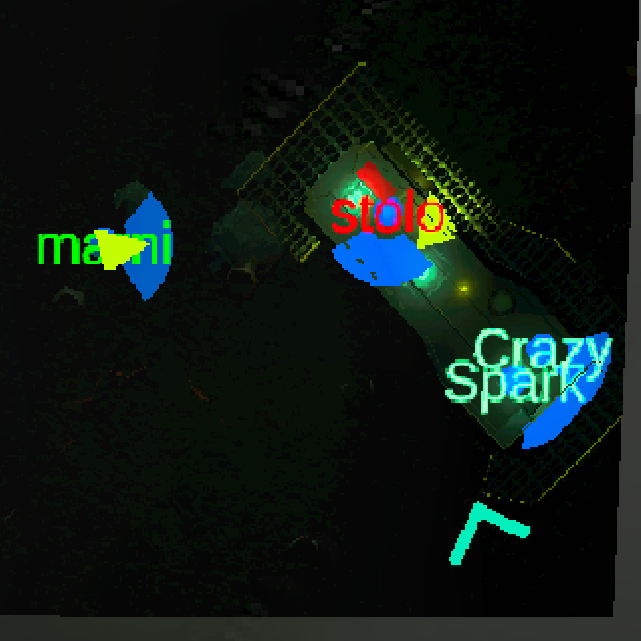
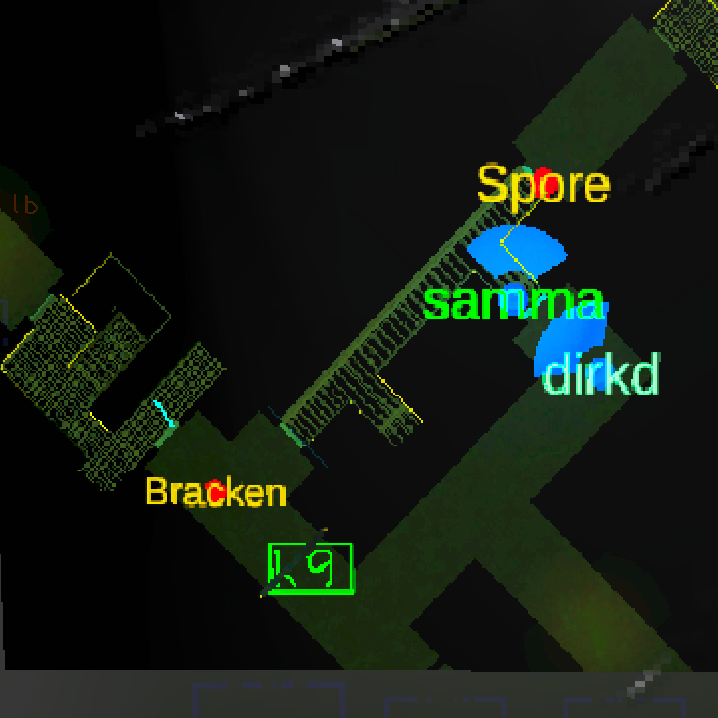
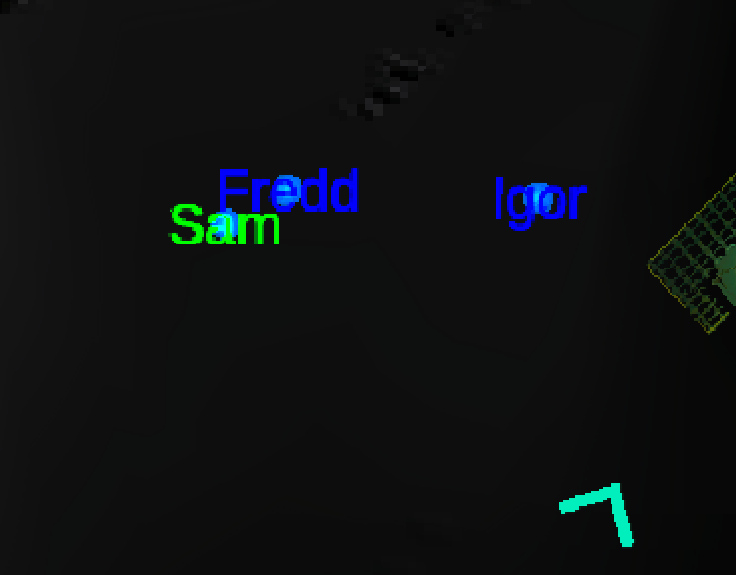
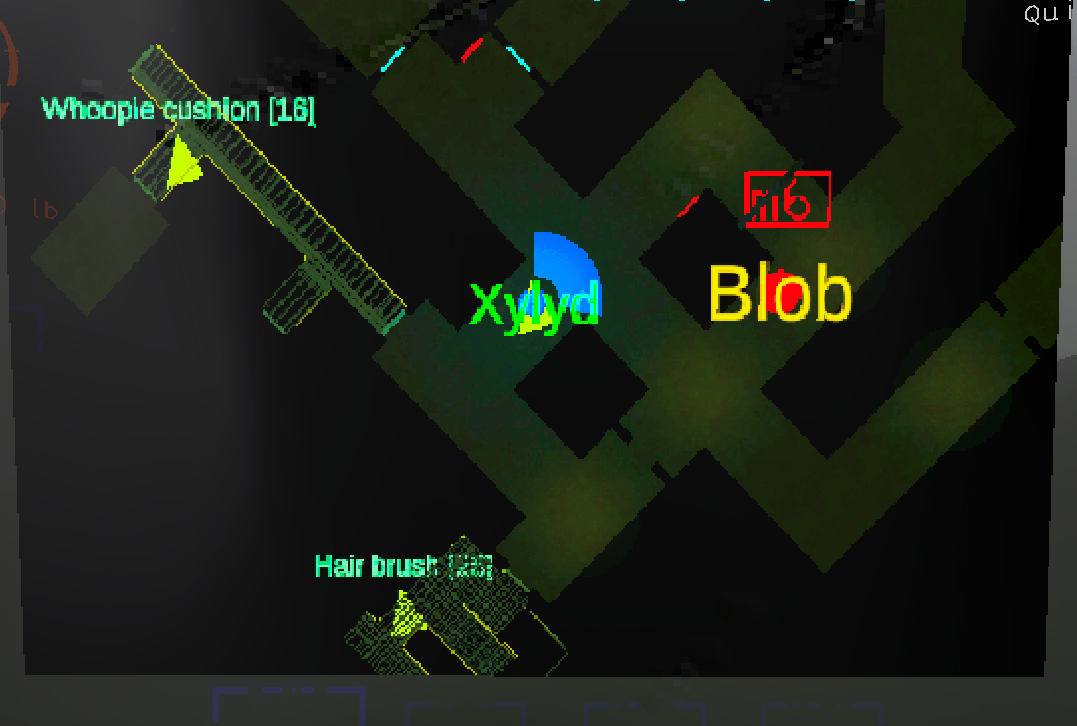
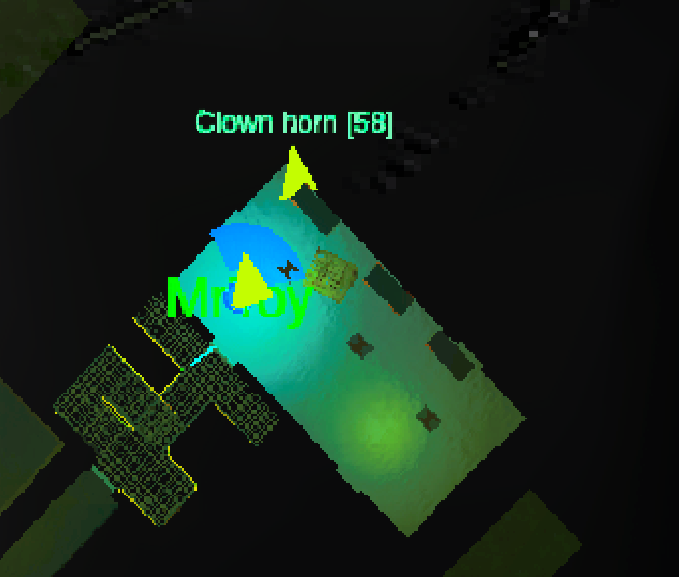

Supports Lethal Config!
This mod supports the Lethal Config Mod by adding an extra option to their UI that tells MonitorLabels to load the settings.
This allows you to change settings and apply them immediately without requiring a restart! Even while playing!
The config UI is still entirely generated by LethalConfig.
Some changes (especially the labels for enemies) may not have an immediate effect until later (for example, when that enemy dies or a new enemy of that type is spawned)
For Developers
Custom Labels
MonitorLabels.AIMapLabelManager.CustomAINames is a Dictionary<Type, CustomLabelData> where you can add your own types to, to give them custom labels.
MonitorLabels.AIMapLabelManager.TryAddNewAI(Type, CustomLabelData), MonitorLabels.AIMapLabelManager.TryAddNewAI(Type, String, Bool) and MonitorLabels.AIMapLabelManager.RemoveAI(Type) are helper functions for this purpose.
The CustomLabelData.ShowLabel boolean is used if you want to hide the label of that AI.
Example
MonitorLabels.AIMapLabelManager.TryAddNewAI(typeof(MyAI), "MyLabel");
Important
If you do not call base.Start() in your overriden Start function, then you will have to manually call MonitorLabels.AIMapLabelManager.AddLabelToAI(EnemyAI) for it to have a label.
Configuration
The Configuration files can be publicly accessed from the MonitorLabels.Utils.ModUtils.ConfigUtil class if for whatever reason you want to modify something.
General Info
The GUID, PLUGIN_NAME and PLUGIN_VERSION can be accessed from their respective fields in the MonitorLabels.MonitorLabelsPlugin class.
CHANGELOG
Changelog
3.2
Critical Fixes & More Support
- Critical, Fixed: The mod crashing at startup for new installations (when no config file had been generated yet). Sorry if you downloaded the previous version as a first-time install and the mod would just not run.
- It took me time to realize this because I didn't bug test a fresh install - I will do this in the future. sorry.
- Fixed: The "reload config" button in the LethalConfig menu now properly reloads from the config file.
- Changed: Disabled the mod copying the config from the original mod if the mod has no config yet. I just leave the choice to do that with the button in the LethalConfig menu.
- Added: Support for recently released vanilla monsters.
- Added: Optional config for compatibility with mods that had a dependency on the original mod (disabled by default, because barely any mods need this and/or are deprecated now).
3.2.1
- Typos: Corrected some typos.
3.1
Config Migration
- Added: If the mod doesn't have a config file yet (first launch), it will automatically attempt to copy config from the original mod (if present).
- Added: Double-click (3s window) button in the mod's LethalConfig menu to copy your config from the original MonitorLabels mod.
- Fixed: Other minor fixes.
3.0
Initial Release (Port)
- Ported: For Lethal Company v80/v81+.
- Fixed: The bug causing inventory and interactions to freeze when dropping or swapping items from the utility slot.
- Fixed: Icons disappearing when changing orbits.
- Added: Support for the new utility slot.
