
Please disclose if any significant portion of your mod was created using AI tools by adding the 'AI Generated' category. Failing to do so may result in the mod being removed from Thunderstore.
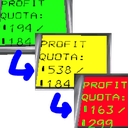
LethalCompTime
Allows for more controlled quota rollover. For if Quota Rollover starts feeling too easy.
| Date uploaded | 3 months ago |
| Version | 1.4.0 |
| Download link | PoikSpirit-LethalCompTime-1.4.0.zip |
| Downloads | 3579 |
| Dependency string | PoikSpirit-LethalCompTime-1.4.0 |
This mod requires the following mods to function

BepInEx-BepInExPack
BepInEx pack for Mono Unity games. Preconfigured and ready to use.
Preferred version: 5.4.2100README
Allows for more controlled quota rollover. For if Quota Rollover starts feeling too easy.
By default, half of the value exceeding quota is rolled over and half is kicked into overtime bonus, but with diminishing returns that prevent reaching the next quota on rollover alone. Afterall, the company doesn't want you to get away with not feeding it valuable scrap. You must not rest. You must work. You must be a great asset to the company. Great- great asset to the company.
Features
- Sets up quota rollover to help reduce hoarding
- Adds a percentage penalty for rollover to encourage hoarding a little
- Attempts to balance rollover making the game too easy and front loaded
- Completely client sideable cosmetic effects, and completely host sideable rollover effects
- LobbyCompatibility integration
- LethalConfig integration includes seven prebuilt settings available for quick access.
- LethalConfig example fields allow to test settings.
- Setting available to reenable early quota advancement as is in the vanilla game.
- Settings available to update quota variables.
- Settings available to update overtime calculation.
Usage
There are four rollover settings available:
- RolloverBasePercent
- controls how much quota is rolled over in general.
- RolloverPenaltyThreshold
- the percent of the next quota obtained before applying the penalty to the rest of the rollover.
- RolloverPenaltyPercent
- the penalty percent is only applied to the quota above each multiple of the threshold, stacking multiplicatively.
- RolloverPenaltyType
- Determines how the threshold is handled.
- Asymptotic applies to each multiple of the quota before penalty. This makes the amount possible to rollover asymptotically approach a value... calculateable by the geometric series. (I don't know if I can get a display in LethalConfig to show the current asymptote, but I could be convinced to change how I calculate this so the asymptote is specified and then a scaling factor is used to make the curve.)
- Logarithmic applies to each multiple of the quota after penalty. This makes it harder to reach the next multiple of the quota, but it will always be possible given enough value over the current quota.
- Determines how the threshold is handled.
There are four overtime settings available:
- OvertimeOverride
- Removes the amount rolled over from the overtime bonus calculation, otherwise significantly beating quota early will cause many time the overtime bonus compounding overtime. It's easy to get immensely rich in standard QuotaRollover due to this oversight.
- I do not recommend setting this to False unless you need a boost or just want to have fun. No shade either way, the game can be unfair sometimes. I added this so we all can play how we want.
- OvertimeRatio
- How much of the overfulfilled quota goes into the overtime bonus. This is after the override above removes the rollover from the finished quota and adds it to the next, if enabled.
- Defaults to the vanilla value of 1/5.
- OvertimeEarlyBonus
- How much, as a base value, should be rewarded per day early the quota is fulfilled.
- Defaults to the vanilla 15
- OvertimeEarlyScaling
- How much, as an additive ratio, should the overtime early fulfillment bonus increase each quota.
- Defaults to 0 to make the calculation the same as vanilla.
There are two early fulfillment settings available:
- EnableEarlyFulfillment
- In vanilla, if you have the current quota when you set off from a planet, the quota advances. This can allow for bonus overtime, but can also make the quota climb extra fast.
- I only recommend setting this to True for veteran players. It's a fun twist on the rollover paradigm.
- EarlyFulfillmentStartDay
- The first day in the quota cycle when early fulfillment can happen.
- Defaults to 0, so any time you take off with the quota fulfilled, it should advance the quota. This is how it works in vanilla.
There are seven quota configuration settings available with defaults set to vanilla values:
- Configurable Quota
- Whether to configure the quota using this mod or let someone else do it (such as Zeekerss or EasyQuota).
- This will be ignored if a known mod that overwrites the quotaVariables values is installed.
- QuotaDaysPerCycle
- The number of days in each cycle.
- Defaults to 3.
- StartingQuota
- The quota on the first cycle.
- Defaults to 130.
- StartingCredits
- How many credits you have on a fresh lobby
- Defaults to 60.
- QuotaBaseIncrease
- The base rate of increase each quota
- Defaults to 100
- QuotaRandomizerPortion
- The amount the random portion of the calculation affects the quota increase.
- Defaults to 1. (This makes for a weird ratio of base to randomness on average because of the curve used in the base game.)
- QuotaInverseSteepness
- An amount to divide the exponential increase of the quota by to tweak the curve of the increase.
- Defaults to 16.
There are seven visual settings available. They will not apply to the monitor during the challenge moon. The values they use for the colors are HTML color codes, where strings starting with '#' will be parsed as hex codes, and everything else will be parsed as a color name. (Full name list not available in Unity's documentation of the function I use.)
- RolloverScreenColoration
- If set to None, no coloration will apply and the monitors will have the default green on black. This is the default partially due to complaints about my lack of color theory knowledge (which is fair).
- Text applies the next three options to the text on the monitors, leaving the screen background black.
- Background applies the next three options to the screen background and the three options after that are used to recolor the text in this mode if wanted.
- RolloverColorUnderFulfilled
- This color applies to the place selected above (text or background) when the quota turned in is less than is needed for this quota. Mostly is an easy way to check if you need to throw a few more scrap in at the company building.
- RolloverColorFulfilled
- This color applies to the place selected above (text or background) when the quota is met and none of it is getting penalized for exceeding the threshold. If there is no rollover, then there's no penalty and this will still be used.
- RolloverColorOverFulfilled
- This color applies to the place selected above (text or background) when the quota turned in is enough to hit the penalty threshold specified. Indicates that further scrap turned in will lose more and more rollover value. If there is no threshold (such as with QuotaRollover defaults) then this should never be used.
- RolloverTextColorOverrideUnderFulfilled
- This color applies to the text when the above is set to Background when the quota turned in is less than is needed for this quota. Mostly is an easy way to check if you need to throw a few more scrap in at the company building.
- RolloverTextColorOverrideFulfilled
- This color applies to the text when the above is set to Background when the quota is met and none of it is getting penalized for exceeding the threshold. If there is no rollover, then there's no penalty and this will still be used.
- RolloverTextColorOverrideOverFulfilled
- This color applies to the text when the above is set to Background when the quota turned in is enough to hit the penalty threshold specified. Indicates that further scrap turned in will lose more and more rollover value. If there is no threshold (such as with QuotaRollover defaults) then this should never be used.
Recommendations
Installing LethalConfig provides vanilla compatible tools to mess with settings in game, and in the case of this mod comes with seven presets to choose from.
- Vanilla offers no rollover, like the base game, and therefore is the hardest setting.
- To enable this manually, set the base rollover to 0%.
- RolloverEarlyFulfillment to True
- Coloration for when you have and have not met quota should still work if that interests you.
- CompanyIssue is the default for the mod, halving initial rollover and diminishing rollover value such that you'll never reach a full week off.
- To enable this manually set:
- RolloverOvertimeOverride to true
- RolloverPenaltyType to Asymptotic
- RolloverBasePercent to 50
- RolloverPenaltyThreshold to 100
- RolloverPenaltyPercent to 50
- RolloverEarlyFulfillment to True
- To enable this manually set:
- Recommended is a setting that I recommend if you just want your first rollover settings to play with. It's not the default because it decreases the overtime bonus a bit more substantially for lower rollover values, which doesn't quite feel like it's the best for more experienced players. That being said, everyone is free to play how they want.
- To enable this manually set:
- RolloverOvertimeOverride to true
- RolloverPenaltyType to Asymptotic
- RolloverBasePercent to 100
- RolloverPenaltyThreshold to 50
- RolloverPenaltyPercent to 50
- RolloverEarlyFulfillment to True
- To enable this manually set:
- HardCapped allows you to rollover 100% of the next quota worth maximum. After that the rest goes to overtime bonus and your credits on the ship only.
- To enable this manually set:
- RolloverOvertimeOverride to true
- RolloverPenaltyType to Asymptotic
- RolloverBasePercent to 100
- RolloverPenaltyThreshold to 100
- RolloverPenaltyPercent to 0
- RolloverEarlyFulfillment to False
- To enable this manually set:
- ScaledDown provides a slightly more diminished return that is somewhere between Quota Rollover's original functionality and the defaults for this mod.
- To enable this manually set:
- RolloverOvertimeOverride to true
- RolloverPenaltyType to Logarithmic
- RolloverBasePercent to 100
- RolloverPenaltyThreshold to 50
- RolloverPenaltyPercent to 75
- RolloverEarlyFulfillment to False
- To enable this manually set:
- QRBalanced balances the original functionality of Quota Rollover by effectively disabling overtime bonus. Also enables early fulfillment as a additional balance against massive overfulfillments.
- To enable this manually set:
- RolloverOvertimeOverride to true
- RolloverPenaltyType to Asymptotic
- RolloverBasePercent to 100
- RolloverPenaltyThreshold to 100
- RolloverPenaltyPercent to 100
- RolloverEarlyFulfillment to True
- To enable this manually set:
- ClassicQR imitates the Quota Rollover mod directly by double counting rollover towards overtime bonus.
- To enable this manually set:
- RolloverOvertimeOverride to false
- RolloverPenaltyType to Asymptotic
- RolloverBasePercent to 100
- RolloverPenaltyThreshold to 100
- RolloverPenaltyPercent to 100
- RolloverEarlyFulfillment to False
- To enable this manually set:
In Game Calculations
Quota Rollover
Exponential
TODO
Logarithmic
TODO
Overtime Bonus
This mod updates the overtime bonus to:
overtime = (overfulfillment - rolloverIfOverride) * OvertimeRatio + OvertimeEarlyBonus * (1 + OvertimeEarlyScaling * timesFulfilledQuota) * daysUntilDeadline
Plugging in the default values and turning off the override, we get the vanilla formula:
overtime = overfulfllment / 5 + 15 * dayUntilDeadline
Quota Setting
TimeMultiplier = clip(1 + timesFulfilledQuota^2 / QuotaInverseSteepness, 0, 10^4)
RandomizerOffset = QuotaBaseIncrease * TimeMultiplier * (1 + EvalutateCurve(Random(-0.503, 0.503) * luck))
With EvaluateCurve being a hard coded function from the game dev. And luck is furniture luck. Good luck with that.
NewProfitQuota = clip(OldProfitQuota + RandomizerOffset, 0, 10^9)
Compatibility List
Explicitly supports
- EasyQuota : Ignores the values in this mod and prefers the ones from EasyQuota
- LethalConfig : Allows for full customization and some extra features
- LobbyCompatibility : Setup to allow this to be recognized as client only, though it's better if everyone has it
Explicitly Conflicts With
- QuotaRollover : Both try to highjack the quota routine, and it will result in a race condition.
CHANGELOG
1.4.1
- Harmony patches set to override GeneralImprovements, and generally Prefixes set to Priority First to prevent other mods from tampering with the values and Postfixes changed to Finalizers with Priority Last so they happen after all over code and can't be overwritten.
- Updated the Readme with some details that might not even display right in Thunderstore...
1.4.0
- Adding optional quota variable controls (Most will not occur if EasyQuota is installed, reach out if other mods conflict)
- ConfigurableQuota will enable or disable these, defaults to false
- QuotaDaysPerCycle will set the vanilla variable QuotaSettings.deadlineDaysAmount
- StartingQuota will set the vanilla variable QuotaSettings.startingQuota
- StartingCredits will set the vanilla variable QuotaSettings.startingCredits
- QuotaBaseIncrease will set the vanilla variable QuotaSettings.baseIncrease
- QuotaRandomizerPortion will set the vanilla variable QuotaSettings.randomizerMultiplier
- QuotaInverseSteepness will set the vanilla variable QuotaSettings.increaseSteepness (which actually is divided out of the exponential increase)
- A note: Other than the days until fulfillment and the setting for early fulfillment on any planet, all of these are handled externally, so mods that directly change quota interactions will override them probably entirely. Depending on how they're implemented of course
- Adding RolloverEarlyFulfillmentStartDay to change the first day that the Early Fulfillment check happens (0 for vanilla)
- Adding controls for overtime bonus (defaulting to vanilla)
- OvertimeRatio will set the amount of overtime bonus awarded from the overfulfilled quota amount
- OvertimeEarlyBonus will set the base amount of credits per day fulfilled early
- OvertimeEarlyScaling will set how much the early bonus scales each quota
- Updates the configuration for you to the new setup so you don't have to do it yourself
1.3.0
- Added optional early quota turn in, as is in vanilla. Off by default.
- Added debug messages and hid most of them behind a setting. Off by default.
- Reworked logic to use the vanilla code, then modify the results before the RPC call.
- This should reduce work required on updates to the main game, and reduce incompatibilities with other mods, if they occur.
1.2.1
- Variable reference related bugfix.
1.2.0
- Adding change for v70. Nothing major.
1.1.5
- Bugfix on how I was pulling the furniture list for luck calculations.
- Overtime override bugfix.
1.1.4
- Bugfix for quota rollovers to be more accurate (and thus predictible)
- Updated code to allow luck values to be used still!
1.1.3
- The wrong DLL was uploaded...
1.1.2
- Found documentation on soft compatibilities and added back in LobbyCompatibility stuff
- Added in example entry to test settings before starting the game.
1.1.1
- Removing LobbyCompatibility as I can't lazy load it like I can LethalConfig
1.1.0
- Adding LethalConfigManager with presets:
- ClassicQR
- QRBalanced
- ScaledDown
- HardCapped
- Recommended
- CompanyIssue
- Vanilla
- Adding LobbyCompatibility details.
1.0.3
- Coloration defaults to off.
- Rollover subtracts from overtime (overridable in configs).
- Coloration fully configurable.
- Logarithmic penalty is available as a replacement for asymptotic.
1.0.2
- Fixing divide by zero problems.
- Making error message more descriptive.
1.0.1
- Adding some checks for visuals, which can clash with custom monitor mods.
- Adding basic visual configs, including turning it off altogether.
1.0.0
- Initial release
