
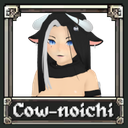
Cownoichi
A new custom character for MegaBonk, the Cow-Noichi! Custom stats, animations, weapon, and model.
| Date uploaded | 9 months ago |
| Version | 1.1.0 |
| Download link | Vegasx-Cownoichi-1.1.0.zip |
| Downloads | 533 |
| Dependency string | Vegasx-Cownoichi-1.1.0 |
This mod requires the following mods to function

BepInEx-BepInExPack_IL2CPP
BepInEx pack for IL2CPP x64 Unity games. Preconfigured and ready to use.
Preferred version: 6.0.738
MegabonkModders-CustomCharacterCreator
A mod that allows you to load in custom characters
Preferred version: 1.0.1README
Cow-noichi!
Half-cow, half-kunoichi that you can now play as! Includes her new weapon, The Kunai. A new character for MegaBonk which features her own animation set, with a custom projectile, all complimented with her own unique personality/playstyle.
An expert in the ninja-cow way, light on her feet, unbearably thicc, and being small in stature gives the Cow-noichi unique stats:
| Stat | Modifier |
|---|---|
| Max HP | -35% |
| Evasion | +20% |
| Extra Jumps | +1 |
| Damage to Elites | +15% |
The playermodel is around 50K triangles and 5 materials. The projectile Kunai is <300 triangles and 1 material.
Installation
- Download/install CustomCharacterCreator by MegabonkModders/Shifty
- In your Thunderstore Profile file directory, navigate to your \BepInEx\Plugins folder
- If you don't have it, create a folder named CustomCharacters there
- Place the two files in the .zip, cownoichi and cownoichi.custom.json, into the CustomCharacters folder (or any folder within that directory.)
Version update note:
If you recently updated this mod and now have two Cow-noichi characters in your menu, you need to delete the custom folder and just use the folder supplied by the Mod Manager.
Known Issues
- Sometimes the projectile throw sound gets cut off, or doesn't play.
- Upon character death, the model isn't excluded from the blackening of the screen.
