

Megabonk Level Editor
Play and build custom Megabonk levels with an in-game map editor, custom music and a drop-down console.
| Date uploaded | an hour ago |
| Version | 0.2.0 |
| Download link | pythoninthegrass-Megabonk_Level_Editor-0.2.0.zip |
| Downloads | 3 |
| Dependency string | pythoninthegrass-Megabonk_Level_Editor-0.2.0 |
This mod requires the following mods to function

BepInEx-BepInExPack_IL2CPP
BepInEx pack for IL2CPP x64 Unity games. Preconfigured and ready to use.
Preferred version: 6.0.788README
Megabonk Level Editor
Play custom Megabonk levels and build your own with an in-game map editor. Adds custom maps to Map Selection, custom music support and a drop-down console.
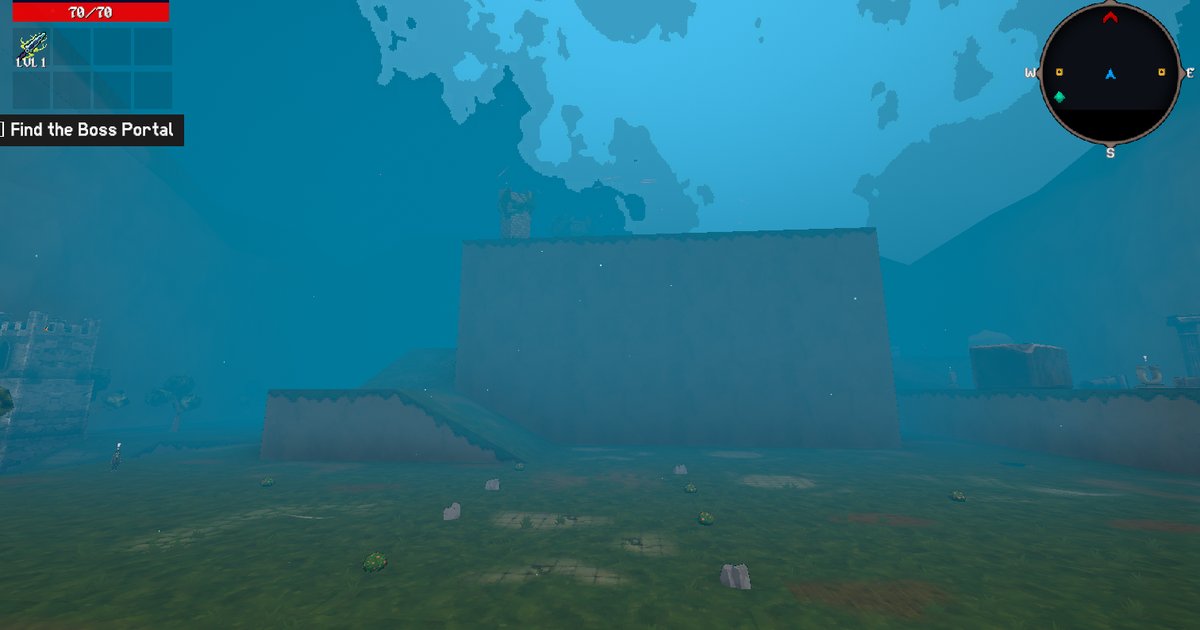
Unofficial, fan-made and not endorsed by Megabonk's developer. This is an early release for the Windows build of the game (Wine/Proton on macOS/Linux).
Play, edit, share
- Custom maps: copy a level into
UserData/Levels/in the game folder, then choose its title on Map Selection. - In-game editor: place and transform objects, change terrain and biomes,
and save levels as shareable
.mblevel.jsonfiles. - Custom music: levels can select music from your own library or asset packs.
- Console: press backtick/tilde, type
help, and use Tab completion or Ctrl-R history search. Opening the console pauses a running game.
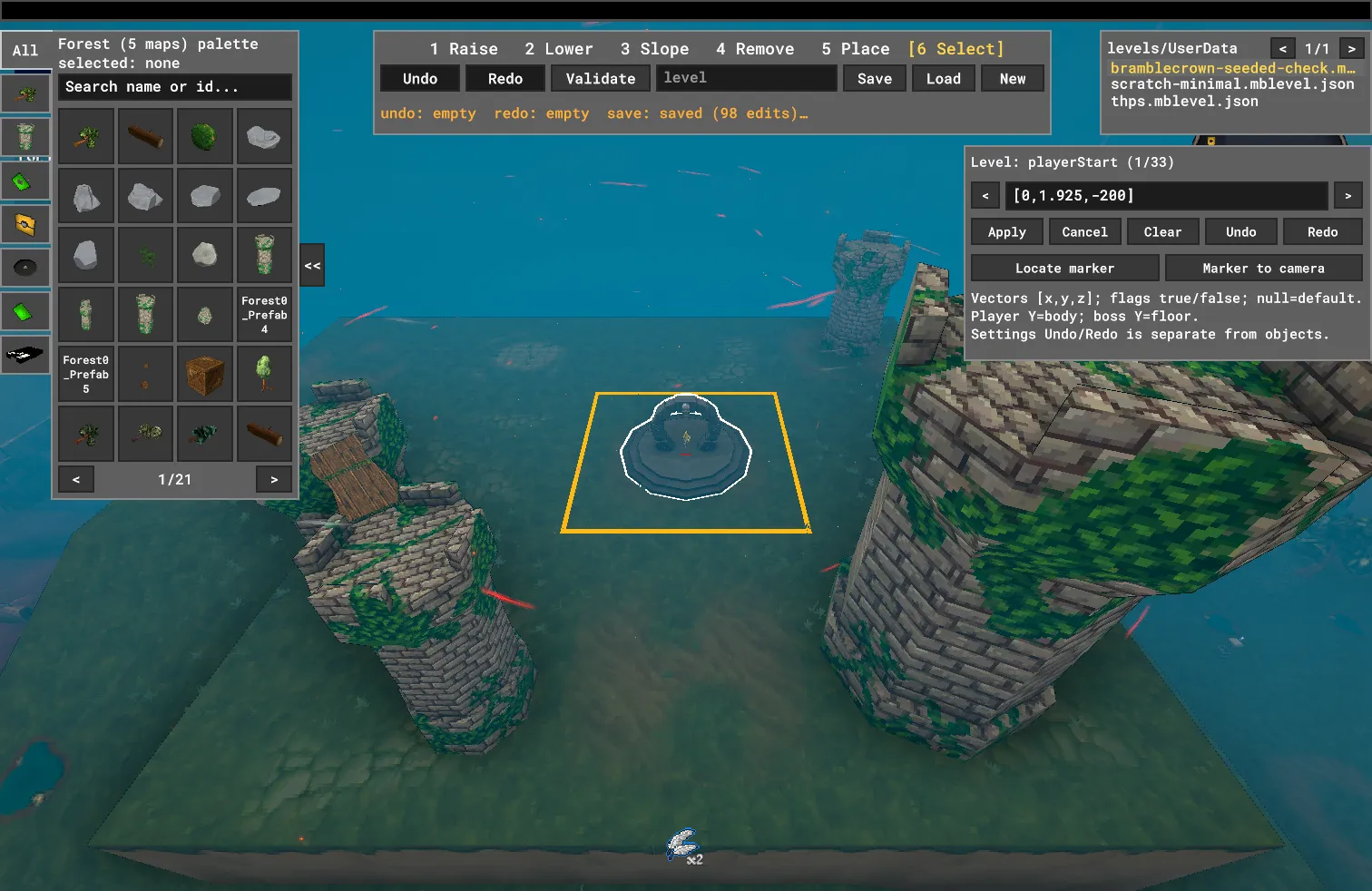
Controls and console commands
Press backtick/tilde to open the mod's console, then type a command and press Enter. Use this console, not the game's F10 debug console.
Use these shortcuts during a run. Close the console before pressing F7 or F8.
| Key | Action |
|---|---|
| F7 | Toggle coordinates on a custom level (off by default), without pausing. |
| F8 | Toggle the paused, free-fly editor; press again to return to play. |
| Backtick/tilde | Open or close the mod's console. Pauses a running game and restores its previous pause state on close. |
| Enter | Run the typed console command. |
| Tab | Complete commands or level titles; press again to cycle matches. |
| Up / Down | Recall previous commands. |
| Ctrl-R | Search command history; Enter selects a result, Enter again runs it. |
| Esc | Close history search, or close the console if search is not open. |
Dev commands need MEGABONK_DEV=true in the game's launch environment before
starting it. Ordinary player commands and F7/F8 do not need developer mode.
| Command | Action | Requires dev mode |
|---|---|---|
help / help music |
List available commands, optionally filtered by name. | No |
state |
Show the current run/editor state. | No |
level.list |
List installed custom-level files. | No |
ui.coordinates on / ui.coordinates off |
Show or hide coordinates on a custom level, like F7. | No |
ui.hud on / ui.hud off |
Show or hide the game's HUD. | No |
music.list / music.now |
List music tracks or show the current track. | No |
music.pause / music.play |
Pause or resume the level's music. | No |
music.next / music.prev |
Skip to the next or previous music track. | No |
music.track 2 |
Play a track by its number in music.list. |
No |
history / clear |
List command history or clear console output. | No |
editor on / editor off |
Enter or leave the editor through the console. | Yes |
level.load "Bramblecrown Hill" |
Load an installed level by title; quote titles containing spaces. | Yes |
level.save "My Level" |
Save the editor's current level under a name. | Yes |
level.new "My Level" |
Create a blank level and open it in the editor. | Yes |
help lists only commands available in your current mode. See the
console reference
for the full command language and advanced debug commands.
Install
- Install and start Megabonk once, then quit before changing mods.
- In your Thunderstore-compatible manager, select Megabonk and install Megabonk Level Editor. The manager should also install BepInExPack IL2CPP 6.0.788.
- Start the modded game. The first BepInEx launch needs internet access and can take roughly half a minute to generate game interop assemblies.
- Add
.mblevel.jsonfiles to<game>/UserData/Levels/. Create the folder if needed. Levels appear on Map Selection after restarting the game.
No levels, third-party asset packs or music are bundled in this package.
The screenshots show separately authored content. If a level needs a pack, get
it from its author and put it in UserData/LevelPacks/. Missing packs are reported
in BepInEx/LogOutput.log. Only install content you have permission to use.
macOS / Wine and Linux / Proton
Use the Windows game build, not the native Linux build. The tested macOS setup is r2modmac 1.1.0 for file management + plain Wine 11.18 for launching; r2modmac's Play button did not launch this Wine-hosted game.
r2modmac 1.1.0 omits the BepInEx pack's dotnet/ runtime during Apply. Extract
the pack ZIP's BepInExPack/dotnet/ into the game folder so
<game>/dotnet/coreclr.dll exists. Preserve the pack's .doorstop_version and
changelog.txt too. Set the prefix's winhttp override to native,builtin;
for a Proton Steam launch use WINEDLLOVERRIDES="winhttp=n,b" %command%.
Do not run MelonLoader and BepInEx together: park the old version.dll before
launching with BepInEx. Keep a backup rather than deleting your previous setup.
See the Wine setup and rollback guide.
Configuration and troubleshooting
There is no mod-specific BepInEx configuration file. Levels, asset packs and music
live in the game's UserData/ folder and are not removed when you disable the mod.
Music commands such as music.pause, music.play and music.next work without
developer mode. Editing through the console and cheat/debug commands require
MEGABONK_DEV=true in the game's launch environment; F8 opens the editor without
it. A repository .env is only read by the repository's development launch tools,
not by mod managers.
If the mod does not appear, check BepInEx/LogOutput.log for
Megabonk Level Editor and MegabonkLevels mod initialized.. No log at
all usually means the loader/runtime or Wine override is missing. Duplicate
MegabonkLevels DLLs can conflict: remove or park a manual development install
before applying the manager profile. Test other plugins individually if a run
misbehaves; compatibility with all community mods has not been verified.
Source and feedback
Showcase · Source and issues · Developer setup · Console reference
MP3 decoding uses NLayer, distributed under
the MIT license; its license is included beside the plugin. The website source
and design context live in site/ in the source repository.
