
You are viewing a potentially older version of this package.
View all versions.
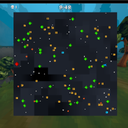
MegabonkBetterMinimap
A BepInEx 6 mod for Megabonk that allows you to resize and zoom out the minimap, open the full map, etc.
| Date uploaded | 9 months ago |
| Version | 1.3.0 |
| Download link | wafuruns-MegabonkBetterMinimap-1.3.0.zip |
| Downloads | 909 |
| Dependency string | wafuruns-MegabonkBetterMinimap-1.3.0 |
This mod requires the following mods to function

BepInEx-BepInExPack_IL2CPP
BepInEx pack for IL2CPP x64 Unity games. Preconfigured and ready to use.
Preferred version: 6.0.733README
MegabonkBetterMinimap
A BepInEx 6 mod for Megabonk that allows you to resize and zoom out the minimap, open the full map, etc.
Installation
- Install BepInEx 6 Bleeding Edge IL2CPP for your game (tested on BepInEx-Unity.IL2CPP-win-x64-6.0.0-be.738+af0cba7)
- Download the latest release of MegabonkBetterMinimap
- Paste MegabonkBetterMinimap.dll into Megabonk\BepInEx\plugins folder
- I strongly recommend going into the game settings and setting "Upload score to Leaderboards" to Off. This mod is an accessibility and comfort feature, not something to give you an unintended advantage in competition. Feel free to consult the game dev.
Controls
F1: Increases the minimap sizeF2: Zooms out the minimapF3: Hide particles and enemies (lag reduction for god runs)M: Opens/closes the full mapT: Show remaining pickups screen
Features
- Changing the minimap size
- Changing the minimap zoom
- Provides full map
- Changes to map icons
- Everything important has a specific icon
- Icons for Microwave and Shady Guy have rarity colors
- Remaining pickups screen (including rarities)
- Improved map resolution
- Toggle for turning off enemy models and particles, helpful for infinite runs to reduce lag
Configuration
Configuration is automatically saved based on your last settings, but you can also edit it manually.
[Minimap]

## Current minimap scale
# Setting type: Single
# Default value: 1
CurrentScale = 3.4999988

## Current normal zoom
# Setting type: Int32
# Default value: 100
CurrentZoom = 280

## Current full/minimap zoom
# Setting type: Int32
# Default value: 300
CurrentFullZoom = 300
TODO
- Fullscreen controllable map
