
You are viewing a potentially older version of this package.
View all versions.
MimesisSlotKeys
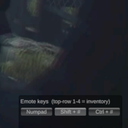
Top-row 1-4 pick inventory slots; emotes move to Numpad / Shift+number / Ctrl+number (main-menu toggle).
By GMBJohn
| Date uploaded | 5 days ago |
| Version | 1.0.0 |
| Download link | GMBJohn-MimesisSlotKeys-1.0.0.zip |
| Downloads | 4 |
| Dependency string | GMBJohn-MimesisSlotKeys-1.0.0 |
README
MimesisSlotKeys
Use the number row for your inventory and move emotes off it.
- Top-row
1–4→ select inventory slots 1–4 directly (no more wheel-scrolling). - Emotes move to one of three bindings, switchable in-game:
- Numpad – emotes 1–4 on numpad
1–4; emotes 5–0 work on both the top row and the numpad. - Shift + number – emotes on
Shift+1…0. - Ctrl + number – emotes on
Ctrl+1…0.
- Numpad – emotes 1–4 on numpad
Usage
On the main menu, a small panel in the bottom-right lets you pick the emote binding. Your choice is saved and applied in-game automatically.
Install
Requires MelonLoader. With a mod manager, just install. Manual: drop MimesisSlotKeys.dll into the game's Mods/ folder.
Notes
- Emote triggers go through the game's own networked actions, so it's multiplayer-safe.
- Bindings are applied per session and never overwrite your saved keybind config.
