

Minimap
Minimap of the level: explored or full map, plain or graphic style, optional player, monster and item dots.
| Date uploaded | 6 days ago |
| Version | 1.6.3 |
| Download link | medovanx-Minimap-1.6.3.zip |
| Downloads | 41 |
| Dependency string | medovanx-Minimap-1.6.3 |
This mod requires the following mods to function

LavaGang-MelonLoader
The World's First Universal Mod Loader for Unity Games compatible with both Il2Cpp and Mono
Preferred version: 0.7.3README
Minimap
Version 1.6.3
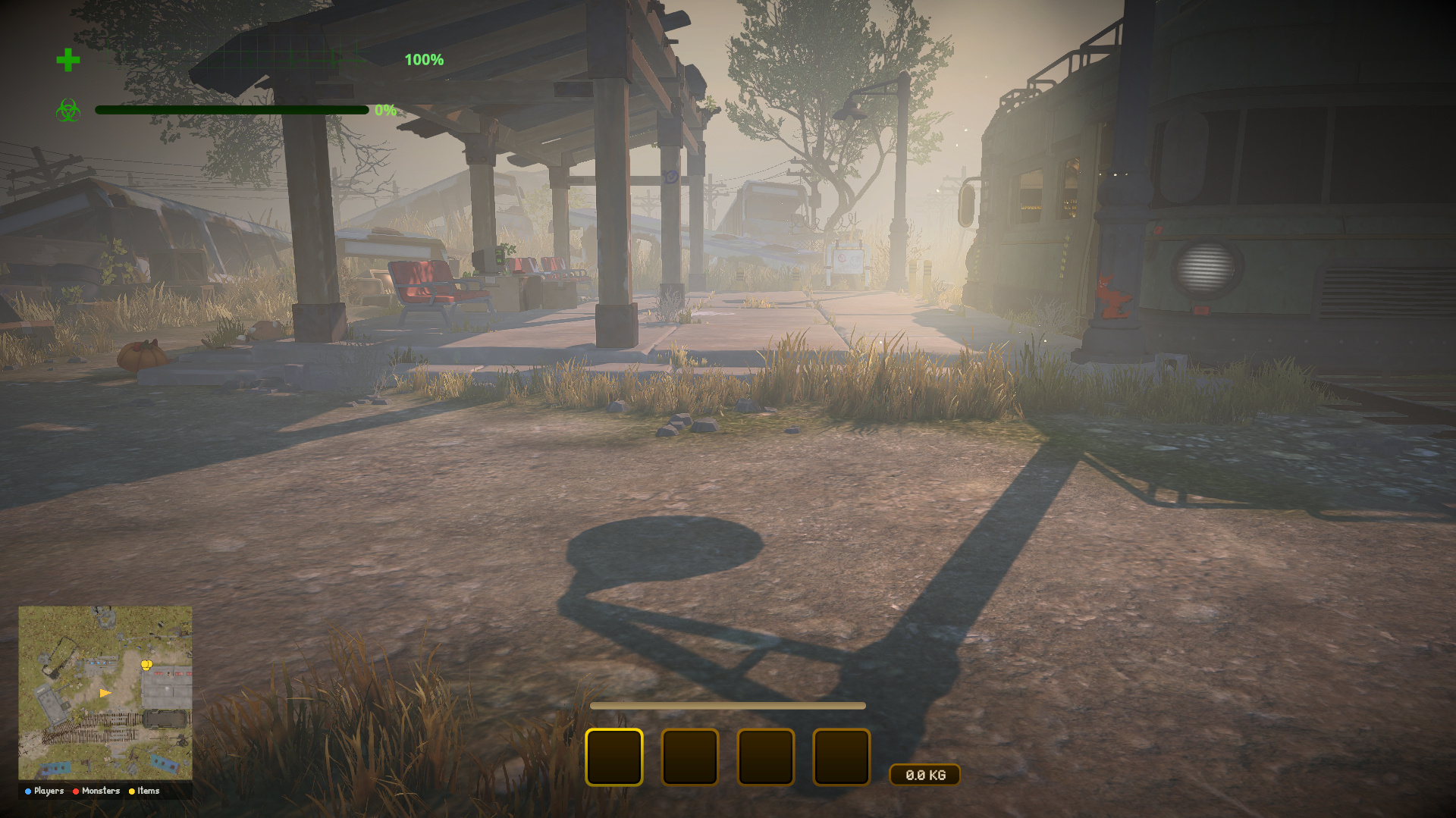
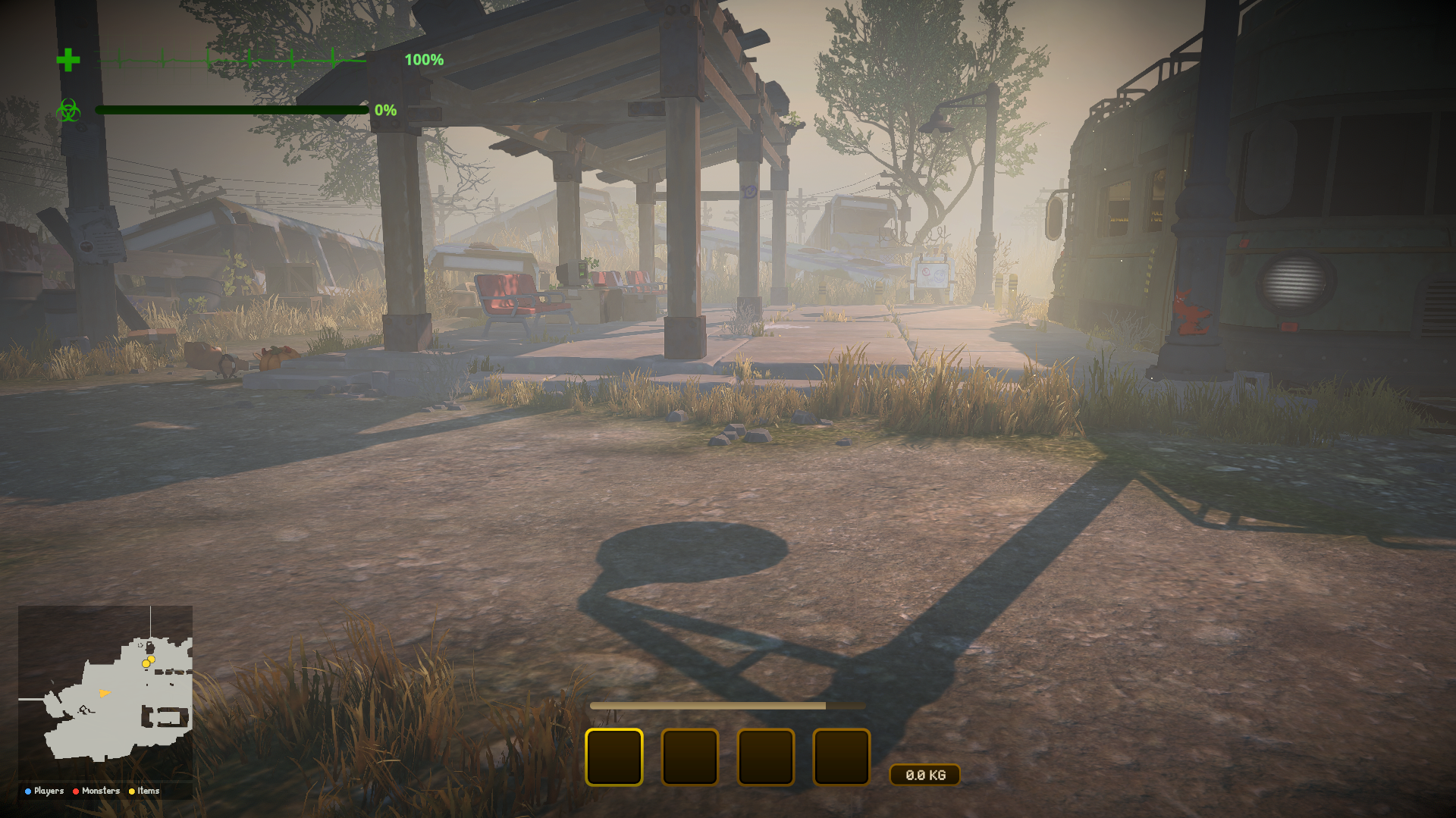
A minimap in the bottom-left corner showing your position and facing.
Only you need it.
Install
Use the installer, or install MelonLoader (x64, 0.7.x) into the game folder, run the game once, then copy MinimapRuntime.dll from this patch's release into the game's Mods folder.
Controls
M shows or hides the minimap. It's hidden while you're dead or in menus.
Options
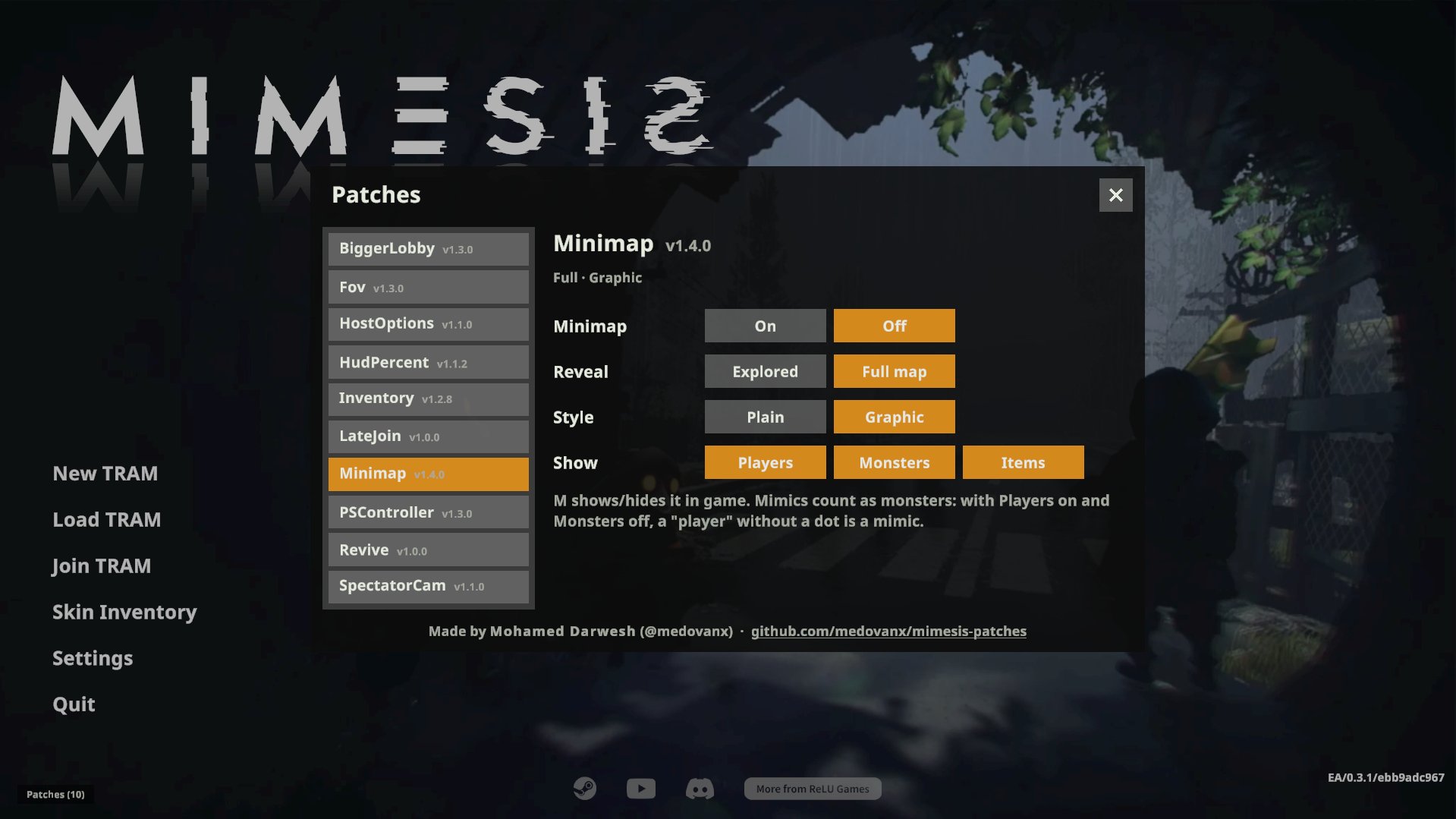
Patches > Minimap on the main menu. Settings are remembered.
| Setting | Options |
|---|---|
| Reveal | Explored (default): the map appears as you walk near it. Full map: everything from the start. |
| Style | Plain (default): a clean floor plan of your current floor. Graphic: a real top-down view of the level, with dark rooms lit up on the map only. |
| Show | Players / Monsters / Items, each on or off (all off by default). They appear as dots: players blue, monsters red, items yellow. A legend under the map lists them. |
Settings combine: Graphic + Explored shows the real view with unvisited areas darkened.
By default you only see the level and your own arrow, so a "teammate" can still be a mimic. Mimics count as monsters: with Players on and Monsters off, a "player" without a dot is a mimic. That changes how the game plays, so it's off unless you turn it on.
Uninstall
Use the installer's Uninstall selected, or delete MinimapRuntime.dll from the game's Mods folder. Installed with Gale or r2modman? Remove or disable it there instead.
AI disclosure
This mod was made with the help of an AI coding assistant (Claude, by Anthropic): code, documentation and icons.
CHANGELOG
Minimap changelog
1.6.4
- Items a player is holding no longer get their own dot on top of the player: only the player shows
1.6.3
- Thunderstore version: no updater code at all (mod managers handle updates). The GitHub / installer version keeps the in-game Update button
1.6.2
- AI disclosure in the README and the DLL
- Installed from a mod manager (Gale, r2modman): updates come from the mod manager; no self-updating
- README: uninstalling from a mod manager
1.6.1
- Installed from a mod manager (r2modman, Gale): updates come from the mod manager; the Patches window no longer checks GitHub or updates itself.
- AI disclosure added to the README and the DLL.
1.6.0
- Now a MelonLoader mod, the loader MIMESIS mods on Thunderstore use. Installer 5.0 sets up MelonLoader and moves existing installs over.
1.5.0
- Now a BepInEx 5 plugin: the game files are no longer modified. Installer 4.0 sets up BepInEx and moves existing installs over.
1.4.4
- Patches window: move it by the title bar and resize it from any edge or corner (remembered). Download progress stays on one line.
1.4.3
- Patches window: Update all in the title bar; updates ask in a popup and show download progress, speed and time left.
1.4.2
- Patches window: update patches from inside the game, scrollable options, section headings, roomier layout, resizable from the bottom-right corner.
1.4.1
- Shorter, clearer option text in the Patches window.
1.3.2
- Legend lists only enabled categories (no "You"); hidden when none are enabled.
1.3.1
- Bigger dots on the map (12 px instead of 7).
1.3.0
- Colour legend under the map: You, plus Players / Monsters / Items when enabled.
1.2.2
- Graphic style scrolls smoothly: each render covers a larger area and the image slides with you between renders.
1.2.1
- Graphic style: the level is lit evenly for the minimap render only (dark rooms no longer show black); the game's own view is unchanged.
1.2.0
- Show options in the settings window: Players / Monsters / Items (off by default). Enabled ones get coloured dots, and models in Graphic style. Mimics count as monsters.
1.1.0
- Settings window: click the Minimap chip on the main menu to choose Reveal (Explored / Full map) and Style (Plain / Graphic).
- Graphic style: real top-down view from a camera above your head, with all players, mimics and monsters hidden from it.
- Moved to the bottom-left corner; works in the tram/lobby too (A* graph fallback).
- Main menu chips are hidden outside the main menu (all patches).
1.0.0
- Bottom-left floor-plan minimap built from the level's NavMesh: layout and your own arrow only.
- Explored-only or whole-map mode, switched by clicking the Minimap chip on the main menu. M toggles it in game.
