
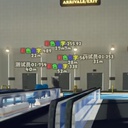
BetterPlayerDistance
A bilingual (English / 中文) player-label mod for PEAK with Hold / Toggle / AlwaysOn modes and tunable fonts, distances and opacity. 一款视角效果更好的,具有更多可自定义选项的能够快速定位你的队友的模组。
By AiAeT
| Date uploaded | 20 hours ago |
| Version | 0.1.17 |
| Download link | AiAeT-BetterPlayerDistance-0.1.17.zip |
| Downloads | 115 |
| Dependency string | AiAeT-BetterPlayerDistance-0.1.17 |
This mod requires the following mods to function

BepInEx-BepInExPack
BepInEx pack for Mono Unity games. Preconfigured and ready to use.
Preferred version: 5.4.2100README
BetterPlayerDistance.zh
A bilingual (English / 中文) BepInEx mod for PEAK — locate teammates with always-visible player labels and rich UI tuning.
English
A polished BepInEx mod for PEAK that overlays occlusion-free player labels and distance markers; locate teammates fast with three trigger modes (Hold / Toggle / AlwaysOn) and rich UI knobs.
📋 Features
- Three display modes
- Hold — press and hold the hotkey to show; labels linger for a moment after release
- Toggle — press once to show, press again or wait for the timer to hide
- AlwaysOn (v0.1.14+) — always-on by default, displays every in-game player; press the hotkey to manually hide / re-show; joiners and leavers are auto-managed
- Downed Pointer (v0.1.17+) — countdown label (face icon + percent/seconds) above downed players, plus a screen-edge indicator for off-screen downed/dead teammates; smooth fade in/out
- Dedicated UI layer: labels are never occluded by walls or objects
- Tunable durations, font sizes, min/max distance and global opacity
- Debug console summoned with Insert (spawn fake players, preview fonts, scan entities)
- Toggle duration supports 10–9999s; double-tap
Cto reset stuck labels
⚠️ Compatibility
No known conflicts, but do not run alongside other player-locator mods.
⚙️ Installation
- Install BepInEx.
- Drop
BetterPlayerDistance.dllintoBepInEx/plugins/. - Launch the game once to generate the config file.
🔧 Configuration
Config file: BepInEx/config/com.AiAe.betterplayerdistance.cfg.
Since v0.1.15 every section, key and description is bilingual ("中文 (English)") and grouped into three sections:
- 1. 基础 (Basic) — hotkey, display mode, toggle duration, hold-release linger
- 2. 界面 (UI) — show name/distance, distance clamps, font sizes, opacity
- 3. 调试 (Debug) — debug console toggle & key, TMP missing-glyph warning suppression
- 4. 昏迷指向 (Downed Pointer) — master switch, use-icon toggle (plain text when off), edge indicator switch, label font size, label/edge icon sizes
Tip — use BepInEx.ConfigurationManager for live in-game tuning (F1).
⚠️ Upgrade Note (v0.1.13 → v0.1.15) Every config key now ends with
(English). The simplest fix is to delete*\PEAK\BepInEx\config\com.AiAe.betterplayerdistance.cfgand let the game regenerate it on next launch.
📞 Contact
Feedback & bug reports: [email protected]
中文
一款视角效果更好的,具有更多可自定义选项的能够快速定位你的队友的模组。
📋 功能
- 三种显示模式
- 按住 (Hold) — 按住快捷键显示,松手后保持一小段时间再关闭
- 切换 (Toggle) — 按一下显示,再按一下或倒计时结束后关闭
- 常显 (AlwaysOn) (v0.1.14+) — 默认全程显示当前在场所有玩家;按快捷键可手动隐藏 / 再次按下恢复;新加入 / 中途离开自动加上或移除标签
- 昏迷指向 (v0.1.17+) — 昏迷玩家头顶显示倒计时标签(表情图标 + 百分比/秒数),屏幕外昏迷/死亡队友在屏幕边缘显示指示器;支持平滑淡入淡出
- 独立渲染层:标签不会被墙壁或物体遮挡
- 显示时长、字体大小、最大 / 最小显示距离、整体透明度均可自由调整
- Debug 模式内置 Insert 键呼出的调试控制台(生成假人、预览字体、扫描实体)
- Toggle 模式时长支持 10~9999 秒;若遇标签卡住可快速按两次
C重置
⚠️ 兼容性提示
目前没遇到兼容性问题,但不建议同时启用其他显示玩家位置的模组。
⚙️ 安装说明
- 确保你已经安装了 BepInEx。
- 将
BetterPlayerDistance.dll文件放入游戏的BepInEx/plugins/文件夹中。 - 运行一次游戏以生成配置文件。
🔧 配置
配置文件位于 BepInEx/config/com.AiAe.betterplayerdistance.cfg。
自 v0.1.15 起,所有 section / key / description 均已改为「中文 (English)」格式,按用途分三栏:
- 1. 基础 (Basic) — 快捷键、显示模式、切换显示时长、松手保持时长
- 2. 界面 (UI) — 是否显示名称 / 距离、最大 / 最小显示距离、名字字号、距离字号、整体透明度
- 3. 调试 (Debug) — 调试控制台开关与呼出键、TMP 缺字警告抑制
- 4. 昏迷指向 (Downed Pointer) — 总开关、以图标形式显示昏迷(关闭则用文字替代)、屏幕边缘指示器开关、昏迷标签字号、标签/指示器图标大小
推荐配合 BepInEx.ConfigurationManager 在游戏内(F1)实时调整。
⚠️ 升级提示(v0.1.13 → v0.1.15) 所有 key 名追加
(English),建议删除*\PEAK\BepInEx\config\com.AiAe.betterplayerdistance.cfg让游戏重新生成。
📞 联系作者
反馈 Bug 或建议:[email protected]
CHANGELOG
Changelog
v0.1.17
English
- New "Downed Pointer" feature: a countdown label (face icon + percent/seconds) above downed players, and a screen-edge indicator for off-screen downed/dead players
- Performance: no more per-frame scene scans; UI objects are created lazily and per-frame allocations removed
中文
- 新增「昏迷指向」功能:昏迷玩家头顶显示倒计时标签(表情图标 + 百分比/秒数),屏幕外昏迷/死亡玩家在屏幕边缘显示指示器
- 性能优化:不再每帧全场景扫描角色;UI 对象按需延迟创建,并消除每帧 GC 分配
v0.1.16
English
- AlwaysOn mode now responds to the hotkey (C): press to hide labels, press again to restore — no longer completely ignores the key
- Config description updated: hotkey now explicitly works in all three modes
中文
- 常显 (AlwaysOn) 模式现在支持按快捷键 (C) 手动隐藏 / 再次按下恢复——不再完全忽略按键
- 配置描述更新:快捷键在三种模式下均可使用
v0.1.15
English
- Full bilingualization: every section / key / description now uses "中文 (English)"; debug-console GUI uses "中文 / English"
- Sections renamed bilingually:
1. 基础 (Basic)/2. 界面 (UI)/3. 调试 (Debug) - Old-config compatibility: every key was renamed and old entries become orphans — the easiest fix is to delete the old cfg and let the game regenerate it
- Enum values (Hold / Toggle / AlwaysOn) are unchanged; TriggerMode is rewritten with its default under the new key — just re-select your preferred mode
中文
- 全面双语化:所有 section / key / description 改为「中文 (English)」格式;调试控制台 GUI 改为「中文 / English」格式
- 三栏命名同步双语:
1. 基础 (Basic)/2. 界面 (UI)/3. 调试 (Debug) - 旧 cfg 兼容:本次 key 名全部改名,旧条目将变孤立值,建议删除旧版 cfg 让游戏重新生成
- 枚举值(Hold / Toggle / AlwaysOn)保持原名,显示模式 TriggerMode 配置在新 key 中仍按默认值设定(重新改一下就行)
v0.1.14
English
- Added "AlwaysOn" display mode: ignores the hotkey and always shows every in-game player; joiners/leavers are auto-managed
- Reorganized config into three sections (
1. 基础/2. UI/3. 调试) for easier browsing in BepInEx Configuration Manager - Debug console displays the active mode name (Hold / Toggle / AlwaysOn)
中文
- 新增「常显 (AlwaysOn)」显示模式:忽略按键,全程显示当前在场玩家;新加入 / 中途离开自动维护标签
- 配置选项重整为三栏:
1. 基础/2. UI/3. 调试,便于在 BepInEx Configuration Manager 中分类查找 - 调试控制台显示当前模式名(Hold / Toggle / AlwaysOn)
v0.1.13
English
- Fixed labels not vanishing instantly during rapid camera turns (appeared as ghosts)
中文
- 修复快速转镜头标签没有立刻消失的问题(看着像残影)
v0.1.6
English
- Added colored-name support
中文
- 增加了对彩色名的支持
v0.1.5
English
- Beta release
中文
- Beta 版本发布
