
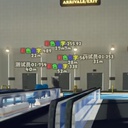
BetterPlayerDistance
A bilingual (English / 中文) player-label mod for PEAK with Hold / Toggle / AlwaysOn modes and tunable fonts, distances and opacity. 一款视角效果更好的,具有更多可自定义选项的能够快速定位你的队友的模组。
By AiAeT
| Date uploaded | a day ago |
| Version | 0.1.20 |
| Download link | AiAeT-BetterPlayerDistance-0.1.20.zip |
| Downloads | 1453 |
| Dependency string | AiAeT-BetterPlayerDistance-0.1.20 |
This mod requires the following mods to function

BepInEx-BepInExPack
BepInEx pack for Mono Unity games. Preconfigured and ready to use.
Preferred version: 5.4.2100README
BetterPlayerDistance.zh
A bilingual (English / 中文(交流qq群:1104320838)) BepInEx mod for PEAK — locate teammates with always-visible player labels and rich UI tuning.
English
A polished BepInEx mod for PEAK that overlays occlusion-free player labels and distance markers; locate teammates fast with three trigger modes (Hold / Toggle / AlwaysOn) and rich UI knobs.
📋 Features
- Three display modes
- Hold — press and hold the hotkey to show; labels linger for a moment after release
- Toggle — press once to show, press again or wait for the timer to hide
- AlwaysOn (v0.1.14+) — always-on by default, displays every in-game player; press the hotkey to manually hide / re-show; joiners and leavers are auto-managed
- Downed Pointer (v0.1.17+) — countdown label (face icon + percent/seconds) above downed players, plus a screen-edge indicator for off-screen downed/dead teammates; smooth fade in/out
- Downed/Dead display styles (v0.1.19+) — pick icon variants, kaomoji or plain text per state; colored outline ring with adjustable width; edge indicator text (name / percent / both)
- Dedicated UI layer: labels are never occluded by walls or objects
- Tunable durations, font sizes, min/max distance and global opacity
- Debug console summoned with Insert (spawn fake players, preview fonts, scan entities)
- Toggle duration supports 10–9999s; double-tap
Cto reset stuck labels
⚠️ Compatibility
No known conflicts, but do not run alongside other player-locator mods.
⚙️ Installation
- Install BepInEx.
- Drop
BetterPlayerDistance.dllintoBepInEx/plugins/. - Launch the game once to generate the config file.
🔧 Configuration
Config file: BepInEx/config/com.AiAe.betterplayerdistance.cfg.
Since v0.1.15 every section, key and description is bilingual ("中文 (English)") and grouped into three sections:
- 1. 基础 (Basic) — hotkey, display mode, toggle duration, hold-release linger
- 2. 界面 (UI) — show name/distance, distance clamps, font sizes, opacity
- 3. 调试 (Debug) — debug console toggle & key, TMP missing-glyph warning suppression
- 4. 昏迷指向 (Downed Pointer) — master switch, downed/dead display style (icons / kaomoji / plain text), kaomoji/text player-color tint, edge indicator switch & text mode (name / percent / both), label font size, label/edge icon sizes, ring width
Tip — use BepInEx.ConfigurationManager for live in-game tuning (F1).
⚠️ Upgrade Note (v0.1.13 → v0.1.15) Every config key now ends with
(English). The simplest fix is to delete*\PEAK\BepInEx\config\com.AiAe.betterplayerdistance.cfgand let the game regenerate it on next launch.
📞 Contact
Feedback & bug reports: [email protected]
中文
一款视角效果更好的,具有更多可自定义选项的能够快速定位你的队友的模组。
📋 功能
- 三种显示模式
- 按住 (Hold) — 按住快捷键显示,松手后保持一小段时间再关闭
- 切换 (Toggle) — 按一下显示,再按一下或倒计时结束后关闭
- 常显 (AlwaysOn) (v0.1.14+) — 默认全程显示当前在场所有玩家;按快捷键可手动隐藏 / 再次按下恢复;新加入 / 中途离开自动加上或移除标签
- 昏迷指向 (v0.1.17+) — 昏迷玩家头顶显示倒计时标签(表情图标 + 百分比/秒数),屏幕外昏迷/死亡队友在屏幕边缘显示指示器;支持平滑淡入淡出
- 昏迷/死亡显示样式 (v0.1.19+) — 图标 / 颜文字 / 纯文字任选;图标外围着色描边可调粗细;边缘指示器文字可选名称 / 百分比 / 名称+百分比
- 独立渲染层:标签不会被墙壁或物体遮挡
- 显示时长、字体大小、最大 / 最小显示距离、整体透明度均可自由调整
- Debug 模式内置 Insert 键呼出的调试控制台(生成假人、预览字体、扫描实体)
- Toggle 模式时长支持 10~9999 秒;若遇标签卡住可快速按两次
C重置
⚠️ 兼容性提示
目前没遇到兼容性问题,但不建议同时启用其他显示玩家位置的模组。
⚙️ 安装说明
- 确保你已经安装了 BepInEx。
- 将
BetterPlayerDistance.dll文件放入游戏的BepInEx/plugins/文件夹中。 - 运行一次游戏以生成配置文件。
🔧 配置
配置文件位于 BepInEx/config/com.AiAe.betterplayerdistance.cfg。
自 v0.1.15 起,所有 section / key / description 均已改为「中文 (English)」格式,按用途分三栏:
- 1. 基础 (Basic) — 快捷键、显示模式、切换显示时长、松手保持时长
- 2. 界面 (UI) — 是否显示名称 / 距离、最大 / 最小显示距离、名字字号、距离字号、整体透明度
- 3. 调试 (Debug) — 调试控制台开关与呼出键、TMP 缺字警告抑制
- 4. 昏迷指向 (Downed Pointer) — 总开关、昏迷/死亡显示样式(图标/颜文字/纯文字)、颜文字玩家肤色着色、边缘指示器开关与文字内容(名称/百分比/名称+百分比)、昏迷标签字号、标签/指示器图标大小、描边粗细
推荐配合 BepInEx.ConfigurationManager 在游戏内(F1)实时调整。
⚠️ 升级提示(v0.1.13 → v0.1.15) 所有 key 名追加
(English),建议删除*\PEAK\BepInEx\config\com.AiAe.betterplayerdistance.cfg让游戏重新生成。
📞 联系作者
反馈 Bug 或建议QQ群:1104320838
CHANGELOG
Changelog
v1.0.5
中文
- 修复远处凭空多出一个
Bot Character距离标签的问题。本体把机器人角色的物体名从Bot改成了Bot Character,模组原先靠名字字符串过滤机器人,改名后过滤失效,机器人被当成队友挂上了标签。现在改用角色自身的isBot标记判断,不再受本体改名影响。 - 同样原因修复昏迷/死亡标记:机器人不再参与昏迷指向与屏幕边缘指示器。
- 顺带修掉一个潜在误伤:旧的名字匹配是「包含 Bot」,昵称里带 bot 的真人玩家(例如
Robot)会被误判成机器人而不显示标记,现在不会了。
English
- Fixed a phantom
Bot Characterdistance label appearing in the distance. The base game renamed the bot character's GameObject fromBottoBot Character; the mod filtered bots by that name string, so the filter silently stopped matching and bots got labelled like teammates. Bot detection now uses the character's ownisBotflag and no longer depends on the base game's naming. - Same fix applied to downed/dead markers: bots no longer appear in the downed pointer or screen-edge indicators.
- Also fixed a latent false positive: the old check was a substring match on "Bot", so real players whose nickname contained
bot(e.g.Robot) were treated as bots and got no markers. They now display correctly.
v1.0.0 → v1.0.4
中文
- 修复昏迷/死亡标记在被背负、死亡或切换旁观视角后显示异常的问题;死亡标记现在会固定在实际死亡位置,不再跳到鬼魂位置。
- 新增“死亡标记持续时间”设置,默认 10 秒,可调整为 0–60 秒。
- 优化昏迷进度和剩余时间显示,能够正确反映主动放弃、无人存活加速以及被背负暂停等状态。
- 修复网络延迟、丢包或松开 E 后进度条先超过实际进度、随后回弹或倒退的问题。
- 增加玩家颜色文字描边,并完善中英文状态文字、设置说明和调试功能。
现在这个模组功能已经基本齐全,我想以后应该不会再有大规模更新了,如果出现问题,请加群鞭策群主:1104320838 与
BetterReviveOrTeleport的通信格式保持不变,兼容性不受影响。
English
- Fixed downed/dead markers behaving incorrectly while being carried, after death, or when switching to spectator cameras. Dead markers now remain at the actual death location instead of moving to the ghost.
- Added a configurable Dead Marker Duration setting. The default is 10 seconds, with a range of 0–60 seconds.
- Improved downed progress and remaining-time display to correctly handle giving up, accelerated countdowns when nobody is alive, and freezing while being carried.
- Fixed progress overshooting, jumping back, or moving backwards after releasing E, during packet loss, or under network latency.
- Added optional player-colored text outlines and improved bilingual status text, settings descriptions, and debugging tools.
Currently, the functions of this module are basically complete. I believe there won't be any major updates in the future. If you encounter any problems, please contact [email protected]. The communication format with
BetterReviveOrTeleportremains unchanged, so compatibility is preserved.
v0.1.20
中文
- 为昏迷/死亡玩家添加更清晰的边缘指示器与状态标记
- 昏迷/死亡状态可自由选择 图标、颜文字或纯文字 显示
- 新增多款昏迷与死亡颜文字样式
- 图标支持玩家颜色描边,并可调整描边粗细
- 边缘指示器可显示 名称、百分比或名称+百分比
- 优化屏幕边缘文字显示、测试假人名称与图标对齐
English
- Added clearer edge indicators and status markers for downed/dead players
- Downed/dead status can now use icons, kaomoji, or plain text
- Added several new downed/dead kaomoji styles
- Icons now support player-colored outlines with adjustable ring width
- Edge indicators can show name, percent, or name + percent
- Improved edge text placement, test dummy names, and icon alignment
v0.1.17
English
- New "Downed Pointer" feature: a countdown label (face icon + percent/seconds) above downed players, and a screen-edge indicator for off-screen downed/dead players
- Performance: no more per-frame scene scans; UI objects are created lazily and per-frame allocations removed
中文
- 新增「昏迷指向」功能:昏迷玩家头顶显示倒计时标签(表情图标 + 百分比/秒数),屏幕外昏迷/死亡玩家在屏幕边缘显示指示器
- 性能优化:不再每帧全场景扫描角色;UI 对象按需延迟创建,并消除每帧 GC 分配
v0.1.16
English
- AlwaysOn mode now responds to the hotkey (C): press to hide labels, press again to restore — no longer completely ignores the key
- Config description updated: hotkey now explicitly works in all three modes
中文
- 常显 (AlwaysOn) 模式现在支持按快捷键 (C) 手动隐藏 / 再次按下恢复——不再完全忽略按键
- 配置描述更新:快捷键在三种模式下均可使用
v0.1.15
English
- Full bilingualization: every section / key / description now uses "中文 (English)"; debug-console GUI uses "中文 / English"
- Sections renamed bilingually:
1. 基础 (Basic)/2. 界面 (UI)/3. 调试 (Debug) - Old-config compatibility: every key was renamed and old entries become orphans — the easiest fix is to delete the old cfg and let the game regenerate it
- Enum values (Hold / Toggle / AlwaysOn) are unchanged; TriggerMode is rewritten with its default under the new key — just re-select your preferred mode
中文
- 全面双语化:所有 section / key / description 改为「中文 (English)」格式;调试控制台 GUI 改为「中文 / English」格式
- 三栏命名同步双语:
1. 基础 (Basic)/2. 界面 (UI)/3. 调试 (Debug) - 旧 cfg 兼容:本次 key 名全部改名,旧条目将变孤立值,建议删除旧版 cfg 让游戏重新生成
- 枚举值(Hold / Toggle / AlwaysOn)保持原名,显示模式 TriggerMode 配置在新 key 中仍按默认值设定(重新改一下就行)
v0.1.14
English
- Added "AlwaysOn" display mode: ignores the hotkey and always shows every in-game player; joiners/leavers are auto-managed
- Reorganized config into three sections (
1. 基础/2. UI/3. 调试) for easier browsing in BepInEx Configuration Manager - Debug console displays the active mode name (Hold / Toggle / AlwaysOn)
中文
- 新增「常显 (AlwaysOn)」显示模式:忽略按键,全程显示当前在场玩家;新加入 / 中途离开自动维护标签
- 配置选项重整为三栏:
1. 基础/2. UI/3. 调试,便于在 BepInEx Configuration Manager 中分类查找 - 调试控制台显示当前模式名(Hold / Toggle / AlwaysOn)
v0.1.13
English
- Fixed labels not vanishing instantly during rapid camera turns (appeared as ghosts)
中文
- 修复快速转镜头标签没有立刻消失的问题(看着像残影)
v0.1.6
English
- Added colored-name support
中文
- 增加了对彩色名的支持
v0.1.5
English
- Beta release
中文
- Beta 版本发布
