
You are viewing a potentially older version of this package.
View all versions.
| Date uploaded | 9 months ago |
| Version | 1.3.0 |
| Download link | AtomicStudio-Green_Screen-1.3.0.zip |
| Downloads | 1137 |
| Dependency string | AtomicStudio-Green_Screen-1.3.0 |
This mod requires the following mods to function

BepInEx-BepInExPack_PEAK
BepInEx pack for PEAK. Preconfigured and ready to use.
Preferred version: 5.4.75301README
What does the mod do?
NOTE: For easy configuration please use ModConfig, you can edit values in game!
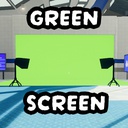
This mod adds a green screen to the game into the Airport scene! Includes 10 configs to change the color values (RGB 0-255) of the green screen and currently replaces the area where the scoutmaster is hiding. It is recommended you get a freecam mod aswell as then you are able to get images of your character using it.
The 10 configs are as follows:
General
- ColorR (Default: 0)
- ColorG (Default: 255)
- ColorB (Default: 0)
- SunLighting (Default: True/On)
Front Left Light
- FL Intensity (Default: 1.0f)
- FL SpotAngle (Default: 120f)
- FL Light Active (Default: True/On)
Front Right Light
- FR Intensity (Default: 1.0f)
- FR SpotAngle (Default: 120f)
- FR Light Active (Default: True/On)
Support & Feedback
If you need any help, or need to report some feedback or any bugs you can join the PEAK Modding Server and just ping me! @atomictyler
Don't feel afraid to ping me because I'm the server owner, I want you to (Yes this has happened)
CHANGELOG
v1.4.1 - Bug fix
- New config to temp disable the festive decorations
- Fixed the green screen not showing
v1.4.0 - Mod Support
This mod now supports Airport Remixed
v1.3.0 - Update
- Big config changes! (Total of 10 configs)
- You can choose if the sun is active, good for clean lighting
- The R G B values are now clamped, no more really bright green screens
- The front left and front right lights can now be easily configured (WITH MODCONFIG!)
v1.2.0 - Update
- Added new lights!
- Added a config to customize light intensity.
- Plans to make this an ingame UI per light.
v1.1.0 - Update
- Added a config to customize the color.
v1.0.0 - Release
- Release!
- 1 Config to change to a blue screen.
