

PeakWorkshop
36 game modes for PEAK with your friends: Battle Royale, Bomb Defusal, Prop Hunt, Gun Game, Mountain Football and more. Lobbies, teams, NPC bosses, an in-game Workshop and map editor. Vanilla PEAK stays untouched.
| Date uploaded | 4 days ago |
| Version | 0.3.0 |
| Download link | PeakCode-PeakWorkshop-0.3.0.zip |
| Downloads | 474 |
| Dependency string | PeakCode-PeakWorkshop-0.3.0 |
This mod requires the following mods to function

BepInEx-BepInExPack_PEAK
BepInEx pack for PEAK. Preconfigured and ready to use.
Preferred version: 5.4.75301README
Peak Workshop
Custom maps and game modes for PEAK - made to play with friends.
Host a lobby, pick a map from the in-game Workshop and play one of 36 game modes with your friends: Battle royale with a parachute drop, Bomb defusal, Prop hunt, Gun game, Capture the flag, Mountain football, King of the Hill on a 600 m mountain - or story adventures with talking NPCs and boss fights. And when you have seen it all: build your own map right inside the game and share it with one click.
Normal PEAK stays exactly as it is. Peak Workshop lives behind its own sign in the main menu.
▶ Watch the trailer on YouTube
Play together
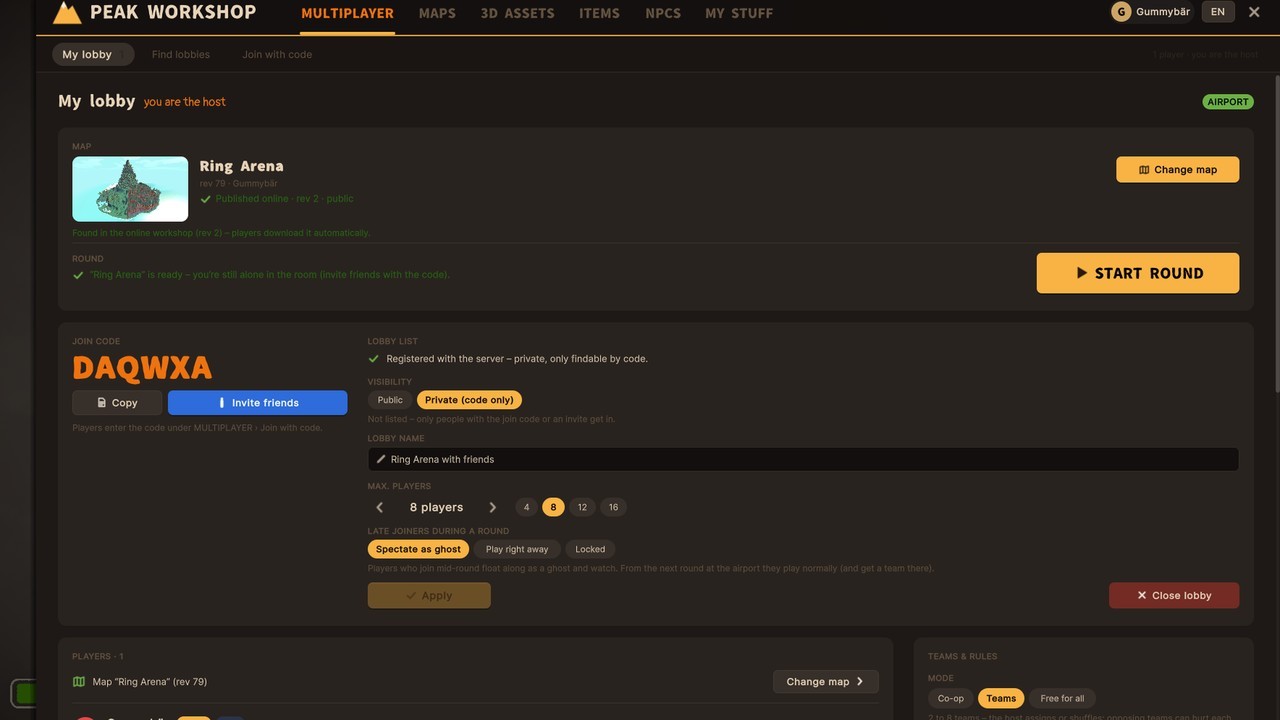

Lobby browser (example)
- Real lobbies for up to 16 players: browse open lobbies with map preview, mode and player count, or join a private one with its join code.
- Teams - the host sorts players by hand or shuffles them randomly. Friendly fire on or off.
- Shared start - everyone loads the map, then a countdown starts the round for all at once.
- Late joiners can watch as a ghost or jump right in - the host decides.
- Friends get the map automatically when they join. No hunting for files.
- Host tools: kick and ban, change lobby settings mid-round with F6.
- Text chat in the lobby and during the round - press Enter,
/tfor your team only.
Game modes built into the maps
36 game modes. Every map brings its own - the host just presses start. The lobby shows the mode with its rules, and whatever the map leaves open, the host can tweak.
- Battle - Last one standing, Deathmatch, Gun game, Skywars, Kill confirmed, a Shove arena where you can only push, and Battle royale with a shrinking zone and the game's parachute drop.
- Tactical rounds - Bomb defusal at site A or B, Hostage rescue and 1v1 / 2v2 Duel arenas. Buy phase, money, buy counters, side swaps and round wins.
- Zones - King of the Hill (also with a hill that moves), Domination, Summit assault, Summit flag, Capture the flag and Treasure run.
- Race - Obstacle race and Summit race with a shared start, checkpoints and real placings.
- Roles - Hunters, Infection, Hide and seek, Tag, VIP escape and Prop hunt: turn into a crate, barrel or bench of the map, honk to tease the seekers, and watch yourself in third person.
- Party - Flood, Crumbling floor, Hang on, Rockfall, Hot potato and Mountain football with a real ball and the game's own kick.
- Co-op - classic Ascent (all the way to the Nadir if the map wants), Zombie survival, Defense, Escort, Rescue and Scenarios with your own goals.
- Real guns for the shooters: magazines, reload, full-auto, shotguns, scopes and headshots.
- Kill feed, scoreboard on Left Alt, lives and respawns, spectator areas for players who are out, and mutators like Downed or Kick.
- Shows: queue up to 12 maps from the map browser and play them back to back - a countdown at the airport shows the next map, and with "Count wins" the top three are crowned at the end.
Adventures with NPCs, quests and bosses
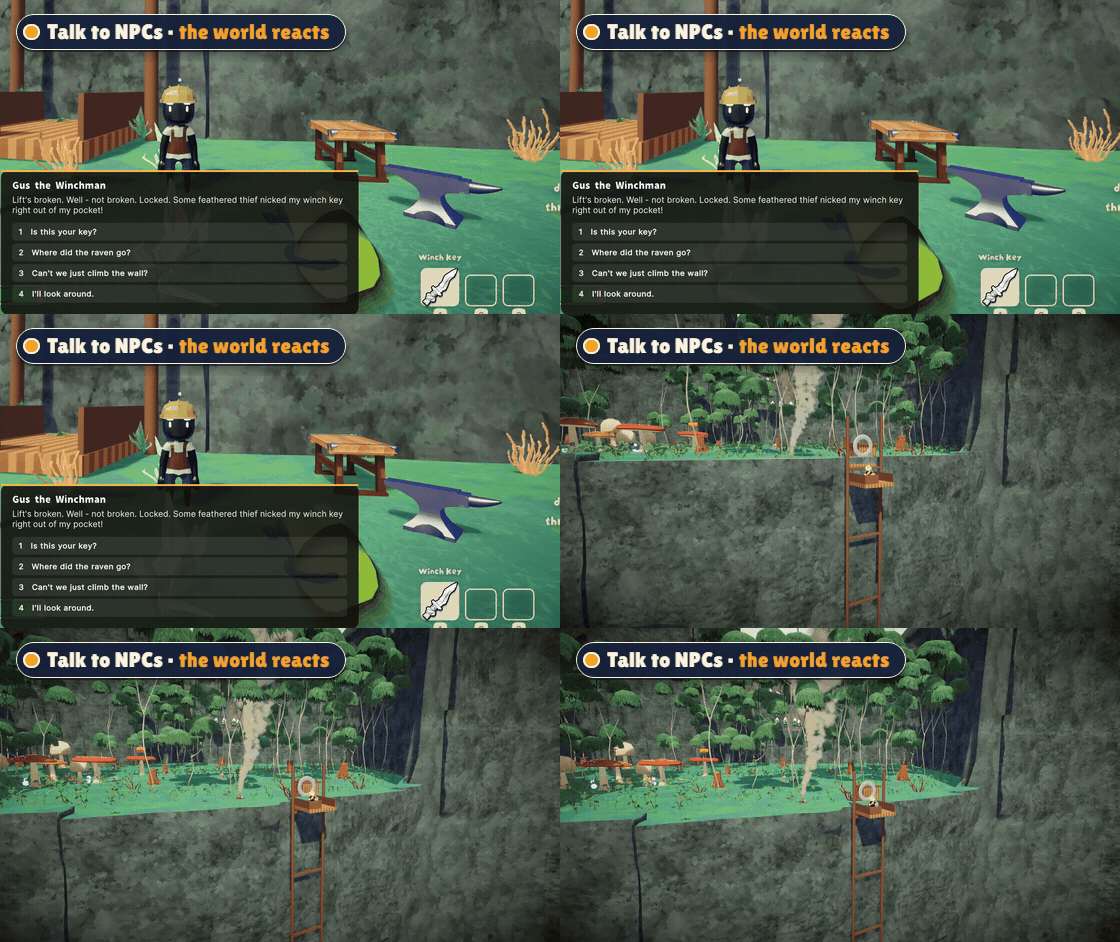
- Talk to NPCs and pick your answers - trade items, take on quests, get gifts.
- Your choices change the world: a lift starts running, a ladder drops down, a bridge appears.
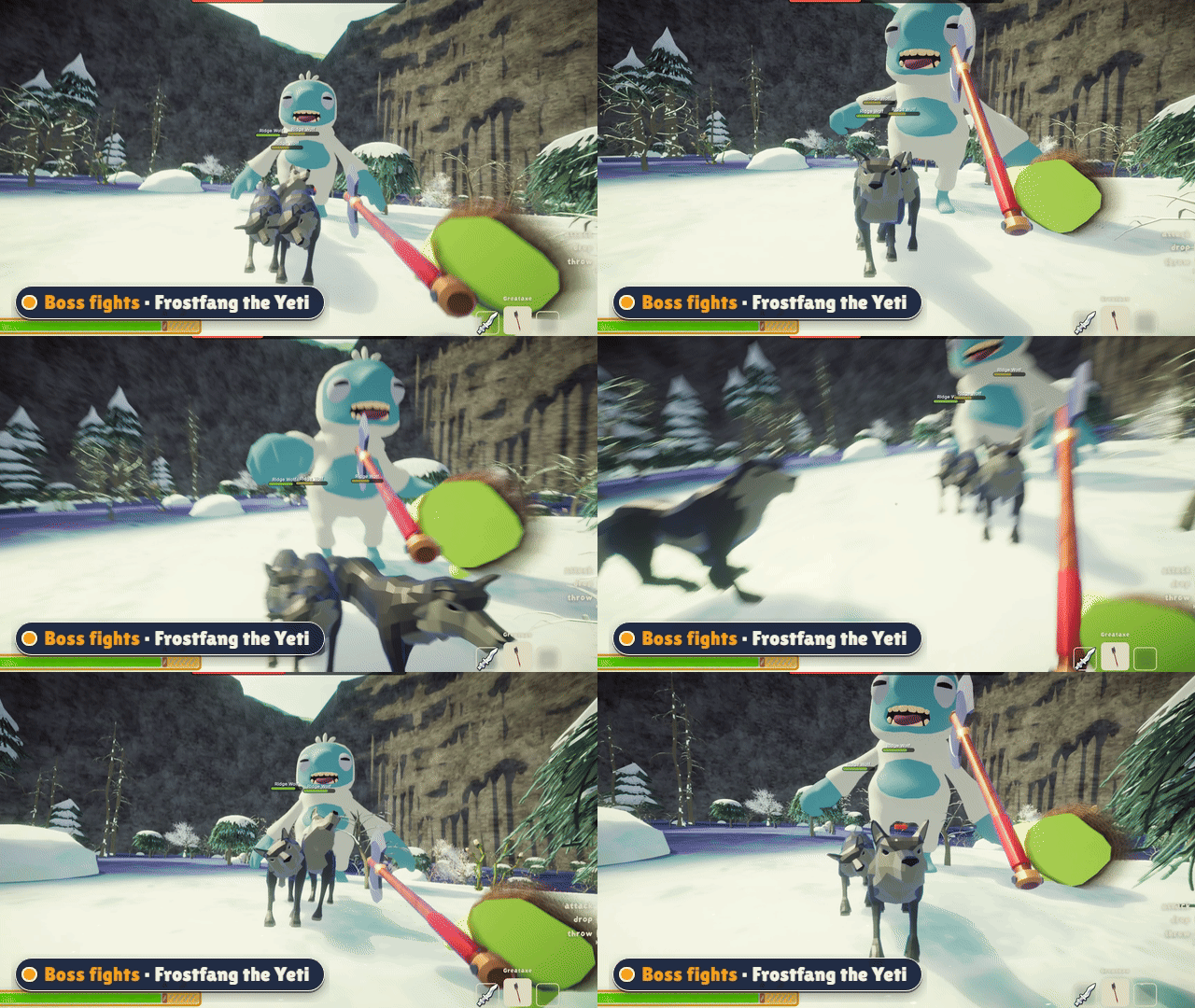
- Boss fights with a health bar, rage phases and helpers that join the fight.
- Pets that follow you around, enemies that guard their turf, loot drops.
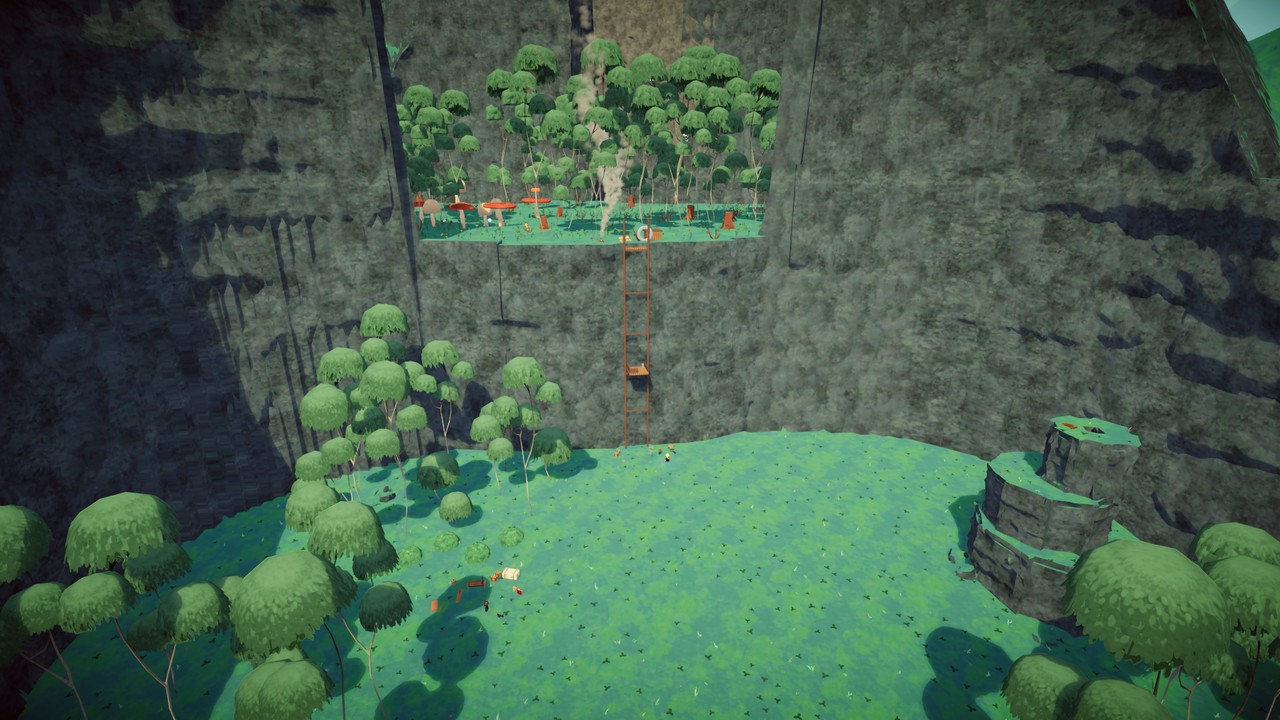
- Try Crashfall Valley, a story adventure for 1-4 scouts.
The in-game Workshop
Like the Steam Workshop - but inside PEAK.
- Maps, 3D assets, items and NPC packs in one place, sorted into categories.
- Rate, subscribe, download with one click. Update badges tell you when a creator improved something.
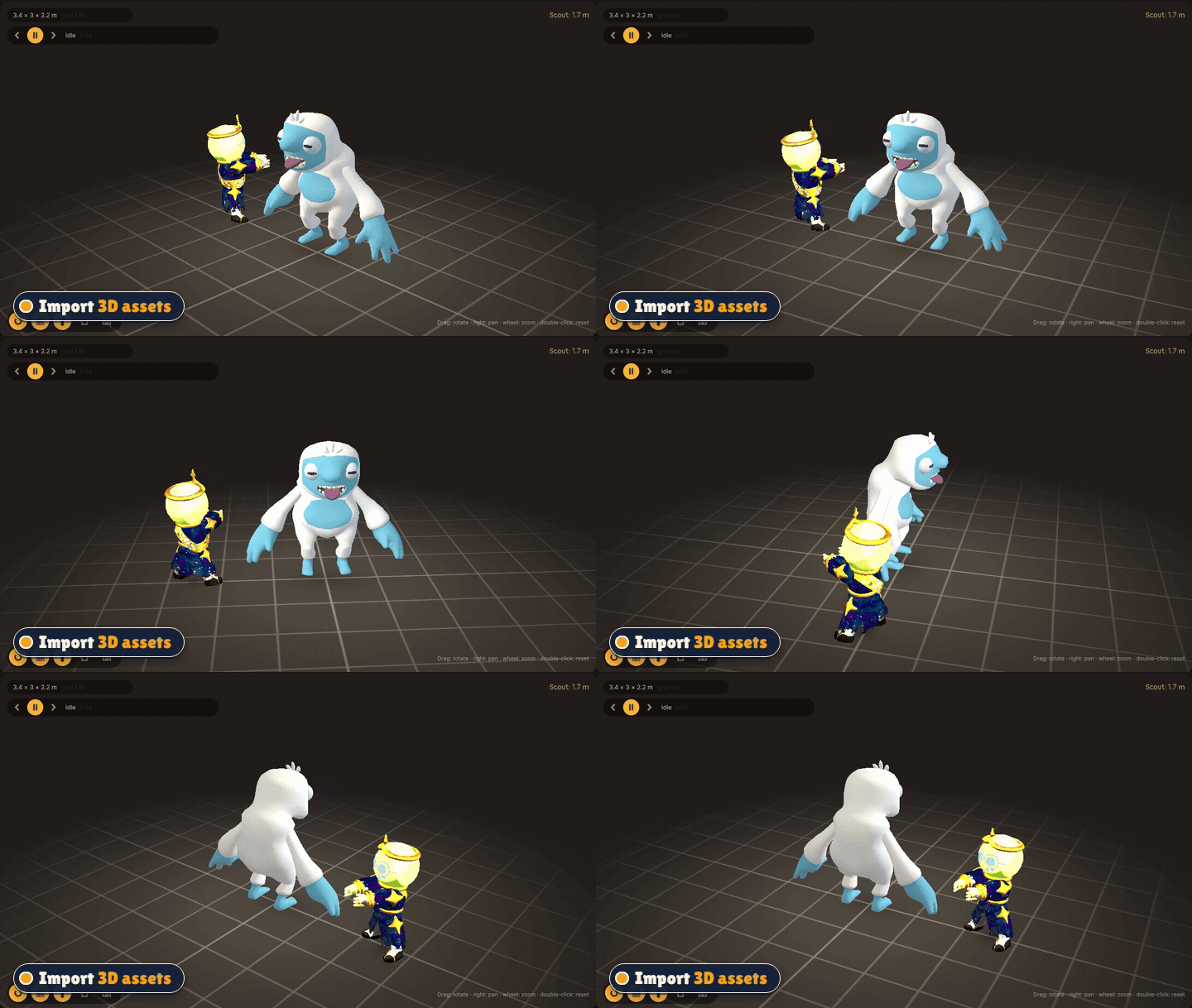
- 3D viewer - spin and zoom any model before you use it.
- Publish your own creations public or private. Private content stays out of every list, but your lobby can still play it.
Build it yourself
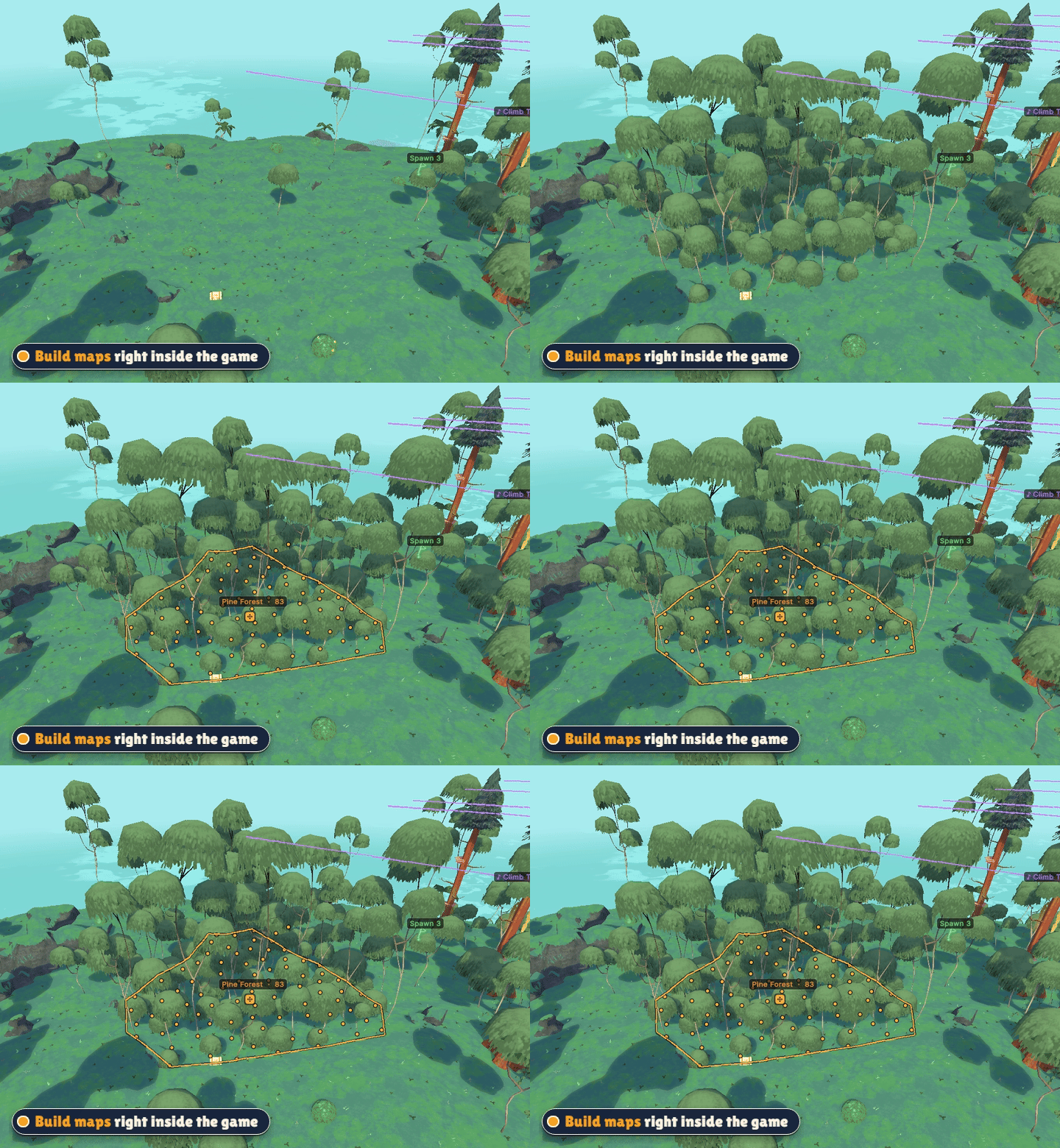
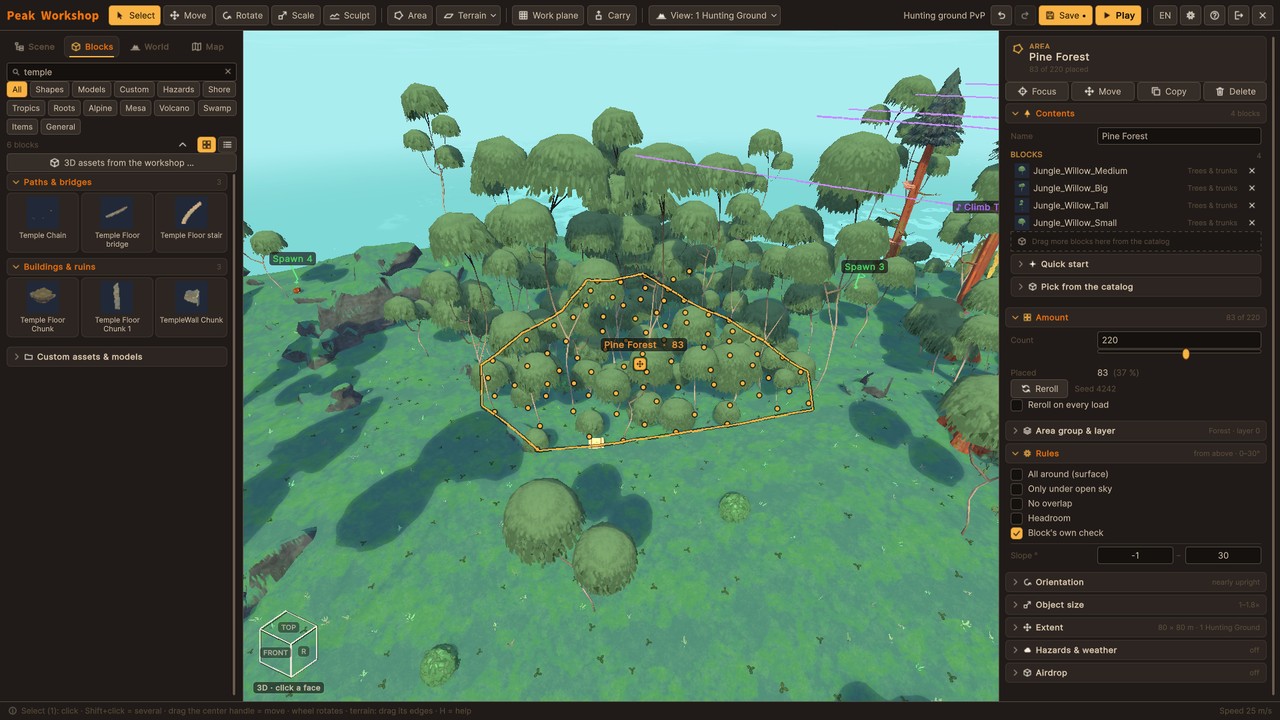
- A full map editor inside the game - no Unity, no extra tools.
- Draw an area, fill it with a forest (or palms, ruins, flowers ...) in one step.
- Sculpt terrain, place hundreds of original PEAK blocks or your own 3D models.
- Moving platforms, traps and hazards, ball throwers, custom skies and music zones.
- Water and lava: lakes to swim and dive in, rising floods, rivers and lava streams that find their own way downhill, burning rocks and shaky rocks that tumble down.
- Caves and real light: carve caves and tunnels into rock, get baked lighting with dark caves and real nights, hand out flashlights and lanterns.
- Pick a game mode for your map - a checklist shows what it still needs, one click places the missing zone or spawn.
- Spawn points, goals and loot - then press P to test your map on the spot.
Create your own items and NPCs
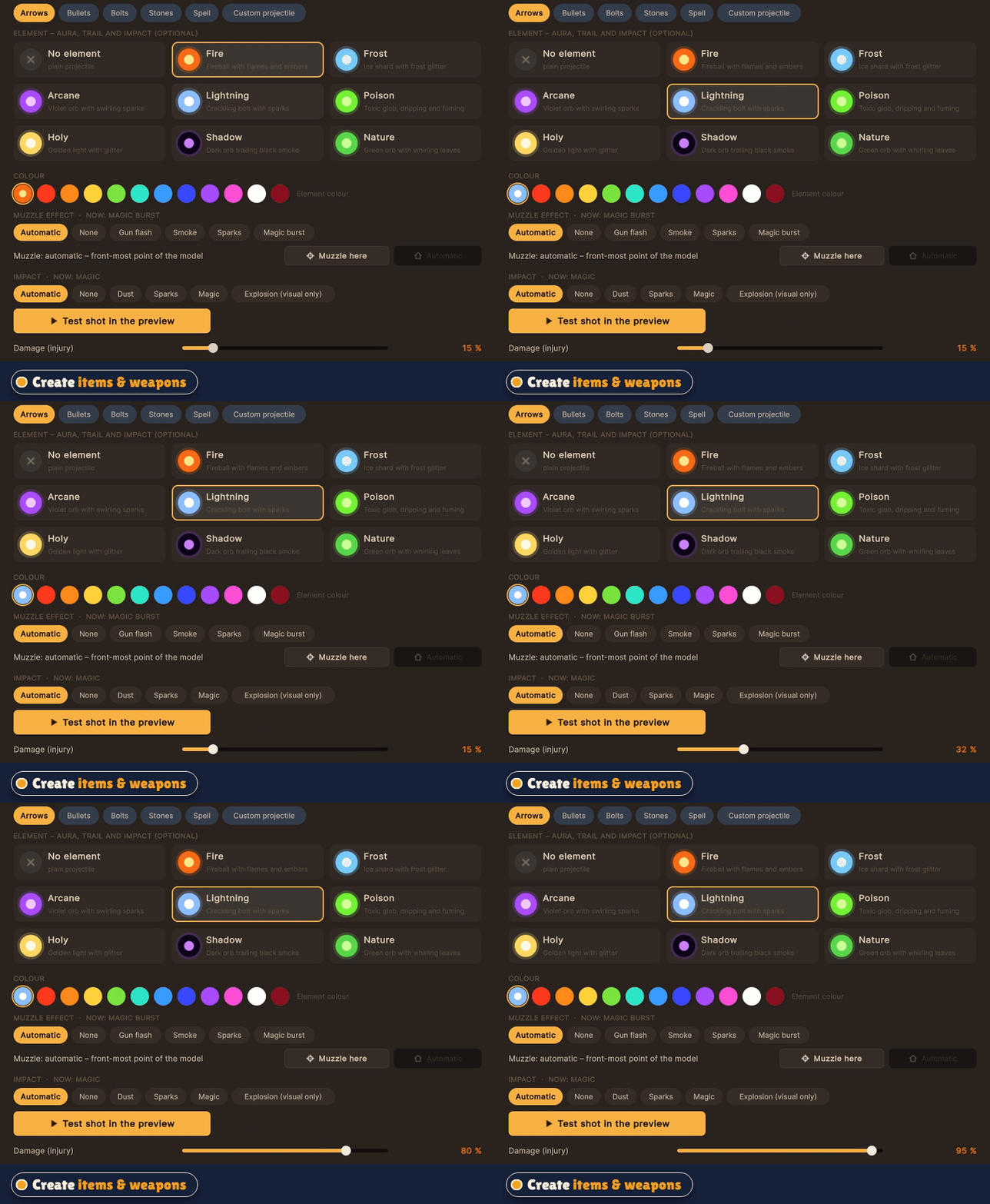
- Turn any 3D model into a real PEAK item: food, heals, melee weapons, guns with projectiles and recoil, throwables, spells.
- Tune damage, knockback, ammo and effects, set where it sits in the hand and test-fire in the preview.
- Build NPCs: pick an animated figure, choose a role (talker, guard, fighter, shooter, boss, pet), write their dialogue.
Vanilla stays untouched
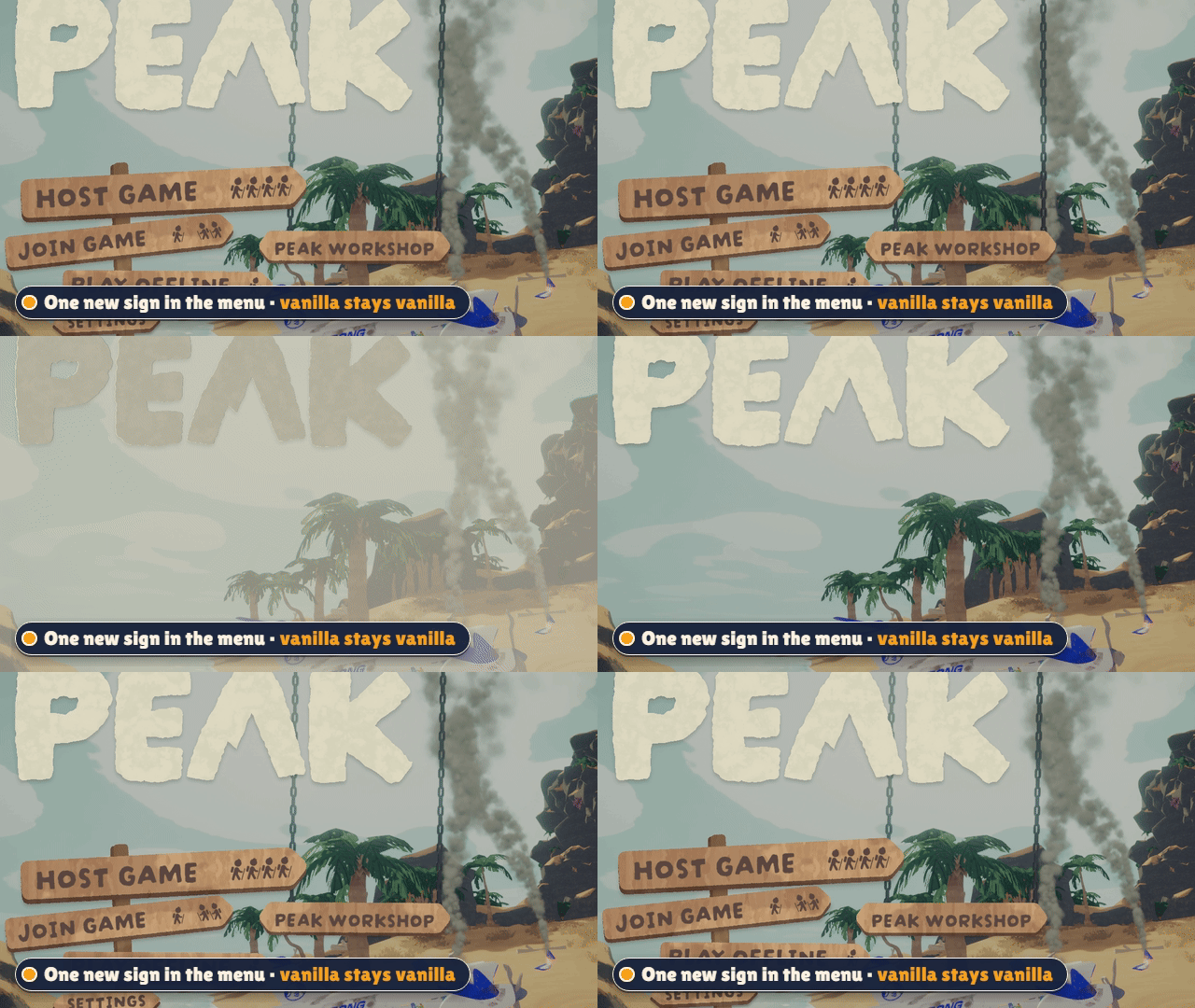
Host Game and Play Offline work exactly like before. Peak Workshop only starts when you use its own sign that hangs on chains in the main menu. Mod lobbies run in their own rooms, so vanilla players never land in a modded game by accident.
Is the sign in the way of another mod's menu? Hold Ctrl and drag it wherever you like - the chains follow. Ctrl + right click puts it back.
Screenshots
 |
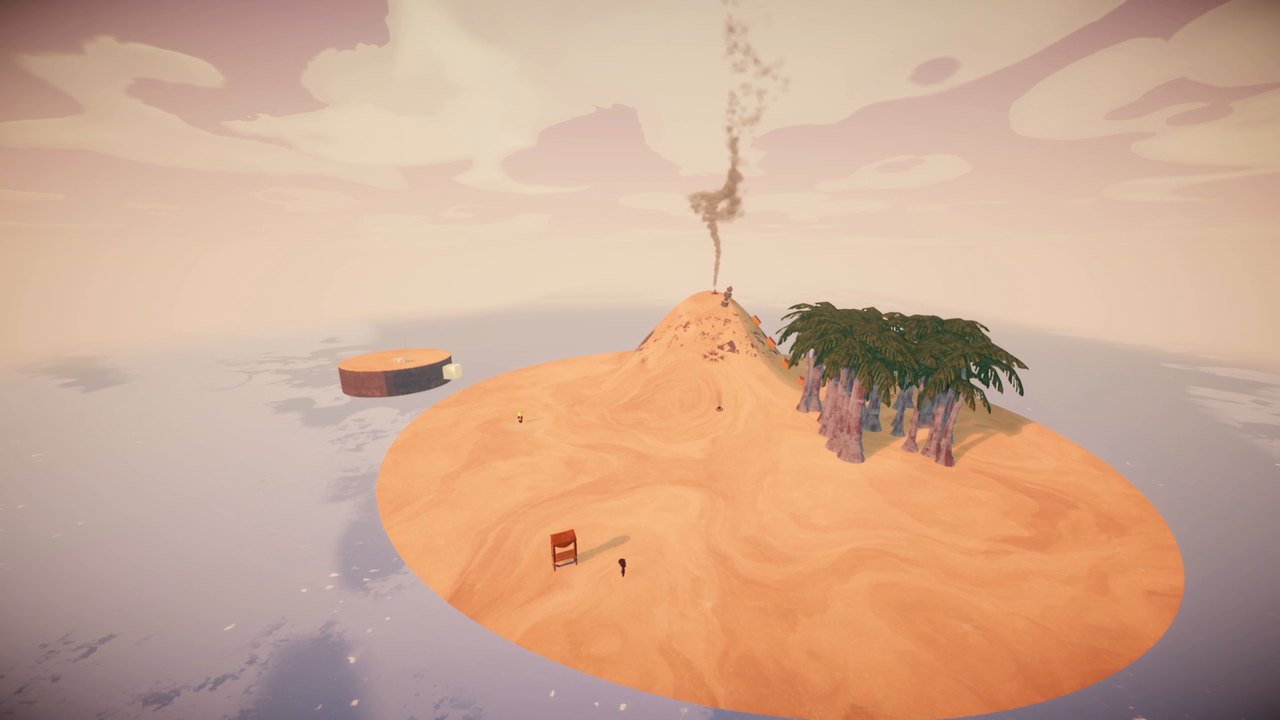 |
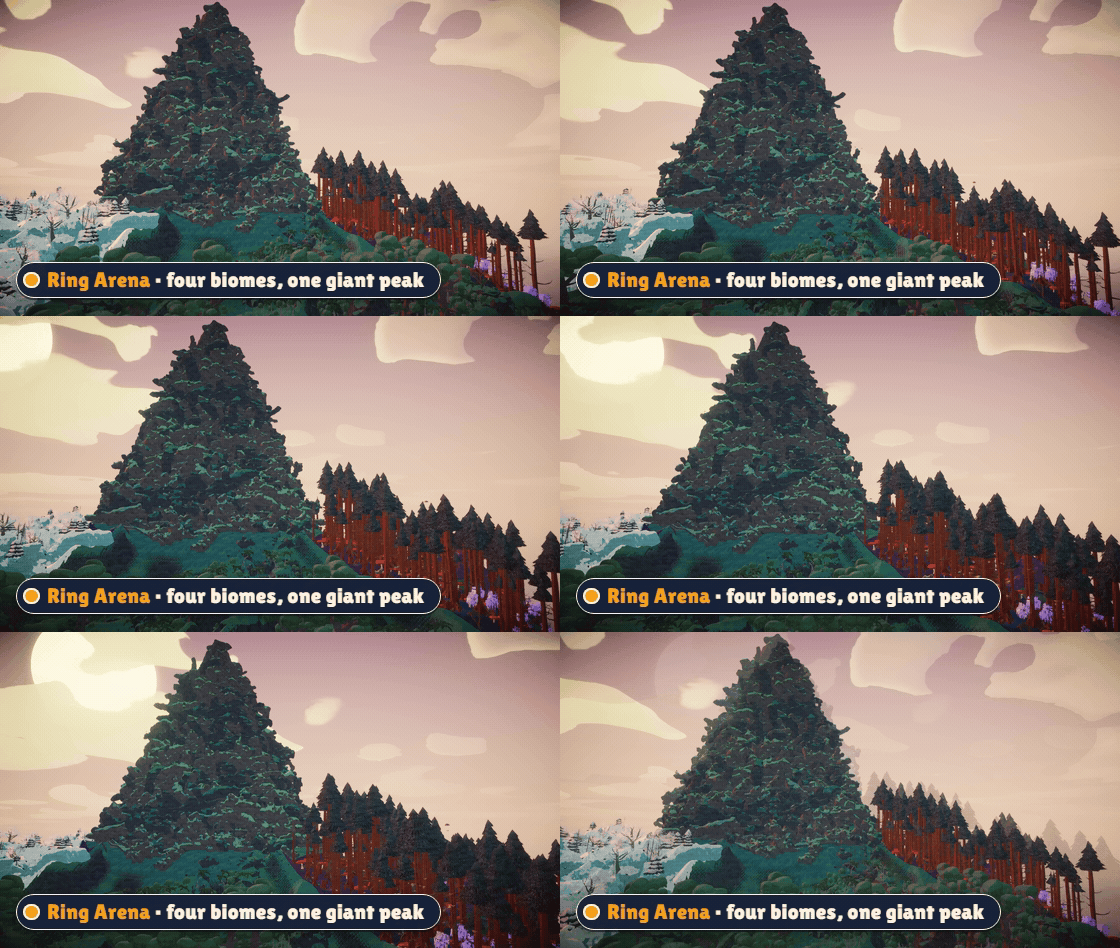
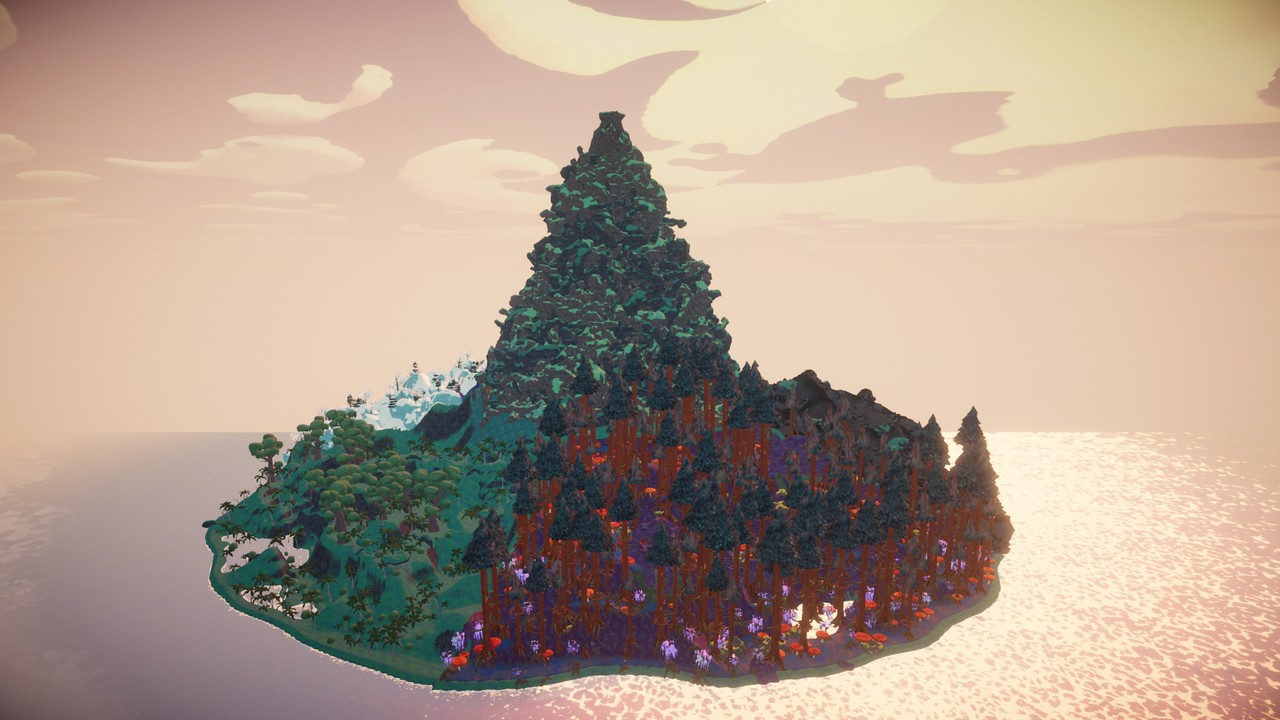
| Ring Arena - four biomes, one giant mountain | A small island built from scratch in the editor |
|
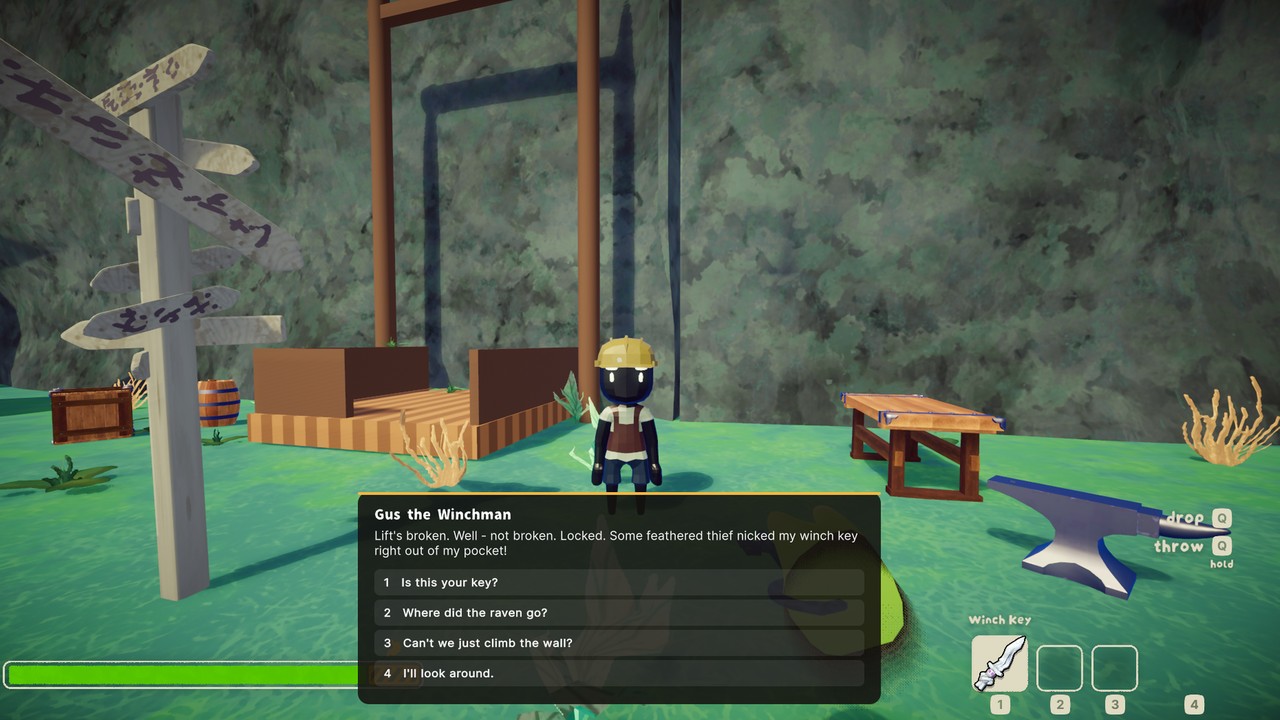 |
| Host a lobby, share the join code, start the round | Talk to NPCs - your answers change the world |
 |
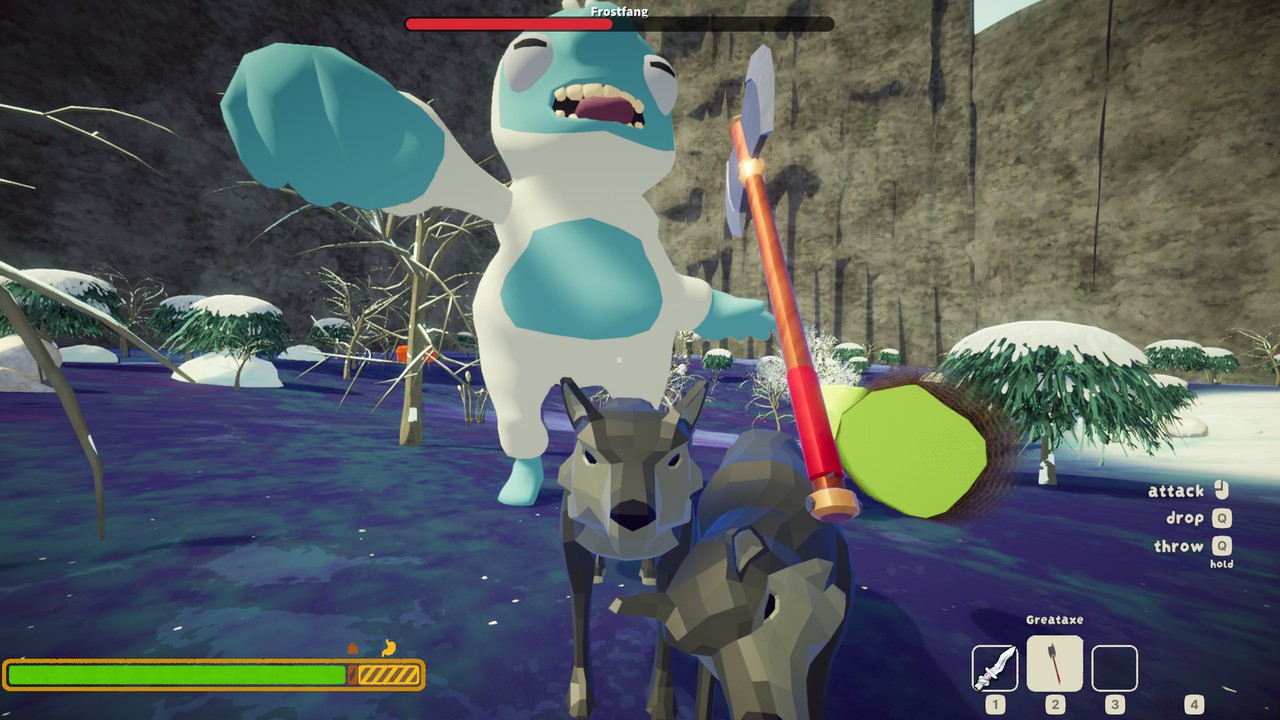 |
| Crashfall Valley - a story adventure | Boss fights like Frostfang the Yeti |
 |
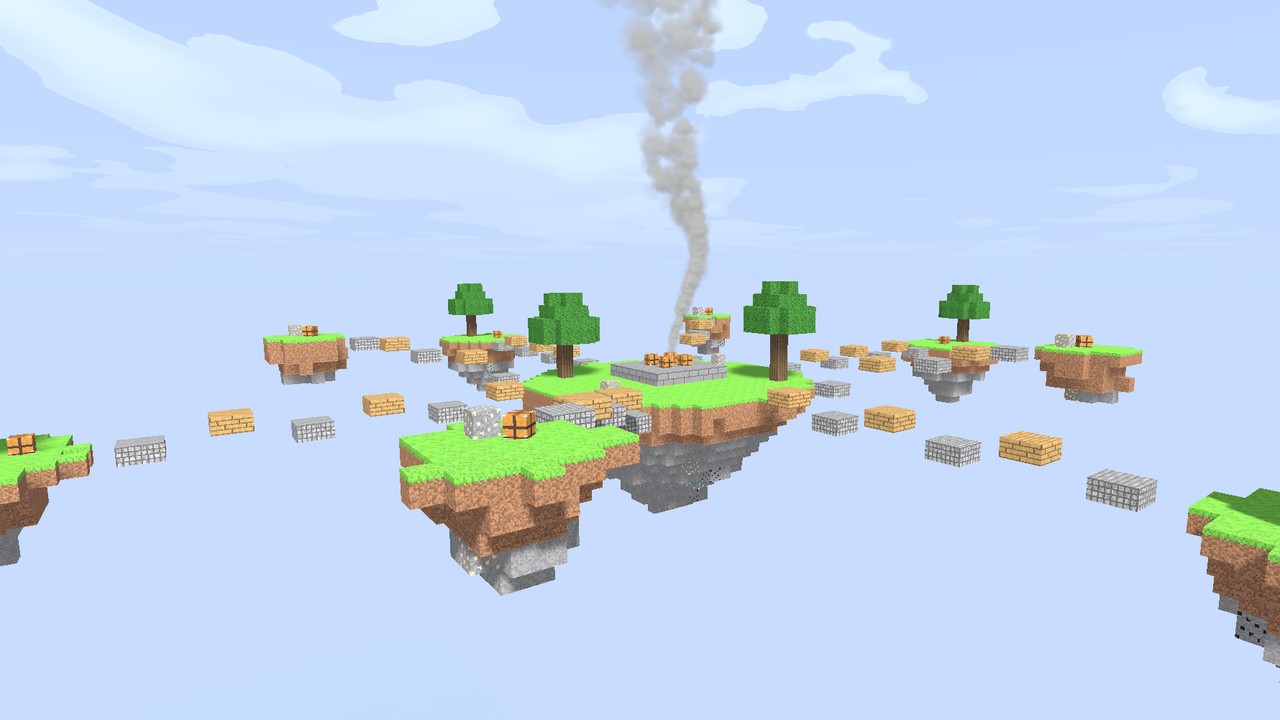 |
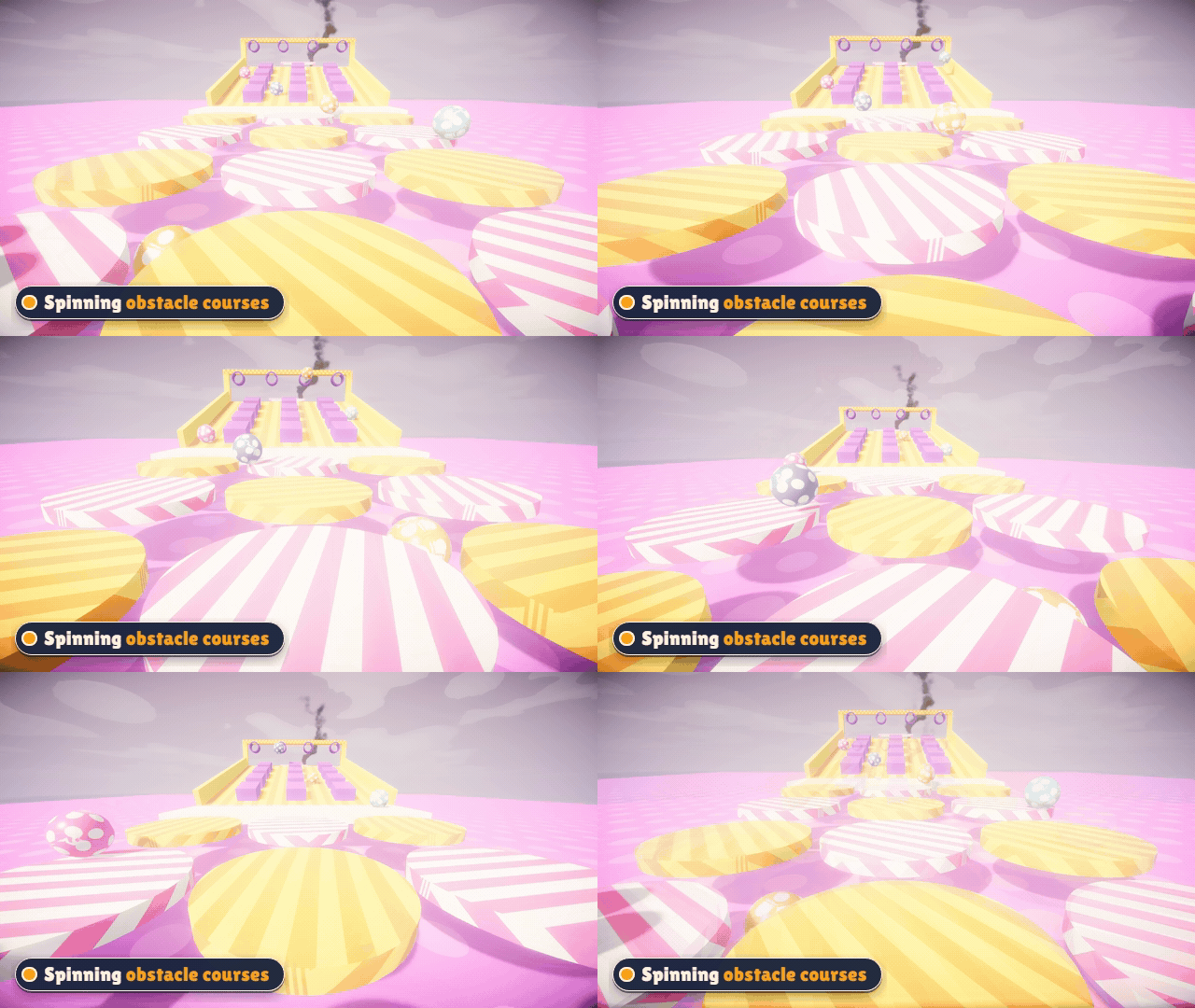
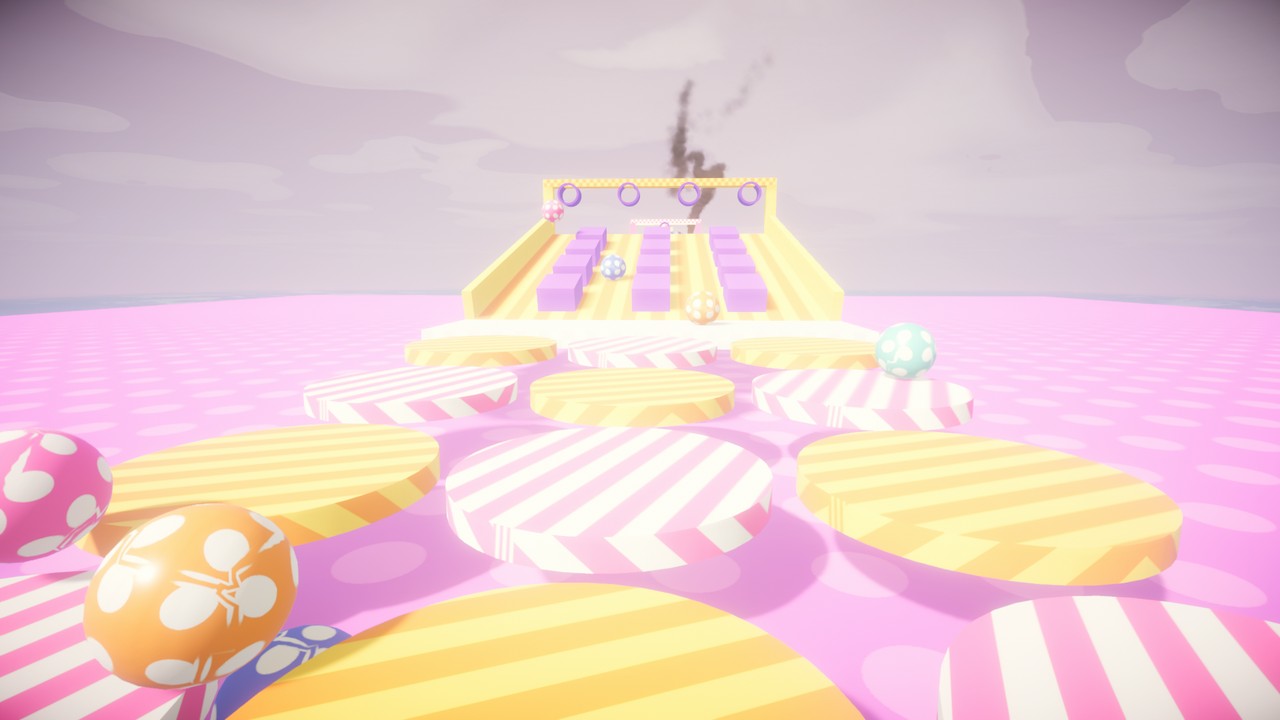
| Spinning, rolling obstacle courses | Sky islands - don't look down |
 |
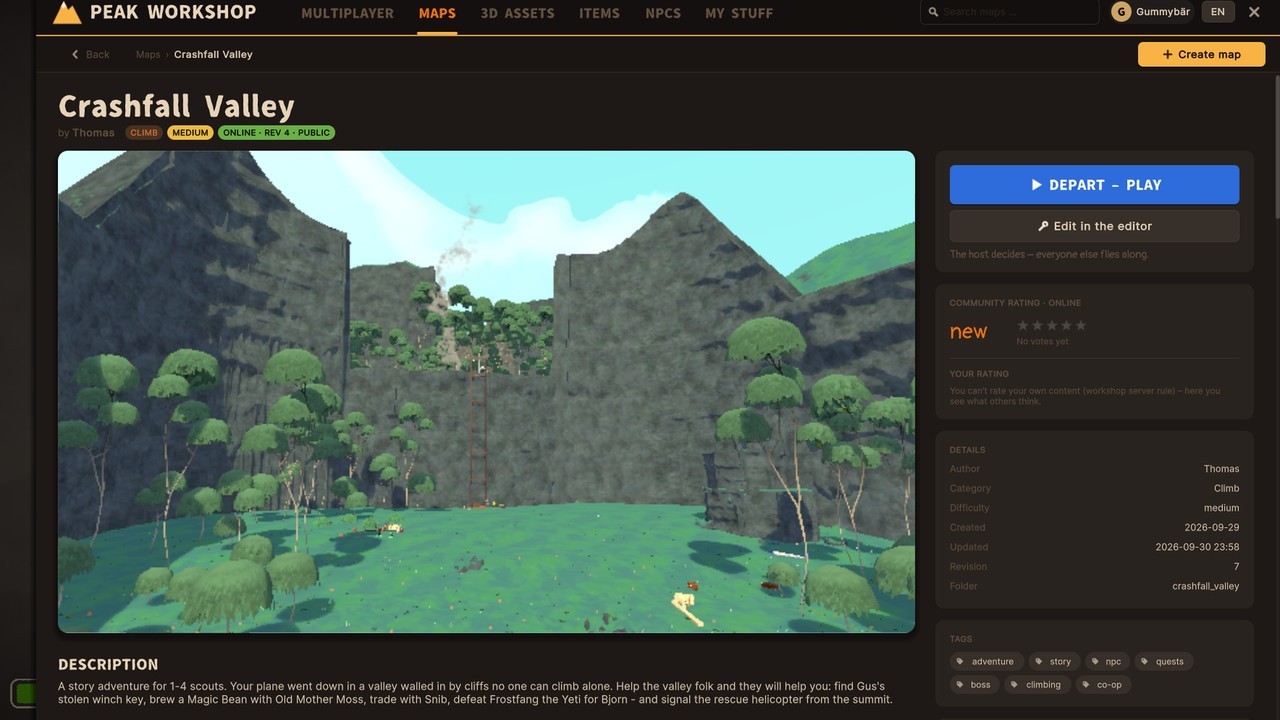 |
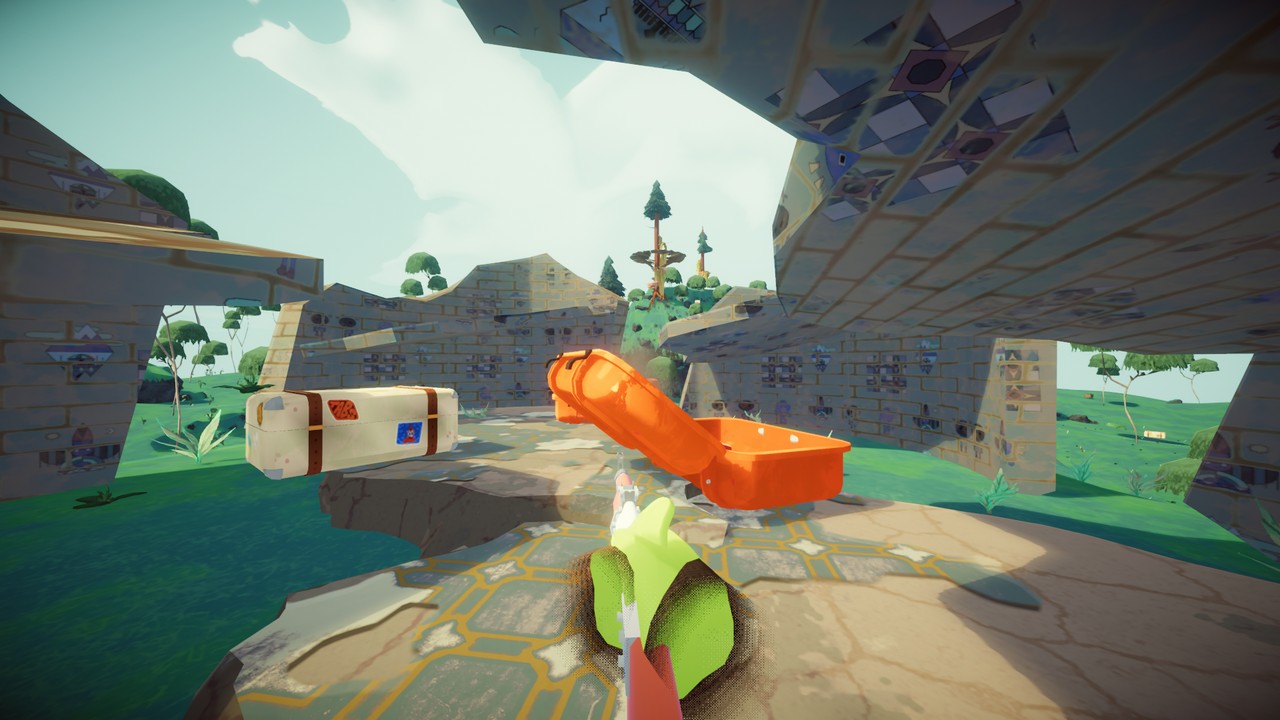
| Loot the suitcases - free-for-all PvP | Browse and download maps in-game |
 |
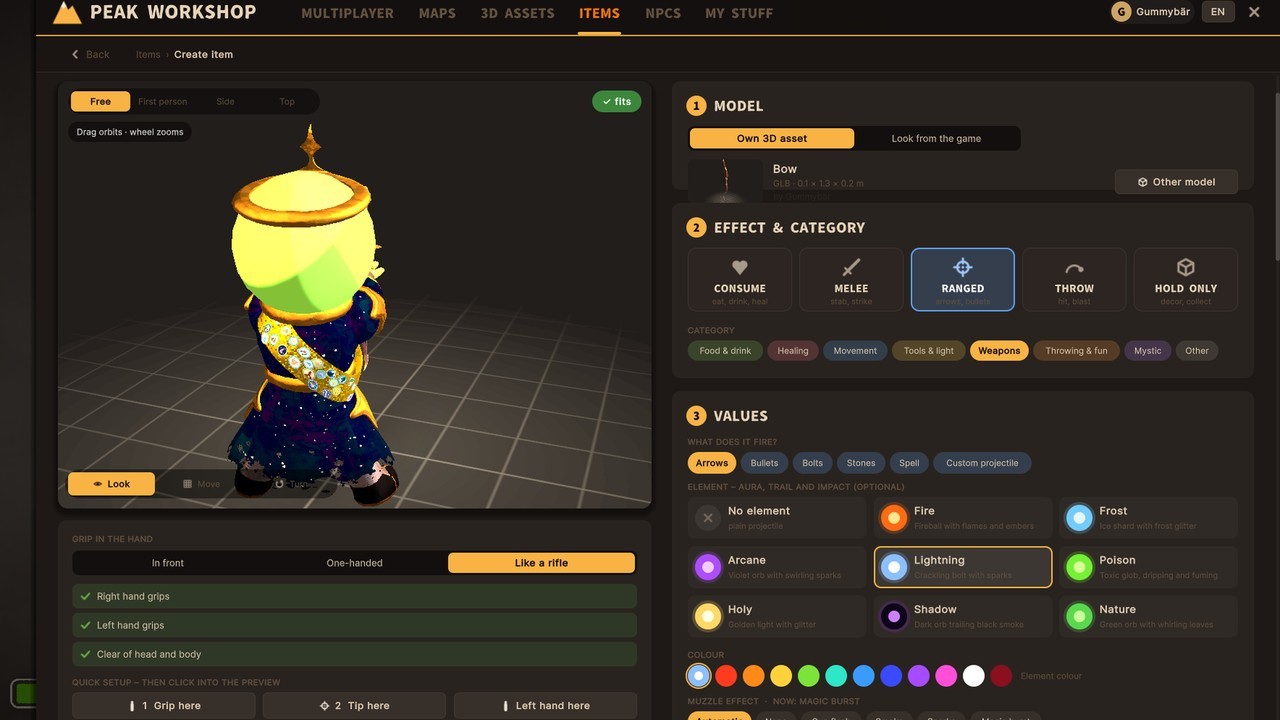 |
| Build your own maps inside the game | Create your own items and weapons |
Video tutorials
New to building? These step-by-step videos take you from your first imported 3D model to a finished map.
 |
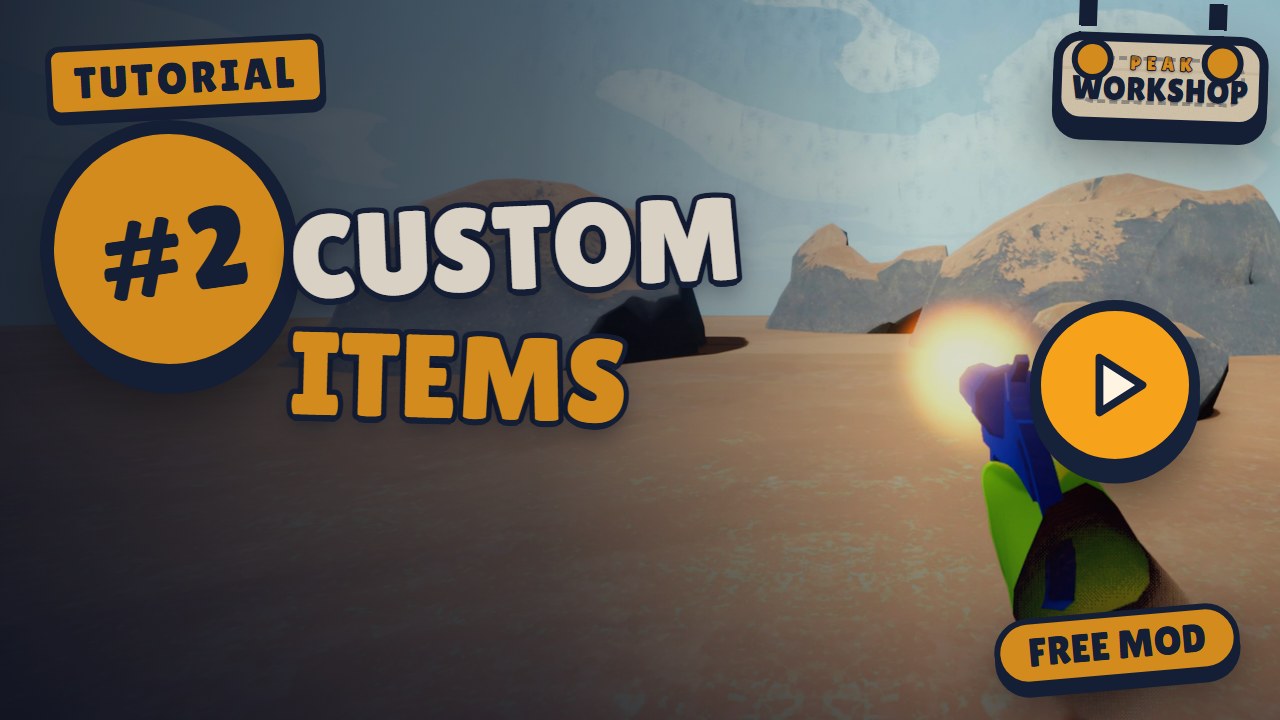 |
| #1 Import 3D Assets - GLB, OBJ, FBX or a ZIP - fix scale and textures, credit it, place it. | #2 Create Custom Items - Turn a 3D model into a flare gun with recoil, knockback and loot spawns. |
 |
 |
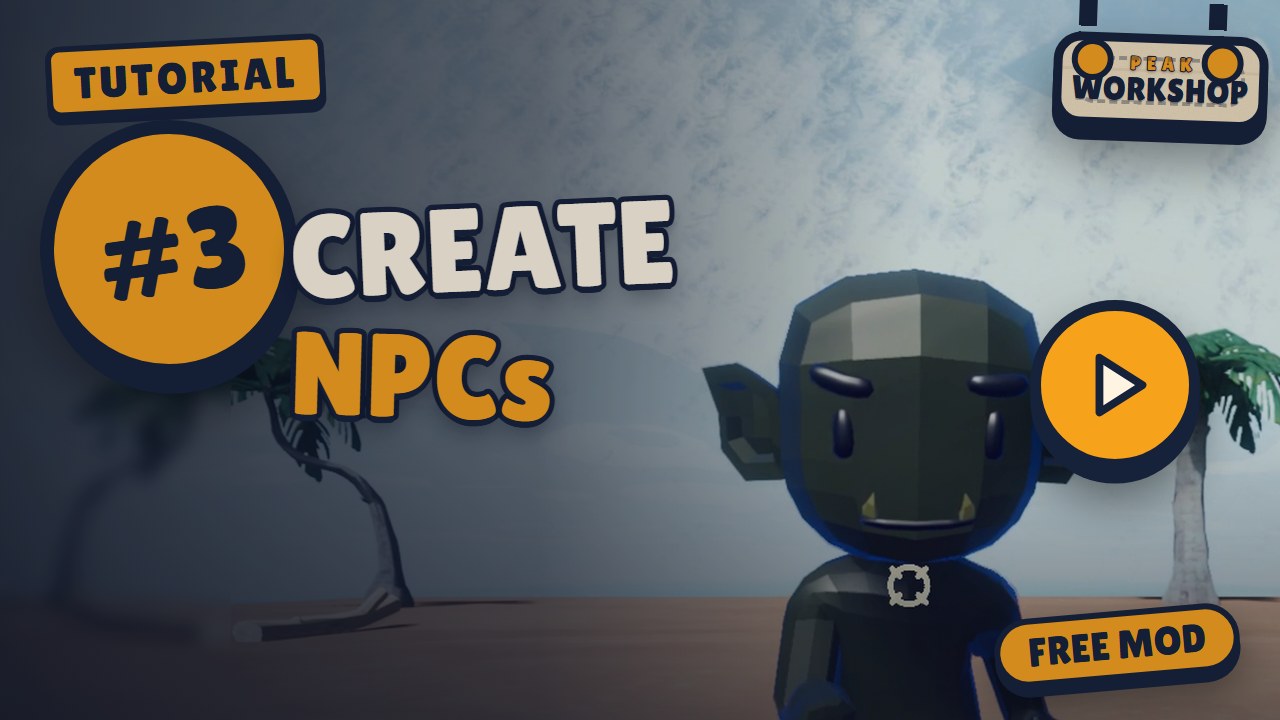
| #3 Create NPCs - Talking characters, quests that change the world, and a boss fight. | #4 Build a Map from the Bare Preset - From the Bare preset to a playable map - terrain, scatter areas, platforms, spawns, and the asset, item and NPC from #1-#3 put together. |
Installation
Recommended: install with r2modman or the Thunderstore Mod Manager - click Install, done. BepInEx comes along automatically.
Manual install:
- Install BepInExPack for PEAK.
- Copy
PeakWorkshop.dlltoPEAK/BepInEx/plugins/PeakWorkshop/. - Start PEAK. The Peak Workshop sign drops into the main menu.
Requirements & compatibility
- Everyone in a lobby needs Peak Workshop. Mod lobbies are separate rooms, so friends without the mod won't see or join them.
- Maps, assets and items your lobby needs download automatically when you join.
- Peak Workshop needs an internet connection for the online Workshop and the lobby browser. Solo play and the editor work with your local content.
- Not compatible with TerrainRandomiser. It breaks the map build (maps look half-finished). Disable it while you play Peak Workshop maps.
- Other mods that change map generation may conflict as well. If a map looks broken, try without them first.
- English, German and Simplified Chinese interface (switch in the Workshop panel; “auto” follows the game language). Chinese by TFJSN (ETWML) – texts newer than its table show in English.
Online features & privacy
The online Workshop and the lobby browser run on the Peak Workshop server. To use them, the mod sends:
- your Steam ID and Steam name - to sign you in, show who uploaded content and who hosts a lobby,
- the content you publish (maps, 3D assets, items, NPC packs, thumbnails) and your ratings, subscriptions and reports,
- lobby details while you host (name, map, mode, region, player count).
The server keeps your IP address with sign-in sessions and reports to stop spam and abuse. No passwords, no payment data, no tracking.
Content rules: only upload what you made yourself or are allowed to share. Every 3D asset needs its origin and license. No hateful, sexual or illegal content. Use the Report button on any Workshop page - creators see why their content was reported (never who reported it), and reported content can be hidden or removed.
FAQ
Does it change normal PEAK? No. Host Game and Play Offline stay 100 % vanilla. The mod only kicks in when you start through the Peak Workshop sign.
Do my friends need it? Yes, everyone in the lobby needs the mod. The maps themselves download automatically.
Is it free? Yes. Peak Workshop and everything in the Workshop are free.
Where are my maps stored?
In PEAK/BepInEx/PeakWorkshop/ (in your mod manager profile folder when you use one). Mod updates don't touch it.
How do I report a bug or content? Content: open it in the Workshop and press Report. Bugs, feedback and questions: post them in the PEAK Modding Discord (Peak Workshop thread).
Why does a map take a moment to load? Custom maps are built while you load in. Big maps can take a few seconds longer than a vanilla run - grab a snack.
Known problems
- Very small 3D models (some packs are 30 cm tall) are not scaled up automatically. The upload screen points it out - use the scale slider or Fit to height.
Found something else? Tell us in the PEAK Modding Discord (Peak Workshop thread).
Credits
- Peak Workshop by Gummybär
- Simplified Chinese localization by TFJSN (ETWML) / 由 TFJSN 汉化
- 3D models in the featured maps and Workshop: Quaternius (CC0) - thank you!
- Every Workshop asset lists its creator and license on its page.
- PEAK by Aggro Crab & Landfall. Peak Workshop is a fan-made mod, not affiliated with or endorsed by Aggro Crab or Landfall.
Links
- Feedback, bug reports and help: PEAK Modding Discord (Peak Workshop thread)
- GitHub - media and docs
CHANGELOG
Changelog
0.3.0 - 36 game modes, caves, real light and darkness
The biggest update so far: every map now has its own game mode (36 of them, from Battle Royale and Bomb Defusal to Prop Hunt and Mountain Football), real baked lighting with dark caves and flashlights, rock masses for caves and tunnels, stages that come and go like in the original game, lobby shows across several maps, and a much smoother editor.
Heads-up for map creators
- Stages now show and hide like vanilla. Anything assigned to a stage is only active while that stage runs. If you only sorted something into a stage for editing, it now disappears outside of it: mark it "Also visible in segment N" or set it to all stages.
- Zone fog fades across a soft edge inside the zone (10 m by default) instead of fading in and out over time. Existing fog zones look a little different; "Fade" is now only smoothing.
- The map decides which rules the host may change. Old maps keep every rule they left open to the host.
- Maps that use AssetBundle blocks or materials can no longer be published - other players don't have those bundles and saw white surfaces. Replace them with GLB models, primitives, game materials or a look with your own texture.
- Save your map once in the editor so it gets baked lighting (see "Light and darkness").
Game modes: one mode per map
- Every map now has exactly one game mode with its own goal, line-up (co-op, teams or free-for-all) and rules. The editor has a new tab Map › Game mode with mode tiles, a "what the map still needs" checklist (one click places a missing zone or spawn where you look) and only the rules that matter for that mode.
- Old maps keep working: their mode is worked out from their old team settings.
- Co-op: Ascent (climb together; with teams, the first team at the helicopter wins; the ending can be the helicopter or the Nadir), Zombie survival, Scenario (your own win/lose conditions from flags and counters, with your own victory text), Rescue, Defense (protect an object with hit points against waves) and Escort (a cart only moves while players are next to it and no enemy blocks it).
- Battle: Last one standing, Deathmatch, Shove arena (no damage, only pushing), Gun game (every takedown gives you the next weapon), Skywars (islands over the void, the last player who pushed you gets the kill), Battle royale (shrinking zone in phases, shown as a glowing wall; you jump from a plane flying across the map, free-fall with WASD and open the game's parachute with Space, or drop in with the parachute directly) and Kill confirmed (collect tags).
- Tactical rounds: Bomb defusal (plant at site A/B, defuse with E, faster with a defuse kit, blinking and beeping bomb), Hostage rescue (hostages can be animated figures that sit, follow their rescuer and cheer) and Duel arena (1v1 or 2v2, first to N rounds). Taking out the whole other team also wins a round, not only the bomb or the hostages.
- Zones: Domination, Summit assault (take the zones in order, each capture adds time, respawns can move up), Summit flag, Capture the flag and Treasure run.
- Race: Obstacle race and Summit race with a shared start, checkpoints, real placings, "first wins / top N qualify / everyone runs it out", team place points and "back to checkpoint" or "out" on falls.
- Roles: Hunters, Infection, Hide and seek, Tag, VIP escape and Prop hunt. Roles are rolled at departure, and the special role gets a short head start.
- Prop hunt: hiders look at a prop and press G to become it - only the kinds the map allows (crates, barrels, benches …), so nobody ends up as a tree. After disguising you switch to third person to see how you stand (T toggles). Seekers find props by shooting them; hitting a real prop costs them health. A horn gives hiders away: everyone honks at a fixed interval with a countdown on screen, and hiders can honk themselves with H. The keys show at the top right. In the editor, Map › Game mode lists every kind of prop on the map to tick, plus the horn and the miss penalty. Props turn with your view and stay still while you stand; X holds them in place (no moving, free look). Disguised players show no health bar or name tag, and found props count as losers at the end (no helicopter seat), even though they joined the seekers - the same goes for Infection and Hide and seek.
- Party: Flood (rising water or lava, standing or swimming in it puts you out), Crumbling floor, Hang on (last one on the wall wins), Rockfall (dodge real tumbling boulders), Hot potato (the holder runs faster, it ticks faster near the end, the game's dynamite goes off) and Mountain football.
- Rules for creators: lives (1, several or unlimited), score limit, points per takedown, penalty for falling, respawn delay, spawn protection (ends with your first attack), starting gear (also Workshop items, which download with the map), fall limit ("from spawns" sets it 25 m below the lowest spawn), time limit and who wins at time-out.
- Mutators: Shoves only, Downed (knocked out is not out, teammates can help you up) and Kick (the game's hidden kick on right mouse with empty hands, in any mode, with knockback, cooldown, damage and more adjustable).
- Takedowns go to the last opponent who hit or pushed you in the last 6 seconds, including falls, lava and elimination zones. Respawns pick the spawn furthest from living enemies.
- HUD: kill feed, your points and the leader under the timer, scoreboard while holding Left Alt, "BACK IN …" or "ELIMINATED", status lines per mode (gun game level, zone to capture, race place, role, flag or bomb carrier …), a zone ring and "OUTSIDE THE ZONE" for Battle royale, and new end banners such as "All waves survived!", "Mission complete!" or "All zones captured". Timers now sit on dark plates so they stay readable against a bright sky.
- Spectator area: a new zone where players who are out stand alive instead of becoming ghosts. They can walk, wave and talk but can't trigger anything; an "arena" zone sends them back if they jump in.
- Rounds: preparation (buy, no damage), fight, round end and a world reset (everyone revived and healed, dropped items cleared). Side swap after N rounds, round wins for the match, survivors can keep their gear, and different weapons each round. Late joiners come in at the next round.
- Money and buy counters: start money, money for takedowns, round wins and losses, planting, defusing and rescuing. Give any object a price on its E interaction and it becomes a buy counter ("· $500"); the item goes straight into your hand.
- Mountain football: a physics ball run by the host, kicked with the game's own kick (faster kick animation, costs only part of your stamina), dribbling, goals and own goals with jingle, kick-off with air horn, out of bounds and a scoreboard. The ball can be a basketball, coconut, snowball, stone, Bing Bong or any block. In the editor, "Build a pitch" lays out a whole field in one click (grass stripes, lines, flags, goals with net and spawns), and the test run has a practice ball.
- Honeycomb floors for Crumbling floor: hexagon tiles that break into shards, a builder for rings of tiles and whole levels below, warning colours and sounds.
- The map check reports what a mode is missing (a hill without a hold zone, defusal without a bomb site, a fall limit above the spawns …).
Guns
- Ranged items can now be real guns: full-auto, magazines with reserve ammo, reload on R (doesn't open the emote wheel while you hold a gun), shotgun pellets, headshot multiplier, spread while moving, muzzle climb and a scope on right mouse. An ammo display shows "12 / 60", a reload bar and "No ammo".
- Hit marker: every hit with a gun or thrown weapon shows a short cross at the crosshair; a found prop in Prop hunt flashes red with a bonk.
King of the Hill, waves and courses
- King of the Hill can have a moving hill (a different zone every N seconds, with a "Hill moves in …" countdown).
- Fixed: in co-op hold zones each player's game counted on its own, so one player could see a win and another not. The host counts now. Hold time no longer runs during the start countdown.
- Zombie waves can come from spawn zones (A, B …), chosen per enemy group. Enemy types can be taken from the Workshop straight into waves.
- Fixed: wave 1 started during the start countdown. If the host leaves, the waves continue with the new host.
- Obstacle courses have a shared start and the same clock on every PC, with a finish banner and ranking. Before, every player's game timed the course on its own and there was no winner.
Lobby
- Shows: the host can queue 2 to 12 maps, straight from the map browser. Each round uses its map's own mode. After each round everyone goes back to the airport, where a countdown shows the next map (5 to 60 seconds, set by the host); players already download it during the countdown. With "Count wins" the player list becomes the show leaderboard, and when the show ends the airport shows the top three with their wins.
- Map browser: creating a lobby or switching maps opens a browser with search and filters (game mode, line-up, player count, local or online, category, playable only) instead of one long list. Online maps download and get chosen in one click.
- The lobby page has tabs Rules / Teams / Show, so nothing sits far down the page any more.
- Fixed: when the host switched to a private map during a lobby, the other players got "Download failed".
- F5: back to the airport. When a round ends, a box offers to skip the film and stats. Solo or as host, F5 sends
everyone back at once. Other players mark themselves ready, and once all are ready the host sends everyone after a
short countdown. The key can be changed or turned off in the config under
[Lobby] AirportKey. - The lobby shows a card for the map's game mode (description, line-up, lives, mutators). Rules the map locks show as "Set by the map"; the rest are pickers, depending on the mode (lives, score goal, respawn, round wins, side swap, start money, fuse, zone timings and more).
- "Close lobby" really closes the lobby now. It asks first, then sends everyone to the main menu with a message. Before, it only locked the lobby to new players.
- Fixed: players who were kicked, banned or sent out by "Close lobby" landed on "Failed to connect to Photon Network". They now leave cleanly and see the reason in the main menu.
- Fixed: after switching maps in a lobby, everyone could die on spawn because the previous map's mode and fall limit stayed active.
- Fixed: starting a map directly from the Workshop didn't apply its game mode, so scenario and wave rounds never ended with a result.
- A map file that can't be read no longer sends everyone onto an empty island; the host gets a message instead.
- The key hint shows the scoreboard key during combat and race rounds.
Light and darkness
- Custom maps now get real baked lighting. The creator's game bakes it once, with PEAK's own lighting; players only download the file with the map. Caves and overhangs are dark, nights are really dark, and the game's lamps (cave lights, glow mushrooms, lava lights, torches, the respawn chest …) light up custom maps.
- It also works on graphics cards without hardware ray tracing (slower to bake). The bake runs in the background when
you save, or from Map › Openness / Lighting. If the game crashes during a bake, the next one automatically uses smaller steps.
New config section
[Light](Backend, BakeOnSave, BakeRays). - Without a light file, brightness now follows how much sky a spot can see, so caves and overhangs are darker than before anyway. Storm, cold and cave plants work the same for everyone, with or without the light file.
- Fixed: on very large maps, or maps with one object far away, everything outside the original island was bright at night and had no storm or fog. Far-off stray objects are left out, huge maps get a coarser light grid, and the editor and map check list the stray objects (click one to fly there).
- Fixed: maps inside the original island's area kept the original lighting, and moved empty stages showed dark fog boxes.
- Darkness: a map-wide darkness setting (with tint) for night maps, and a new "Darkness" zone effect that darkens an area with remaining light, a soft edge and a tint. It looks just as dark from outside.
- Flashlights and lanterns: items can now give off light, as a cone or all around, switchable or always on, with range, colour, shadows, battery with a low-battery flicker, and a beam you can see in fog. Synced for all players.
Caves and rock masses
- New rock masses for real caves, tunnels, overhangs and arches, which height terrain can't make. In the editor's new "Cave" menu you can place a rock mass (rectangle, dome or free outline), drill a tunnel by flying through the rock, carve rooms, and paint on the rock with a brush (build up, carve, smooth).
- Walls, tunnel walls and overhangs are climbable; flat ceilings are not, as in the game. The terrain and grass under a rock mass are cut out, and caves get darker the further in you go.
- Scatter areas can place things only inside caves: on the floor, walls or ceiling (stalactites hang down).
Stages and skies
- Your own content now follows the game's stages: stage 2 is not visible from the start, and the previous stage disappears after the campfire. This also saves performance. A new "Also visible in segment N" switch keeps transitions like the hill with the campfire visible.
- Item spawners of later stages fill only when that stage starts, like in the game.
- Skies per stage that fade over after the campfire, and sky zones that give each player their own sky while standing inside (with priority for overlapping zones). New starry sky with aurora like the Nadir.
Nadir ending
- Maps can keep the Nadir as an ending: chosen campfires warp everyone into the Nadir, or, as in the game, you place the four amulets in the amulet statue. Arriving alive in the Nadir wins. The editor has a Nadir view and a movable amulet statue.
- Fixed: the end gate and credits hung on custom maps when the Kiln stage was switched off.
- Fixed: with your own summit, the helicopter flew in from far out of view.
Moving, crumbling and thrown objects
- Climbers now move along with moving and tilting walls instead of the wall sliding away under their hands.
- New motions: wobble (tilts like a spinning top) and ramp-up (motion starts calm and gets wilder).
- Shaky objects can crumble into shards instead of falling, also by the hundreds and inside moving groups, and regrow if wanted. Warning looks (glowing cracks, then lava) and sounds. Nothing crumbles before "GO!", spectators never trigger them, and late joiners see the current state.
- Rockfall: emitters can throw real rocks of several kinds and sizes, more and more often over time. The host calculates their flight so everyone sees the same; landed rocks are climbable, roll downhill if wanted and shatter later. The editor shows direction, spread and flight path.
New shapes, looks and random variants
- New basic shapes: hexagon column and pyramid. Basic shapes can use the game's own materials (basalt, volcanic rock …) and then look and sound like the island's rock.
- See-through looks: holes in patterns (nets, fences, grates) and transparent parts of PNG textures.
- Groups can appear only by chance or as one of several variants, rolled anew every round and the same for everyone. The editor has a preview roll.
Zones, fog, walls and rivers
- Effect zones can be rotated, and the rotation now counts in play (it used to be ignored). Six side handles let you drag one side at a time.
- New soft edge for afflictions, zone fog, push and darkness: the effect grows from 0 at the border to full strength after N metres.
- Large fog volumes no longer look like sharp boxes from far away: rounded corners, wavy edges and a softer edge with distance.
- Fog walls can be invisible in play (they still block and can't be climbed).
- Rivers and lava streams now follow the surface, also down steep walls as one smooth band, without stair steps.
Spawning and NPCs
- Fixed: players were sometimes flung into the air when they spawned.
- Fixed: the player who took someone out saw them keep standing. Taken-out players now fall over for 5 seconds on every screen.
- Fixed: feet stuck in the ground after spawning, teleporting, a lava reset or joining late, so you couldn't jump. Every spawn, teleport, respawn, round reset and test run now sets you down cleanly.
- NPCs and pets walk better: they step up to 0.6 m, jump up to 1.5 m and walk around walls. Pets follow your path through doors and around corners and appear next to you if they get stuck.
- Items given by an object interaction (a shop counter, chest or lever) now go straight into your hand.
- Loot chests: an interaction can roll from one of the map's shared loot pools and spill the items out, once per round if wanted. Interactions can also play a model's animation for everyone (a chest lid opens and stays open).
- Items handed out by actions are loaded with the map (they could be "not loaded" before), and Workshop items show
their title instead of
item:<id>. - Conditions accept a bare word (
lever) as a flag.
Editor
- Simplified Chinese interface by TFJSN (ETWML) / 由 TFJSN 汉化: pick ZH with the language button (DE → EN → ZH) or leave it on "auto" with the game set to Chinese. Texts newer than the translation table still show in English.
- No more stutter: the regular freezes, most noticeable in the Scene tab and on maps with hundreds of objects, are gone. In-game overlays and HUDs also create far less garbage, so there are fewer small stutters while playing.
- Sculpting is fast: a brush stroke on large terrain with vegetation used to rebuild everything (over 30 s); now it takes a fraction of a second. Vegetation in the brushed area is re-scattered once you pause for a few seconds or start a test run. Undoing a stroke no longer rebuilds the terrain.
- Undo no longer rebuilds the whole map after a stage was moved, and fog sphere settings apply instantly (they used to trigger a 30-second rebuild).
- Scene list: group by area group or by biome (stages in play order, transitions, "everywhere"), a "Game mode" block at the top (spawns, summit, mode zones, buy counters), and the list jumps to what you click in the world (can be turned off). Stray objects far away from the map are listed with a warning.
- Map tab with sub-pages Map and Game mode; the former Openness section is now "Openness / Lighting" with the lighting panel (state, bake button, bake on save).
- Skies: sky per stage, an "Overridden by" list with jumps, a starry-sky slider and a map-wide darkness section. Sky zones can be outlined in the world, and the status bar shows when another sky overrides the map sky.
- New effects in the zone list, now grouped: Darkness, Sky (per player) and the game-mode zones.
- Fog walls can be shown from far away as coloured outlines with their stage name. New View menu toggles for fog walls, sky zones and game-mode zones - off by default so the editor opens without a tangle of lines; the selected zone or fog wall always shows its outline. The game's music lines in the 3D view are off by default too.
- Stretch handles: every object except items (basic shapes, rocks, models) has side handles to stretch it along one axis while the opposite side stays put; the inspector has width × height × depth separately.
- Rotation rings: the rotate tool shows rings around the selection; drag one to turn around that axis, no shortcuts needed.
- Placing spawn points keeps the tool active, so you can click several in a row.
- Campfire, fog origin and fog wall labels use the map's own stage names.
- Fixed: moving a fog origin dragged its fog walls along in the editor, then they snapped back after the next rebuild.
- Fixed: picking up amulets or other display items during a test run gave the wrong item.
- Fixed: the summit marker's default position is now the real summit, not the lower Kiln respawn point.
- Fixed: editor messages covered the shape bar.
- Fixed: the Workshop opened from the Blocks palette lay behind the editor windows and couldn't be used.
- Fixed: in top or side view, scrolling in a list also zoomed the 3D view.
- Rising water and lava, motions and emitters now start when you press P and restart with every test run.
Workshop and moderation
- If moderation makes your content private, its page shows why. A new revision with changed content lifts the lock.
- "Featured" on the Workshop home pages can now be picked by the moderators; otherwise it stays automatic (best rated).
- Fixed: the Workshop no longer uses your Windows user name anywhere (it could end up as a map's author).
Other fixes
- Fixed missing climbing, item and footstep sounds on maps with dense forests. Looping tree sounds used up all audio voices; now only the nearest ones play.
- The race clock, big messages and scope view no longer stay on screen after leaving a map.
- The Workshop pass shows its full cover from behind too (other players saw a shifted cover with the page edge).
- Starting gear was skipped in the first round of a new lobby if you had played round 1 in another lobby before.
- The map check no longer reports the game's global spawners as empty on empty ("naked") maps, and it now also flags stray objects, maps too large for lighting, broken sky settings and variant groups with only one group.
Known limitations
- Many of the new modes have so far only been tested with few players; please report anything odd on Discord.
- Bomb defusal and Hostage rescue need exactly two teams.
- Prop hunt disguises and the escort cart only copy solid models (blocks made only of effects don't work).
Licences
- To bake light without hardware ray tracing, the mod includes unmodified compute shaders from Unity (Unity Companion License) and RadeonRays 4.1 (MIT, AMD). See THIRD-PARTY-NOTICES.md.
0.2.0 - Water, lava, text chat, fog and interactions
Fixes
- Fixed a crash when starting large maps for the first time (before the placement cache exists): the GPU resident drawer was paused while scattering and Unity freed its buffers.
- Lighting a campfire on custom maps no longer throws an error while the game quicksaves.
- Undo on a stage campfire no longer rebuilds the whole map when a stage was moved.
- The biome title at the start of a round is no longer lost behind the loading screen - it now appears once everyone has loaded (with the map's own segment name if it has one).
- "Play here" (P) in the editor now starts where the screen centre points, not the mouse cursor, and a hard landing is cushioned.
- If a fly mod (e.g. So Fly on F) throws your character "into the void" during a test run, it is reset to a safe spot, and the editor warns once when such a mod uses an editor key without a modifier.
- Empty ("naked") stages are really empty now: the Alpine segment and its snow piles no longer stay behind on some maps, and the island catalog no longer lists game objects that "naked" already removed.
Text chat
- Chat in Peak Workshop lobbies: Enter opens it, Enter sends, Esc closes.
/twrites to your team only. - Runs over the game's own Photon connection, no extra server. Lines fade out after a few seconds; can be turned off in the config.
Water and lava
- Lakes and lava pools as a box or free outline. Swim in water (jump = up, crouch = dive), with an oxygen bar while your head is under water and air bubbles for flooded caves. Lava warms you nearby and throws you up on contact, with bubbling crust and sparks.
- Rising levels: water or lava can rise over time, after a flag, or go up and down as a tide - the same for everyone.
- Rivers and lava streams: place a source and the stream finds its own way downhill, around rocks, over cliffs as a waterfall, ending in a pool. Uses the game's own stream materials by default. Water pushes you along and cools you down; lava burns.
Burning and shaky objects
- Any object can burn like the hot rocks of the Caldera: flames on its surface, glowing cracks, light and heat, with an optional condition to light or put it out.
- Any object can wobble and fall like the game's shaky rocks when someone stands on or climbs it - it tumbles down the slope and stays there (or comes back after a set time). The host calculates the fall so everyone sees it land in the same place.
Workshop
- Maps, assets, items and NPC packs now show how often they were downloaded.
- The NPC tab has its own start page: popular and new NPC packs, categories (bosses, shooters, hordes, creatures, pets, traders, attackers) and a short "build your own NPCs" guide.
- Uploading a 3D model: materials without UVs get a colour picker, textured materials can be tinted.
Main menu
- The Peak Workshop sign can be moved if it is in the way of another mod's menu: hold Ctrl and drag it, the chains
follow. Ctrl + right click puts it back. The position is saved; the key can be changed (or the sign locked) in the
config under
[Menu] SignMoveKey.
Fog
- New visible fog volume for effect zones: a real fog body exactly inside the marked area (box or free outline), visible from outside, limited view inside. Two styles: fog bank, or sight fog that stays clear around you and only reveals what is far away as you get closer. Visibility, soft edges, cloudiness, colour and day/night brightness.
- The existing zone fog now fades in and out (adjustable seconds) instead of switching on and off.
Interactions and quests
- Any object can get an E interaction (set flags, count, give or take items, heal, teleport) - with its own name and text, shown with the game's own prompt. Objects that are already interactive (bell tower, luggage …) can be bound to a condition, and you choose whether the game's own action runs too.
- Picking up an item and entering a zone can trigger actions as well.
- Counters (e.g. ring three bells, then a gate disappears) and AND/OR conditions everywhere - in conversations, interactions and "only visible when".
- Locked interactions can show what is missing ("needs rope", "bells 1/3") or stay hidden as a secret.
- Messages appear in the game's own event log.
- Flags now work on maps without NPCs.
Editor
- Stage campfires rotate on all axes and scale like any block (mouse wheel with Ctrl/Alt/Shift); flames and light scale with them. The revive statue is no longer tied to the campfire - place a RespawnChest from the catalog instead.
- Campfires, fog walls and segments now show a Rotate button right next to Move.
- Scene outline: "+" adds an empty area group or layer, and entries can be dragged onto them.
0.1.0 - First release
Peak Workshop is here: custom maps and game modes for PEAK, made to play with friends.
Play together
- Lobby browser with map preview, mode and player count; private lobbies with join codes.
- Lobbies for up to 16 players, shared start countdown, teams (by hand or random) and a friendly fire switch.
- Late joiners watch as a ghost or join in - the host decides. Kick and ban, lobby settings mid-round with F6.
- Maps, assets and items download automatically when you join.
Game modes and maps
- King of the Hill, free-for-all PvP, team matches with time limits, zombie waves, obstacle courses, co-op climbing.
- Featured maps: Ring Arena (King of the Hill), Crashfall Valley (adventure), a free-for-all PvP map and more in the online Workshop.
Adventures
- NPCs with dialogue choices, trades, gifts and quests whose flags change the world (lifts, ladders, bridges).
- Boss fights with health bar, rage and helpers; pets; loot drops.
In-game Workshop
- Maps, 3D assets, items and NPC packs: rate, subscribe, download, update badges, 3D viewer.
- Publish public or private, report button and moderation.
Create
- In-game map editor: polygon scatter areas, terrain sculpting, original PEAK blocks and your own 3D models, moving platforms, traps and hazards, skies, music zones, spawn points, test with P.
- Item creator (food, heals, melee, ranged with projectiles and recoil, throwables, spells) and NPC builder.
Vanilla stays untouched
- Host Game and Play Offline are unchanged; the mod starts only from its own sign in the main menu.
- Mod lobbies use their own Photon rooms.
