
You are viewing a potentially older version of this package.
View all versions.
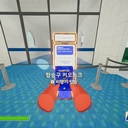
Quick Kiosk
Quickly start a selected ascent by holding a number key while opening the boarding kiosk.
| Date uploaded | 4 months ago |
| Version | 1.0.0 |
| Download link | Sapphire009-Quick_Kiosk-1.0.0.zip |
| Downloads | 32 |
| Dependency string | Sapphire009-Quick_Kiosk-1.0.0 |
README
Quick_Kiosk
Quickly start a boarding ascent by holding a number key while opening the kiosk.
Features
- Removes the default automatic start on ascent 4.
- If no number key is held when opening the kiosk, nothing auto-starts.
- If a number key is held while opening the kiosk, the run immediately starts with the mapped ascent.
Hotkeys
Hold one of these keys before opening the kiosk:
0-> Ascent 01-> Ascent 12-> Ascent 23-> Ascent 34-> Ascent 45-> Ascent 56-> Ascent 67-> Ascent 78-> Ascent -1
Numpad keys are also supported:
NumPad0-> Ascent 0NumPad1-> Ascent 1NumPad2-> Ascent 2NumPad3-> Ascent 3NumPad4-> Ascent 4NumPad5-> Ascent 5NumPad6-> Ascent 6NumPad7-> Ascent 7NumPad8-> Ascent -1
Usage
- Hold the number key for the ascent you want.
- Open the boarding kiosk.
- The game will immediately start with that ascent.
If you do not hold a number key, the kiosk opens normally and does not auto-start.
Installation
Put Quick_Kiosk.dll into:
BepInEx/plugins/
Notes
- Designed for PEAK.
8is mapped to special ascent value-1.
