
You are viewing a potentially older version of this package.
View all versions.
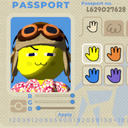
SkinColorSliders
Lets you customize your skin color with rgb sliders and syncs up with all players.
| Date uploaded | a year ago |
| Version | 1.1.0 |
| Download link | Snosz-SkinColorSliders-1.1.0.zip |
| Downloads | 46399 |
| Dependency string | Snosz-SkinColorSliders-1.1.0 |
This mod requires the following mods to function

BepInEx-BepInExPack_PEAK
BepInEx pack for PEAK. Preconfigured and ready to use.
Preferred version: 5.4.2403
Snosz-PhotonCustomPropsUtils
Helps modders easily synchronize room/player properties across all connected clients through Photon's Custom Properties.
Preferred version: 1.1.0README
Skin Color Sliders
Lets you customize your skin color with rgb sliders allowing for full rgb color range, and syncs up with all players. Lets you add other custom preset skin mods without needing other players to have it, they only need SkinColorSliders installed.
All players will need this mod installed for it to sync.
Update!
1.1.0
- Ghosts, flares, and the scout report should now properly show the player's selected color.
- The preset skin color options are now selectable meaning you can use the default options as well as other skin mods that provide preset colors without needing everyone to have that mod, they only need to have SkinColorSliders installed.
How To Use
- When inside the Airport, opening your passport will show new controls under the passport photo.
- To set a new color, first adjust each slider to see how they affect the character in the passport photo.
- When you are ready to set your color, hit the Apply button below the sliders.
Installation
- Download the mod zip file.
- Move the SkinColorSliders folder inside the mod zip file into your BepInEx plugins folder located where you have installed Peak.
- Run the game and load into a new run. If sliders appear under the passport photo it means the installation was a success.
CHANGELOG
Changelog
[1.5.0]
- Added the ability to change the fill and outline color of the name text that other players see when looking at you.
- Added the ability to change your sash color with the sliders
[1.4.2]
- Added the ability to save and load presets. Does not use a config file so sharing mod profiles wont overwrite your presets (hopefully).
- Fixed some data sync bugs
[1.4.1]
- Added a match everything toggle.
[1.4.0]
- Added a color wheel using the unity package from judah4
- Added the ability to toggle the matching of face color with body color, and with the blush colors.
- Added dependancy for PhotonCustomPropsUtils.
[1.3.0]
- You can now change the color of specific body parts. Current options are head, body, left blush, and right blush.
- Added number input options for those who want to get specific rgb values.
[1.2.0]
- Rewrote mod
- Fixed problem with mod just not working at all (Im sorry for catching this so late).
- Players who do not have the mod should now appear as the color they have selected instead of white
- Players who do not have the mod will now see you as the color index you have selected instead of the default orange.
- Joining the game now more reliably updates the skin colors of other players that have been applied prior to you joining.
[1.1.0]
- Ghosts, flares, and the scout report should now properly show the player's selected color.
- The preset skin color options are now selectable meaning you can use the default options as well as other skin mods that provide preset colors without needing everyone to have that mod, they only need to have SkinColorSliders installed.
