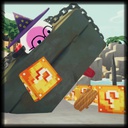
Lucky Blocks
Lucky Blocks can be found around the map in various locations such as in trees, on bushes, or inside of luggage. Smash them open by throwing one at the ground, but be careful, or something bad might pop out!
If you come across any bugs or have feature suggestions, please post them in the thread posted on the mod-releases section in the PEAK Modding discord server or as an issue in the GitHub page.
✨ Features
- Adds a new Lucky Block item that breaks open similar to a coconut.
- Fully multiplayer compatible.
- 30+ different outcomes!
⚠️ Notes
- Everyone must have the mod installed for it to work properly.
- Please make sure you place the .peakbundle file in the same folder as the mod .dll file.
🛠️ Requirements
📦 Installation
- Download via Thunderstore
- Extract the zip contents into: /PEAK/BepInEx/plugins/
- Launch game
🎲 Outcomes (Spoilers)
Click to reveal all LuckyBlock outcomes
Good
- Luggage Spawn (Small, Big, Climbers, Clown, and Ancient)
- Lucky Block Rain
- Berry Rain
- Backpacks Spawn
- Healing Cloud
- Equipment Rain
- Random Mythic Item Spawn
- Checkpoint Flag Spawn
- Capybara Pool
- Anti-Gravity Sphere
Bad
- Tornado Spawn
- Eruption Spawn
- Nana Peel Rain
- Explosion
- Scorpion Rain
- Scoutmaster Spawn
- Zombie Spawn
- Petrify Scout
- Fire Tornado
- Cactus Balls
- Beetle Spawn
- Ghost Ball Spawn
- Spore Explosion
Neutral
- Rope Spawn
- Anti-Rope Spawn
- Bounce Shroom Spawn
- Shelf Shroom Spawn
- Chaos Cloud
- Scout Cannon Spawn
- Portable Stove Spawn
- Sunscreen Cloud
- Teleport
- Airplane Loot
- Shell Party
⚙️ Configuration
A config file is auto-generated at: BepInEx/config/legocool.LuckyBlocks.cfg
The config is synced by the host to other players. If changes are made to the config, the game must be reloaded for the changes to take effect. Supports outcomes added by other mods, allowing you to enable/disable it and change its weight.
You can edit these values:
Config settings (spoilers - reveals outcomes!)
Tornado
| Key |
Description |
Default |
Spawn Tornado Enabled |
Enable Spawn Tornado outcome |
true |
Spawn Tornado Weight |
Weight for Spawn Tornado |
80 |
Tornado Min Lifetime |
Minimum lifetime for the tornado (in seconds) |
6 |
Tornado Max Lifetime |
Maximum lifetime for the tornado (in seconds) |
10 |
Tornado Force |
Force applied by the tornado |
50 |
Luggage
| Key |
Description |
Default |
Spawn Luggage Enabled |
Enable Spawn Luggage outcome |
true |
Spawn Luggage Weight |
Weight for Spawn Luggage |
110 |
Bounce Shroom
| Key |
Description |
Default |
Spawn Bounce Shroom Enabled |
Enable Spawn Bounce Shroom outcome |
true |
Spawn Bounce Shroom Weight |
Weight for Spawn Bounce Shroom |
100 |
Shelf Fungus
| Key |
Description |
Default |
Spawn Shelf Fungus Enabled |
Enable Spawn Shelf Fungus outcome |
true |
Spawn Shelf Fungus Weight |
Weight for Spawn Shelf Fungus |
90 |
Lucky Block Rain
| Key |
Description |
Default |
Lucky Block Rain Enabled |
Enable Lucky Block Rain outcome |
true |
Lucky Block Rain Weight |
Weight for Lucky Block Rain |
75 |
Lucky Block Count |
Number of lucky blocks to spawn |
3 |
Eruption
| Key |
Description |
Default |
Spawn Eruption Enabled |
Enable Spawn Eruption outcome |
true |
Spawn Eruption Weight |
Weight for Spawn Eruption |
90 |
Berrynana Peel Rain
| Key |
Description |
Default |
Berrynana Peel Rain Enabled |
Enable Berrynana Peel Rain outcome |
true |
Berrynana Peel Rain Weight |
Weight for Berrynana Peel Rain |
100 |
Grid Size |
Grid size for Berrynana Peel Rain (size of 5 = 5x5 grid or 25 peels) |
5 |
Berrynana Peel Spacing |
Spacing between the peels |
1 |
Berrynana Peel Lifetime |
Time before the peels despawn (in seconds) |
120 |
Explosion
| Key |
Description |
Default |
Explosion Enabled |
Enable Explosion outcome |
true |
Explosion Weight |
Weight for Explosion |
80 |
Scorpion Rain
| Key |
Description |
Default |
Scorpion Rain Enabled |
Enable Scorpion Rain outcome |
true |
Scorpion Rain Weight |
Weight for Scorpion Rain |
60 |
Scorpion Count |
Number of scorpions to spawn |
3 |
Scorpion Lifetime |
Time before scorpions despawn (in seconds) |
60 |
Berry Rain
| Key |
Description |
Default |
Berry Rain Enabled |
Enable Berry Rain outcome |
true |
Berry Rain Weight |
Weight for Berry Rain |
100 |
Berry Count |
Number of berries to spawn |
4 |
Scoutmaster
| Key |
Description |
Default |
Spawn Scoutmaster Enabled |
Enable Spawn Scoutmaster outcome |
true |
Spawn Scoutmaster Weight |
Weight for Spawn Scoutmaster |
50 |
Rope/Anti Rope Spawn
| Key |
Description |
Default |
Rope/Anti Rope Spawn Enabled |
Enable Rope/Anti Rope Spawn outcome |
true |
Rope/Anti Rope Spawn Weight |
Weight for Rope/Anti Rope Spawn |
95 |
Chaos Cloud
| Key |
Description |
Default |
Chaos Cloud Enabled |
Enable Chaos Cloud outcome |
true |
Chaos Cloud Weight |
Weight for Chaos Cloud |
100 |
Zombie
| Key |
Description |
Default |
Spawn Zombie Enabled |
Enable Spawn Zombie outcome |
true |
Spawn Zombie Weight |
Weight for Spawn Zombie |
70 |
Zombie Sprint Distance |
Distance at which the zombie starts sprinting |
30 |
Zombie Lunge Distance |
Distance at which the zombie can lunge |
15 |
Zombie Lunge Recovery Time |
Time it takes for the zombie to recover after lunging (in seconds) |
2 |
Zombie Lifetime |
Time before the zombie dies (in seconds) |
90 |
Backpacks
| Key |
Description |
Default |
Backpack Spawn Enabled |
Enable Backpack Spawn outcome |
true |
Backpack Spawn Weight |
Weight for Backpack Spawn |
90 |
Backpack Count |
Number of backpacks to spawn |
3 |
Remed Fungus Heal
| Key |
Description |
Default |
Remed Fungus Heal Spawn Enabled |
Enable Remed Fungus Heal Spawn outcome |
true |
Remed Fungus Heal Spawn Weight |
Weight for Remed Fungus Heal Spawn |
100 |
Equipment Shower
| Key |
Description |
Default |
Equipment Shower Enabled |
Enable Equipment Shower outcome |
true |
Equipment Shower Weight |
Weight for Equipment Shower |
100 |
Equipment Count |
Number of equipment pieces to spawn |
4 |
Mythic Item Spawn
| Key |
Description |
Default |
Mythic Item Spawn Enabled |
Enable Mythic Item Spawn outcome |
true |
Mythic Item Spawn Weight |
Weight for Mythic Item Spawn |
85 |
Checkpoint Flag
| Key |
Description |
Default |
Checkpoint Flag Enabled |
Enable Checkpoint Flag outcome |
true |
Checkpoint Flag Weight |
Weight for Checkpoint Flag |
90 |
Scout Cannon
| Key |
Description |
Default |
Scout Cannon Spawn Enabled |
Enable Scout Cannon outcome |
true |
Scout Cannon Spawn Weight |
Weight for Scout Cannon |
95 |
Portable Pot
| Key |
Description |
Default |
Portable Pot Spawn Enabled |
Enable Portable Pot Spawn outcome |
true |
Portable Pot Spawn Weight |
Weight for Portable Pot Spawn |
85 |
Sunscreen Area
| Key |
Description |
Default |
Sunscreen Area Enabled |
Enable Sunscreen area outcome |
true |
Sunscreen Area Weight |
Weight for Sunscreen area |
65 |
Teleport
| Key |
Description |
Default |
Teleport Enabled |
Enable Teleport outcome |
true |
Teleport Weight |
Weight for Teleport |
80 |
Ghost Ball
| Key |
Description |
Default |
Ghost Ball Spawn Enabled |
Enable Ghost Ball outcome |
true |
Ghost Ball Spawn Weight |
Weight for Ghost Ball Spawn |
75 |
Ghost Ball Lifetime |
Time before the ghost ball despawns (in seconds) |
30 |
Luggage Mimic
| Key |
Description |
Default |
Luggage Mimic Spawn Enabled |
Enable Luggage Mimic outcome |
true |
Luggage Mimic Spawn Weight |
Weight for Luggage Mimic Spawn |
75 |
Spore Explosion
| Key |
Description |
Default |
Spore Explosion Enabled |
Enable Spore Explosion outcome |
true |
Spore Explosion Weight |
Weight for Spore Explosion |
60 |
Shell Party
| Key |
Description |
Default |
Shell Party Enabled |
Enable Shell Party outcome |
true |
Shell Party Weight |
Weight for Shell Party |
100 |
Shell Party Count |
Number of shells to spawn |
5 |
Anti-Gravity Sphere
| Key |
Description |
Default |
Anti Gravity Sphere Enabled |
Enable Anti-Gravity Sphere outcome |
true |
Anti Gravity Sphere Weight |
Weight for Anti-Gravity Sphere |
80 |
Anti Gravity Sphere Lifetime |
Time before the sphere despawns (in seconds) |
60 |
Capybara Pool
| Key |
Description |
Default |
Capybara Pool Enabled |
Enable Capybara Pool outcome |
true |
Capybara Pool Weight |
Weight for Capybara Pool |
50 |
Beetles
| Key |
Description |
Default |
Beetles Enabled |
Enable Beetles outcome |
true |
Beetles Weight |
Weight for Beetles |
75 |
Beetles Count |
Number of beetles to spawn |
4 |
Beetles Lifetime |
Time before beetles despawn (in seconds) |
60 |
Petrify Scout
| Key |
Description |
Default |
Petrify Scout Enabled |
Enable Petrify Scout outcome |
true |
Petrify Scout Weight |
Weight for Petrify Scout |
100 |
Airplane Loot
| Key |
Description |
Default |
Airplane Loot Enabled |
Enable Airplane Loot outcome |
true |
Airplane Loot Weight |
Weight for Airplane Loot |
100 |
Cactus Balls
| Key |
Description |
Default |
Cactus Balls Enabled |
Enable Cactus Balls outcome |
true |
Cactus Balls Weight |
Weight for Cactus Balls |
100 |
Cactus Balls Count |
Number of cactus balls to spawn |
5 |
Cactus Balls Lifetime |
Time before cactus balls despawn (in seconds) |
120 |
Fire Tornado
| Key |
Description |
Default |
Fire Tornado Enabled |
Enable Fire Tornado outcome |
true |
Fire Tornado Weight |
Weight for Fire Tornado |
100 |
🔧 How To Add Custom Outcomes
Adding custom outcomes allows you to give Lucky Blocks your own unique effects. This can be done by creating a new mod that depends on Lucky Blocks and registers additional outcome methods.
Step 1: Set Up Your Mod Dependencies
Add Lucky Blocks as either a soft or hard dependency in your mod's manifest or configuration.
- Soft dependency: Your mod can work without Lucky Blocks, but gains extra functionality when it's present
- Hard dependency: Your mod requires Lucky Blocks to function at all
Step 2: Create Your Outcome Method
Create a public static method that takes exactly two parameters in this order:
LuckyBreakable lb: Represents the Lucky Blocks Breakable class. You can access properties like lb.item to get data from the Lucky Block item.Collision coll: Contains information about the collision, including contact points and normals.
The method should be static and return void. Here's an example:
public static void Enderpearl(LuckyBreakable lb, Collision coll)
{
    Vector3 targetPos = coll.contacts[0].point + new Vector3(0f,5f,0f);

    // Find the owner of this LuckyBlock
    Character owner = lb.item.lastThrownCharacter;
    if (owner != null)
    {
        // Teleport player
        owner.transform.position = targetPos;
    }
}
Step 3: Register Your Outcome
Call Outcomes.AddOutcome() with your method, a weight value, and optionally a name. The weight determines how likely this outcome is to occur relative to other outcomes, Defaults to 100 if nothing is entered. The name is a optional parameter of how you want it to be referenced in the config file, defaults to method name if none is entered.
- Higher weight = more common
- Lower weight = rarer
Example:
Outcomes.AddOutcome(Enderpearl, 70) // 'Enderpearl' is the method name and '70' is the outcome weight
Credits
- Author: distinctdonut
- If you use this mod in any videos please link the mod in the description.