
Please disclose if any significant portion of your mod was created using AI tools by adding the 'AI Generated' category. Failing to do so may result in the mod being removed from Thunderstore.

AdminMenu
Host admin menu for R.E.P.O. - players, upgrades, spawning and level control, in every language the game supports.
| Date uploaded | 2 weeks ago |
| Version | 1.0.0 |
| Download link | DarkSpider-AdminMenu-1.0.0.zip |
| Downloads | 6640 |
| Dependency string | DarkSpider-AdminMenu-1.0.0 |
This mod requires the following mods to function

BepInEx-BepInExPack
BepInEx pack for Mono Unity games. Preconfigured and ready to use.
Preferred version: 5.4.2305

README
Admin Menu
Admin Menu gives the host of a R.E.P.O. lobby a simple menu to fix a run, help a friend, or just mess around.
I made it for the evenings where a run goes sideways for a silly reason: someone is stuck in the ceiling, someone else died on the first corner, and the only way to save the night is to restart the whole thing. Now you open the menu, fix it, and carry on.
Press F8 during a run to open it. Only the host can use it.
What You Get
- Every player in one list. Pick a player and choose what to do. The host is at the top, dead players are marked, and everything works on dead players too.
- Upgrades. Every upgrade in the game, plus any your other mods add. Use the arrows to set the level, up or down.
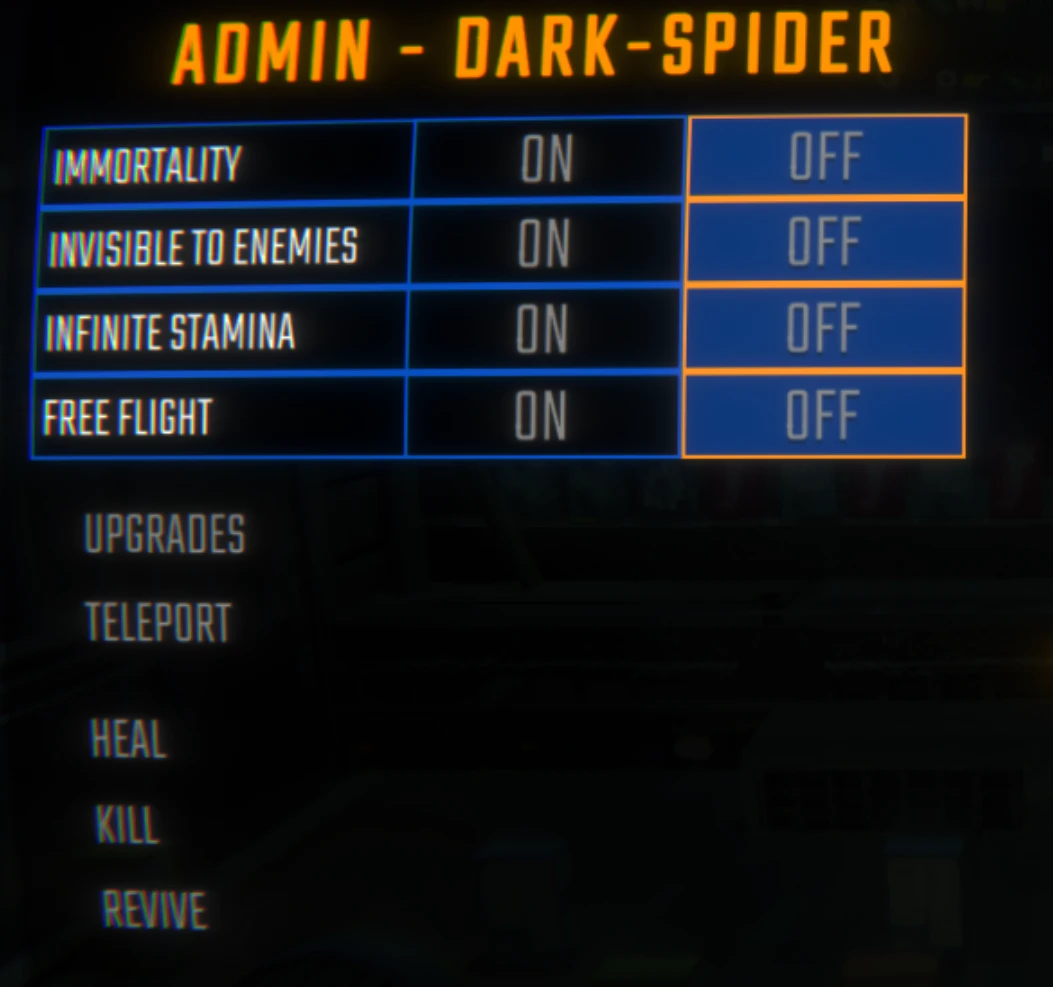
- Player switches. Immortality, invisible to enemies, infinite stamina, and free flight.
- Free flight. Fly through walls and stop in mid-air when you let go of the keys. Jump goes up, crouch goes down, sprint goes faster.
- Teleport. Bring a player to you, go to them, send them to another player, or send them to the truck or the extraction point. A dead player travels as their head.
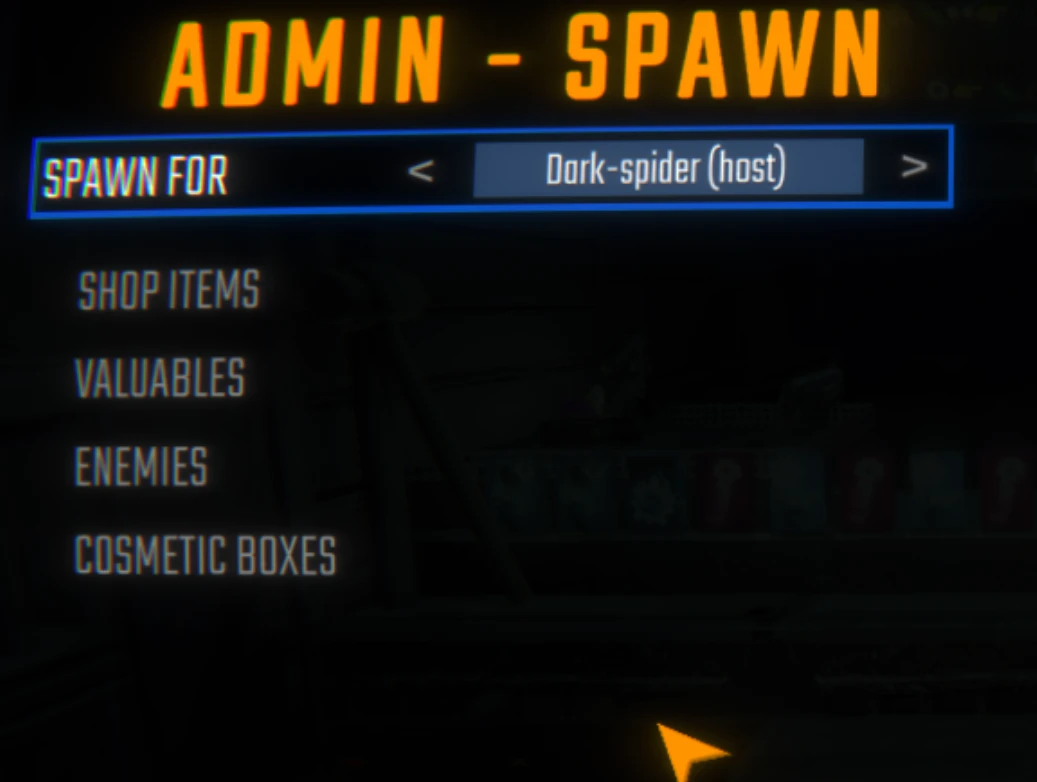
- Spawn anything. Shop items, valuables, enemies and cosmetic boxes, next to whichever player you choose.
- Search. Every list has a search box, so long lists from content mods stay easy to use.
- Enemy countdown. Choose how many enemies, click one, and a 3-second countdown gives you time to step away.
- Modded content included. Items, valuables, enemies and levels from other mods appear in the same lists, marked as mod content.
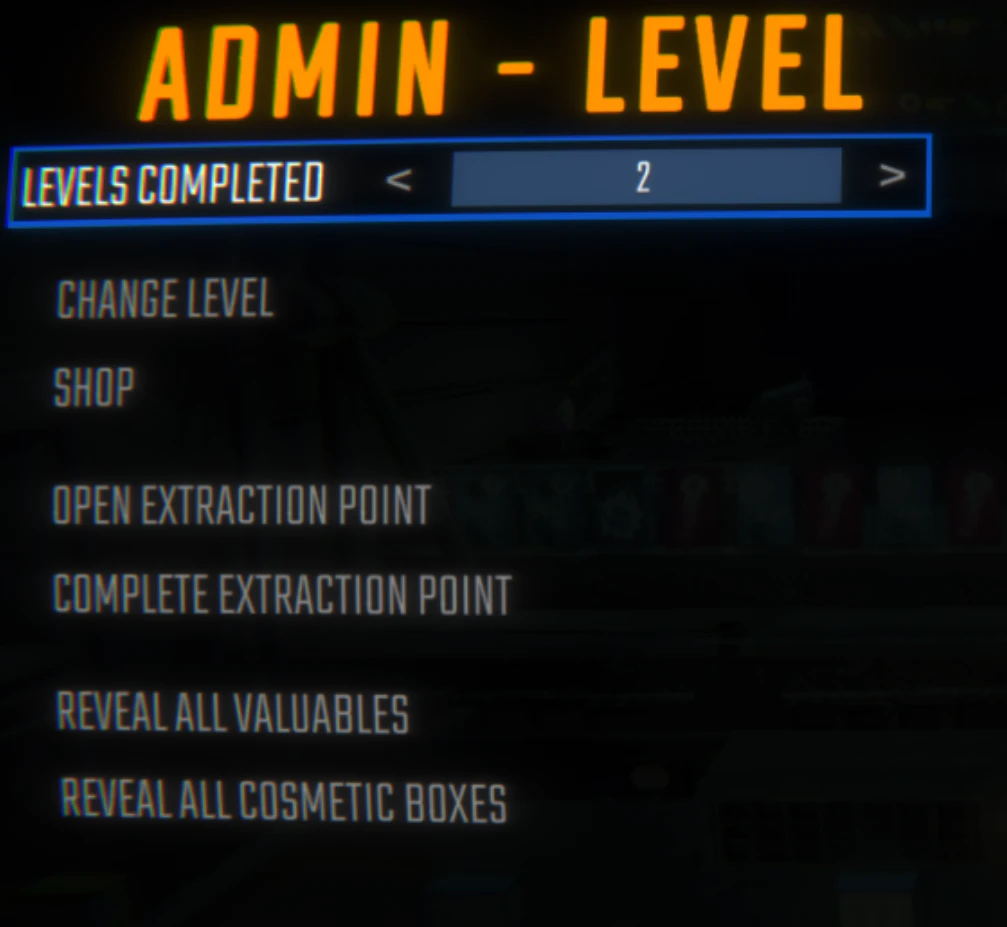
- Change the level. Jump to any level, shop or arena, including ones from mods, and set how many levels the run has completed.
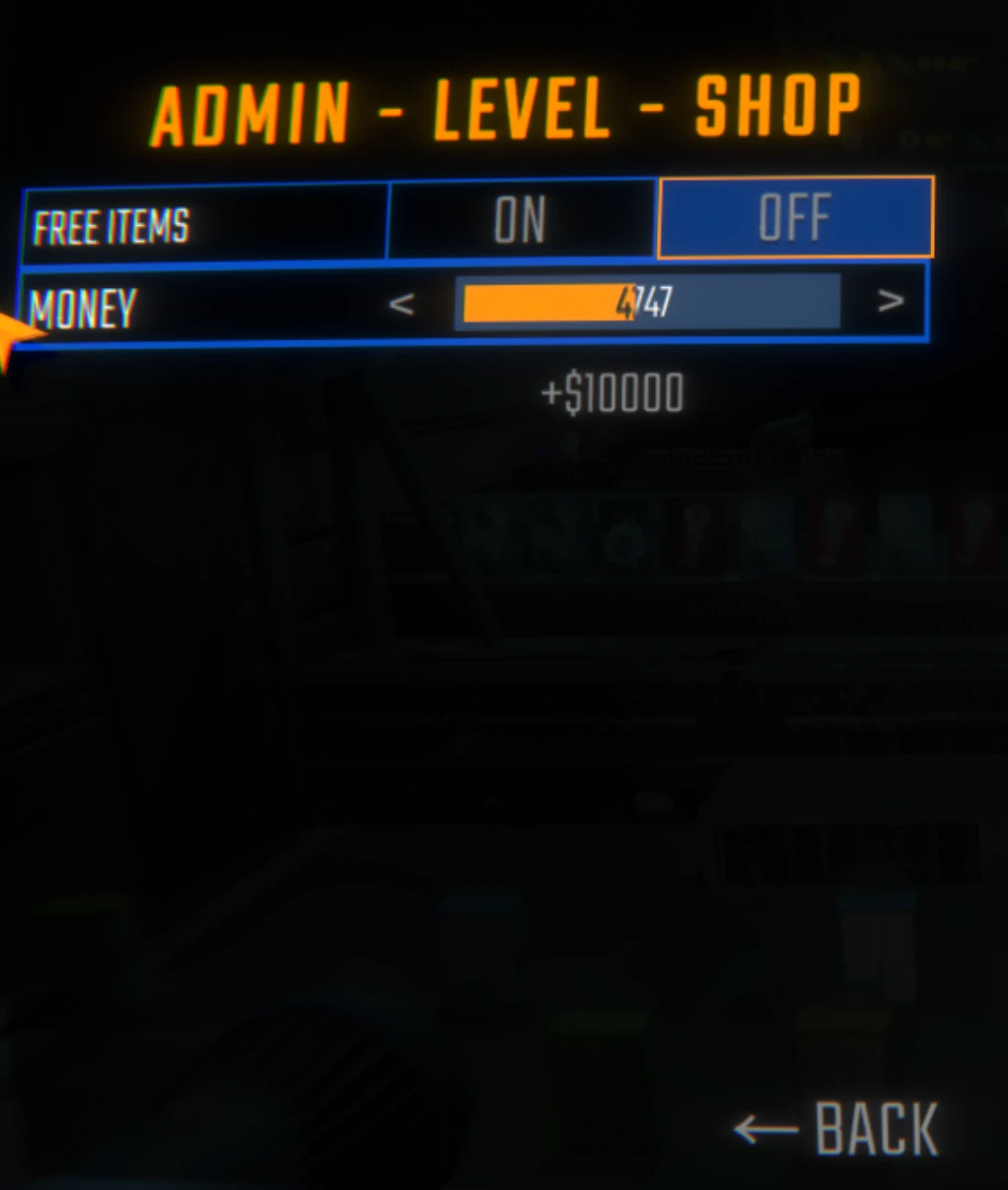
- Money and a free shop. Set your money to any amount, or make everything in the shop free. Prices update right away.
- Extraction points. Activate the next one, or complete the current one without filling it.
- Reveal the map. Show every valuable and every cosmetic box on the level.
- Two fun switches. Enemies die in one hit, and batteries never run out.
- Your language. The menu is translated into all 21 languages the game supports and switches automatically when you change the game's language. Even valuables, which the game only names in English, are translated.
Showcase
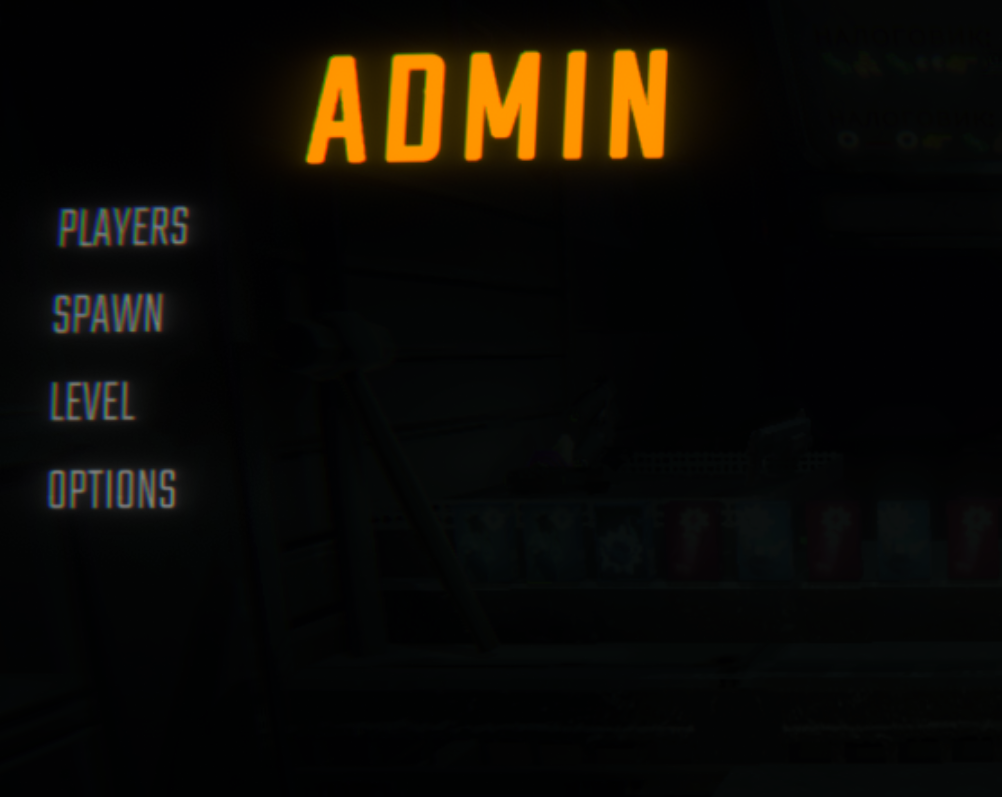
The menu
Press F8 during a run. Four sections to choose from, and a Back button on every page inside them.
A player
Switches at the top, then upgrades and teleport, then heal, kill and revive.
Spawning
Choose who it appears next to, then choose what to spawn. Every list can be searched.
The run
Change the level, set the run's progress, control the extraction points, and reveal everything worth taking.
The shop
Set your money, or make the whole shop free.
Multiplayer
Only the host needs the mod for almost everything: upgrades, invisibility, teleport, heal, kill, revive, spawning, level changes, money, the free shop, extraction points, one-hit enemies and batteries.
Three things also need the mod on the other player's game, because the game handles them on each player's own computer: free flight, infinite stamina, and fall damage protection from immortality.
If a player does not have the mod, nothing breaks. Those three switches just do nothing for them, and immortality still protects them from enemies, traps and everything else.
For the smoothest experience, everyone should use the same version.
Settings
The config file is created after you launch the game once with the mod installed:
BepInEx/config/DarkSpider90.AdminMenu.cfg
You can also change everything in-game through REPOConfig if you have it.
Menu
Enable Hotkey — on by default. Turn it off to keep the key free for another mod.
Menu Hotkey — F8 by default.
Menu Font Size — 0 by default, which uses the same text size as the game's own settings menu. Set a number to make the text bigger or smaller.
Close Menu On Spawn — off by default. Turn it on to close the menu after you spawn something.
Upgrades
Max Upgrade Level — 25 by default. The highest level the upgrade arrows go to.
Localization
Write Language Template — off by default. Use it if you want to change how the menu words something.
- Turn it on. The mod writes every line of the menu, in your game's language, to
BepInEx/config/AdminMenu/Languages/<language>.template.lang(for exampleru-RU.template.lang) and switches the setting back off. - Copy that file to
<language>.langin the same folder (for exampleru-RU.lang). - Delete the lines you do not want to change, edit the text after
=in the ones you keep, and restart the game.
Your file lives in the config folder, so mod updates do not touch it. If a line has a typo in its name, or is missing a {0} the original had, the mod ignores that line and says so in the BepInEx log.
Diagnostics
Verbose Logging — off by default. Writes extra details to the BepInEx log. Useful for bug reports.
Install
Install with a mod manager, or drop AdminMenu.dll into your BepInEx/plugins folder.
Requires BepInEx, MenuLib and REPOLib. A mod manager installs them for you.
☕ Support Admin Menu
If Admin Menu has saved a run or two of yours, you can support its continued development, compatibility work and multiplayer testing.
❤️ Support DarkSpider on Ko-fi →
Every coffee helps. Thank you for supporting the mod.
Licence
MIT. See LICENSE.
CHANGELOG
Changelog
1.0.0
- The menu is translated into all 21 languages the game ships and switches with the game's language setting.
- Category names (item kinds, valuable sizes, enemy difficulty, level groups) are translated too; they were English in every language.
- Arabic is joined and laid out right to left, with player names and numbers kept readable.
- Valuables, which the game names only in English, get adapted names in every language, with the level they come from ("Ваза (Поместье)"). Levels the game leaves unnamed - lobby, arenas, tutorial, the shops - are named too.
- Your own wording fixes now live in
BepInEx/config/AdminMenu/Languages, so a mod update no longer deletes them. The language template is written in your game's language with the current translation, and lines with a typo in the key or a broken{0}are skipped with a note in the log.
0.8.0
- First release. A host-only menu on F8 for players, spawning and the run.
- Players: upgrades, immortality, invisibility to enemies, infinite stamina, free flight, heal, kill, revive, and five ways to teleport. Dead players work everywhere the living do.
- Spawning: shop items, valuables, enemies and cosmetic boxes, with search and a choice of who they land next to. Enemies arrive on a countdown.
- The run: change the level, set how many levels are done, set the money, make the shop free, open or finish the extraction point, reveal every valuable and cosmetic box.
- Content from other mods appears in the lists beside the game's own.
- English and Russian, with other languages addable from a file.
