
Please disclose if any significant portion of your mod was created using AI tools by adding the 'AI Generated' category. Failing to do so may result in the mod being removed from Thunderstore.

TextUpgradesUIScale
Keeps the R.E.P.O. upgrade list on screen by scaling its text to fit.
| Date uploaded | 2 weeks ago |
| Version | 1.4.1 |
| Download link | DarkSpider-TextUpgradesUIScale-1.4.1.zip |
| Downloads | 51403 |
| Dependency string | DarkSpider-TextUpgradesUIScale-1.4.1 |
This mod requires the following mods to function

BepInEx-BepInExPack
BepInEx pack for Mono Unity games. Preconfigured and ready to use.
Preferred version: 5.4.2305README
Text Upgrades UI Scale
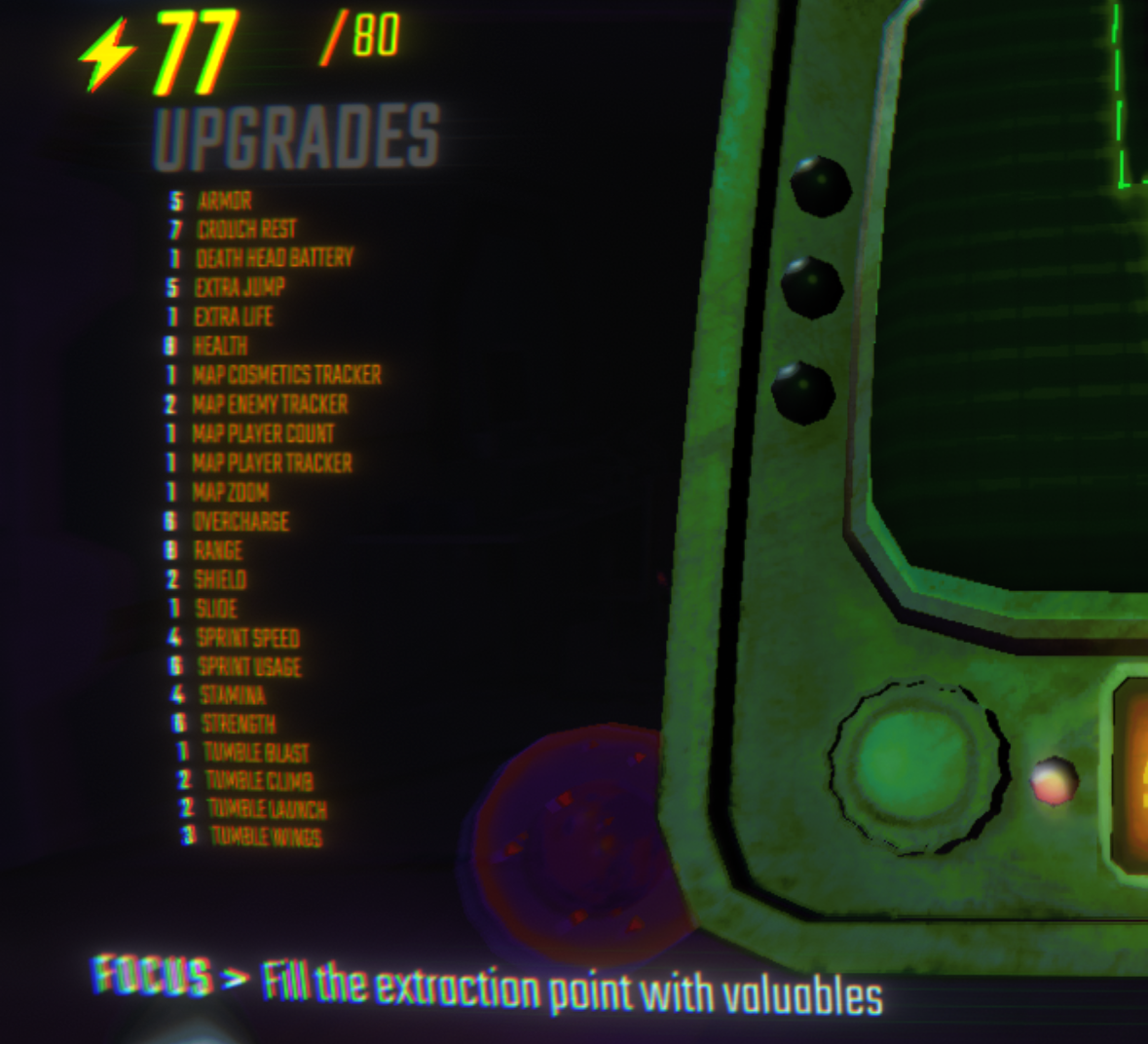
Text Upgrades UI Scale keeps long modded upgrade lists readable by dynamically scaling and spacing the upgrade text when too many upgrades are active.
Useful for heavily modded lobbies where the vanilla upgrade UI overflows the screen.
Config
The config file is generated as BepInEx/config/DarkSpider90.TextUpgradesUIScale.cfg.
StartShrinkingAfterUpgradesCount: after how many active upgrades the text starts shrinking. Default:10.ShrinkEveryUpgrades: shrink once per this many additional upgrades. Default:2.ShrinkStep: how much scale is removed per step. Default:0.07.LineSpacing: extra vertical spacing between rows while scaled. Default:-4.MaxTextWidthBeforeShrinking: shrink text if upgrade names become wider than this value. Default:0, which disables width-based shrinking.
Scale values use 1 as the original game size. For example, 0.5 is half size.
Installation
Mod Manager
Install with a Thunderstore-compatible mod manager.
Manual
- Install BepInEx.
- Place
TextUpgradesUIScale.dllinto:
BepInEx/plugins/TextUpgradesUIScale/
CHANGELOG
Changelog
1.4.1
- Updated for R.E.P.O. v0.5.0.
- The list now shrinks only as far as it has to, instead of by how many upgrades you have, so a short list stays readable.
- Each upgrade's level is drawn next to its name, so the columns no longer drift apart with Russian names. Can be turned off with
AlignColumns.
1.2.1
- Updated the README preview image to use the raw GitHub image URL.
- Set the default
ShrinkStepto0.07.
1.2.0
- Added a BepInEx config file for scaling behavior and text layout.
- Added configurable step-based text shrinking.
- Added configurable line spacing.
- Added optional width-based shrinking for long upgrade names.
- Renamed the BepInEx config to
DarkSpider90.TextUpgradesUIScale.cfg.
1.1.0
- Updated for R.E.P.O. v0.4.0.
- Kept default text size for 10 or fewer active upgrades.
- Restored gradual percentage-based scaling after 10 upgrades.
- Disabled wrapping only when scaling is needed.
1.0.0
- Initial release.
