
Please disclose if any significant portion of your mod was created using AI tools by adding the 'AI Generated' category. Failing to do so may result in the mod being removed from Thunderstore.
Portable Cart Tools
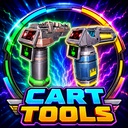
Makes the cart cannon and cart laser portable, aim better while carried, and optionally storable in inventory.
By UL
| Date uploaded | 2 weeks ago |
| Version | 1.0.1 |
| Download link | UL-Portable_Cart_Tools-1.0.1.zip |
| Downloads | 659 |
| Dependency string | UL-Portable_Cart_Tools-1.0.1 |
This mod requires the following mods to function

BepInEx-BepInExPack
BepInEx pack for Mono Unity games. Preconfigured and ready to use.
Preferred version: 5.4.2100README
Portable Cart Tools

Ever looked at the cart cannon or cart laser and thought:
“Yeah, this is nice… but what if I could just bring it with me?”
Well, now you can.
Portable Cart Tools lets you use the cart cannon and cart laser as standalone tools, without needing to keep them attached to the cart. Pick them up, carry them around, store them in your inventory, and bring the chaos with you.
Features
- Use the cart cannon without needing a cart
- Use the cart laser without needing a cart
- Carry both tools around like normal equipment
- Store the cannon and laser in your inventory
- Custom inventory icons for both tools
- Improved icon handling so the icons are reapplied during item setup, equip, and inventory UI refresh
- Portable cannon and laser aim based on where you are aiming while carrying them
- Simple config options
- Multiplayer-friendly when everyone has the mod installed
What's New in 1.0.1
Version 1.0.1 is mainly a polish and reliability update.
The portable cannon and laser should now feel better to use because they aim using your current look direction while carried. No more awkward “why did it shoot that way?” moments.
The inventory icons were also improved so they are reapplied during item setup, equip, and inventory UI refresh. This should help prevent the cannon and laser icons from reverting back to generated/default icons after level resets or scene reloads.
Why Use This Mod?
Because cart tools are too fun to be stuck on the cart.
Sometimes the cart is not where you need it. Sometimes you want the cannon nearby. Sometimes you want to walk into danger holding a laser like you made a questionable life choice.
This mod gives you more freedom to use those tools however you want.
Config
The config is kept simple.
You can toggle:
- Portable cart cannon
- Portable cart laser
- Inventory storage
- Debug logging
Multiplayer Notes
For the best experience, all players should install the mod.
Recommended setup:
- Everyone has the mod: best experience
- Host only has the mod: standalone tools may still work, but inventory behavior may be limited for clients
Known Notes
This mod changes how the cart cannon and cart laser behave when used as standalone tools.
If you notice any issue with aiming, inventory icons, or multiplayer behavior, please include details such as:
- Were you host or client?
- Did it happen after a level reset or scene reload?
- Was the tool stored in inventory?
- Was it cannon, laser, or both?
Final Words
Take the cannon. Take the laser. Leave the cart behind.
CHANGELOG
Changelog
1.0.1
This update cleans up two annoying issues with the portable cart tools.
- Portable cannon and portable laser now aim based on where you are actually looking while carrying them.
- Improved the custom inventory icons so they are reapplied during item setup, equip, and inventory UI refresh.
- This should help prevent the cannon and laser icons from turning back into the generated/default style after level resets, scene reloads, or inventory refreshes.
Basically: better aiming, more reliable icons, less weirdness.
1.0.0
- Initial Thunderstore release.
- Added portable cart cannon.
- Added portable cart laser.
- Both tools can be used without needing to stay attached to the cart.
- Added inventory support for the cannon and laser.
- Added custom inventory icons.
- Added simple config options.
