
Please disclose if any significant portion of your mod was created using AI tools by adding the 'AI Generated' category. Failing to do so may result in the mod being removed from Thunderstore.
You are viewing a potentially older version of this package.
View all versions.
Denis UI
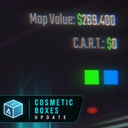
NEW: Cosmetics Update. Displays level info, map value, cosmetic box count on the level, and total haul at final extraction
| Date uploaded | 2 months ago |
| Version | 1.1.0 |
| Download link | disabro-Denis_UI-1.1.0.zip |
| Downloads | 2239 |
| Dependency string | disabro-Denis_UI-1.1.0 |
This mod requires the following mods to function

BepInEx-BepInExPack
BepInEx pack for Mono Unity games. Preconfigured and ready to use.
Preferred version: 5.4.2100README
Denis UI
Displays level info, map value, cosmetic box count on the level, and total haul at final extraction
Features
- displays cosmetic box count on the level
- shows the current level
- shows map value on the level
- can show C.A.R.T. value in the overlay
- shows haul information after extraction closes
Configuration
This mod includes configurable overlay options.
- File Location:
BepInEx/config/denis.repo.denisui.cfg
| Setting | Default | What it changes |
|---|---|---|
OverlayVisibility |
ShowWithMap |
Off hides the overlay, ShowWithMap only shows it while the map is open, and Always keeps it visible during gameplay |
Map Value |
true |
Shows map value on the level in the overlay |
C.A.R.T. Value |
true |
Shows the current C.A.R.T. value in the overlay |
Cosmetic Boxes |
true |
Shows Cosmetic Boxes in the overlay |
Multiplayer scope
- This is a local UI mod, so other players will only see it if they install it too
Dependencies
- Requires BepInEx only
Version History
- 1.1.0: Cosmetics update. Displays cosmetic box count on the level
- 1.0.0: Initial release
Credits
- Map Value Tracker by tansinator was used as a study reference for understanding how the value tracking works
- Special thanks to fiast, minakkim, and DOFRES for testing
Developer Contact
Report bugs, suggest features, or provide feedback:
- Discord:
disabro - Steam: админ роблокса

