
Please disclose if any significant portion of your mod was created using AI tools by adding the 'AI Generated' category. Failing to do so may result in the mod being removed from Thunderstore.

Nicks Command Queue Flavour
Queue items to auto-pick from Command essences, with named saves. Updated for RoR2 1.5 (Hallowed and Hex tiers).
| Date uploaded | 21 hours ago |
| Version | 2.1.1 |
| Download link | Nickgg11Team-Nicks_Command_Queue_Flavour-2.1.1.zip |
| Downloads | 374 |
| Dependency string | Nickgg11Team-Nicks_Command_Queue_Flavour-2.1.1 |
This mod requires the following mods to function

bbepis-BepInExPack
Unified BepInEx all-in-one modding pack - plugin framework, detour library
Preferred version: 5.4.2121
README
Nicks Command Queue Flavour
AI disclosure: I used AI to help write and update this mod's code and this page. I have tested the mod and play with it myself. If you find a bug, please report it on the GitHub page.
Queue up the items you want, and every Command essence you open picks the next one for you. Perfect for mega item runs: set up your build once, save it, and load it again next run.
Updated for Risk of Rain 2 version 1.5, including the new Hallowed and Hex items.
Credits
This mod continues the work of others. Please go give them some love:
- CommandQueue by KubeRoot, the original mod: queues, auto-picking, drag and drop, repeat mode. (Ko-fi)
- CommandQueueWithSave by Miniz, who added saving and loading queues. This mod started as a fix for it after it went inactive; I'll take it down if Miniz ever returns.
- CommandQueueExtended by gabrielgad, whose named saves and all-tier queues inspired the reworked save system here.
Why this one?
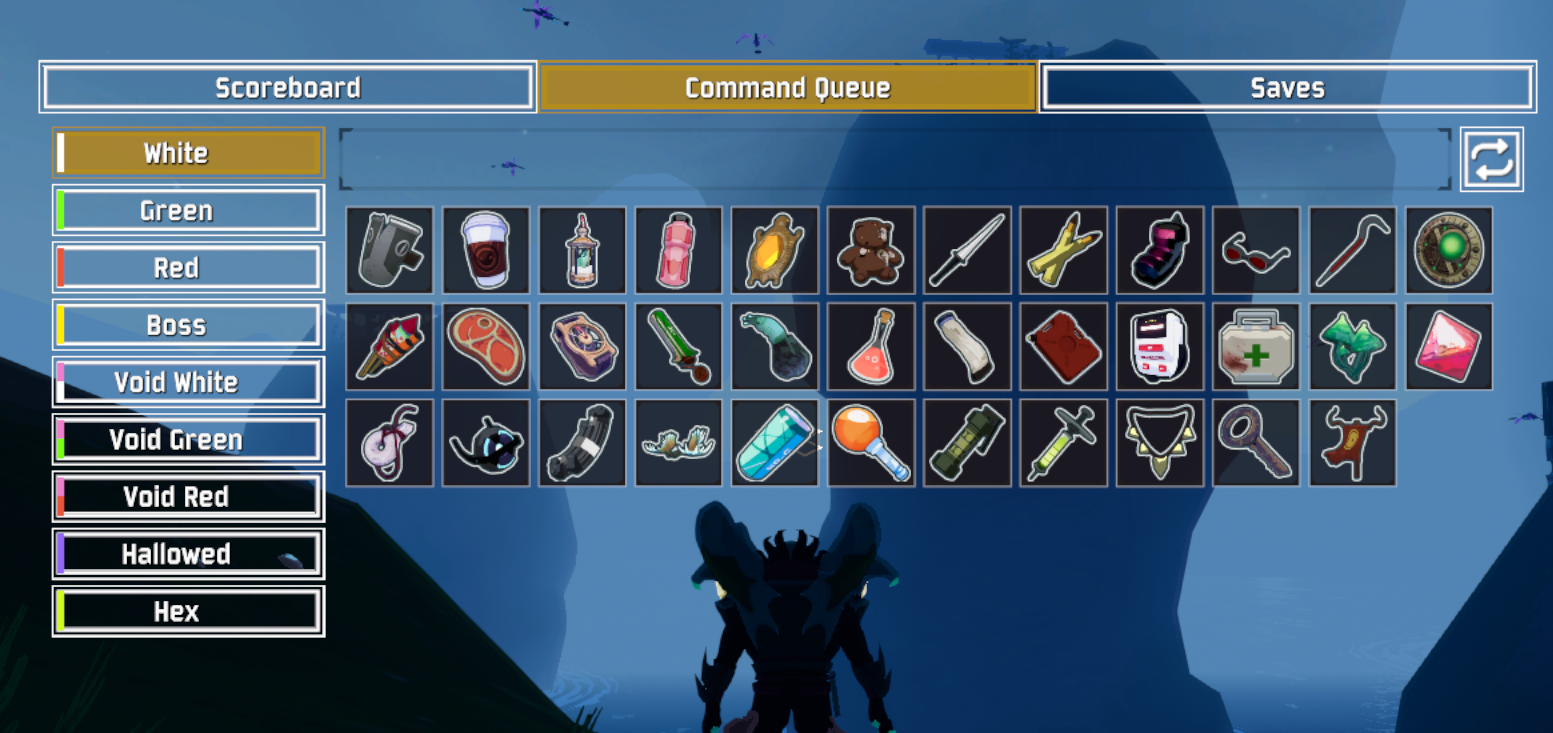
- Works on 1.5. Item icons show up (no white boxes), with tooltips, and Hallowed and Hex items can be queued.
- LookingGlass compatible out of the box. No more Command essences giving the wrong item or nothing at all. You don't need LookingGlassCommandFix with this mod.
- Built for 10+ item tiers. A tier sidebar instead of a row of tiny tabs, and a queue that wraps onto more rows instead of running off the edge.
- Saves you can trust. Unlimited named saves, stored per mod profile. Broken or outdated saves load what they can and tell you what was skipped, instead of wiping your queue.
- Your old saves come with you. Saves from Command Queue with Save and CommandQueueExtended are imported automatically.
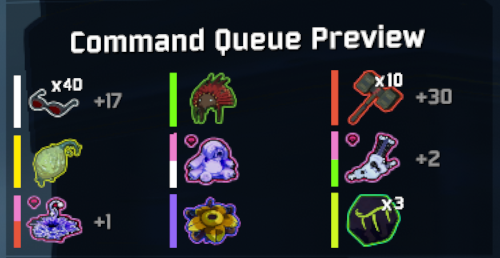
- See what's next without opening the menu, with the Command Queue Preview on your HUD.
- Take your time. The game pauses while you build your queue in single player.
- Fits your screen. The menu lines up with the item bar at the top of the screen instead of covering the HUD.
Features
Queues
- A queue for each item tier: White, Green, Red, Boss, Lunar, Void White, Void Green, Void Red, Void Boss, Hallowed and Hex. Page items can be turned on in the config.
- When you open a Command essence, the next queued item of that tier is picked for you automatically.
- An item only leaves the queue once you pick it up. Open several essences before grabbing the drops and each one picks the next item in line.
- Only permanent items count. Temporary items (the ones that run out on a timer) and ethereal items don't use up a queue slot.
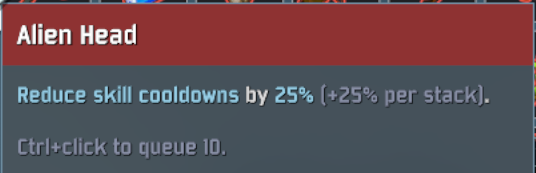
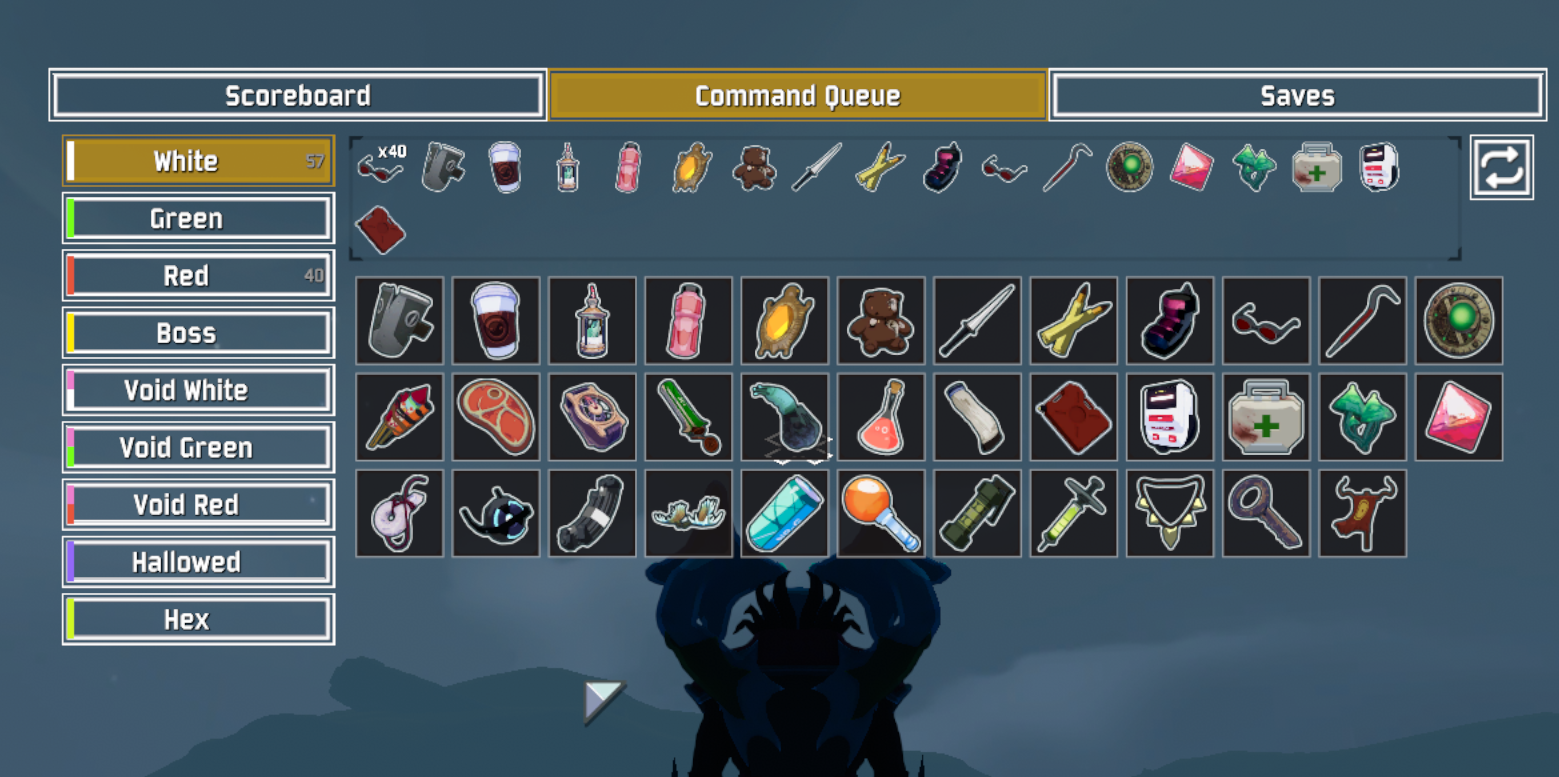
- Click an item to queue it, Ctrl+click to queue 10.
- Drag and drop to reorder the queue. Drag with right-click to move half a stack.
- Click a queued item to remove one, right-click to remove the whole stack.
- Repeat mode per tier: picked items go back to the end of the queue, for picking the same items forever.
- Items of the same kind next to each other merge into one stack.
- Tooltips with the item's name and description, on both the queue and the item list.
- Tiers you can't get this run (for example a DLC you have turned off) are hidden, unless you already queued items in them.
- Void tiers are marked with a split color bar (void color plus the tier they mirror), so Void White, Void Green, Void Red and Void Boss are easy to tell apart.
Saves
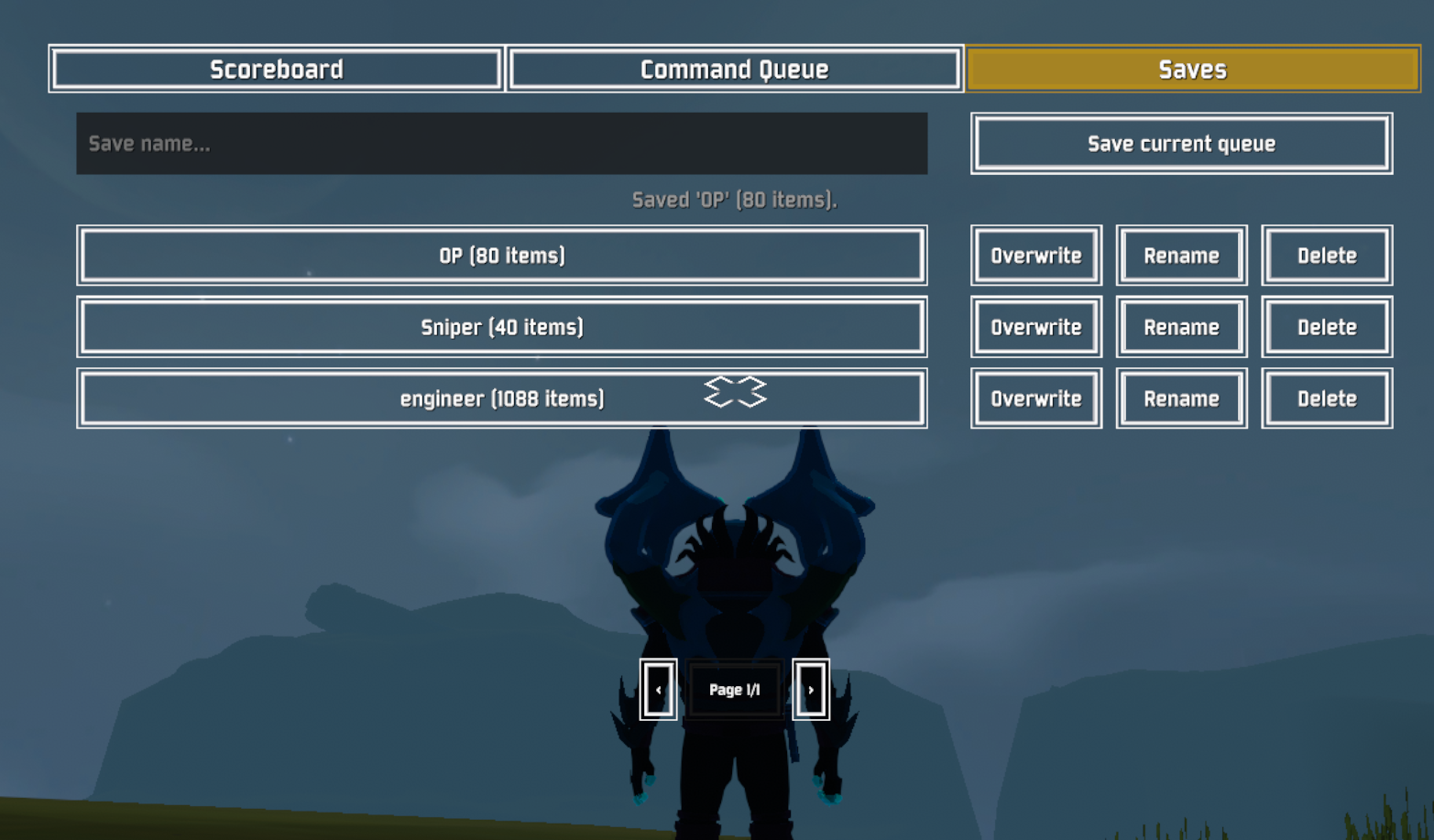
- Unlimited named saves, with pages.
- Load, overwrite, rename and delete. Overwrite and delete ask you to confirm.
- Saves are stored in
BepInEx/config/CommandQueue.saves.json, so each mod profile has its own. - Repeat mode settings are saved with the queue.
- Saves keep working when you add or remove item mods: unknown items are skipped and reported.
Command Queue Preview
- Shows the next queued item of each tier on your HUD, and how many more are queued behind it.
- Sits under the objectives panel in the game's own style, and fits any resolution or aspect ratio.
- Can be turned off.
Quality of life
- Pauses the game while the Command Queue or Saves page is open (single player only).
- The scoreboard and queue menu are sized to the item bar at the top of the screen.
- Settings in the in-game options menu with Risk of Options (optional).
How to use
- Start a run with the Artifact of Command enabled.
- Hold Tab to open the scoreboard. Turn on Toggle Inventory in the game's controls settings to keep it open without holding the key.
- Click Command Queue at the top.
- Pick a tier on the left, then click items to add them to that tier's queue.
- Open Command essences as usual: the queued items are picked for you. If the next queued item isn't offered, the normal menu opens.
- Pick up the dropped item. It leaves the queue once it's in your inventory.
To save your queue, open Saves, type a name and click Save current queue. Click a save to load it.
Configuration
Change settings in the game's options menu with Risk of Options, or edit
BepInEx/config/com.kuberoot.commandqueue.cfg.
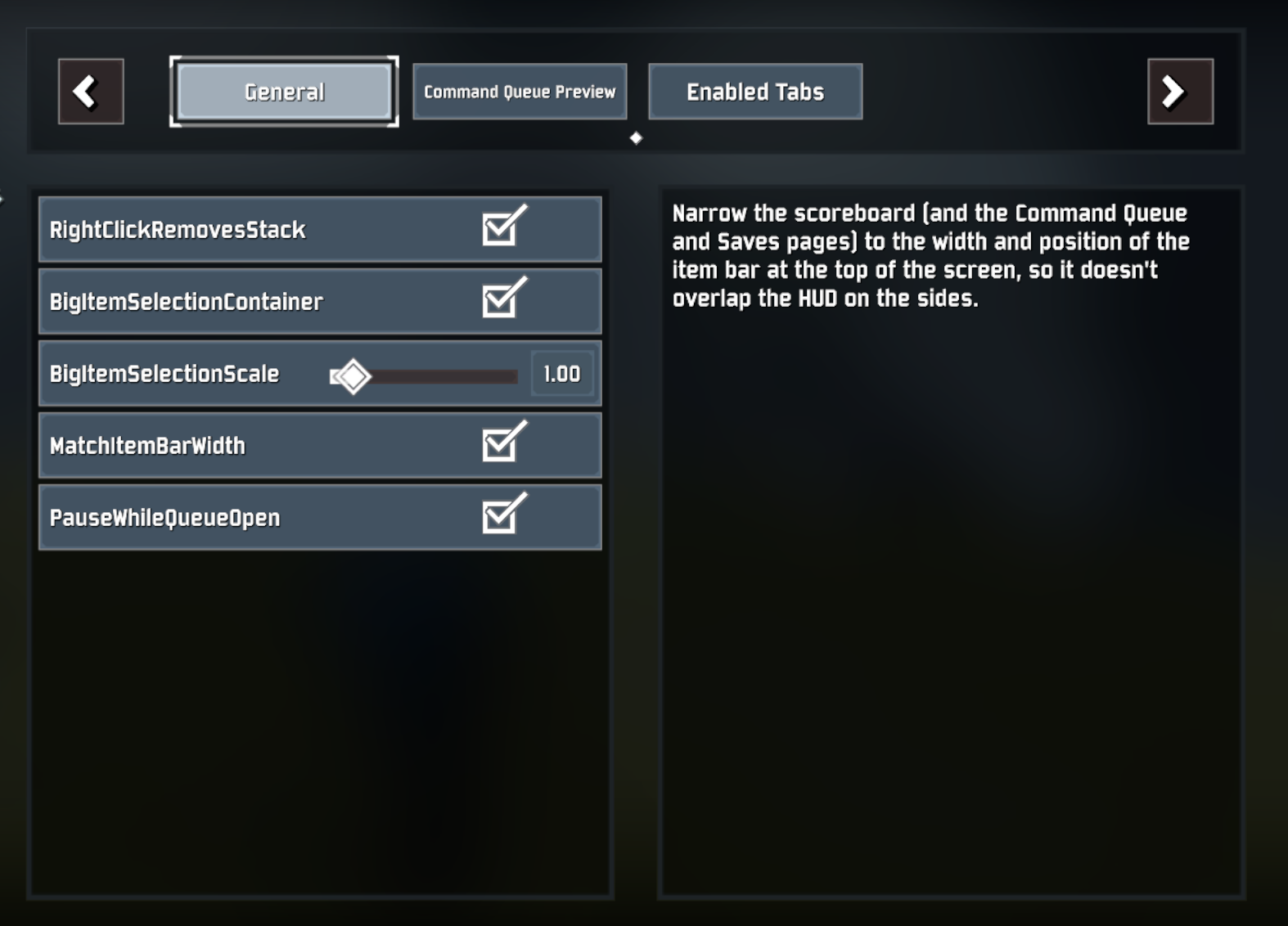
| Setting | Default | What it does |
|---|---|---|
| EnabledQueues | All main tiers | Which item tiers get a queue. Toggle tiers under Enabled Tabs in Risk of Options. |
| PauseWhileQueueOpen | On | Pause while the Command Queue or Saves page is open. Single player only. |
| MatchItemBarWidth | On | Size the scoreboard and menu to the item bar at the top of the screen. |
| RightClickRemovesStack | On | Right-clicking a queued item removes the whole stack. |
| BigItemSelectionContainer | On | Use the whole page for the item list. Turn off for the game's command menu layout. |
| BigItemSelectionScale | 1 | Size of the item buttons. Lower it if you have a lot of modded items. |
| Show Command Queue Preview | On | Show the preview on the HUD ([QueuePreview] Enabled in the config file). |
| Fallback Position X / Y | 0.985 / 0.6 | Where the preview goes if it can't attach under the objectives panel (other game modes, HUD mods). |
Compatibility
- Don't install together with KubeRoot's CommandQueue, Command Queue with Save or CommandQueueExtended. They do the same job and will conflict.
- Works with LookingGlass. LookingGlassCommandFix isn't needed.
- Multiplayer: only the players who want queues need the mod. Pausing only happens in single player.
Changelog
See the Changelog tab on this page.
Building from source
Requires the .NET SDK (6 or newer). Game and mod references come from NuGet, using the BepInEx package feed
in nuget.config, so no game files or extra repositories are needed:
dotnet build -c Release
The mod is CommandQueue/bin/Release/netstandard2.1/CommandQueue.dll. For a new game version, update the
RiskOfRain2.GameLibs and MMHOOK.RoR2 versions in CommandQueue/CommandQueue.csproj.
To build and pack the Thunderstore zip in one step, run:
powershell -ExecutionPolicy Bypass -File package.ps1
CHANGELOG
Changelog
2.1.1 - Fix items not being picked up
- Fixed items sometimes not being picked up at all. If the scoreboard was opened on the Command Queue or Saves page, the next stage broke every pickup: the item stayed on the ground and the queue never counted it.
- Fixed an error at the start of each stage when the queue preview is on.
2.1.0 - Queue counts items you pick up
- A queued item now leaves the queue when you pick it up, not when the Command essence is opened. The essence drops the item on the ground, so before this the queue went down even if you never grabbed it.
- Opening another essence before picking up the last one skips the items still waiting on the ground, so the same queue slot isn't picked twice.
- Only permanent items count towards the queue. Temporary items (the ones that run out on a timer) and ethereal items don't use up a queue slot.
- Essences from printers and shops count the same as ones from chests.
- Items still lying on the ground when the stage ends no longer hold a queue slot.
2.0.0 - Risk of Rain 2 1.5, new menu, saves rework
Game update
- Updated for Risk of Rain 2 1.5.
- Added Hallowed and Hex queues. Boss, Lunar and Void queues are now on by default. Existing configs get every tier turned on once; after that your tier choices are kept.
- Tiers with nothing available in the current run (for example a DLC that isn't enabled) are hidden, unless you already queued items there.
Fixes
- Fixed item buttons in the queue menu showing as white boxes. Icons now load through the game's new icon system.
- Fixed item buttons in the menu having no tooltip. They now show the item's name and description.
- Fixed the queue running past its box when it holds many different items. It now wraps onto extra rows, and past 3 rows the icons shrink to fit. Drag and drop works across rows.
- Fixed auto-picked Command essences giving the wrong item or nothing when LookingGlass is installed. The fix from LookingGlassCommandFix is built in, so that mod isn't needed with this one.
- Fixed queued item icons overlapping each other.
- Fixed the other tier buttons flashing their hover animation when one is selected.
- Fixed item icons flashing white the first time a tier is opened.
- Fixed the Saves page showing on top of the scoreboard.
- Fixed a crash in the menu when every tier was turned off in the config.
- Fixed the Enabled Tabs checkboxes in Risk of Options throwing an error and all showing as unchecked.
New Command Queue menu
- A sidebar on the left lists the item tiers with their color and how many items are queued.
- On the right, the selected tier's queue sits on top with a square repeat button at its end, and the items to add fill the space below and scroll instead of overflowing. Item buttons are 10% smaller than the game's command menu.
- Void tiers' color bars are split between the void color and the tier they mirror (Void Green is half void, half green), so the void tiers are easy to tell apart.
- Ctrl+click an item to queue 10 at once.
- The scoreboard, Command Queue and Saves pages are sized to the width and position of the item bar at the top of the screen, so they don't cover the HUD on the sides (MatchItemBarWidth, on by default).
- The game pauses while the Command Queue or Saves page is open, in single player only (PauseWhileQueueOpen, on by default). Works with both the held and the toggled scoreboard ("Toggle Inventory" in the game's control settings).
Command Queue Preview
- New HUD panel showing the next queued item of each tier during Command runs, and how many more are queued behind it.
- Sits under the objectives panel in the game's own style, so it fits any resolution or aspect ratio. Three entries per row, extending towards the screen edge; where three don't fit, the entries scale down instead.
- Falls back to a configurable position where the objectives panel doesn't exist.
- Can be turned off with "Show Command Queue Preview" in the settings.
Saves rework (inspired by CommandQueueExtended)
- Unlimited named saves with pages, rename, overwrite and delete. Overwrite and delete ask you to confirm.
- The name box and saves stretch across the page, with the overwrite / rename / delete buttons on the right.
- Saves are stored in
BepInEx/config/CommandQueue.saves.json, so each mod profile has its own, instead of the game's folder. - Old slot saves and CommandQueueExtended saves are imported once. The old files are left in place.
- Loading checks the whole save first: unknown items and items in turned-off tiers are skipped and reported, instead of wiping the queue and stopping at the first bad entry.
- Repeat settings are saved with the queue.
- Saves are written safely, so a crash while saving can't corrupt your saves file. A broken saves file is backed up instead of being overwritten.
Other
- Removed the unused R2API dependency.
- Development: game references now come from NuGet instead of a git submodule of prebuilt libraries.
1.7.0
- Updated to version 1.7.0 of the CommandQueue mod.
- Updated to work with Alloyed Collective.
1.6.1
- Fixed the Saves button so it works properly, instead of needing you to open Command Queue first.
- Side effect: the save and load buttons are smaller, but they are still a usable size.
1.6.0
- Deja vu of 1.5.0... I swear :D
1.5.1
- Moved the Saves button in line with Command Queue and Scoreboard, making it clearer.
- Known issue: the Saves button acts the same as the item rarity buttons, so you have to click Command Queue and then Saves to view the saves.
- Saved items now stay the same even if you add new items with mods or updates. The caveat is that items need to keep the same name, so if a mod developer renames sniper_scope to big_sniper_scope it will break, but that's better than before, where every time an item was added or removed your item list was effectively bricked.
1.5.0
- Uploaded the wrong DLL like an intelligent Neanderthal.
1.0.1
- Minor file updates to the readme for clarity. No gameplay impact.
1.0.0
- First update, fixing Command Queue with Save for the latest Seekers of the Storm version.
