
Please disclose if any significant portion of your mod was created using AI tools by adding the 'AI Generated' category. Failing to do so may result in the mod being removed from Thunderstore.
ChangeDefaultDisplayMonitor
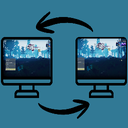
Lets you choose which monitor the game runs on, right from the in-game settings: Adds a **Display Monitor** option to **Options → Video**. This setting persists across restarts, so the game will launch onto whichever display you set.
| Date uploaded | 3 weeks ago |
| Version | 1.0.1 |
| Download link | Ovalsquare-ChangeDefaultDisplayMonitor-1.0.1.zip |
| Downloads | 69 |
| Dependency string | Ovalsquare-ChangeDefaultDisplayMonitor-1.0.1 |
This mod requires the following mods to function

bbepis-BepInExPack
Unified BepInEx all-in-one modding pack - plugin framework, detour library
Preferred version: 5.4.2108

RiskofThunder-R2API_Language
API for modifying the language localisation of the game
Preferred version: 1.0.0README
MonitorSwitcher
A small Risk of Rain 2 mod that lets you choose which monitor the game runs on, right from the in-game settings.
What it does
- Adds a Display Monitor option to Options → Video.
- Pick a monitor and the game window moves there immediately — no restart required.
- Your choice is saved and applied automatically the next time you launch the game.
How to use
- Open Options → Video and find Display Monitor at the bottom of the list.
- Select the monitor you want (shown as
Display 1 (2560 x 1440),Display 2 (3840 x 2160), etc.). - The game moves to that monitor right away. A 10-second confirmation dialog lets you keep the change or revert it, just like the vanilla resolution setting.
- The choice sticks for future launches.
Performance
Nothing runs in the background. The setting is applied once when the game starts and once when you change it; there is no continuous overhead or measurable impact on frame rate because this mod is not polling, or doing anything per-frame to keep the game on the selected monitor, or anything else like that.
It is a set-and-forget, event-driven mod that runs on start-up and when you choose to change the display.
Notes
- Windows only because I don't have Linux to test with, and my quick googling showed that Thunderstore is Windows-based anyways. If there is Linux interest maybe I can look at that later.
- (obviously) Multi-monitor setup required. With a single monitor the setting just shows your one display and selecting it does not do anything. But really, if you have 1 monitor I don't know why you would download this mod lol.
- The Resolution dropdown updates to list the resolutions of the monitor you're currently on, so you can switch to a 4K monitor and select 4K without restarting.
- If the saved monitor isn't connected anymore, the game falls back to your primary display.
- Advanced/Devs: You can also set the display from the developer console with
display_monitor DISPLAY1(values areDISPLAY1,DISPLAY2, ... -- NOT the name of the monitor (the weird like AWQXXYZ32 naming monitor companies like to use)).
CHANGELOG
1.0.0
- First release
