
| Date uploaded | 3 years ago |
| Version | 1.0.13 |
| Download link | EasyCards-EasyCards-1.0.13.zip |
| Downloads | 159 |
| Dependency string | EasyCards-EasyCards-1.0.13 |
This mod requires the following mods to function

BepInEx-BepInExPack_RogueGenesia
BepInEx pack for Rogue: Genesia. Preconfigured and includes Unity Base DLLs.
Preferred version: 1.0.0README
EasyCards
Custom Cards Made Easy
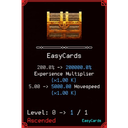
This mod allows you to easily add custom cards into the game by specifying them in JSON files.
To add your own cards, create a new .json file (like my cards.json) and put the file into the BepInEx\plugins\EasyCards\Data folder.
Then start up the game and go to Stat -> Soul Cards. If everything went well, your cards should show up.
The full file format is specified below.
Troubleshooting
If your cards don't show up, please check BepInEx\LogOutput.log and BepInEx\ErrorLog.log for potential ideas as to why.
If there is no information in the logs, you can enable additional logs by opening BepInEx\config\EasyCards.cfg and setting
LogCards = true. After saving the file, restart the app and EasyCards will log A LOT of information about your cards and
maybe give you additional information.
If all else fails, feel free to swing by the Rogue: Genesia Discord and ask there.
Changelog
1.0.13
- Fixing removals... flips table
1.0.12
- Fixing requirements - Thanks @PlushPaws for reporting
1.0.11
- Re-add missing dll - Thanks @PlushPaws for reporting
1.0.10
- Some internal code clean up
- Preparation for more advanced features that are in the pipeline
1.0.9
- Fix for stat requirements - Thanks @PlushPaws
1.0.8
- Fix for banishing cards - Thanks @PlushPaws for pointing it out and being persistent
1.0.7
- Code restructure
- Initial Release on Thunderstore
File Format
{
  // The name you want to show up in-game for your cards
  // Optional, will default to EasyCards if not provided
  "ModSource": "Your Mod Name Here",
  "Stats": [
    {
      // Internal name of your new card
      // Required
      "Name": "Card1",

      // The path to the image you want displayed on the card.
      // This needs to be inside the `EasyCards\Assets` folder.
      // Note: Most of the games card assets are 32x32 pixels.
      // Required
      "TexturePath": "CustomCardPack/Card1.png",

      // The rarity of the card. See the list below for options.
      // Required
      "Rarity": "Epic",

      // The tags the card has. See the list below for options.
      // Required
      "Tags": [ "Might", "Critical" ],

      // How likely is this card to drop?
      // Required
      "DropWeight": 0.10,

      // How likely is the card to re-appear after you got it
      // Required
      "LevelUpWeight": 0.10,

      // The maximum level of the card. If higher than 1, all stats will
      // be multiplied by the level when you level up.
      // Required
      "MaxLevel": 1,

      // A list of modifiers. See below for details
      // Requiered (at least 1)
      "Modifiers": [
        {
          "ModifierValue": 15,
          "ModifierType": "Additional",
          "Stat": "CriticalChance"
        }
      ],

      // Translations for the your cards name
      // Required
      "NameLocalization": {
        "en": "My First Card"
      },

      // Translations for the your cards descriptions
      // Optional
      "DescriptionLocalization": {
        "en": "My First Cards Description"
      },

      // For this card to show up, ANY of the below is required
      // Optional
      "RequiresAny": {
        "Cards": [{"Name": "Egg", "Level": 1}],
        "Stats": {
          "StatRequirements": [{"Name":  "Damage", "Value": 8999}],
          "RequirementType": "Min"
        }
      },

      // For this card to show up, ALL of the below is required.
      // The format is the same as `RequiresAny`
      // Optional
      "RequiresAll": {},

      // The names of cards you want to banish when your card is selected.
      // Can be any custom card or card that is included with the game.
      // Only blocks them from showing up again, if you have them, they will
      // stay in your inventory.
      // Optional
      "BanishesCardsByName": [ "Katana", "VoidSpirit" ],

      // The modifier names that you want this card to banish.
      // This example banishes every card that modifies `DamageMitigation`
      // Optional
      "BanishesCardsWithStatsOfType": [ "DamageMitigation" ],

      // When you select this card, remove all listed cards from your inventory
      // Optional
      "RemovesCards": [ "Katana", "VoidSpirit" ]
    }
  ]
}
Rarity
The rarity of the card.
Possible values: Tainted, Normal, Uncommon , Rare, Epic, Heroic, Ascended, Evolution
Tags
Tags for your card. Think of them as grouping them.
Possible values: None, Order, Critical, Defence, Body, Might, Evolution
Modifiers
Specifies modifiers that the card applies to your stats.
Example:
{
  "ModifierValue": 15,

  // Specifies HOW the `ModifierValue` is applied
  "ModifierType": "Additional",

  // Specifies WHICH stat this modifier applies to
  "Stat": "CriticalChance"
}
Stat
A stat that your card modifies.
Possible values: MaxHealth, HealthRegen, Defence, DamageMitigation, XPMultiplier, PickUpDistance, AdditionalProjectile, ProjectilePiercing, ProjectileLifeTime, ProjectileSpeed, ProjectileSize, AreaSize, KnockBack, MoveSpeed, AttackCoolDown, AttackDelay, Damage, CriticalChance, CriticalMultiplier, DashSpeed, DashDuration, DashDelay, DashCoolDown, DashCharge, DashChargePerCoolDown, GoldMultiplier, SoulCoinMultiplier, DefencePiercing, Corruption
ModifierType
How does your card modify a stat?
Possible values: Additional, Multiplier, Compound
NOTE: For most multiplication cases, you will want to use Compound, especially for negative multiplisers.
RequiresAny & RequiresAll
Example
"RequiresAny": {
    "Cards": [
        {"Name": "Card1", "Level": 1},
        {"Name": "Card2", "Level": 3},
    ],
    "Stats": {
      "StatRequirements": [
        {"Name":  "Damage", "Value": 8999},
        {"Name":  "Corruption", "Value": 10},
      ],
      "RequirementType": "Min"
    }
},
Cards
A list of cards that are required. Each entry looks like this:
{"Name": "Card1", "Level": 2},
Name is the internal name of the card, Level is the minimum level.
So in the above example, the requirement is fulfilled if you have Card1 at Level 2 in your inventory.
Stats
Stat requirements are more complex. An entry looks like this:
"Stats": {
  "StatRequirements": [
    {"Name": "Damage", "Value": 8999},
    {"Name": "Corruption", "Value": 10},
  ],
  "RequirementType": "Min"
}
StatRequirements contains a list of stats Stat names and values to fulfill. RequirementType specifies if the stat requirements are Min(imums) or Max(imums).
That means, the above example translates to:
For this card to show up, the player must have AT LEAST 8999 Damage and AT LEAST 10 Corruption.
If we were to change the RequirementType to Max, it would change to For this card to show up, the player must have at LESS THAN 8999 Damage and LESS THAN 10 Corruption.
