
RUMBLE does not support other mod managers. If you want to use a manager, you must use the RUMBLE Mod Manager, a manager specifically designed for this game.
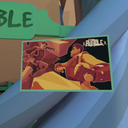
RumblePhotoAlbum
Framed photos in your play area!
| Date uploaded | 12 months ago |
| Version | 1.0.0 |
| Download link | Kalamart-RumblePhotoAlbum-1.0.0.zip |
| Downloads | 144 |
| Dependency string | Kalamart-RumblePhotoAlbum-1.0.0 |
This mod requires the following mods to function

LavaGang-MelonLoader
The World's First Universal Mod Loader for Unity Games compatible with both Il2Cpp and Mono
Preferred version: 0.7.2
UlvakSkillz-RumbleModdingAPI
API to Help Modders Get Started and to remove the necessity of GameObject.Find
Preferred version: 5.0.0
Baumritter-RumbleModUI
Adds a pop-up window for centralized management of mod settings
Preferred version: 2.1.2README
Rumble Photo Album
This mod allows you to customize your play area with framed pictures.
How to get an image from the disk into the game

Simply drop the images you want into UserData/RumblePhotoAlbum/pictures, and press the "Spawn picture" button on the Gear Market. The picture will be prompty delivered to you via the Mail Tube! You can then grab and reposition the picture as you like, and even resize it by grabbing it with two hands.

The configuration is saved in a json file, and each scene gets its own configuration. The only scene that cannot have framed pictures is the Loader.
In a future iteration of the mod, the park will also feature a copy of the Mail Tube and the "Spawn picture" button.
For multiplayer maps, there can't be extra stuff on the arena, so you'll have to experiment by manually editing the json file...
Reloading all the pictures currently in the scene
Any time the mod configuration in ModUI is saved, all the pictures are reloaded. You can experiment with the color and size options to get the best fit for you while you're at it!
What is the "stash"?
In the configuration file, there are two sections for each scene: the "album", where all the picture positions are, and the "stash", where you can have either file names (then we'll search in the pictures folder), or a full path! Image files that are in the pictures folder but not in the stash are automatically added to it.
CHANGELOG
Version 1.3.2
- Changed serialization method for compatibility
- Added options to change grab/release thresholds
- Added option to completely disable the mod
- Changed the stash reload function to prioritize recently added pictures
Version 1.3.1
- Fixed metallic aspect
- Added option to configure the metallic aspect of the frame
- Added requirement for MelonLoader 0.7.2
Version 1.3.0
- Fixed the mod for v0.5.0.1
Version 1.2.4
- Fixed action button visibility option not working
Version 1.2.3
- Fixed bug with GIF not playing sometimes
Version 1.2.2
- Added FlatLand support
- Fixed a bug introduced in v1.2.1 where the mod would crash after deleting/stashing a picture
Version 1.2.1
- Made it possible to hold two pictures at once
- Fixed park spawn button rotation
- Added options for spawning and GIF decoding frequency
Version 1.2.0
- Added animated GIF support
Version 1.1.2
- Fixed photo locations being deleted when spawning bugs
- Fixed printed photos and mail tube spawned photos not being saved
Version 1.1.1
- Added an option to not show the action buttons on the picture
- Added an API to allow other mods to use framed pictures
- Fixed the "delete" button deleting the file even if it's outside of UserData
- Fixed game freezing when spawing the pictures
Version 1.1.0
- Added 3 action buttons: stash, hide and delete
- Added visibility option to ModUI
Version 1.0.4
- Fixed initialization failing in some situations
- Fixed Rock Cam button being unresponsive after scene change
- Fixed collision glitch with the picture when too big
Version 1.0.3
- Fixed picture positions not being saved in matches
- Made the printed photo disappear with Rock Cam if it's still attached
- Added an option to enable transparency
Version 1.0.2
- Fixed the mod for v0.4.2
- Fixed picture grabbing in parks
- Added a Mail Tube in parks in order to spawn pictures
- Added "Print photo" button to Rock Cam
Version 1.0.1
- Fixed collisions with the pictures
Version 1.0.0
- Created
Help And Other Resources
Get help and find other resources in the Modding Discord: https://discord.gg/fsbcnZgzfa
