
RUMBLE does not support other mod managers. If you want to use a manager, you must use the RUMBLE Mod Manager, a manager specifically designed for this game.
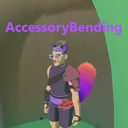
AccessoryBending
Custom Cosmetics Loader
| Date uploaded | 2 months ago |
| Version | 1.2.2 |
| Download link | UlvakSkillz-AccessoryBending-1.2.2.zip |
| Downloads | 15 |
| Dependency string | UlvakSkillz-AccessoryBending-1.2.2 |
This mod requires the following mods to function

LavaGang-MelonLoader
The World's First Universal Mod Loader for Unity Games compatible with both Il2Cpp and Mono
Preferred version: 0.7.2
UlvakSkillz-RumbleModdingAPI
API to Help Modders Get Started and to remove the necessity of GameObject.Find
Preferred version: 5.0.0
README
This Mod Takes in Asset Bundle Files and attaches them to the Player. This is Networked with other Players to see each other's Equipped Assets as long as Both Players have the Asset Bundle Installed.
Please Take Note:
There is Multiple Sections: Users, Getting and Editing Files, and Creators Section. Please Read Each Section that Pertains to You.
Users:
- Drag and Drop Both the 'Mods' and
UserDataFolders into YourRUMBLEFolder - Restart Rumble when Adding/Removing Assets from Being Installed
- Use ModUI to Toggle your Equipped Items On/Off
- UIFramework Settings:
 Show Others Accessories: Toggling ON will have others Accessories Shown that you have installed. (Will not Remove Accessories Already Loaded)
 Nuke Others Accessories: Toggling ON then Saving will Remove all current Accessories from Players in the Scene. (Accessories will Come Back when a Player Enters the Room)
 Auto-Generated Menu Options: Having a Cosmetic File in `RUMBLE/UserData/AccessoryBending` will Auto-Generate a True/False Option for Having the Item Equipped on Yourself.
- Installing Accessories will Default the UIFramework option to False/Off/UnEquipped
- To Update The Visuals of which Accessories are Equipped, Change UIFramework Setting to what You want, then Change Scenes. If Another Player Updates their Cosmetics, only Someone Joining the Room After will See the Updated Visuals. If a Player does Nuke Others Accessories option, when Someone Joins the Room, they will see the Updated Visuals.
Getting and Editing Files:
 Line 1: Name of Main Game Object (This is the Game Object Name Encompassing the Whole Cosmetic) (Found as Outter Most Object in Unity when Creating)
 Line 2: The Bone Structure Path to the Spot you want it Parented (Cosmetic will Follow that Object)
 Line 3: Local Position Offset (0|0|0 will be in relation to the Parent's Rotation) (x, y, z)
 Line 4: Local Rotation Offset (0|0|0 will be in relation to the Parent's Rotation) (x, y, z)
 Line 5: Local Scale (1|1|1 will be the Normal Size) (x, y, z)
 Line 6: Show in VR Headset (Set "true" or "false" to have the Cosmetic Visible or Not to the Headset)
 Line 7: Show in Legacy Camera (Set "true" or "false" to have the Cosmetic Visible or Not to the Legacy Camera)
 Line 8: If Something is in this Line, That Game Object will be Parented instead of the Line 1 Game Object. This should be the Line 1 Game Object's Child Path (not Including the Line 1 Game Object Name Itself)
 Line 8 Tip: Don't have ANYTHING here like a Space if it isn't Being Used
- In The Discord Channel Found Here (Invite Link to the Modding Discord) Download Both the Asset File and Text File then Place them Both in
RUMBLE/UserData/AssetBending Folder - If No Text File is Found, One will be Auto-Generated On Game Load
- If You Want to have the Accessory Following / On a Certain Body Part, Line 1 should be the Naming of each Game Object in the Parent/Child Game Object Chain (See Below)
Creators:
- When Making Assets, Please have Models/Game Objects Position/Rotation at 0, 0, 0 the Best you Can. It's Still Okay if Not, but it Helps
- Assets NEED to be Uniquely Named because if 2 Assets (Game Objects that gets moved) have the Same Name, it'll Break the mod where 1 Won't Show Up and 2 will be Created of the Other
Parent/Child Game Object Chain:
Player Controller(Clone)
 -Visuals
 --Skelington
 ---Bone_Pelvis
 ----Bone_Frontflap_Anchor
 ----Bone_Frontflap
 ----Bone_Hip_L
 -----Bone_Knee_L
 ------Bone_Foot_L
 -------Bone_Toe_L
 --------FootstepAudio
 -----PhysicsBone_Collider
 ----Bone_Hip_R
 -----Bone_Knee_R
 ------Bone_Foot_R
 -------Bone_Toe_R
 --------FootstepAudio
 -----PhysicsBone_Collider
 ----Bone_Spine_A
 -----Bone_Chest
 ------Bone_Neck
 -------Bone_Head
 --------Bone_Brow_A_L
 ---------Bone_Brow_B_L
 --------Bone_Brow_A_R
 ---------Bone_Brow_B_R
 --------Bone_Jaw
 ---------Bone_Bottomlip
 ---------Bone_Bottomlip_L
 ---------Bone_Bottomlip_R
 --------Bone_Lowereyelid_L
 --------Bone_Lowereyelid_R
 --------Bone_Mouthcorner_L
 --------Bone_Mouthcorner_R
 --------Bone_Nazalfold_L
 --------Bone_Nazalfold_R
 --------Bone_Nose
 --------Bone_Tail
 --------Bone_Tail_Anchor
 --------Bone_Uppereyelid_L
 --------Bone_Uppereyelid_R
 --------Bone_Upperlip
 --------Bone_Upperlip_B_L
 --------Bone_Upperlip_B_R
 --------Eyebone_L
 --------Eyebone_R
 --------Attention Point
 --------BucketCrown
 ---------BucketCrownHandle
 ------Bone_Shoulderblade_L
 -------Bone_Shoulder_L
 --------Bone_Lowerarm_L
 ---------Bone_HandAlpha_L
 ----------Bone_Middlefinger_A_L
 -----------Bone_Middlefinger_B_L
 ------------Bone_Middlefinger_C_L
 ----------Bone_pinkie_A_L
 -----------Bone_pinkie_B_L
 ------------Bone_pinkie_C_L
 ----------Bone_Pointer_A_L
 -----------Bone_Pointer_B_L
 ------------Bone_Pointer_C_L
 ----------Bone_Ringfinger_A_L
 -----------Bone_Ringfinger_B_L
 ------------Bone_Ringfinger_C_L
 ----------Bone_Thumb_A_L
 -----------Bone_Thumb_B_L
 ------------Bone_Thumb_C_L
 ----------ShifstoneSocket_L
 ----------Attention Point
 ----------SnapTransform
 -----------FlowStone
 ------------Gem10 (1)
 ------------Shiftstone Trigger VFX
 ---------LeftWristLCK
 ------Bone_Shoulderblade_R
 -------Bone_Shoulder_R
 --------Bone_Lowerarm_R
 ---------Bone_HandAlpha_R
 ----------Bone_Middlefinger_A_R
 -----------Bone_Middlefinger_B_R
 ------------Bone_Middlefinger_C_R
 ----------Bone_pinkie_A_R
 -----------Bone_pinkie_B_R
 ------------Bone_pinkie_C_R
 ----------Bone_Pointer_A_R
 -----------Bone_Pointer_B_R
 ------------Bone_Pointer_C_R
 ----------Bone_Ringfinger_A_R
 -----------Bone_Ringfinger_B_R
 ------------Bone_Ringfinger_C_R
 ----------Bone_Thumb_A_R
 -----------Bone_Thumb_B_R
 ------------Bone_Thumb_C_R
 ----------Attention Point
 ----------ShiftstoneSocket_R
 ----------SnapTransform
 -----------StubbornStone
 ------------Mesh
 ------------Shiftstone Trigger VFX
 ---------RightWristLCK
 ------Stubbornstone_VFX
Help And Other Resources
Get help and find other resources in the Modding Discord: https://discord.gg/fsbcnZgzfa
CHANGELOG
Version 1.2.5
- Continued changes from last version
- Added Debugging toggle to enable verbose logs
- Added warnings for accessory data referencing unknown players or missing accessories
- Fixed Photon EventReceived stacking on every map load and accessory bookkeeping desync on scene change and Nuke
- Removed dead ModUI internal dependency
- Changed Nuke Others Accessories from checkbox to button
(Credit: Supercopia)
Version 1.2.4
- Removed Loaded Asset Logs to prevent spamming the Logs
- Added fix for not crashing entirely if a file is bad
- MelonLogger -> Melon<MelonMod>.Logger usage
- Fixed ReadMe
Version 1.2.3
- Fixed StoreLastSavedPrefs Issue
Version 1.2.2
- UIFramework 0.6.1 -> 0.6.2
Version 1.2.1
- Fixed Error during AssetBundle Loading
Version 1.2.0
- ModUI -> UIFramework
Version 1.1.1
- Added URP/Lit Changer to URP/Unlit to fix lighting issues
Version 1.1.0
- Updated to Game Version 0.5
Version 1.0.0
- Created
Help And Other Resources
Get help and find other resources in the Modding Discord: https://discord.gg/fsbcnZgzfa
