
RUMBLE does not support other mod managers. If you want to use a manager, you must use the RUMBLE Mod Manager, a manager specifically designed for this game.
You are viewing a potentially older version of this package.
View all versions.
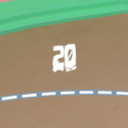
HealthDisplayWithFont
This mod currently adds a number above your health bar that shows your HP in a custom font.
| Date uploaded | 12 months ago |
| Version | 0.1.0 |
| Download link | ninjaguardian-HealthDisplayWithFont-0.1.0.zip |
| Downloads | 51 |
| Dependency string | ninjaguardian-HealthDisplayWithFont-0.1.0 |
This mod requires the following mods to function

LavaGang-MelonLoader
The World's First Universal Mod Loader for Unity Games compatible with both Il2Cpp and Mono
Preferred version: 0.7.2
UlvakSkillz-RumbleModdingAPI
API to Help Modders Get Started and to remove the necessity of GameObject.Find
Preferred version: 5.3.0README
Health Display With Font

What is this
This mod currently adds a number above your health bar that shows your HP in a custom font.
Instructions
- Install MelonLoader
- Run RUMBLE without mods
- Drop Mods from .zip into RUMBLE's installation folder
- Drop UserData from .zip into RUMBLE's installation folder
- Play RUMBLE!
Add your own font
- Install Unity Hub
- Go to Installs, Install Editor, Archive, Download Archive, 2022 (depends on current Rumble version), All versions, 2022.1.13f1 (or whatever the current Rumble version is), and install.
- In Unity Hub, go to Projects, New Project, change the editor version at the top, select 3D (Built-In Render Pipeline), and create the project.
- Follow this video until 1:10.
- The folder 'mynewbundle' should be named 'fontbundle' instead.
- Go into the folder and put your .ttf or .otf inside. Make sure the name is either 'font.ttf' or 'font.otf'.
- Follow this video until 2:22. Any steps in the video performed on 'ThreeCapsules' should be performed on your font file. Make sure that whenever the video uses 'mynewbundle', you use 'fontbundle'.
- Copy the file named 'fontbundle' with no file extension; paste it into RUMBLE's UserData\HealthDisplayWithFont folder.
Help And Other Resources
Get help and find other resources in the Modding Discord
Included font credit

CHANGELOG
v0.4.2
- Update to RMAPI v5.3.0
- Update to MelonLoader 0.7.2
- Partial ReplayMod support
- Health text updates correctly with replays
- Known issues:
- Health text can clip into nameplate
v0.4.1
- Update to RMAPI v5.1.1
v0.4.0
- Update to Fontifier v1.1.2
- Uses RMAPI again
- Opponent health text scales with distance to camera
- Make opponent health text fade in and out
v0.3.1
- Support Fontifier v1.1.0
- Fix windows issues
v0.3.0
- Switch to Fontifier
v0.2.0
- Make it work for remote players
- Currently, the text does not scale based on distance
v0.1.3
- No longer uses RMAPI
- Gets everything via HarmonyPatches
- Attempt to make health numbers show for remote players
- Doesn't seem to work yet
v0.1.2
- Fix issues when the user is client
- It now grabs the UI Bar from the local player instead of any player
- Various technical changes
- Now passes the current health instead of getting it from the player
- No longer stores the UI Bar, instead opting to store the text
v0.1.1
- Change
GameObject.Findaccording to the new rumble version - Get rid of asset bundles in favor of a font file
v0.1.0
- Initial release
