
RUMBLE does not support other mod managers. If you want to use a manager, you must use the RUMBLE Mod Manager, a manager specifically designed for this game.
HealthDisplayWithFont
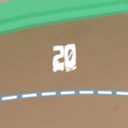
This mod adds a number above all health bars that shows its HP in a custom font.
| Date uploaded | 2 weeks ago |
| Version | 0.4.2 |
| Download link | ninjaguardian-HealthDisplayWithFont-0.4.2.zip |
| Downloads | 23 |
| Dependency string | ninjaguardian-HealthDisplayWithFont-0.4.2 |
This mod requires the following mods to function

LavaGang-MelonLoader
The World's First Universal Mod Loader for Unity Games compatible with both Il2Cpp and Mono
Preferred version: 0.7.2
UlvakSkillz-RumbleModdingAPI
API to Help Modders Get Started and to remove the necessity of GameObject.Find
Preferred version: 5.3.0README
NOTE: Fontifier is not required, but it is recommended.
Health Display With Font



What is this?
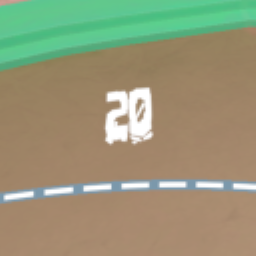
This mod adds a number above all health bars that shows its HP in a custom font (with Fontifier). This is a continuation of Health Display with more features.
Instructions
- Install MelonLoader
- Install RumbleModdingAPI
- Run RUMBLE without mods
- Drop Mods from .zip into RUMBLE's installation folder
- Install dependencies (If you want custom fonts)
- Play RUMBLE!
Use your own font
- Install dependencies
- Move any .ttf or .otf fonts into UserData\Fontifier\fonts
- Press F10 to open Mod UI
- Go to Fontifier in the dropdown
- In the second dropdown, select 'Fonts List'
- Find the name of the font you want
- In the second dropdown, select 'HealthDisplayWithFont'
- Type in the name of the font you want (case-insensitive) and hit enter
- If it looks good, hit save
What is Fontifier?
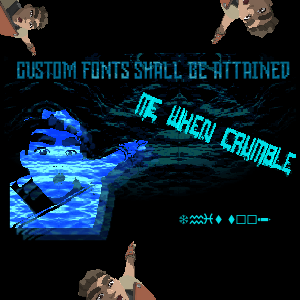
Fontifier makes it easier to select a font for HealthDisplayWithFont. If you don't want to install Fontifier but still want custom fonts, install v0.2.0 (though it may be missing features and break on non-windows platforms).
"I can't type in ModUI"
If you have UnityExplorer, hit F7 first. If not, ask the discord.
"It's not saving"
Make sure you press enter and then hit save. If you are, ask the discord.
Help And Other Resources
Get help and find other resources in the Modding Discord

CHANGELOG
v0.4.2
- Update to RMAPI v5.3.0
- Update to MelonLoader 0.7.2
- Partial ReplayMod support
- Health text updates correctly with replays
- Known issues:
- Health text can clip into nameplate
v0.4.1
- Update to RMAPI v5.1.1
v0.4.0
- Update to Fontifier v1.1.2
- Uses RMAPI again
- Opponent health text scales with distance to camera
- Make opponent health text fade in and out
v0.3.1
- Support Fontifier v1.1.0
- Fix windows issues
v0.3.0
- Switch to Fontifier
v0.2.0
- Make it work for remote players
- Currently, the text does not scale based on distance
v0.1.3
- No longer uses RMAPI
- Gets everything via HarmonyPatches
- Attempt to make health numbers show for remote players
- Doesn't seem to work yet
v0.1.2
- Fix issues when the user is client
- It now grabs the UI Bar from the local player instead of any player
- Various technical changes
- Now passes the current health instead of getting it from the player
- No longer stores the UI Bar, instead opting to store the text
v0.1.1
- Change
GameObject.Findaccording to the new rumble version - Get rid of asset bundles in favor of a font file
v0.1.0
- Initial release
