
Some mods target the Mono version of the game, which is available by opting into the Steam beta branch "alternate"

WorldRates
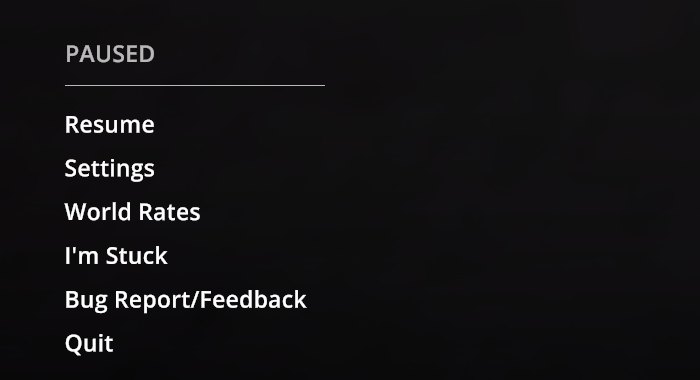
Server-style rates like Rust: XP, income, deal frequency and storage multipliers per source and per world, set live in a native in-game window (pause menu or F10). Presets x1-x10. IL2CPP build.
| Date uploaded | 4 days ago |
| Version | 1.1.0 |
| Download link | BbIJABNPOBATEJb-WorldRates-1.1.0.zip |
| Downloads | 100 |
| Dependency string | BbIJABNPOBATEJb-WorldRates-1.1.0 |
This mod requires the following mods to function

LavaGang-MelonLoader
The World's First Universal Mod Loader for Unity Games compatible with both Il2Cpp and Mono
Preferred version: 0.7.3README
World Rates
IL2CPP build for the default Steam branch. Playing on the
alternate(Mono) branch? Install WorldRates_Mono instead.

Server-style rates for Schedule I, like the "x2 / x3 / x10" servers in Rust: multiply XP, income, deal frequency and storage capacity — per source, per world, from a native in-game window, with no restart.
Features
| Tab | Rates |
|---|---|
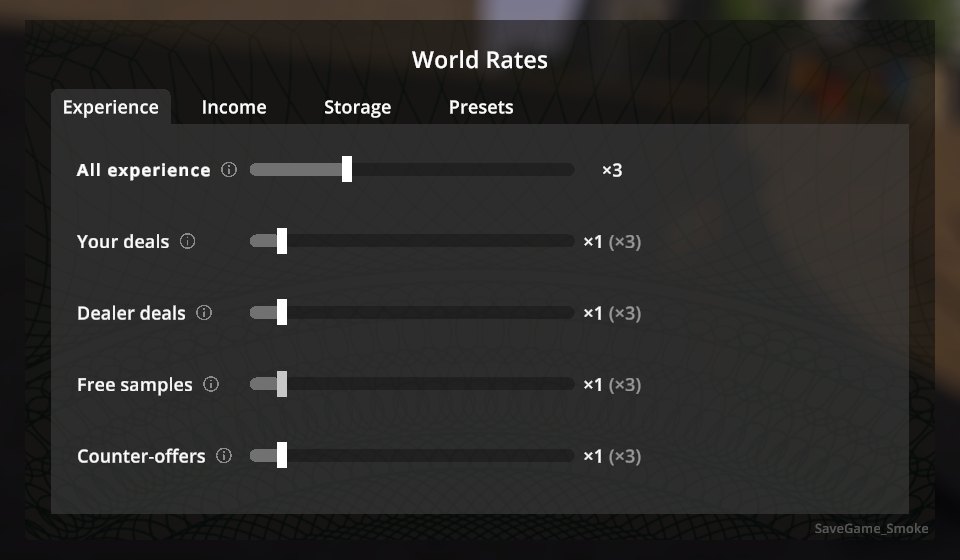
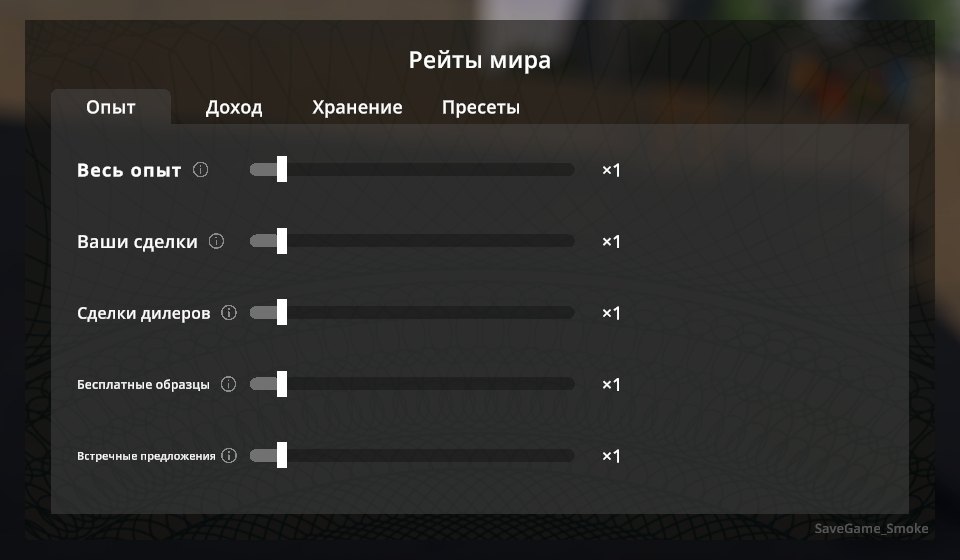
| Experience | All experience, plus per source: your deals, dealer deals, free samples, counter-offers, harvesting, new mixes, quests, escaping the police, graffiti, pickpocketing, other |
| Income | All income, plus per source: your deals (bonuses included), dealer sales, laundering, pawn shop, recycling |
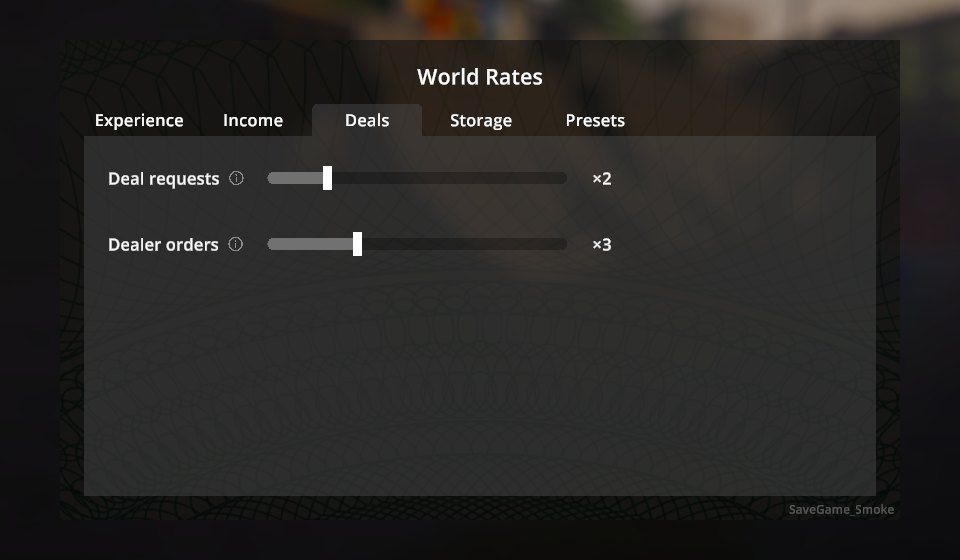
| Deals | Deal requests — how often customers text you asking for a deal; Dealer orders — how often customers order from your dealers, i.e. how fast a dealer sells the product you give him. Off–×10 |
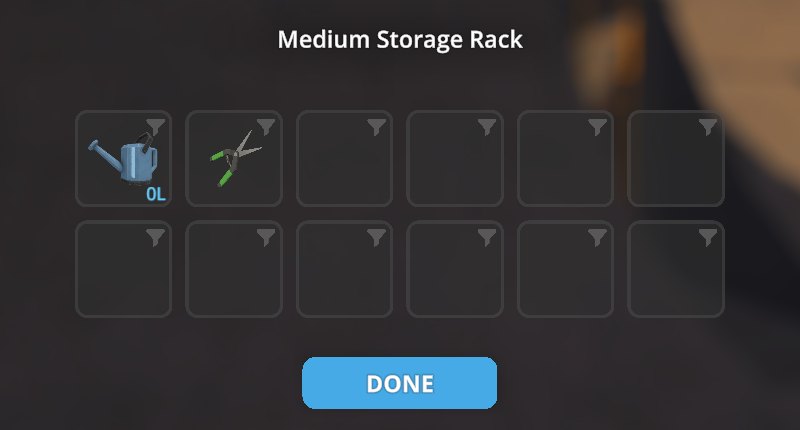
| Storage | Placed storage (racks, shelves, safes, tables, briefcases…) and your own vehicles' trunks, ×1–×4 up to 20 slots |
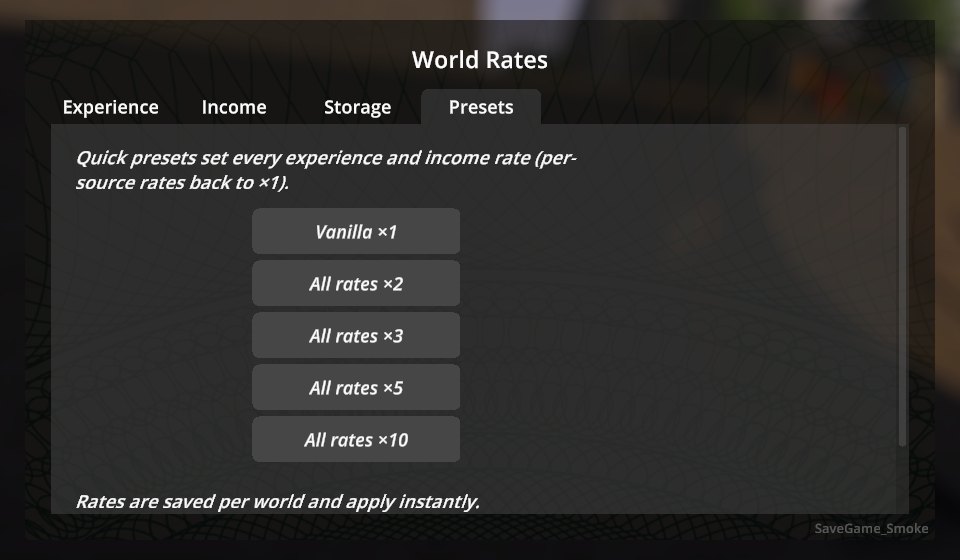
| Presets | Vanilla ×1 · All rates ×2 · ×3 · ×5 · ×10 · "use these rates for new worlds" |
-
Per-source rates multiply with the All rate of their tab; the window shows the effective value, e.g.
×2 (×6). Rates range from 0 (off) to ×10. -
Changes apply instantly. Every world keeps its own settings.
-
Deal payments are scaled before the game uses them, so the deal popup, bonuses, dealer cuts and the daily summary all show the boosted amounts.
-
Deal rates change how often customers order, not how much: order sizes stay as in the base game, so ×2 is twice as many orders. "Off" stops new requests; running deals are not touched. The ×2–×10 presets leave these two rates alone.
-
Storage is resized live. Items are never deleted: shrinking only removes empty slots at the end, and loading a save grows a storage back to the size its items need.
-
The window is built from the game's own Settings screen (tabs, sliders, tooltips), so it looks and navigates like the rest of the game. Works with Polyglot — the window is translated into all its languages:
Installation
With a mod manager (r2modman, Thunderstore App): install WorldRates for the default Steam branch or WorldRates_Mono for the alternate branch. Also on Nexus Mods.
Manually:
- Install MelonLoader 0.7.3 (0.7.1 is not supported).
- Download
WorldRates-<version>-IL2CPP.zip(default Steam branch) orWorldRates-<version>-Mono.zip(alternatebranch) from Releases. - Extract it into the game folder so that
Mods/WorldRates_Il2Cpp.dll(or_Mono.dll) is in place.
Only install the build matching your game branch.
Usage
Open Pause menu → World Rates or press F10 while in a world.
Configuration
UserData/MelonPreferences.cfg:
[WorldRates]
WindowHotkey = "F10"   # opens the window; "None" to disable
DebugLog = false       # log every scaled XP gain
Rates are stored per world in UserData/WorldRates/worlds/<steam id>_<save slot>.cfg
(plain id=value lines); new worlds start from UserData/WorldRates/defaults.cfg, which the
"Use these rates for new worlds" button writes.
Multiplayer
Rates are applied by the host; for other players the window is read-only. Settings are not synced to clients yet, and XP from a few actions that run on a client's machine (e.g. a client's pickpocketing) is not scaled.
Uninstalling
Set Storage back to ×1 and take items out of the extra slots first — without the mod the game only loads its own slot count, so items in the extra slots would be lost.
Changelog
See CHANGELOG.md.
Credits
Developed with AI assistance (Claude by Anthropic) and tested in game on both branches with automated in-game tests.
License
MIT.
CHANGELOG
Changelog
1.1.0 - 2026-10-01
- New Deals tab with two frequency rates (Off to ×10):
- Deal requests - how often customers text you asking for a deal.
- Dealer orders - how often customers order from your dealers, i.e. how fast a dealer sells the product you give him.
- Order sizes stay as in the base game: ×2 means twice as many orders, not bigger ones. Low rates spread orders over several weeks, high rates add order windows during the day and shorten the wait between a customer's deals.
- The ×2–×10 presets leave the deal rates alone; "Vanilla ×1" resets them.
- Works on the game's 0.4.7 beta: the income rate of deals was not applied there. The same build still runs on 0.4.6.
1.0.1 - 2026-09-30
- Fixed a crash (stack overflow) on the default IL2CPP branch when XP was awarded outside your own actions, e.g. when a dealer completed a deal. XP is now scaled at a single safe point.
- The "Storage capacity updated" log line no longer repeats while a slider is being dragged.
- Plays nicely with other mods that add their own settings screens to the pause menu.
1.0.0 - 2026-09-30
- First public release.
- Experience rates: all experience plus 11 sources (deals, dealer deals, samples, counter-offers, harvesting, new mixes, quests, police escapes, graffiti, pickpocketing, other).
- Income rates: all income plus your deals, dealer sales, laundering, pawn shop, recycling.
- Storage capacity for placed storage and player vehicle trunks (×1–×4, up to 20 slots), resized live; items are never deleted.
- Presets (×1, ×2, ×3, ×5, ×10) and default rates for new worlds.
- Native in-game window (pause menu → World Rates, F10), per-world settings.
- Supports both IL2CPP (default) and Mono (
alternate) branches.
