
Some mods target the Mono version of the game, which is available by opting into the Steam beta branch "alternate"
You are viewing a potentially older version of this package.
View all versions.
ItemSlotColorChanger
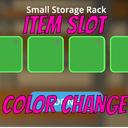
Changes the color and transparency of item slots for clearer visibility.
| Date uploaded | 7 months ago |
| Version | 1.0.1 |
| Download link | delassa-ItemSlotColorChanger-1.0.1.zip |
| Downloads | 637 |
| Dependency string | delassa-ItemSlotColorChanger-1.0.1 |
This mod requires the following mods to function

LavaGang-MelonLoader
The World's First Universal Mod Loader for Unity Games compatible with both Il2Cpp and Mono
Preferred version: 0.7.0
the_croods-SwapperPlugin
Allows seamless swapping between the il2cpp and mono backends. Can be used to install the mono and Il2Cpp version of a mod seamlessly
Preferred version: 1.2.1README
Item Slot Color Changer
Another small but sweet mod for Schedule I that allows changing the color of item slots in inventory and crafting menus.
Features
- Integration with Mod Manager & Phone App for settings (optional) and hot changing of settings
- Change color of item slots (transparency too)
- Seperate settings for hotbar, storage and stations
Usage
- Install Melonloader 7.0
- Download the latest release
- Place the DLL in the
Modsfolder of your Schedule I installation - (Optional) Install Mod Manager & Phone App for easier configuration and hot change of settings
Configuration
- Open the Mod Manager or Phone App
- Navigate to the Item Slot Color Changer settings
- Adjust the colors for hotbar, storage, and stations as desired
- Manual configuration available in UserData/MelonPreferences.cfg
CHANGELOG
Changelog
1.0.0
- Initial release
1.0.1
- Fixed a bug where colors were not applied correctly on loading from menu after exiting to main menu
