
Some mods target the Mono version of the game, which is available by opting into the Steam beta branch "alternate"
You are viewing a potentially older version of this package.
View all versions.
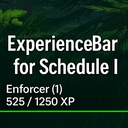
ExperienceBar
Adds a sleek, full-width XP bar to the HUD in Schedule I, showing your current rank, tier, and progress toward the next level — all with clean, minimal UI styling.
By j0ckinjz
| Date uploaded | a year ago |
| Version | 1.0.2 |
| Download link | j0ckinjz-ExperienceBar-1.0.2.zip |
| Downloads | 1151 |
| Dependency string | j0ckinjz-ExperienceBar-1.0.2 |
This mod requires the following mods to function

LavaGang-MelonLoader
The World's First Universal Mod Loader for Unity Games compatible with both Il2Cpp and Mono
Preferred version: 0.7.0
the_croods-SwapperPlugin
Allows seamless swapping between the il2cpp and mono backends. Can be used to install the mono and Il2Cpp version of a mod seamlessly
Preferred version: 1.2.2README
📊 ExperienceBar
A lightweight MelonLoader mod for Schedule I that adds a clean XP bar UI to the HUD, displaying your current rank and progress toward the next level.
✨ Features
- Full-width experience bar at the bottom of the screen
- Displays current rank (e.g.
Enforcer (1)) - Shows current XP vs required XP (e.g.
525 / 1250 XP)
🔧 Installation
- Install MelonLoader for Schedule I
- Drop
ExperienceBar.dllinto yourMods/folder - Launch the game and enter the
"Main"scene — the XP bar appears automatically
🛠️ Mod Behavior
| Event | Behavior |
|---|---|
| XP changes | Updates the bar fill and label |
| Rank changes | Label updates dynamically |
Scene not "Main" |
Mod remains inactive |
🙌 Credits
Created by j0ckinjz
CHANGELOG
📦 Changelog
v1.0.4
- Bugfix: XP HUD now fades out correctly for clients in multiplayer
- New Toggle:
Show XP Bar on XP Earned
→ When disabled, the HUD will only appear while the phone is open (XP updates are still tracked silently)
v1.0.3
- Improved performance by reducing how often the game checks for XP and rank updates
- Minor adjustments to ensure the XP bar updates smoothly without unnecessary work
- I forgot to upload this one...
v1.0.2
- Fixed issue where text shadow settings affected other in-game fonts
v1.0.1
- Added preferences to toggle fading:
Fade XP BarFade Rank / XP Text
- Bar and text fade independently
- Fade is paused while phone is open, and resumes after closing
- Fade resets when XP is earned or phone is opened
v1.0.0
- Initial release
- Full-width XP bar displayed at the bottom of the screen
- Shows current Rank and Tier (e.g.
Enforcer (1)) - Displays live XP progress (
525 / 1250 XP)
